Below are guideline(s) to Disallow User to Edit Amount :
Step 1 : Go to System >> Security Manager >> User Profile Management
Step 2 : Select user ID from “List”
Step 3 : Untick “Allow edit amount”
Step 4 : Click “Update”
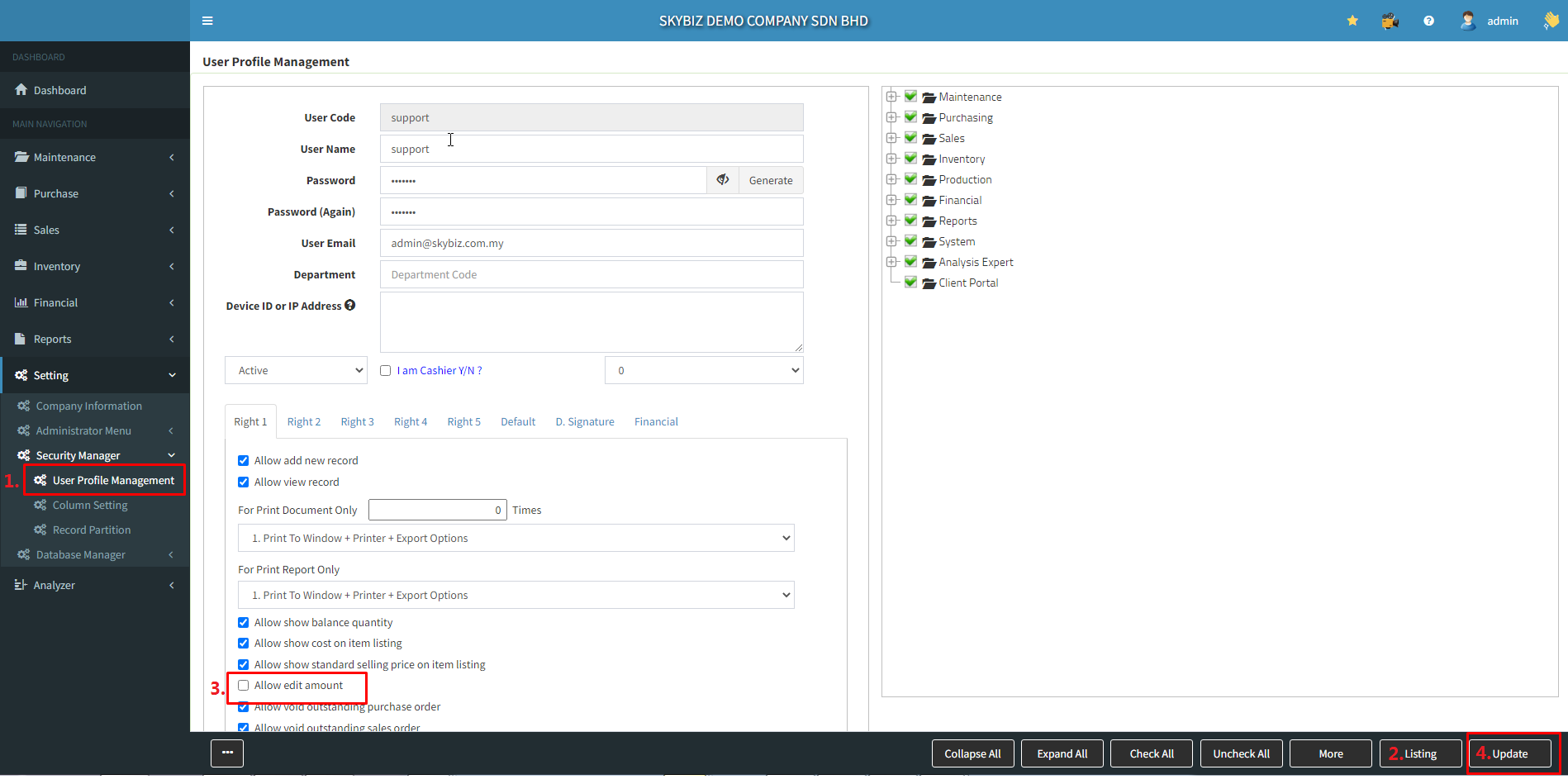
Below are guideline(s) to Disallow User to Edit Amount :
Step 1 : Go to System >> Security Manager >> User Profile Management
Step 2 : Select user ID from “List”
Step 3 : Untick “Allow edit amount”
Step 4 : Click “Update”