Below are guideline(s) to troubleshoot webmail setting :
- Go to “Gmail” and click “Manage your Google Account” and click on it.
-
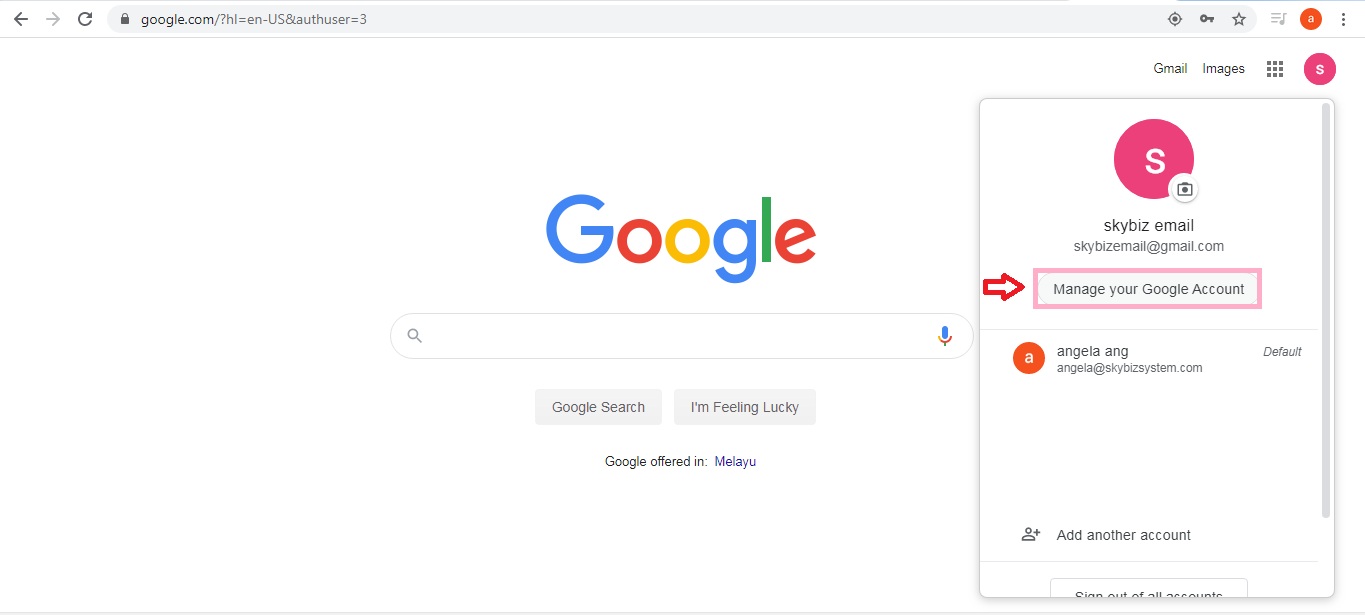
Manage Google Account
- Page security>>Less secure app access>> set to “On”
-
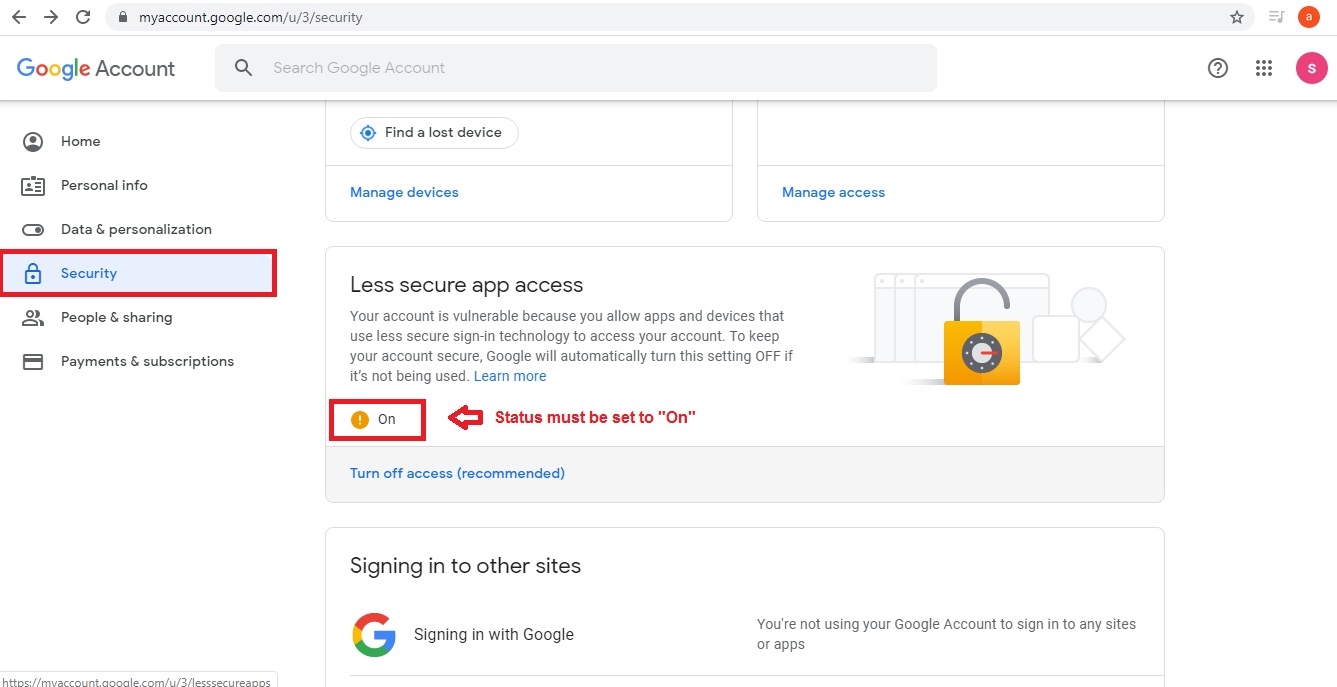
Google Security
- SkyBiz Cloud, click menu System>>Company Information>>
- Fill in “Webmail SMTP Server“, “Webmail SMTP Port“, “Webmail Authenticate“, “Webmail Use SSL” , “Webmail Address“, “Webmail Password“.
-
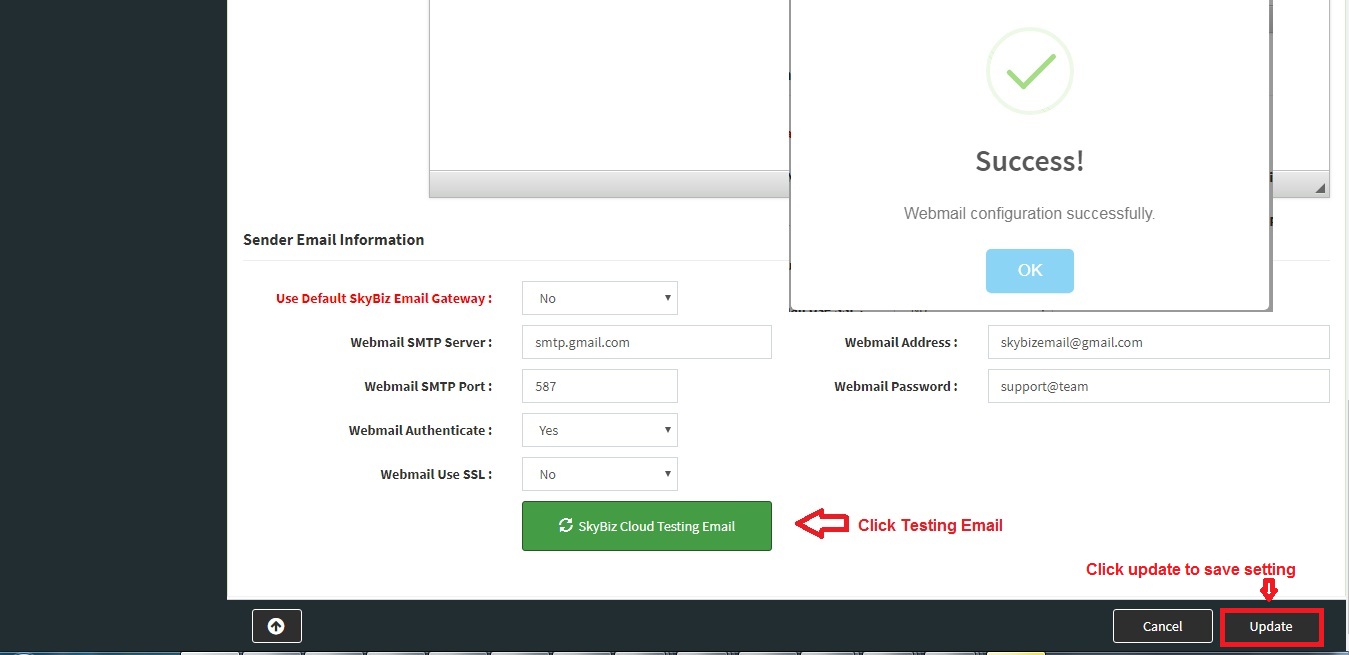
Company Information – Webmail Configurationhttp://skybizglobal.com/ticket/kbimage/k_companyinformation_webmailconfiguration.jpg
- Click “SkyBiz Cloud Testing Email“, the returned message must be success otherwise, you need to refer to your mail server provider.
- Click an Update to save setting.
Powered By : SKYBIZ ® Beyond Cloud ™