Below are guideline(s) to create “credit note to customer” :
- On “MyDistribution” and go menu Sales>>Credit Note To Customer and click on it.
- Header page, select “Customer” as per screen shot.
-
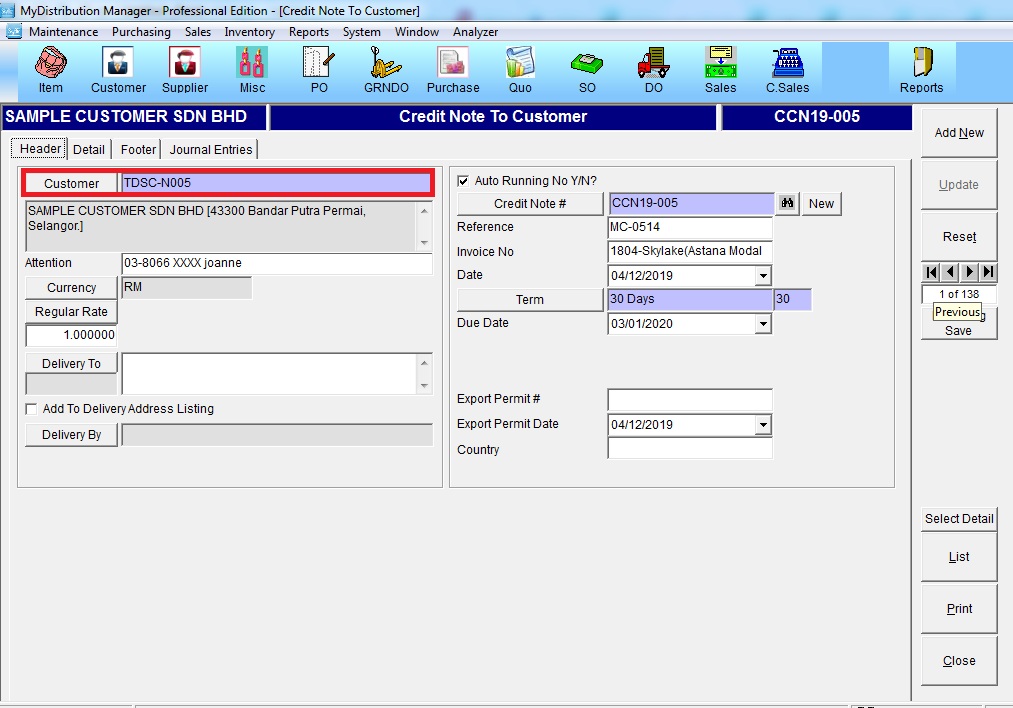
Credit Note To Customer – Header Page
- Detail page, click button “Select Detail” and tick an “invoiced item” to be return.
-
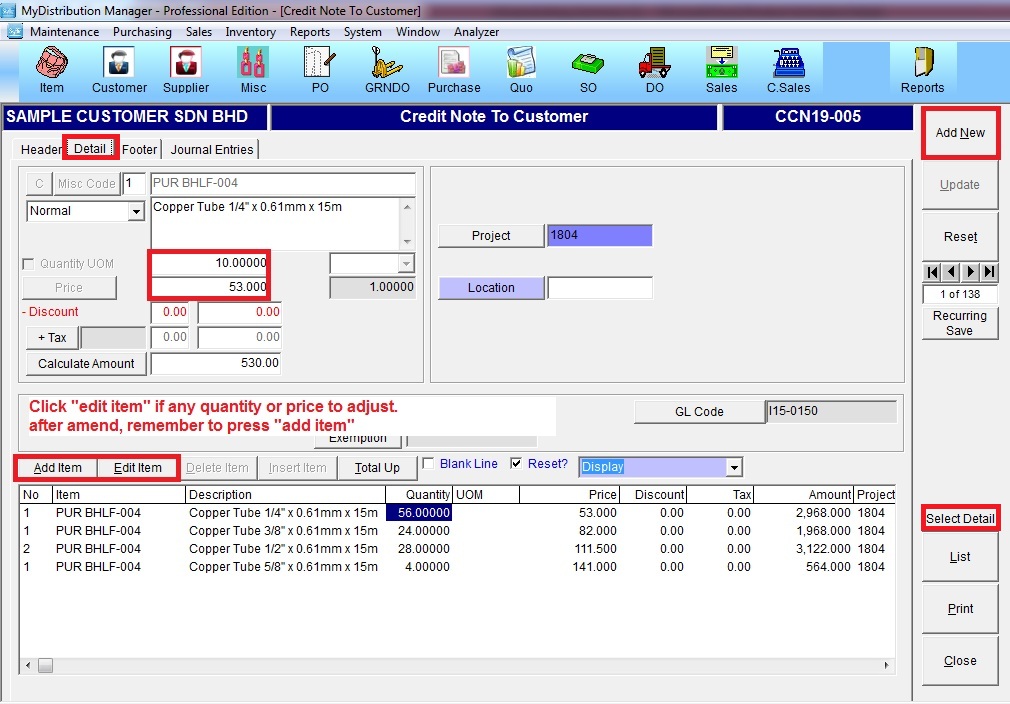
Credit Note To Customer – Detail Page
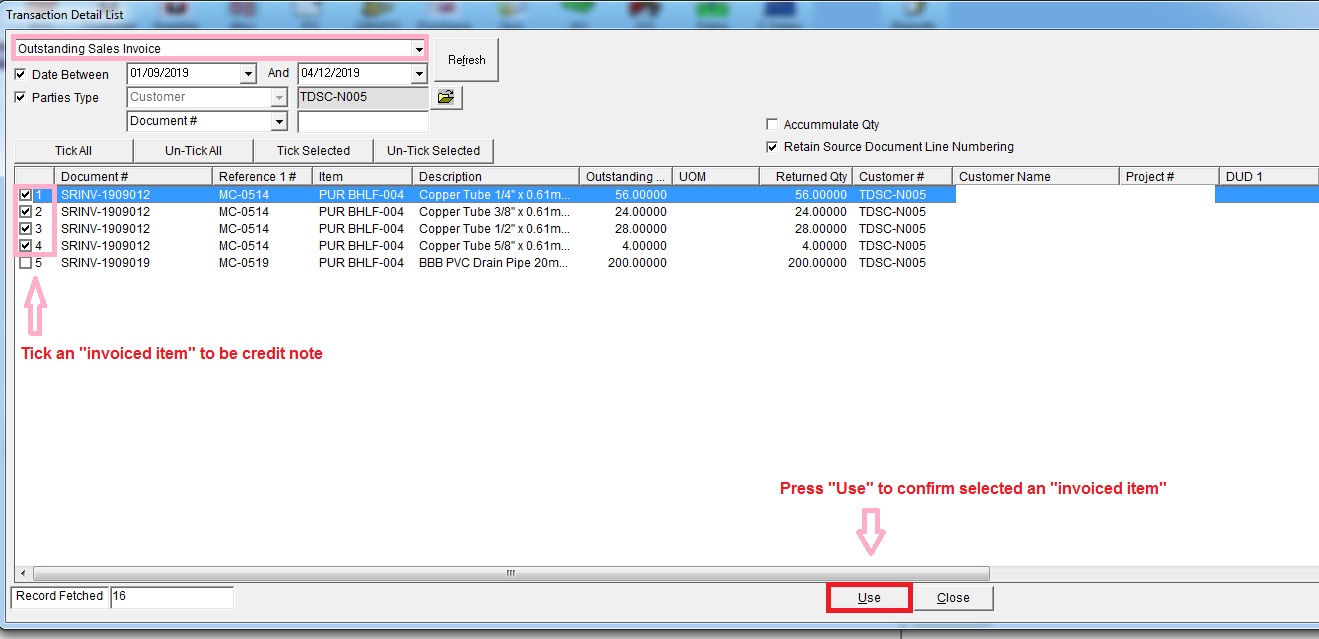
Credit Note To Customer – Select Detail
- Click button “Use” to confirm selected an invoiced item to be return.
- If you have any quantity or price to be adjust then choose row and press “Edit Item” and press “Add Item” to add back to grid.
-
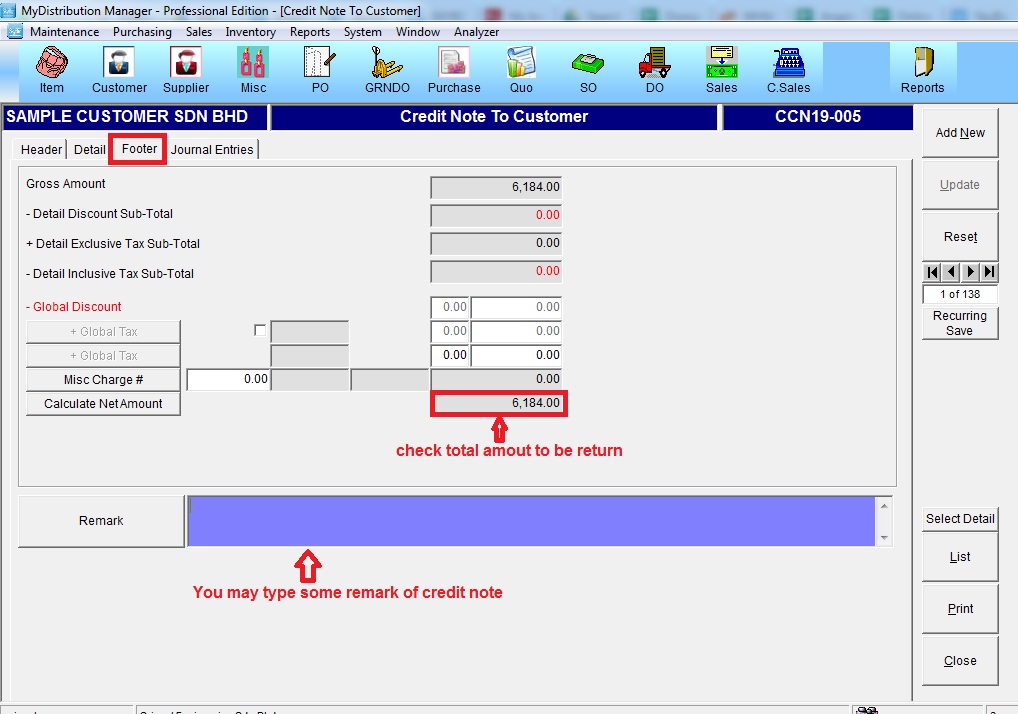
Credit Note To Customer – Footer Page
- Click button “Add New” if all row of data is filled up accordingly.
Powered By : SKYBIZ ® Beyond Cloud ™