Introduction to SKYBIZ Delivery Order
A Delivery Order (DO) is a document issued by a seller, supplier, or logistics provider to authorize the release or delivery of goods to a customer. It contains key details such as the recipient’s name and address, product descriptions, quantities, delivery date, and reference to the related sales order or invoice. While it is not a billing document, the delivery order serves as proof that goods have been dispatched or delivered. In accounting and inventory management, delivery orders help track the movement of goods, update stock levels, and support the billing process by linking deliveries to sales invoices.
How to Modify a Delivery Order?
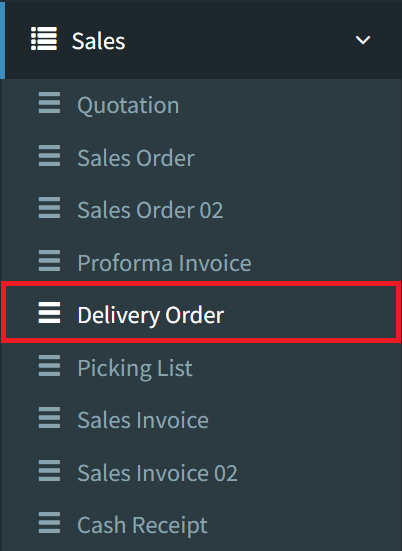
Step 1: To modify a delivery order, navigate to Sales > Delivery Order
Step 2: Click the Listing button on the bottom right to view all delivery orders

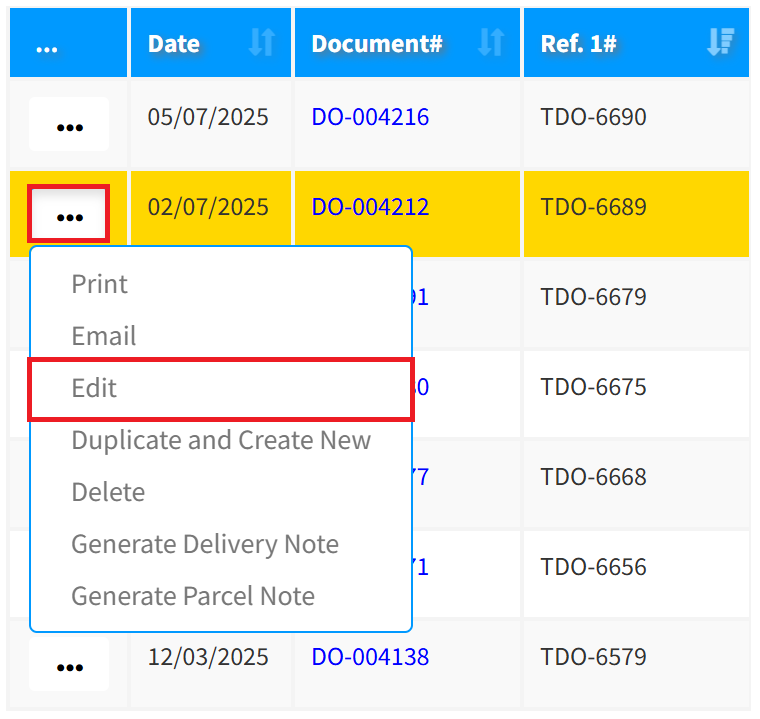
Step 3: Click the 3-Dots icon, then click Edit to modify your delivery order
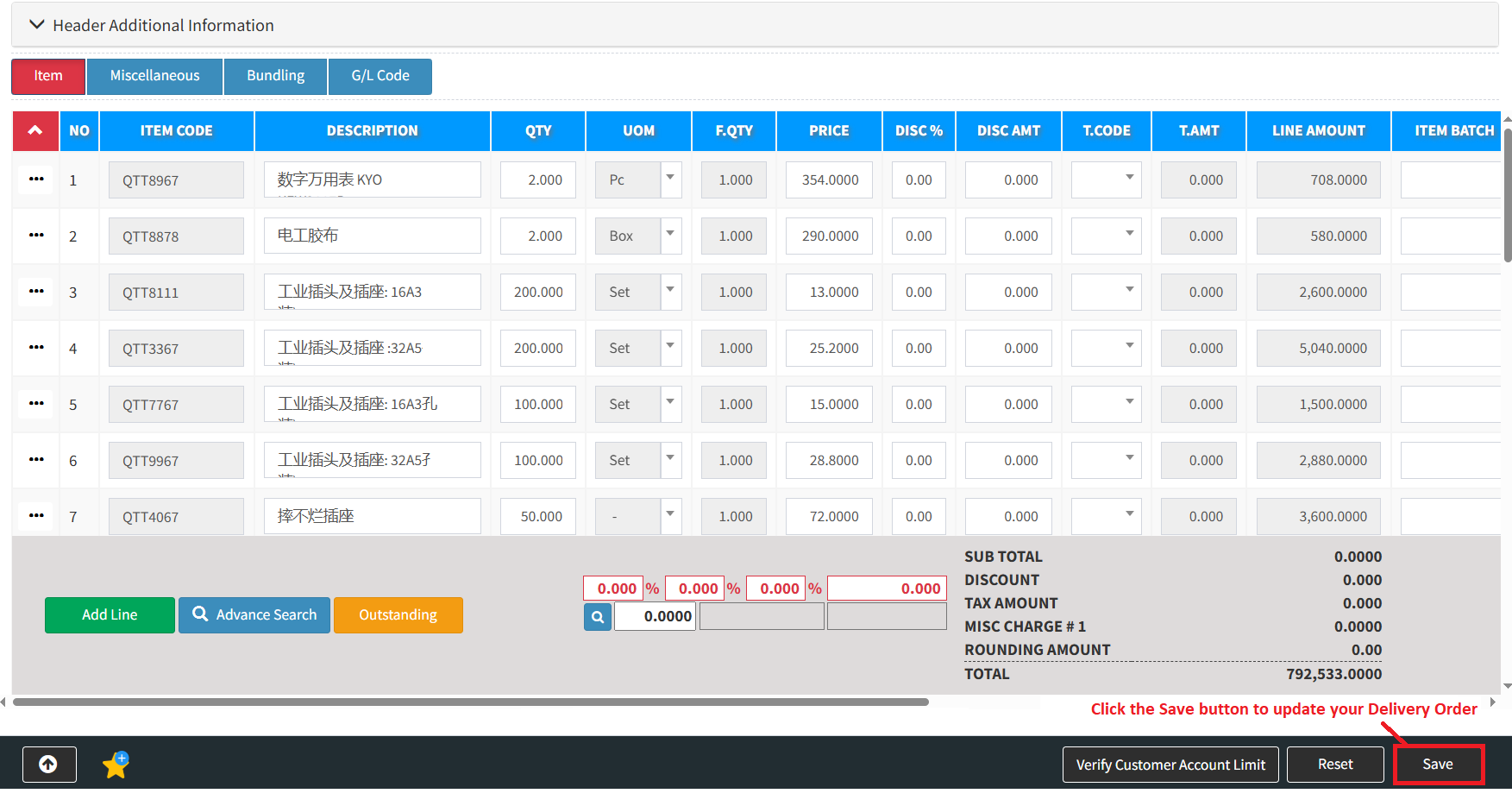
Step 4: After modifying your delivery order, click the Save button to update your delivery order
Conclusion
In conclusion, a delivery order is an essential document that facilitates the smooth transfer of goods from seller to buyer. While it is not a financial document, it plays a critical role in inventory control, order fulfillment, and customer service. By accurately recording the details of each delivery, businesses can ensure proper tracking, reduce disputes, and support timely and accurate invoicing—making the delivery order an important part of the overall accounting and logistics process.
Powered By: SKYBIZ ®