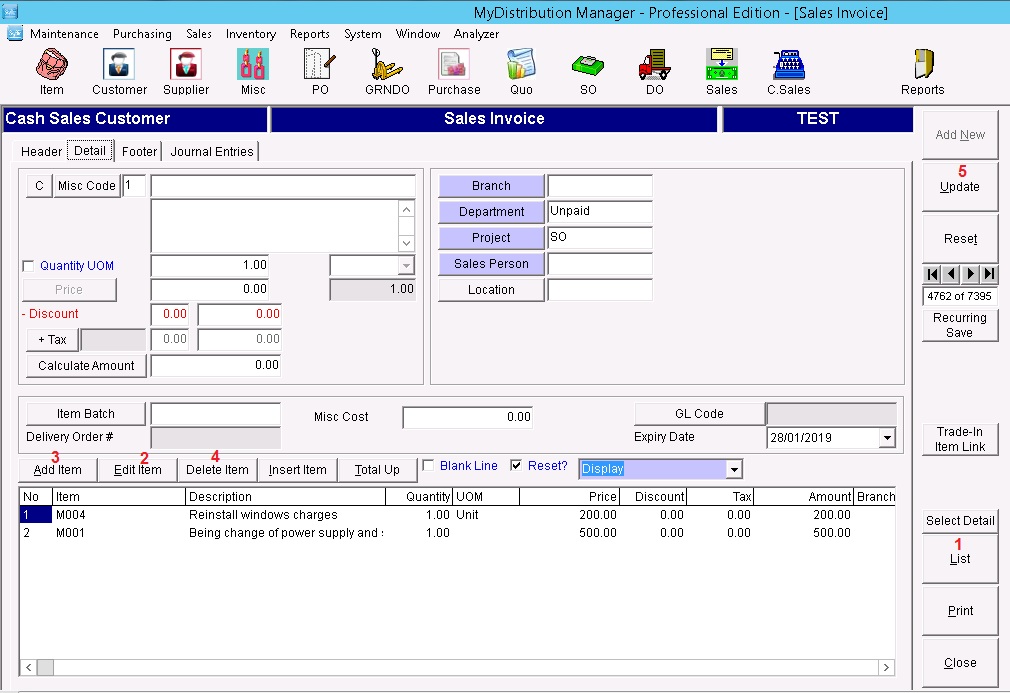
Below are Guideline(s) to amend existing sales invoice:
- Click “List” and retrieve your sales invoice document.
- Click “Edit Item” and you may start amend your price/description/discount amount.
- Click “Add Item” to get change of your amended price/description/discount amount.
- Click “Delete Item” to remove your unwanted line.
- Click “Update” to make sure your amended data being save.