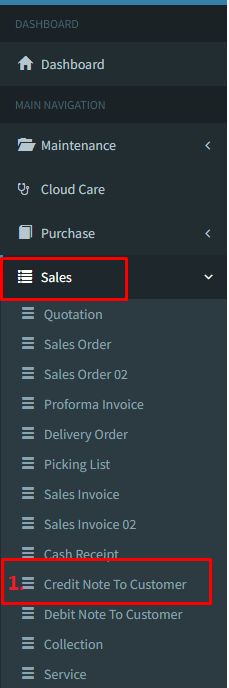
- Go menu Sales>>Credit Note To Customer and click on it.
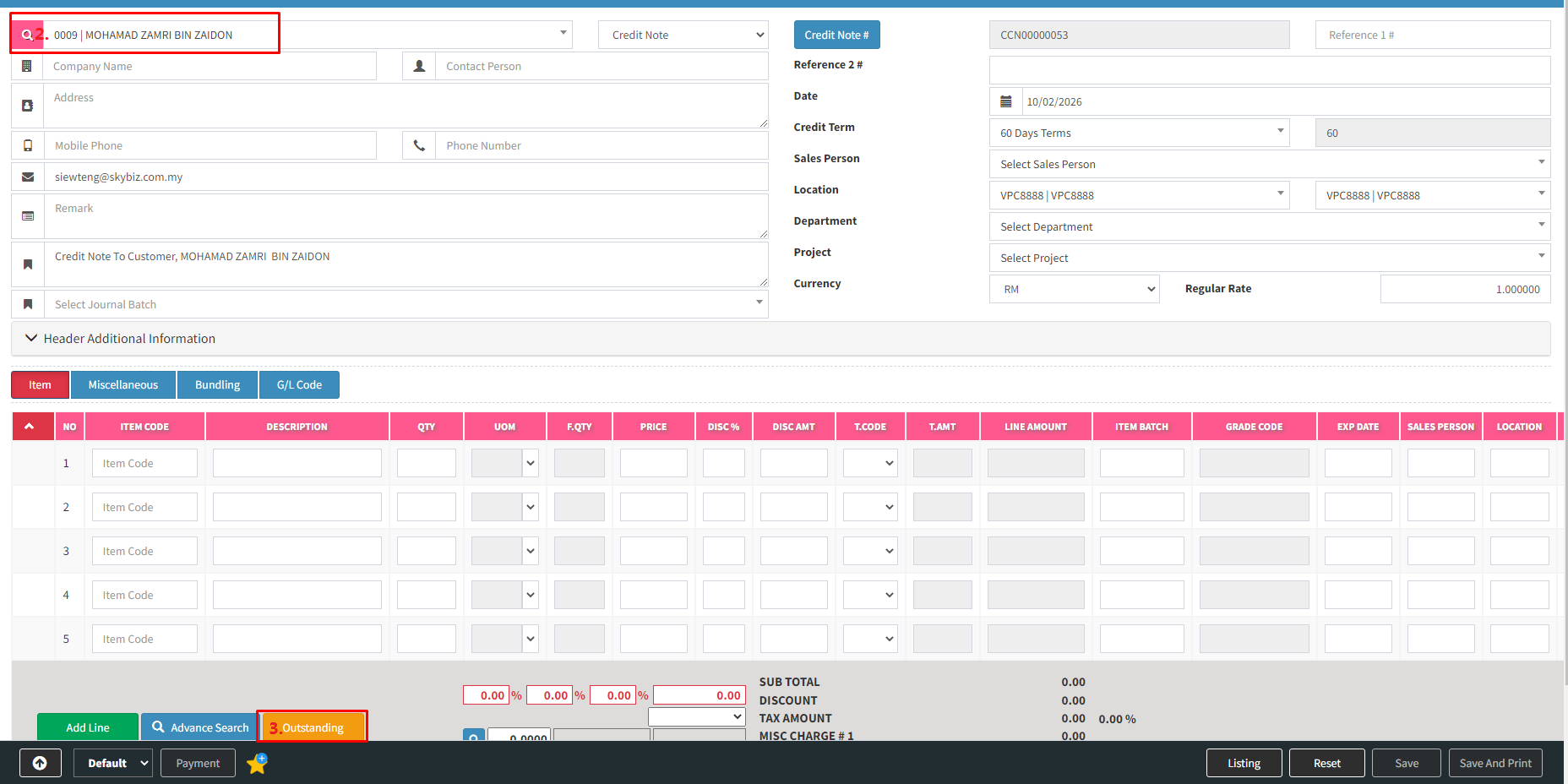
- Header page, select “Customer” as per screen shot.
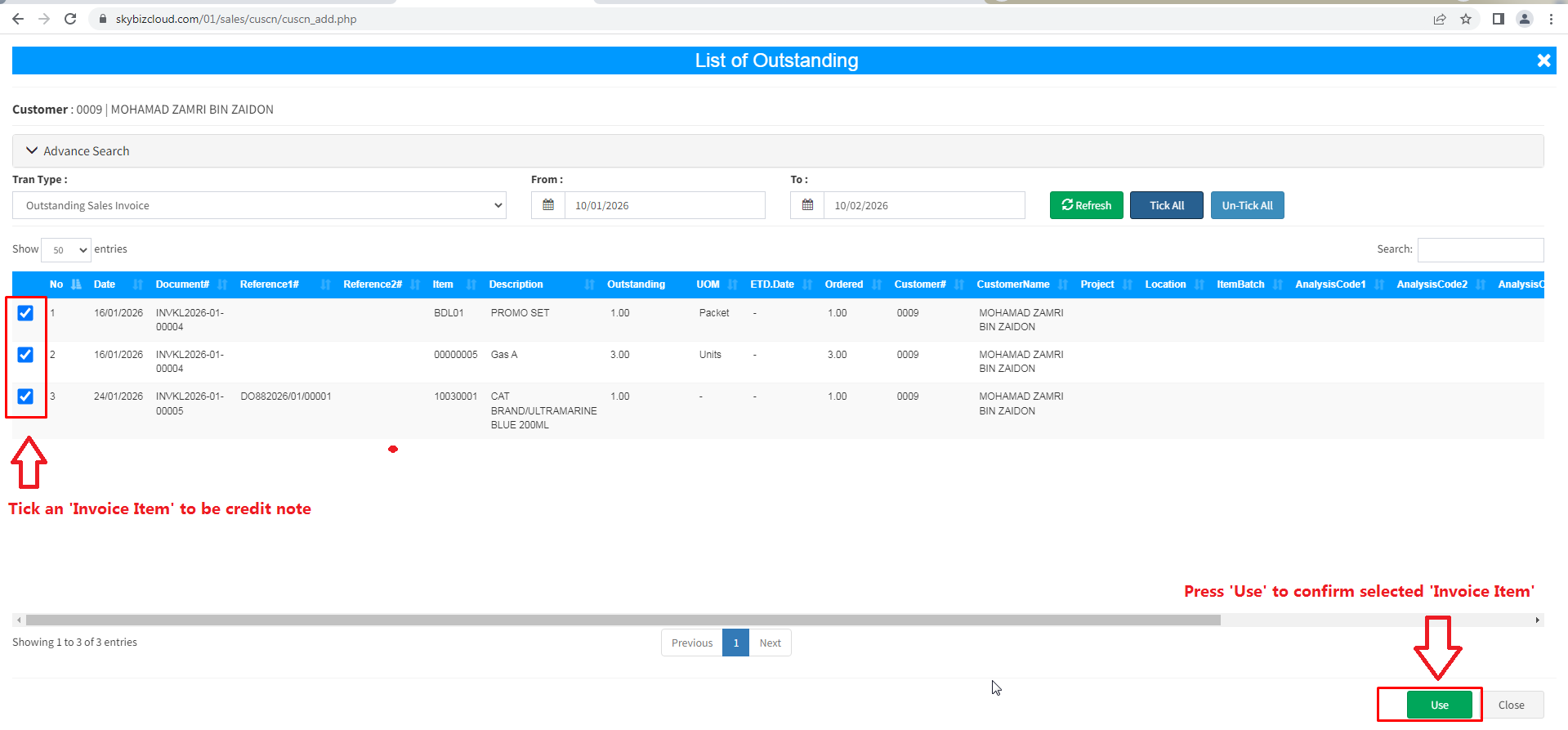
- Click button “outstanding ” and tick an “invoiced item” to be return.
- Click button “Use” to confirm selected an invoiced item to be return.
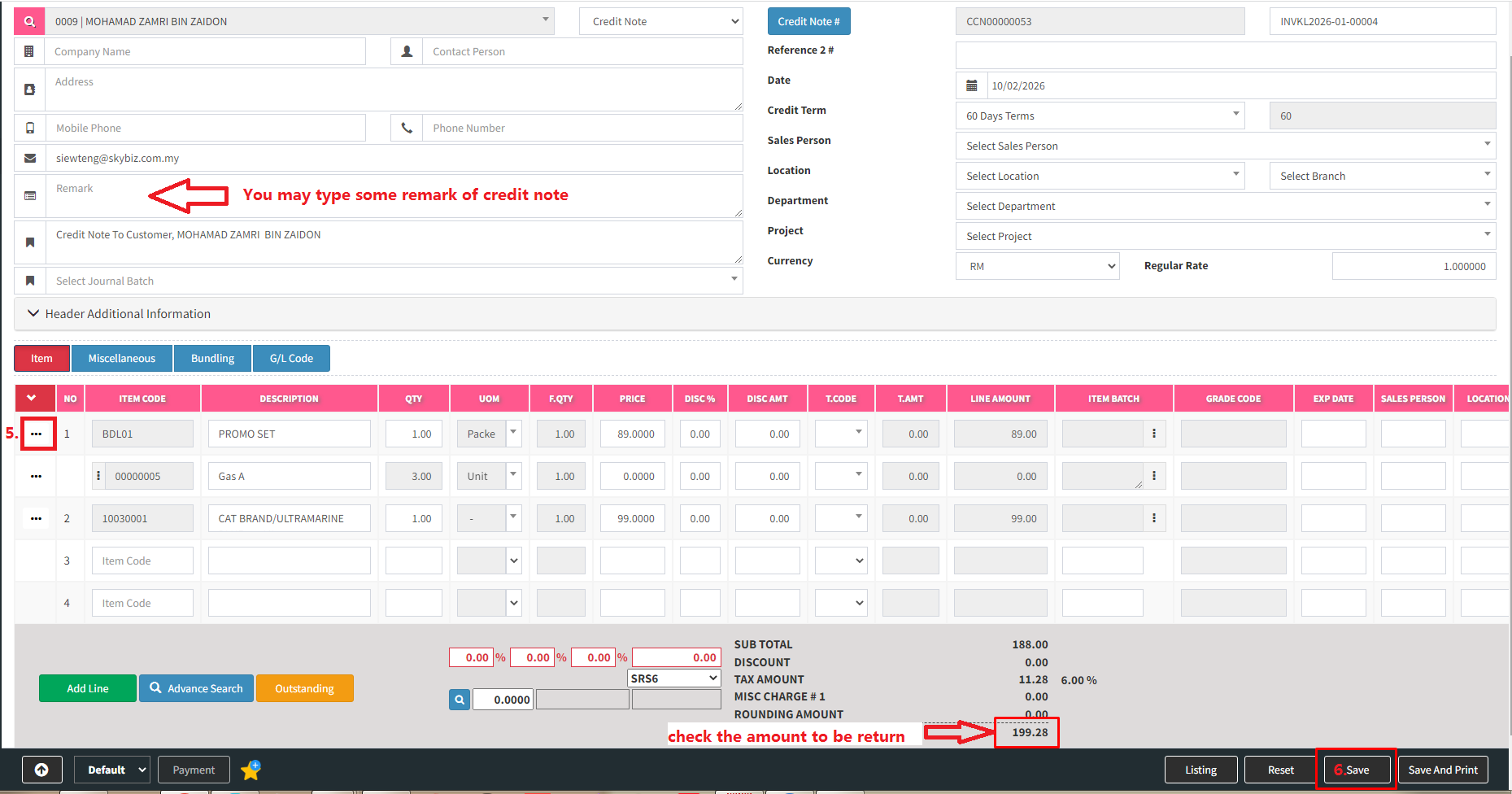
- If you have any quantity or price to be adjust then choose row and press “Edit Item” and press “Add Item” to add back to grid.
- Click button “Save” if all row of data is filled up accordingly.