During the creation of new account book, if you have selected ‘Chart of Account’,
it will be displayed and you may just modify, add, delete or edit from existing chart of account list.
Below are the steps for creating a new account code under an existing parent/ level account.
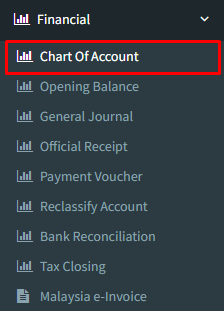
Step 1: Click on side menu >> Financial >> Chart of Account
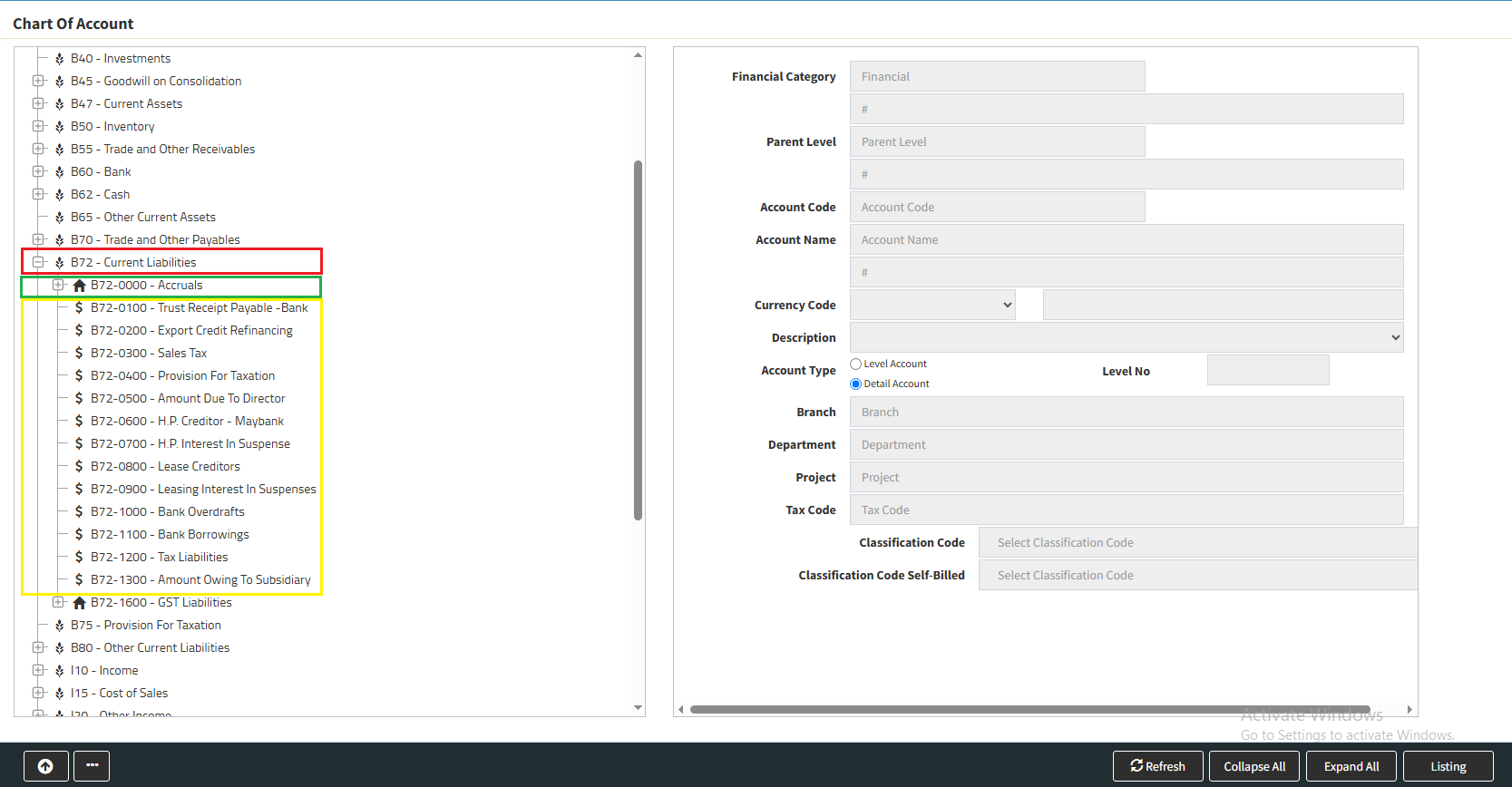
Step 2 : When click in to the Chart of Account will see the standard account code.
There are 3 types of Account code :
Bold in Red : Standard Chart of Account Code
Bold in Green : Level Account ( that is no transaction, carry sub account called : detail account )
Bold in Yellow : Detail Account
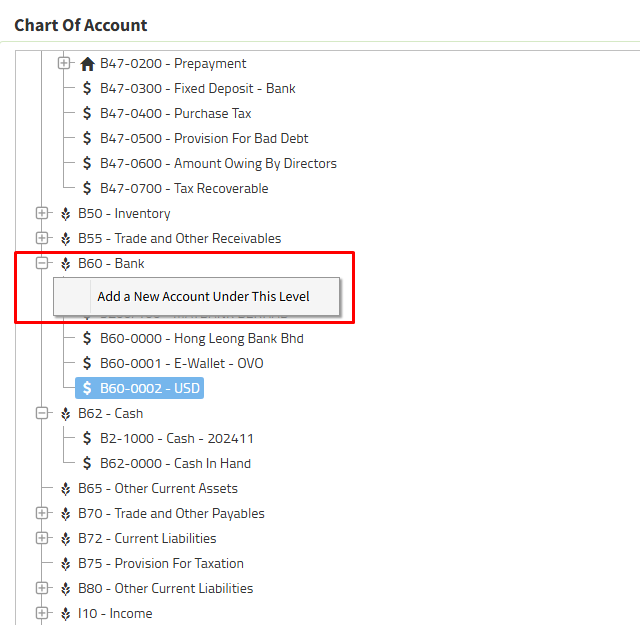
Step 3 : Right click to add a new account from either the Standard Chart of Account or Level Account
For example we create a new “details account” for the standard chart name : bank account
Right Click on Bank and “Add a New Account Under This Level”
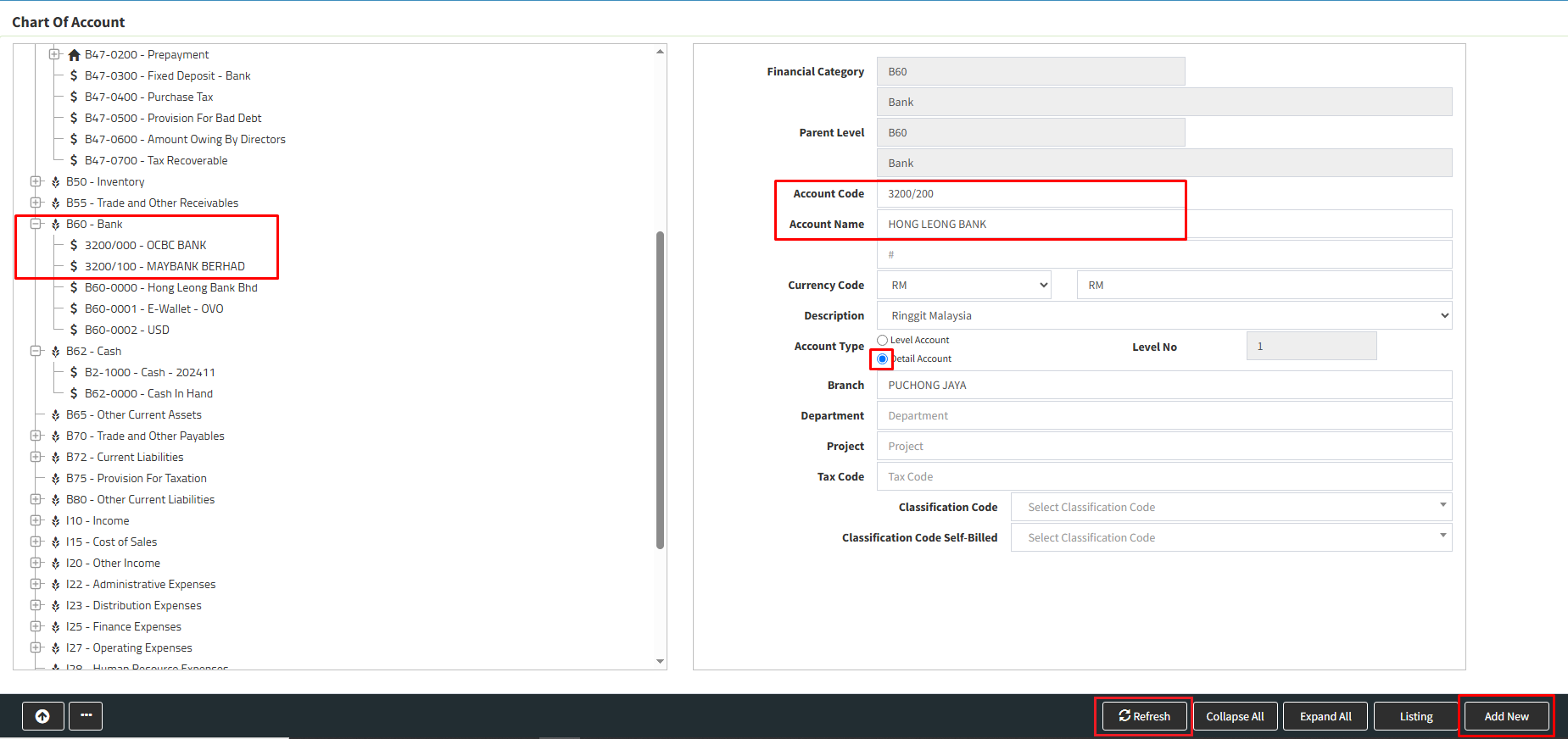
Step 4 : On right side you will see “Financial Category” and “Parent Level” are from standard chart account name : Bank
Key in your new account code ( following number from the existing bank account number ) and account name : the bank name
Step 5 : Tick your account type : “Details Account”
Step 6 : Click “Add New” and “Refresh” your new bank account is created under standard chart account – Bank.
Powered By : SKYBIZ ®