- Invoice Customer get TIN QR Code
- Cash Sales Customer get TIN QR Code
- Cash Sales Customer get TIN QR Code [Offline]
SKYBIZ provide a sub-module to allow user send bulk email request to specific or all of their customers via E-INVOICING – COMPANY TAX INFORMATION REQUEST PORTAL. You may follow below detail steps.
- Invoice Customer get TIN QR Code
a. You may go [Customer Listing], click button [Bulk Email], it appears check box for you to choose by customer, after done, then click button [Bulk Email], it will pop up an email message memo for you to fill in the email content.
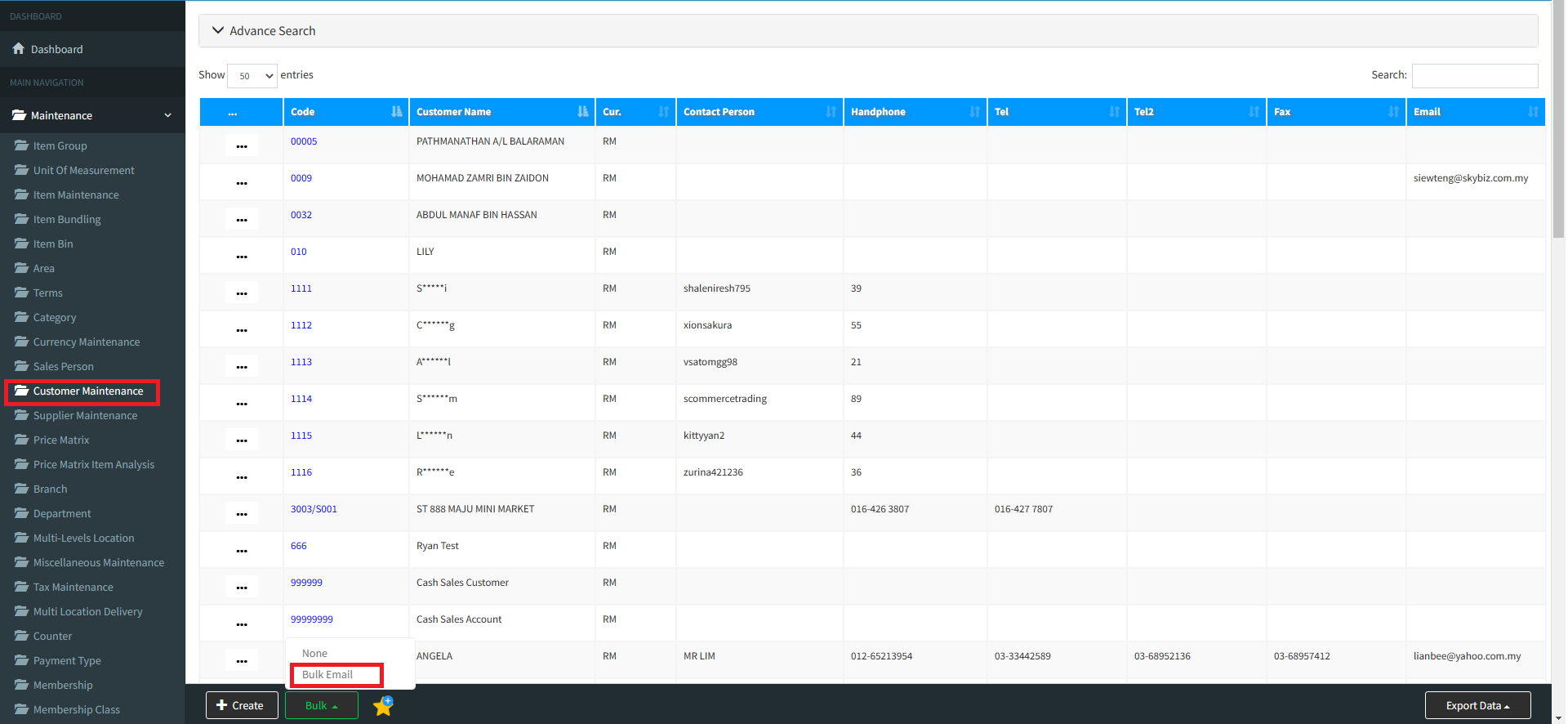
b. Upon click button [Request Company Tax Information], it will generate a request link url.
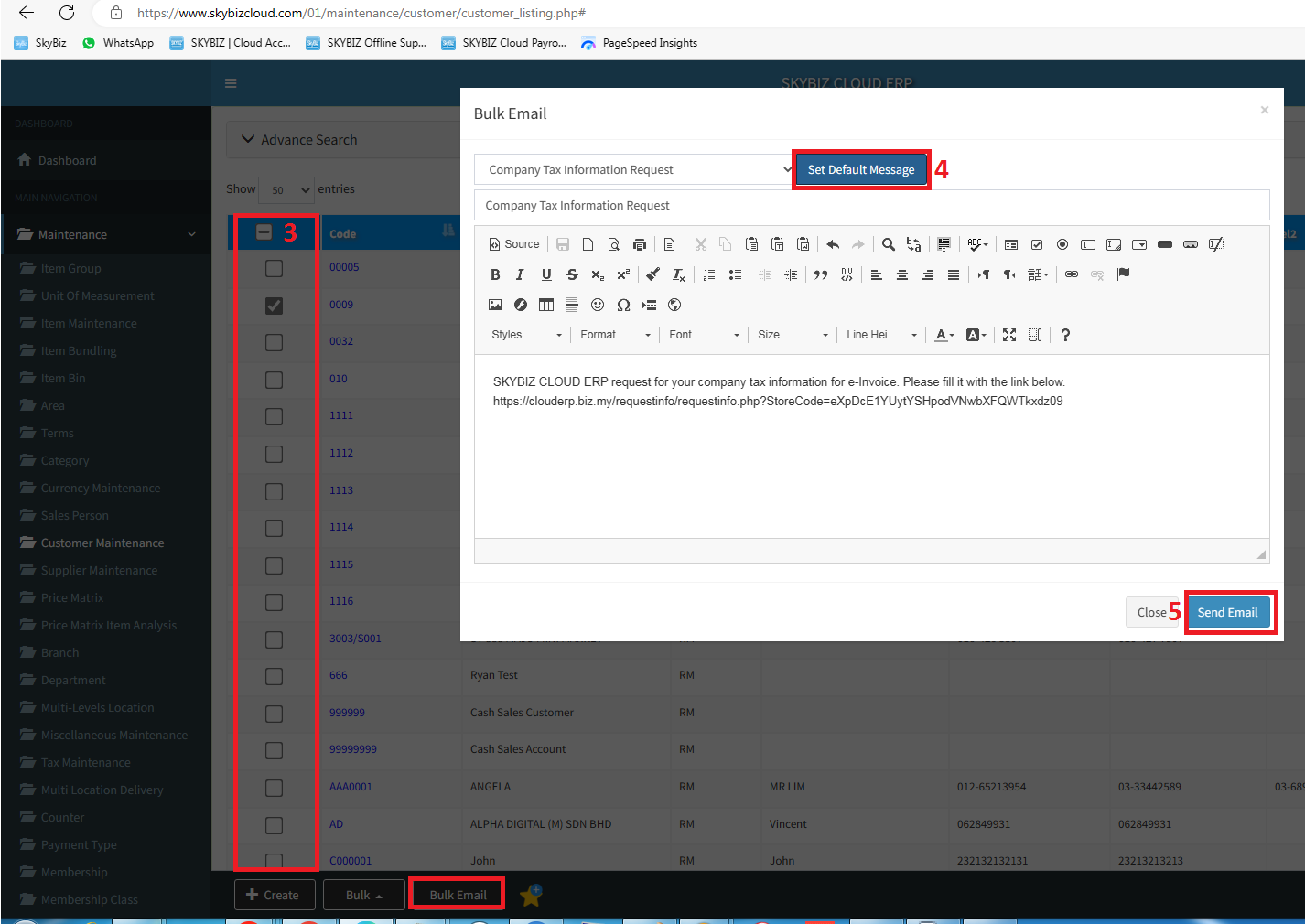
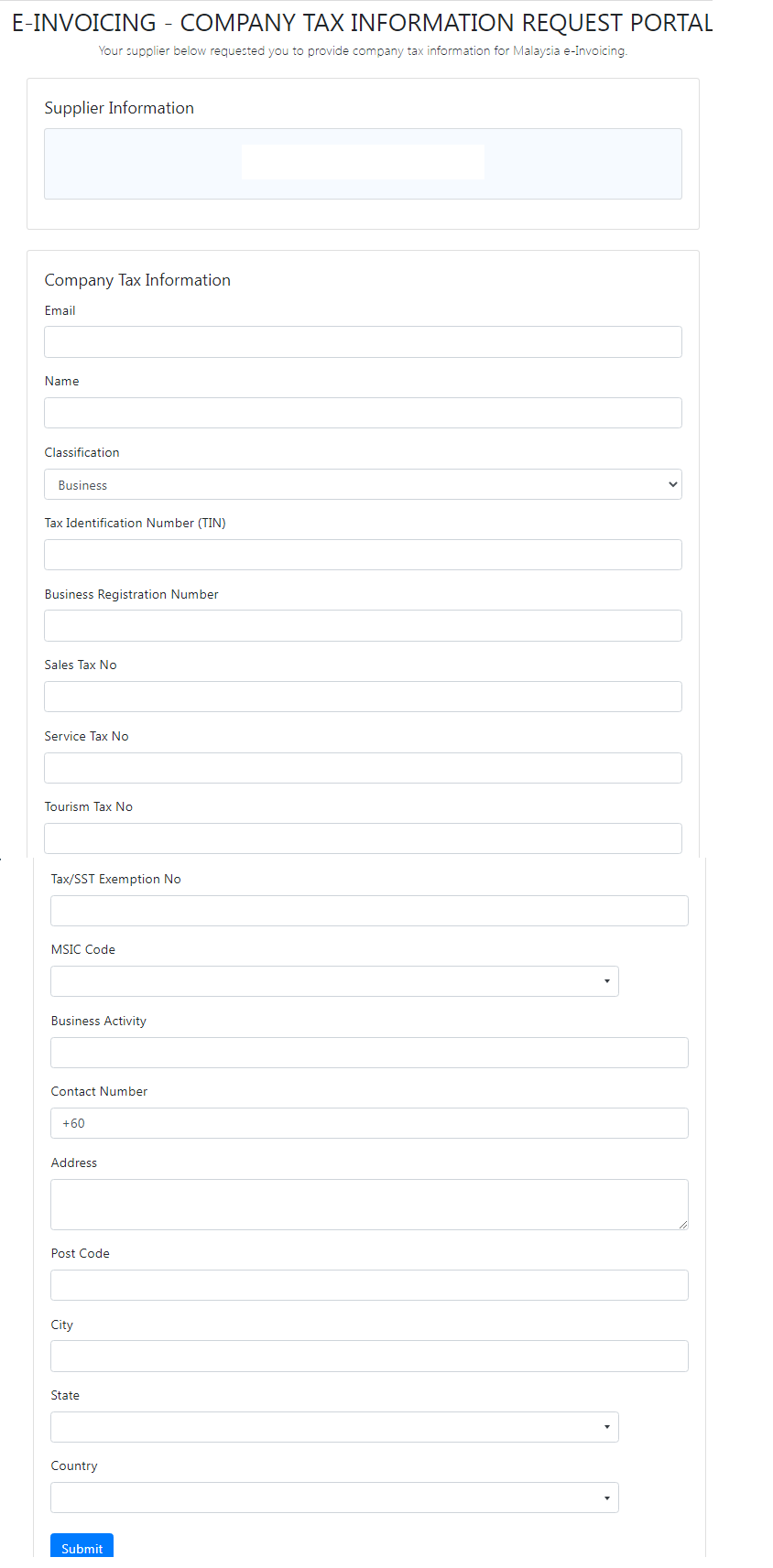
c.i. Upon completion for email setup, you may click button [Send Email] which will send instant email notification to your customer with request link url. Once your customer receives your email, by click on the request link url provide by you, it will appear below information fill up form. By completing below information collect form, and click on button [Submit], those TIN information will be recorded into your company database.
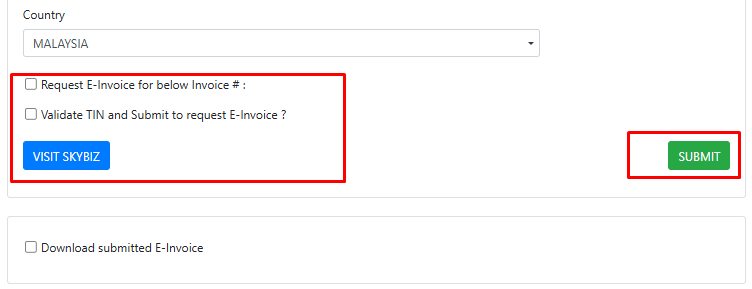
c.ii. At the bottom of the above page, company customer can tick [Request E-Invoice] for particular invoice number, and at the same time, company customer allows to validate their own TIN information before submitting to company. Upon submission, system will pop-up below confirmation message box to inform company customer can use back same url to download their E-Invoice.
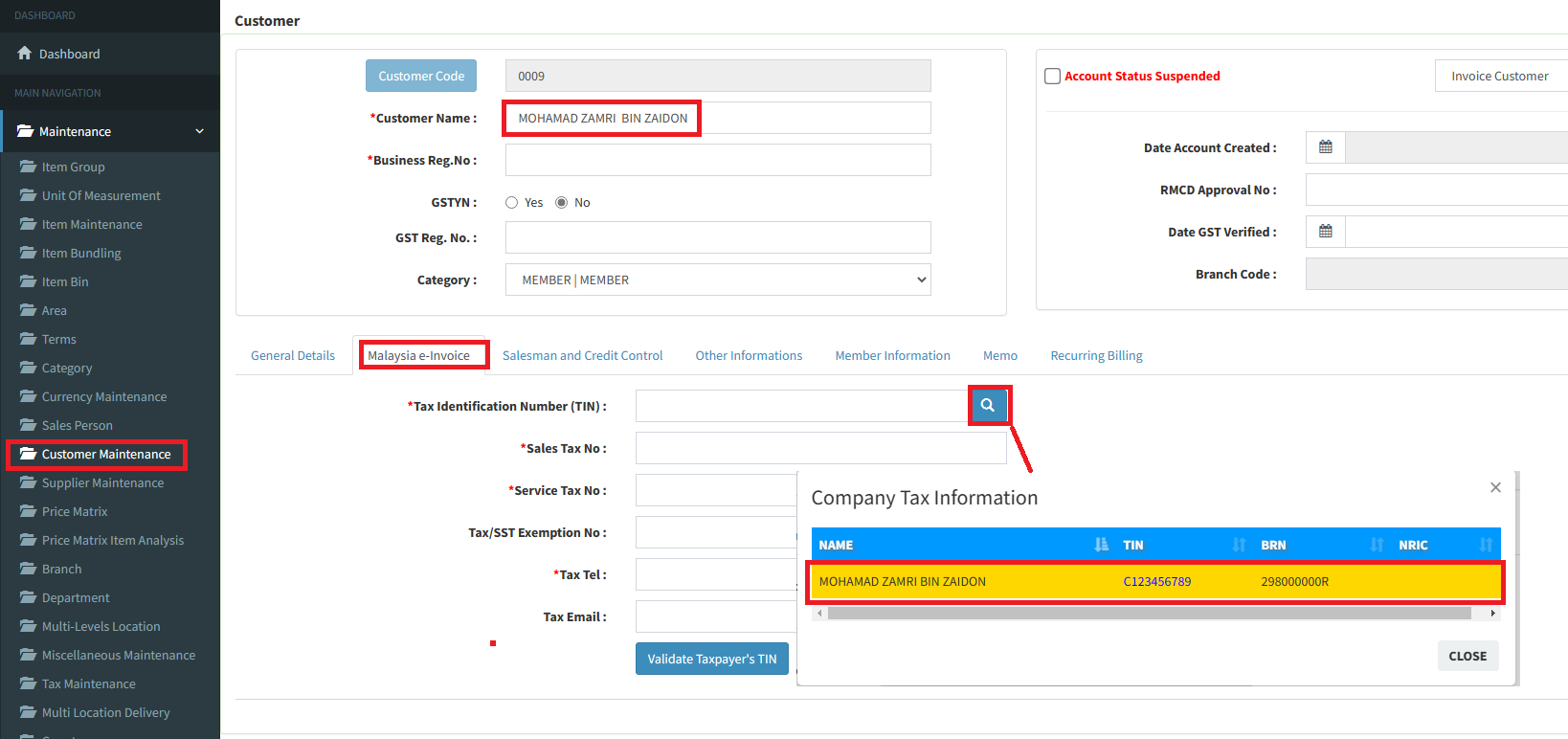
d. Lastly, company user will receive email notification and go to [Customer Maintenance] screen, and click on tab [Malaysia e-Invoice], and click on search icon beside [Tax Identification Number (TIN)] text box in order to retrieve the Tax information provided by your customer (For your information, there is a validation upon customer name in your record vs customer name provided by your customer must be the same]. After confirming the information provided is correct, you may proceed click button [Update] to complete the process.
2.Cash Sales Customer get TIN QR Code, please refer below video guide.
https://skybizglobal.com/tutorial/einvoice/cashsalescustomer_request_einvoice.mp4
3.Cash Sales Customer get TIN QR Code [Offline]
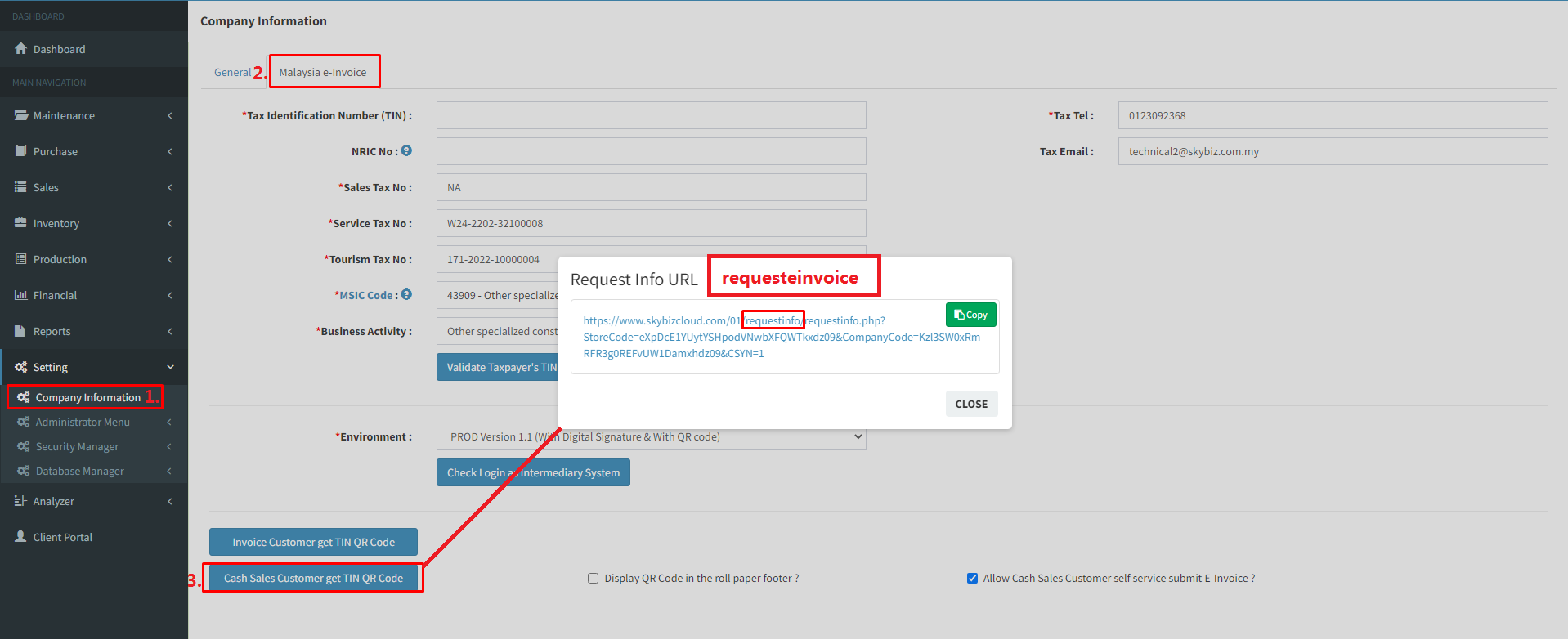
For Cash Sales Customer get TIN QR Code [Offline], you have to login cloud using store code provided, then go to company E-Invoice portal > click [Cash Sales Customer get TIN QR Code], after url created, please change the words [requestinfo] to [requesteinvoice] such as below.
Powered By : SKYBIZ ®