Below is guideline(s) show QuickStart for SkyBiz Cloud System:
Cloudpos Login
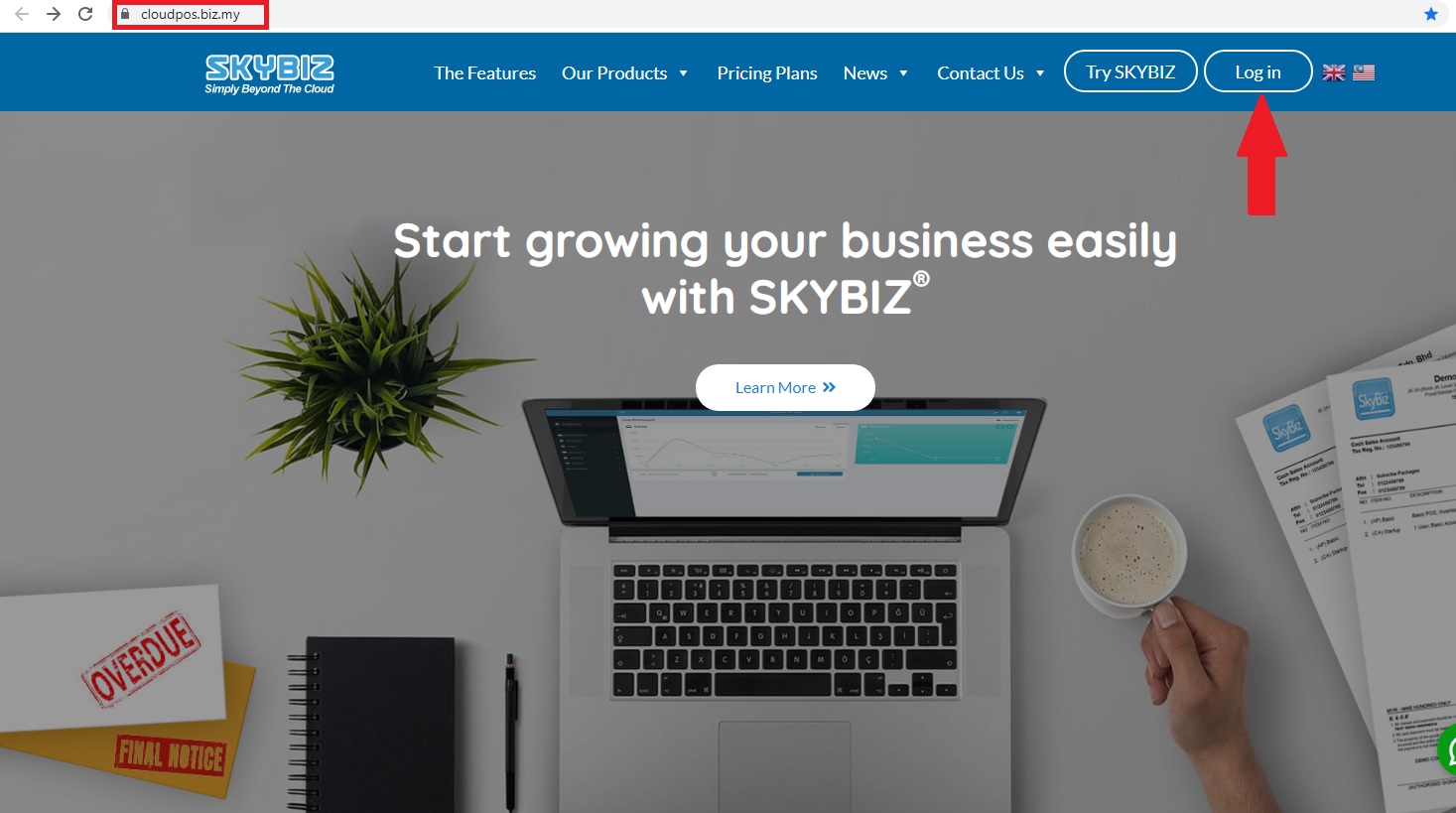
Cloudpos_Login
1.Go to Browser and type https://cloudpos.biz.my/ click login
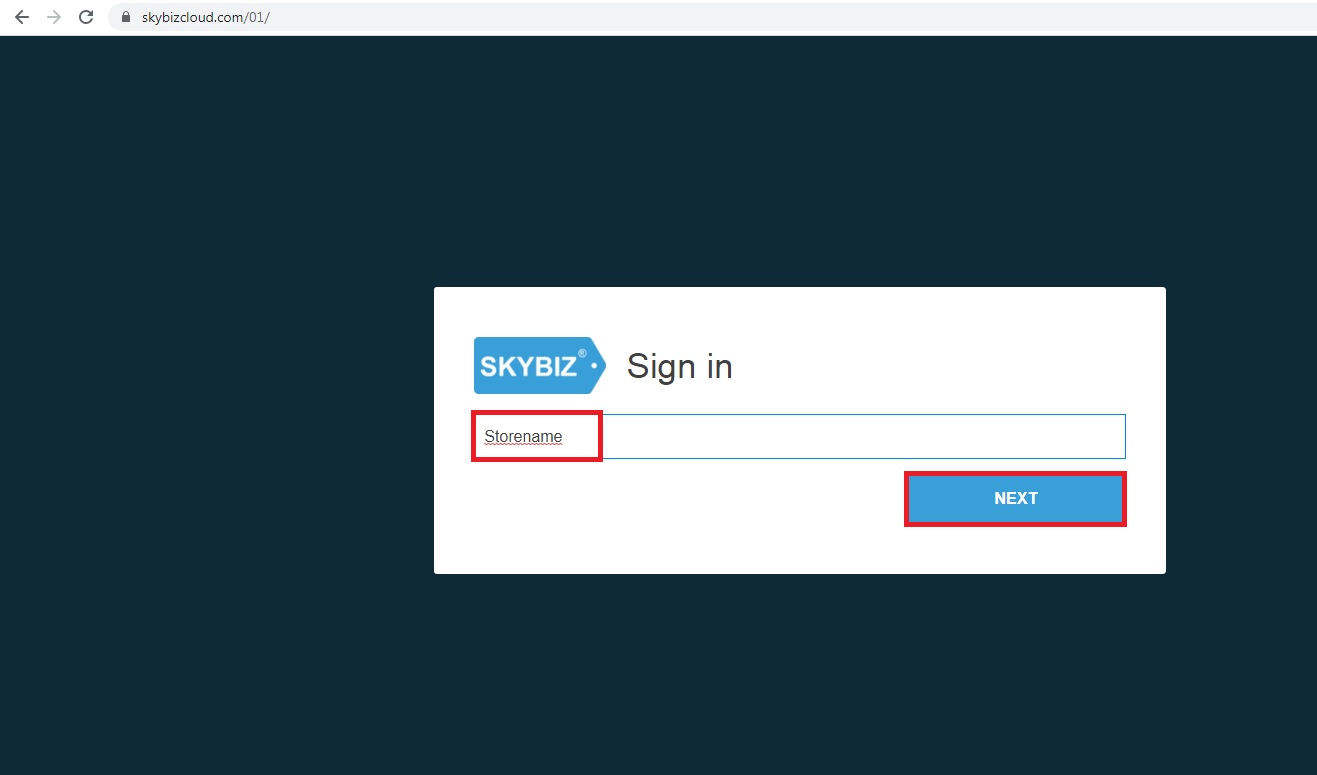
Storename
2. Keyin your Store Address@Company Name
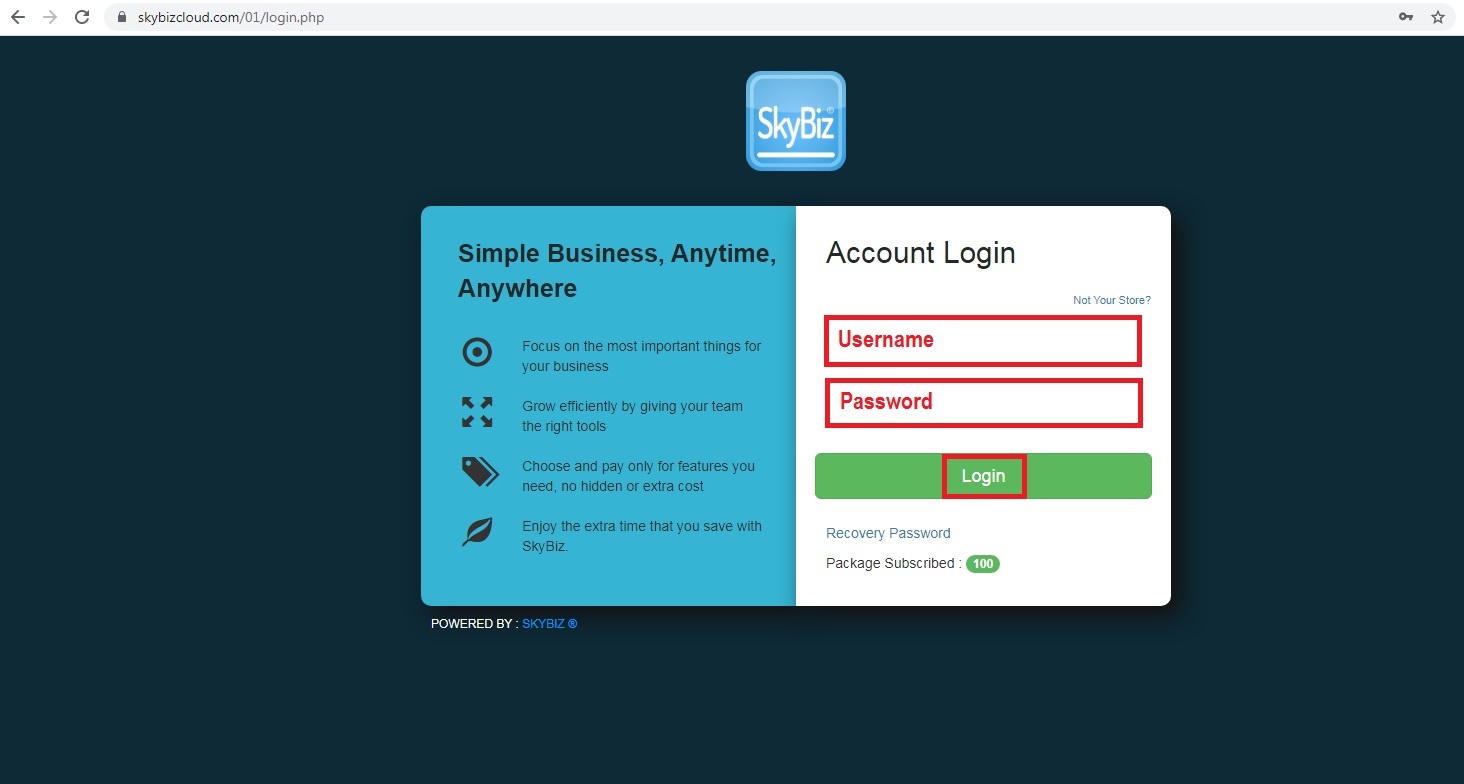
Username & Password
3. Keyin your Username and Password
Company Information
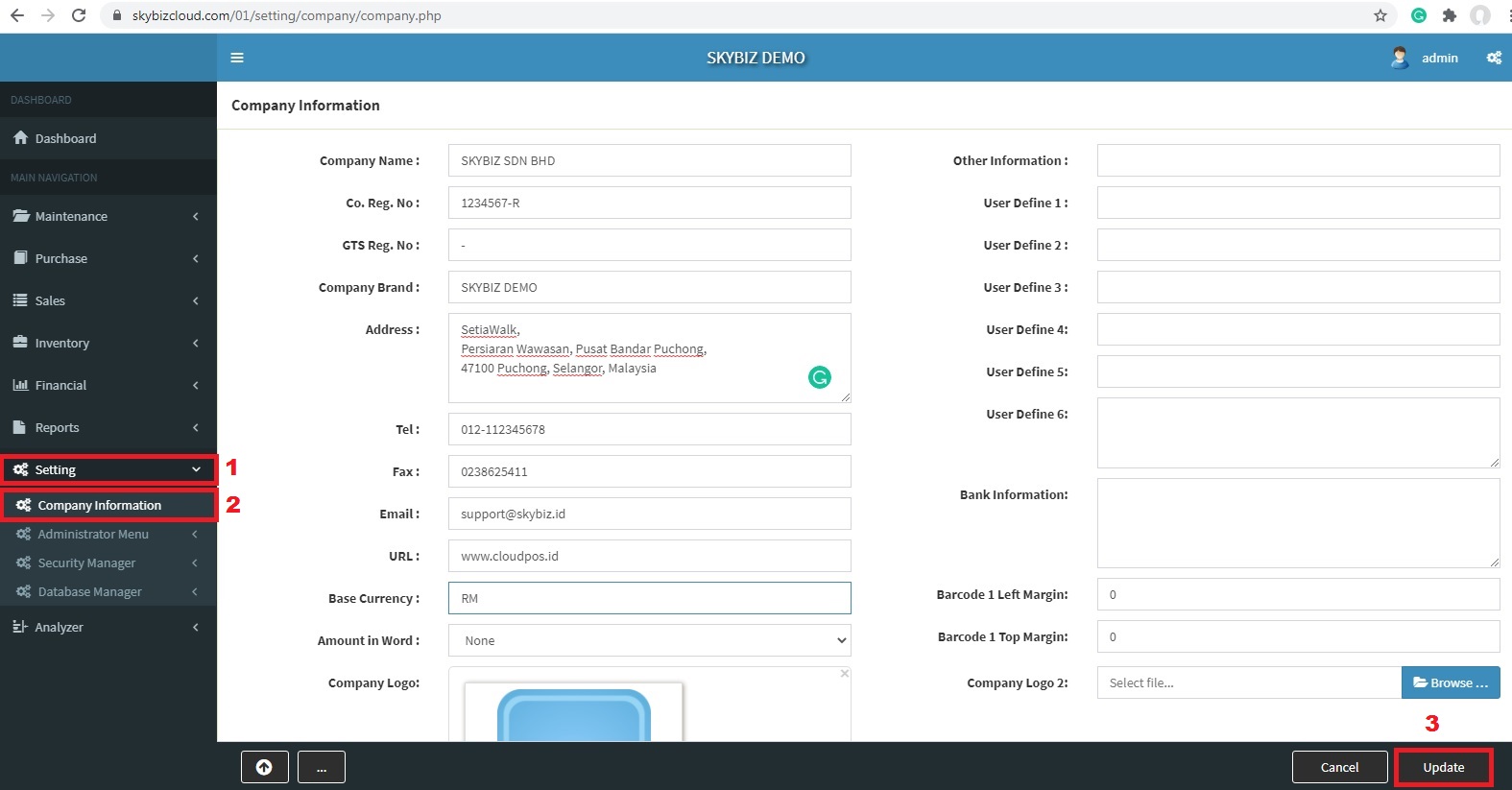
Company Information Setup
1. Go to Setting >> Company Information
2. Click Update after fill up your company details
Item Group
The below image shows how to add the Item Group
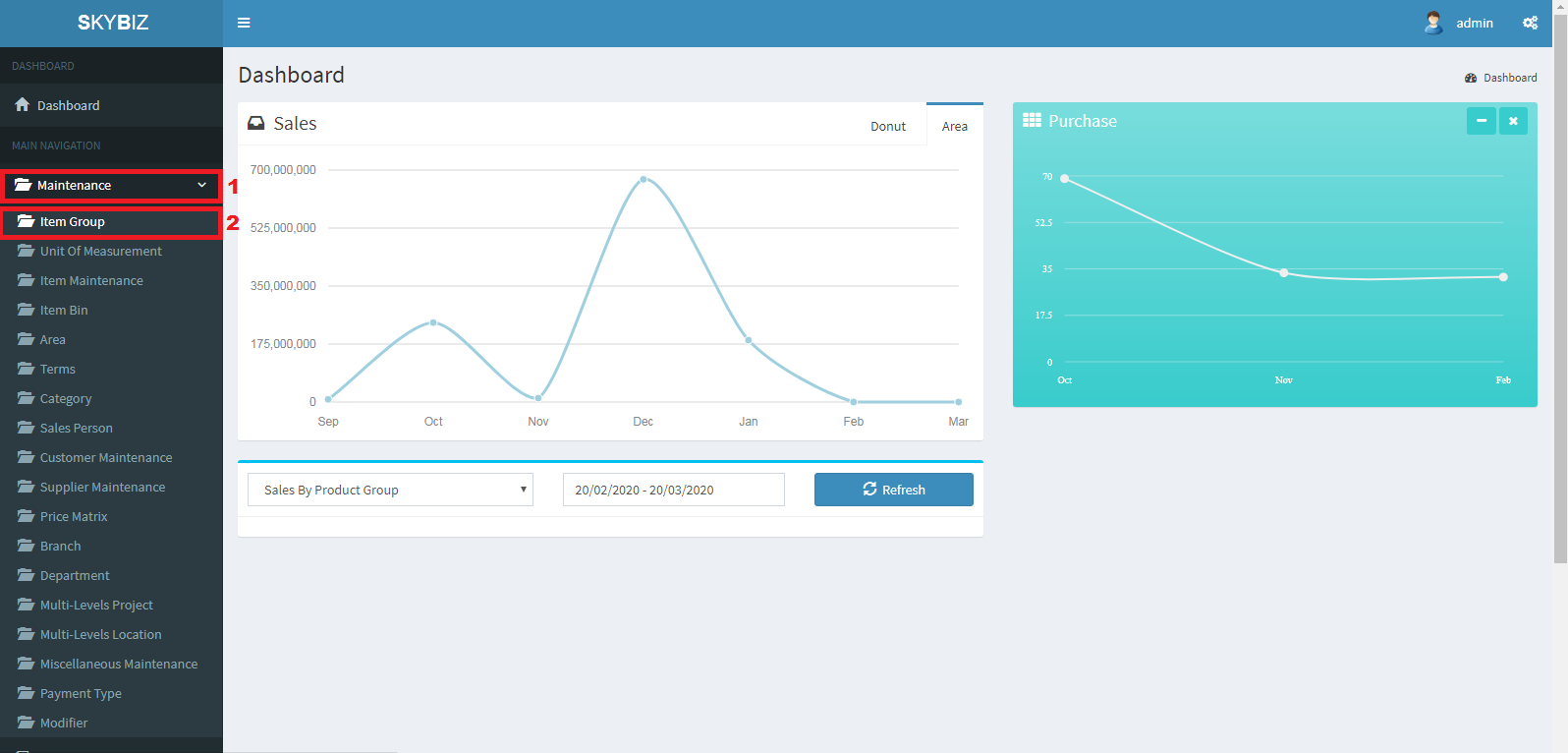
Item Group
1. Click Maintenance>>Item Group
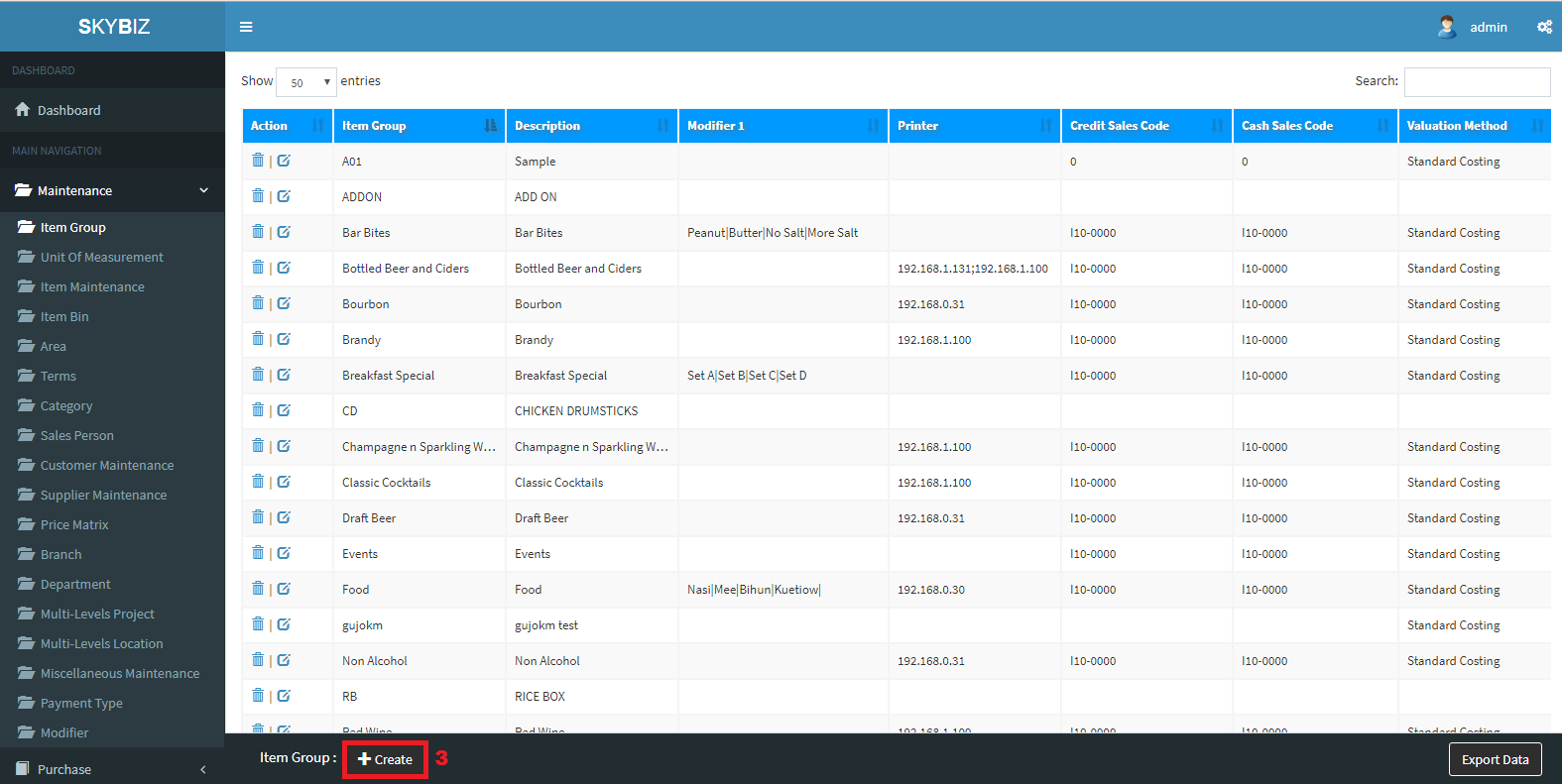
Create Item Group
2. Click Create
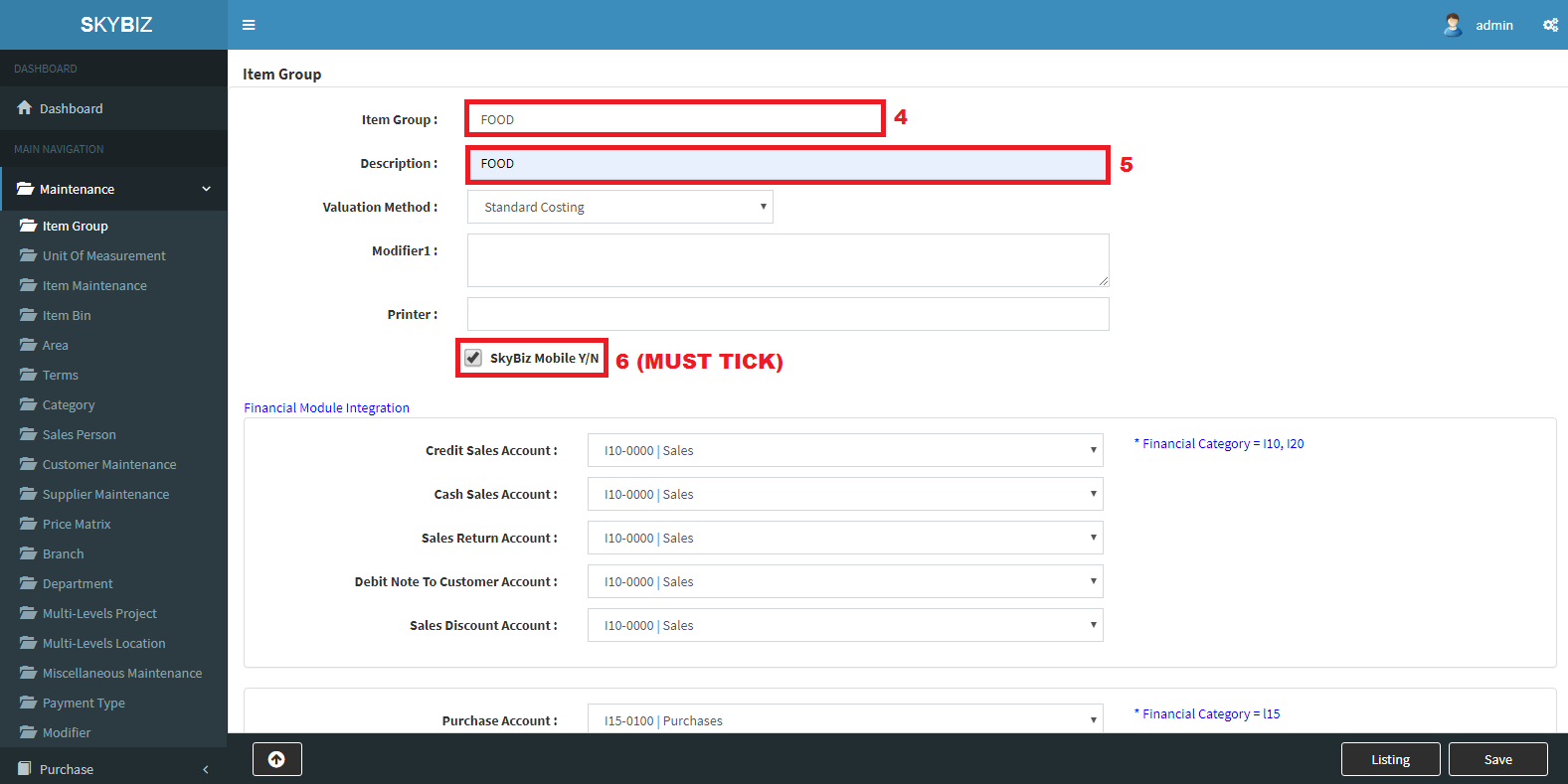
Create Item Group
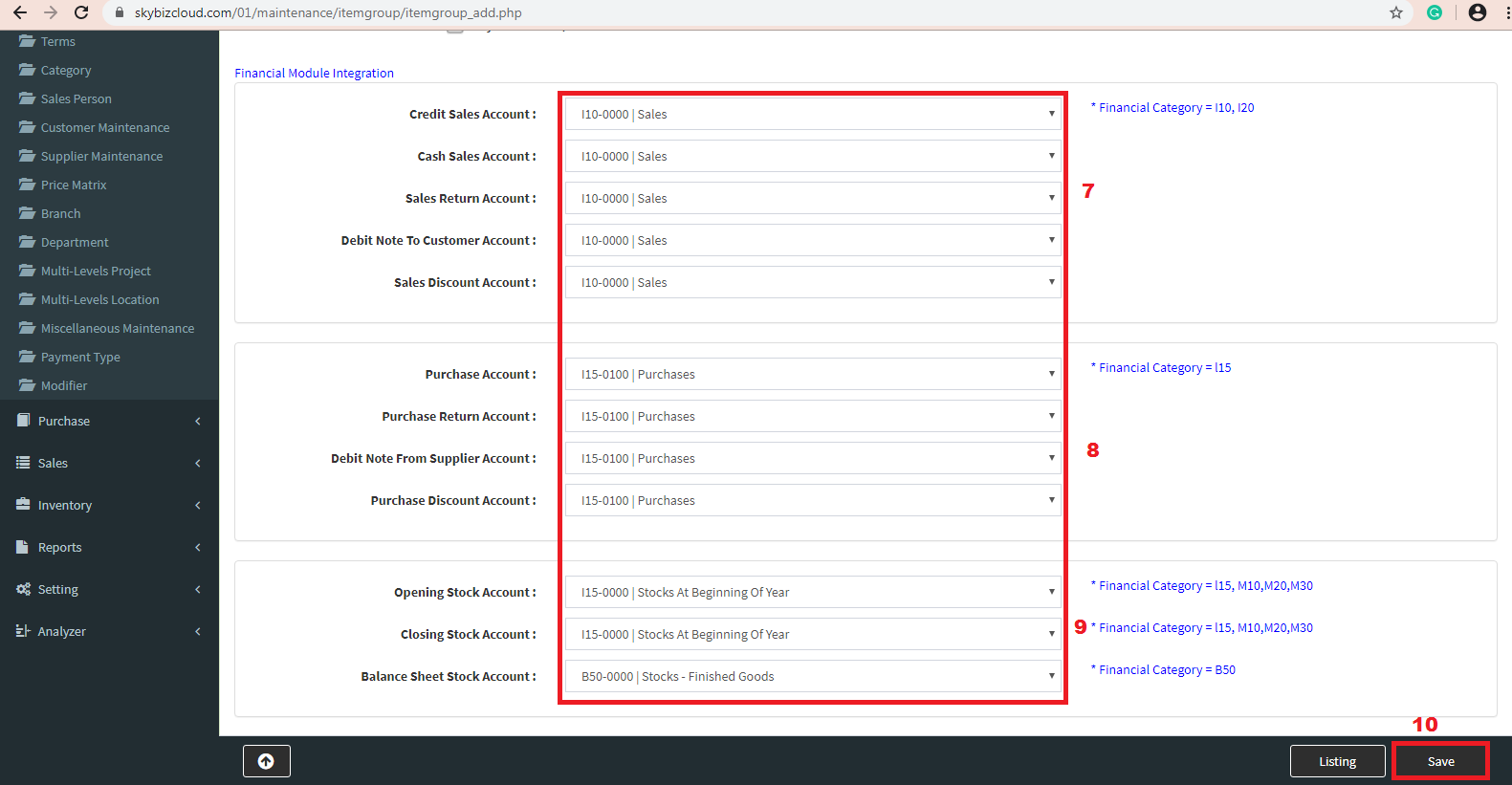
Save
Item Maintenance Add Manually
The below image shows how to add the Item Maintenance

Item Maintenance
1. Click Maintenance>>Item Maintenance

Item Maintenance
2. Click Create
3. Save
Item Maintenance Import From Excel
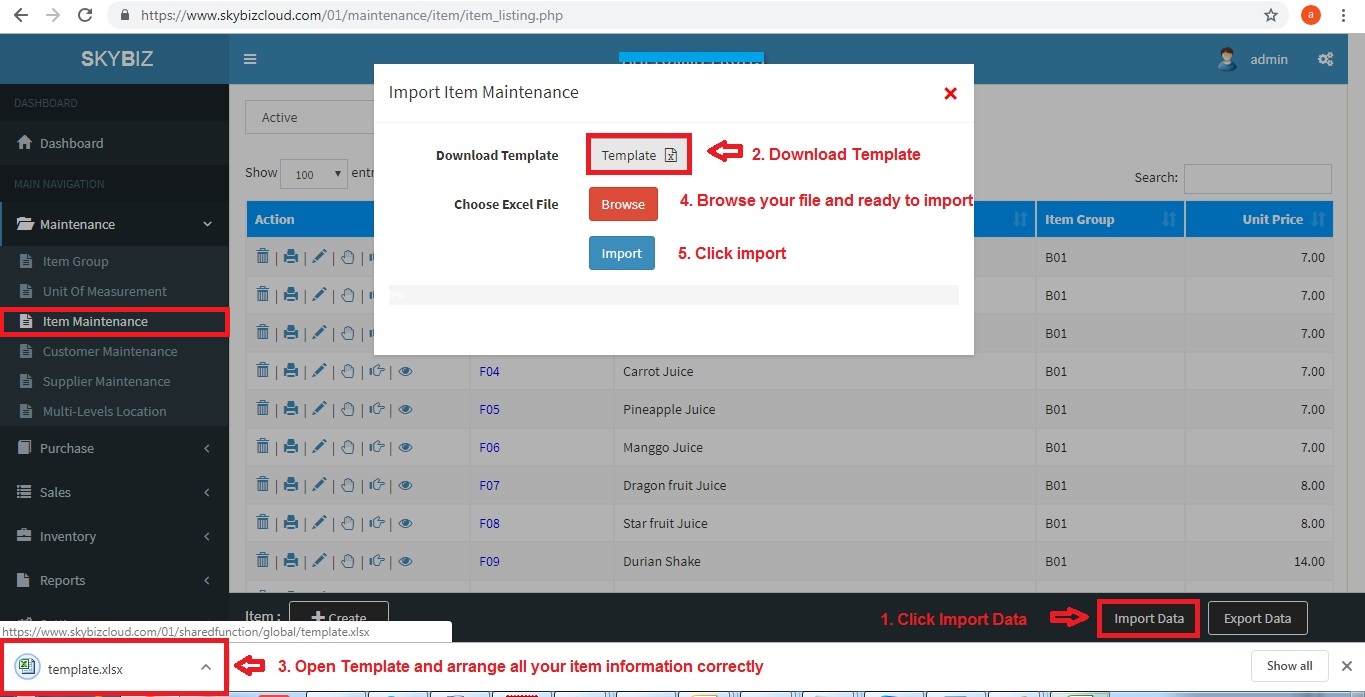
Import Item Maintenance
1.In the import item maintenance screen, download the template and fill up all item information correctly.
2.Click Browse >> Import your file
Customer Maintenance
The below image shows how to add the Customer Maintenance
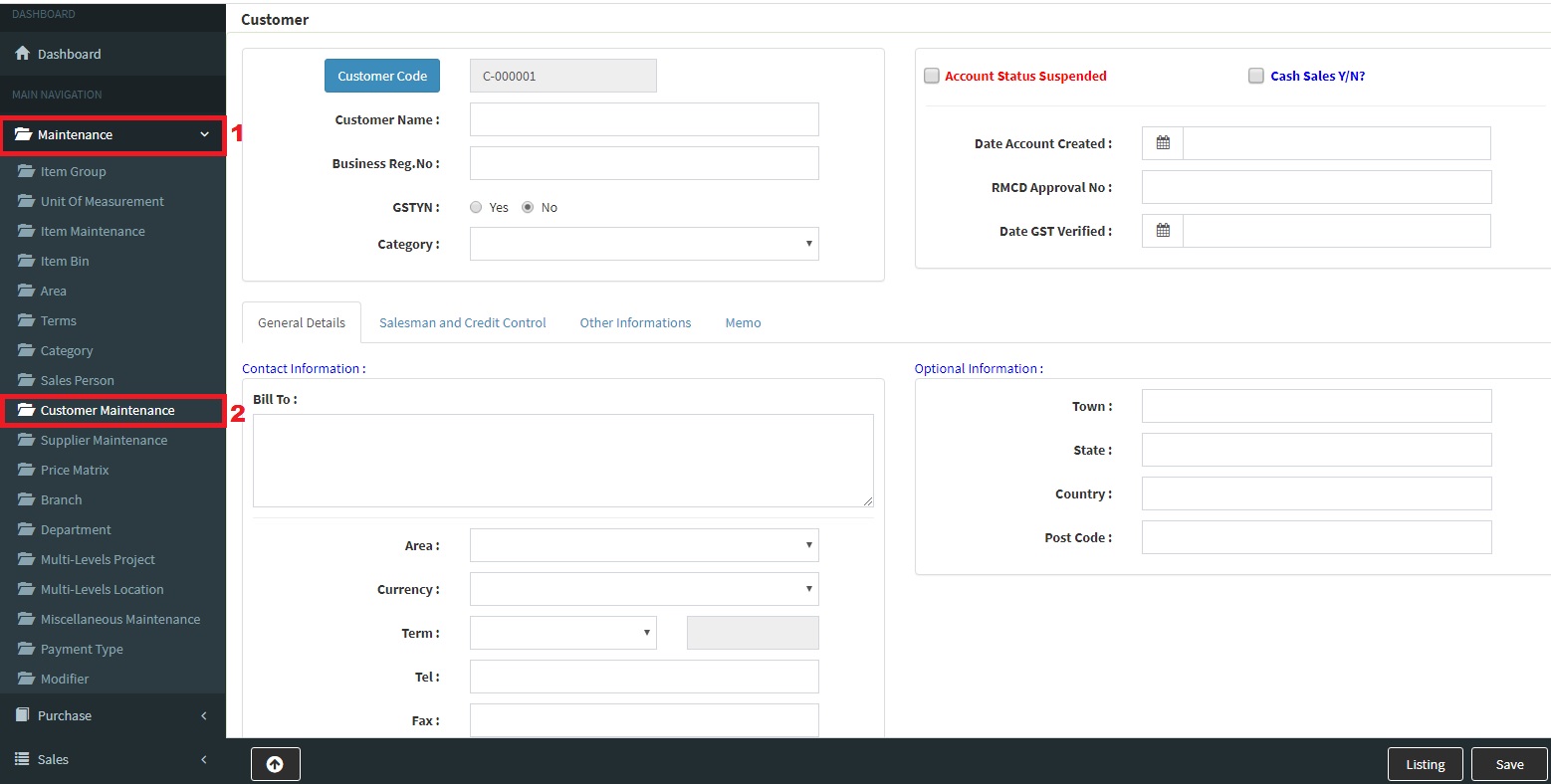
Customer Maintenace
1.Key In all the Information of Customer
2.After Key In all the details click the button “Save”
Sales Invoice
The below image shows how to add the Sales Invoice
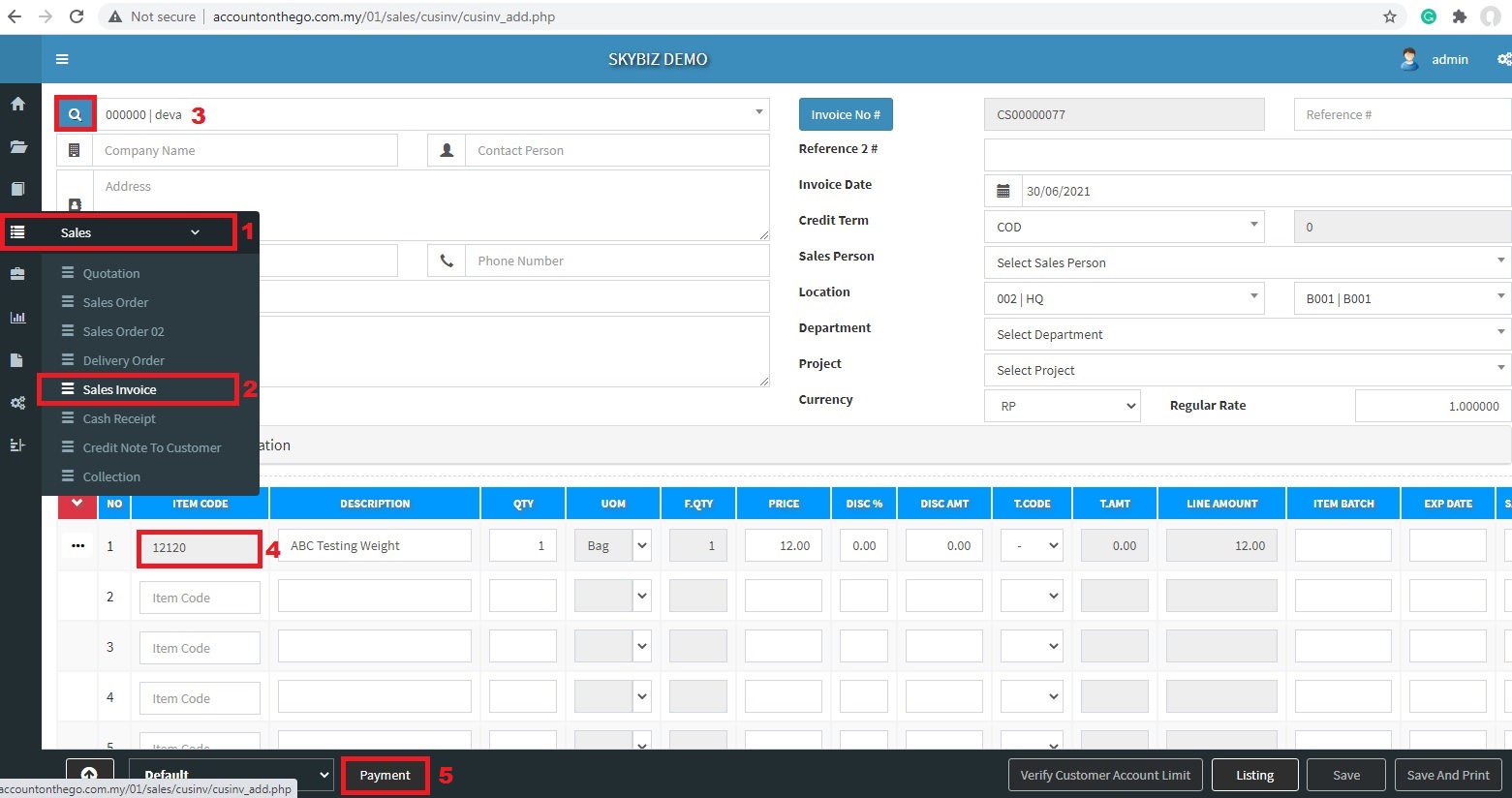
Create Sales Invoice
1. Go to Sales >> Sales Invoice
2. Search Customer Name and Add-In >> Search Item and Add
3. Finally Click Payment.
Invoice From Supplier
The below image shows how to add the Invoice From Supplier
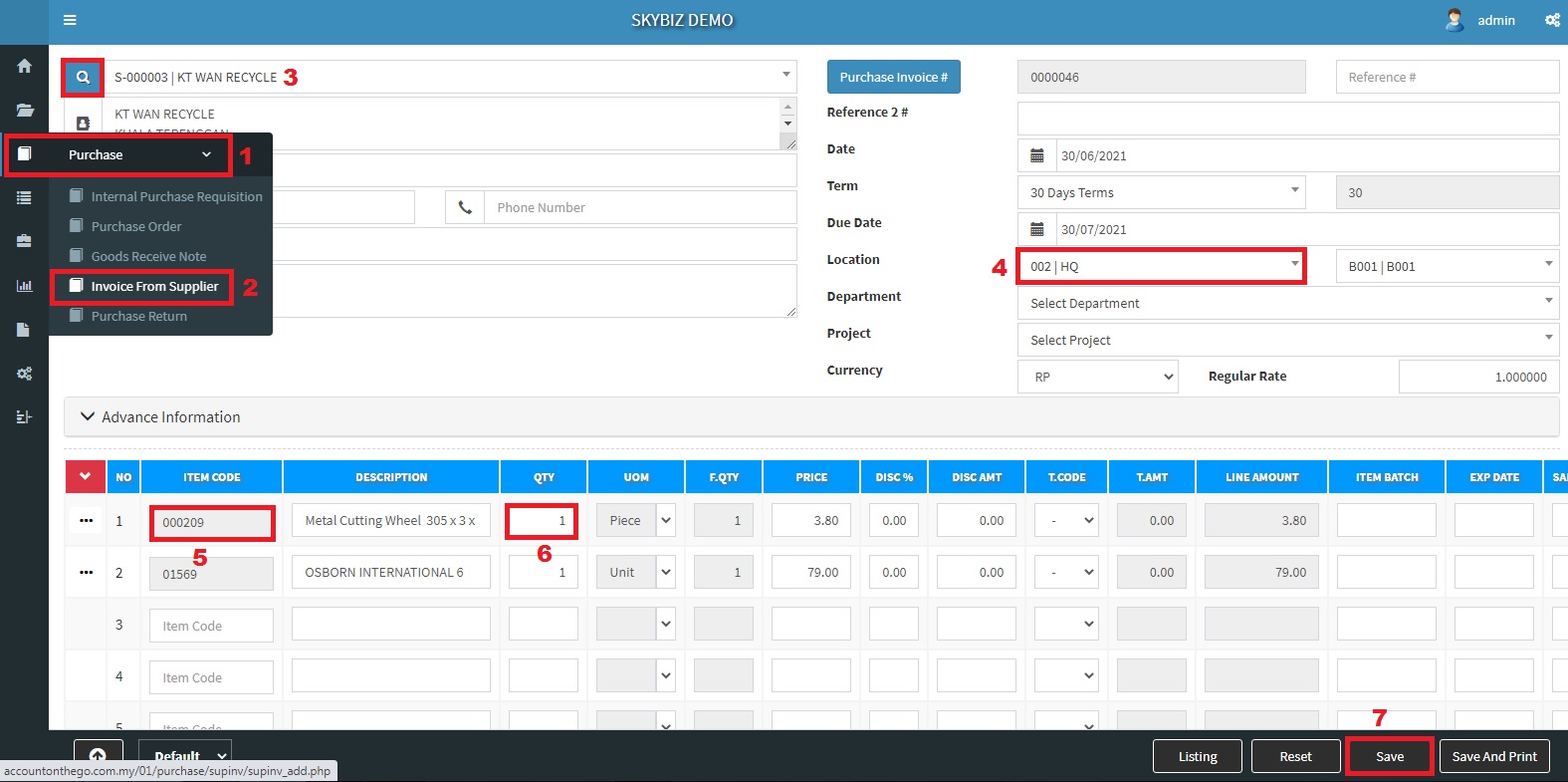
Create Invoice From Supplier
1. Go to Purchase >> Invoice From Supplier
2. Search Supplier Name >> Choose Location
3. Add Item and Fill up detail >> Save
Powered By : SKYBIZ ® Beyond Cloud ™