Below is guideline(s) show QuickStart for SkyBiz Cloud System:
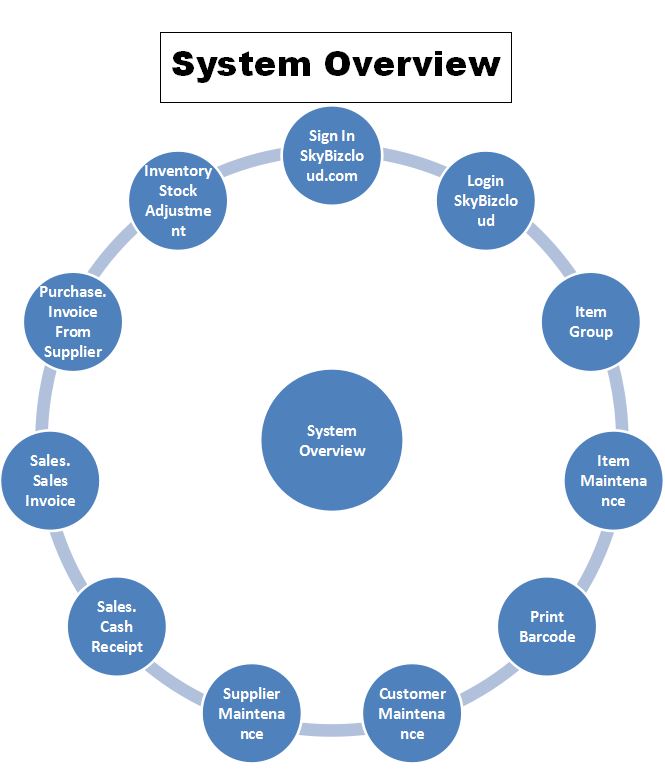
Quick Start
Print Barcode
- Click on the Reports>>Print Barcode

Print Barcode Label
2. Choose Resources From>>
3. Click Print.
Customer Maintenance
- The below PRINT SCREEN shows how to add Customer Maintenance.

Add Customer Maintenance
Supplier Maintenance
- The below PRINT SCREEN shows how to add Supplier Maintenance.
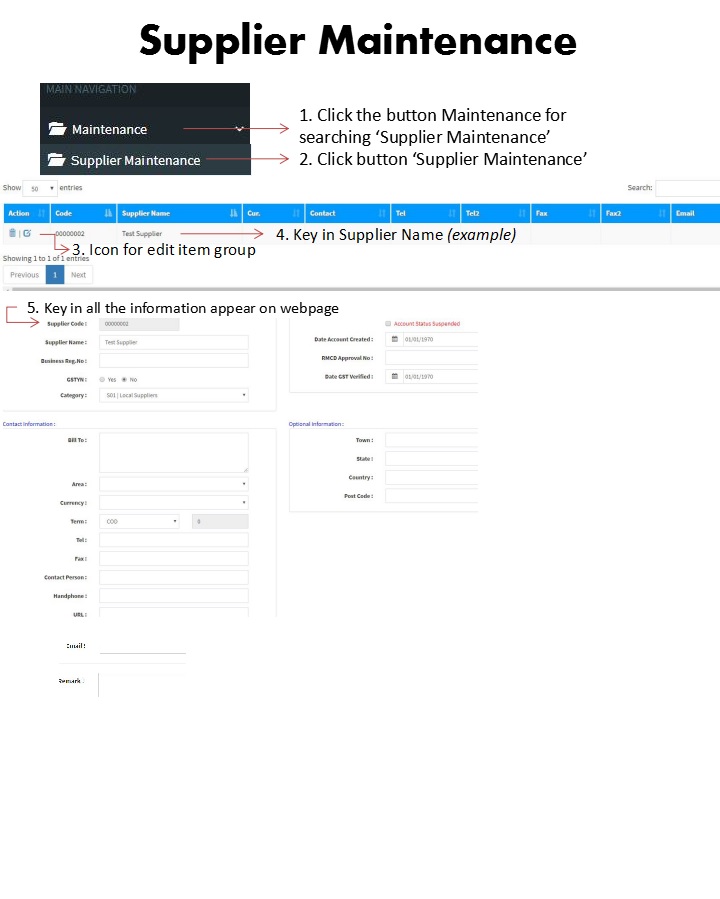
Add Supplier Maintenance
Sales – Cash Receipt & Sales Invoice
- The below PRINT SCREEN shows Cash Receipt Function & Sales Invoices
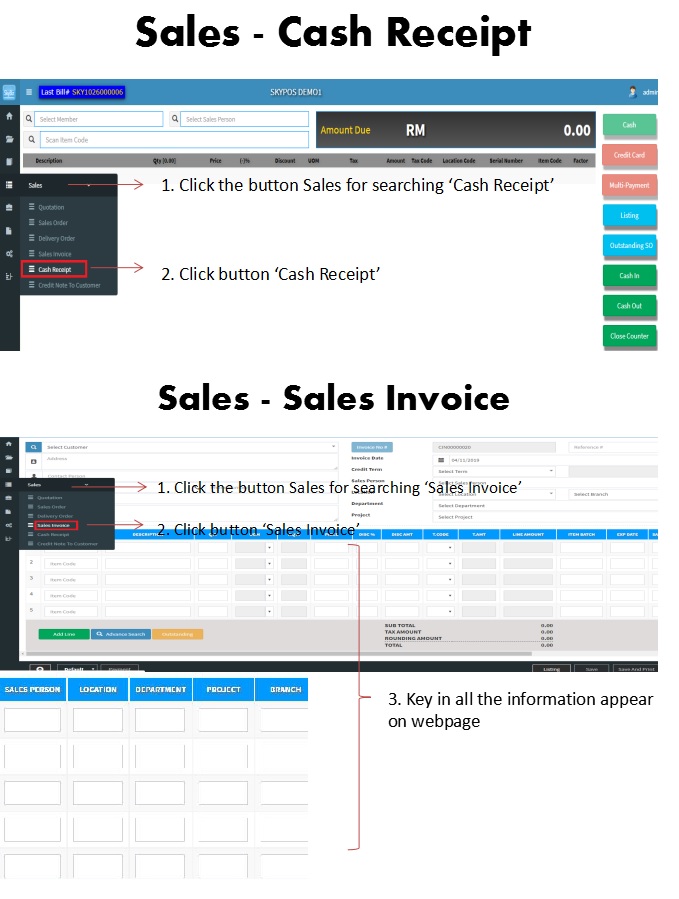
Sales
Purchase – Invoice from Supplier
- The below PRINT SCREEN shows Invoice from Supplier Function

Purchase – Invoice from Supplier
Inventory – Stock Adjustment
- The below PRINT SCREEN shows Stock Adjustment Screen
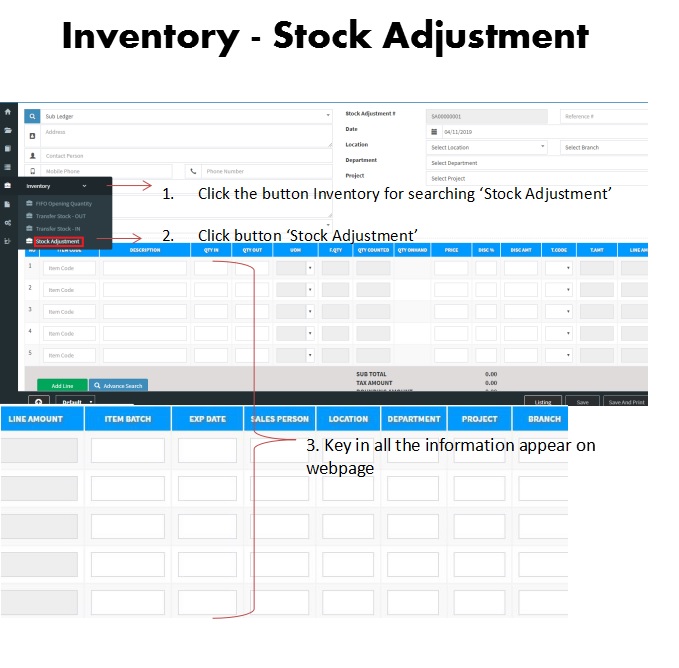
Inventory – Stock Adjustment
Log Out from SkyBiz Cloud System
1. The below PRINT SCREEN shows how to Log out from the SkyBiz Cloud System
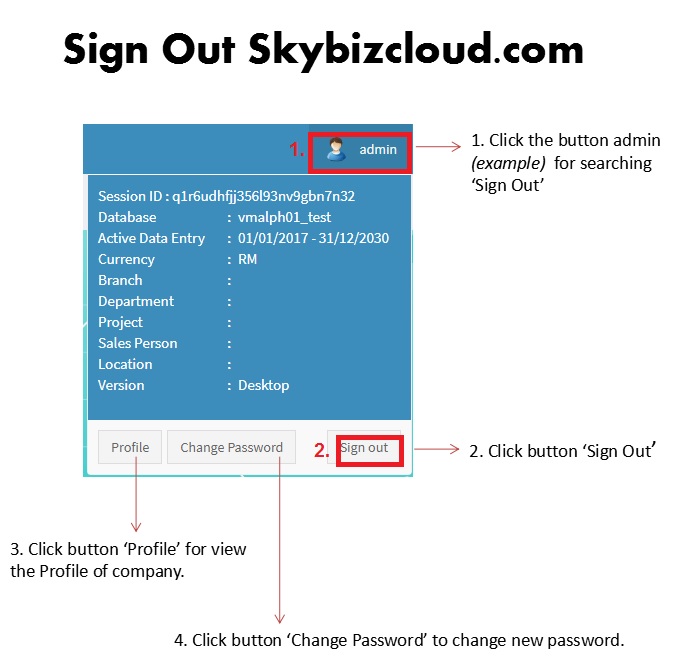
Sign Out from SkyBiz CLOUD System
Powered By : SKYBIZ ® Beyond Cloud ™