Below are guideline(s) to implement stock take :
- Click on menu Inventory>>Stock Take.
-
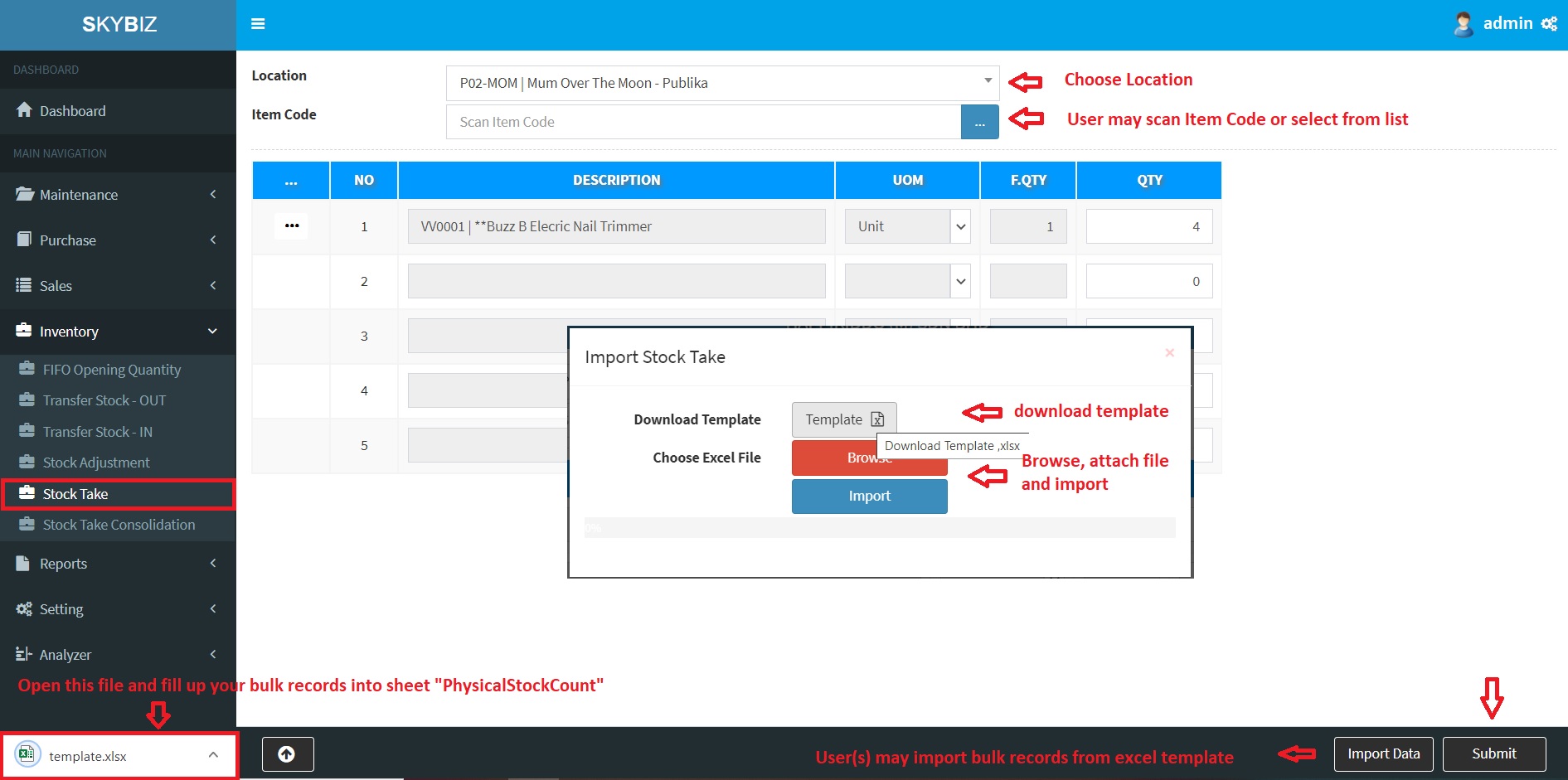
Stock Take
- Option 1 : Users may use scanner to scan and type the physic quantity.
- Option 2 : User may use bulk import from excel.
- Click Import Data, download template. Arrange your data into sheet “PhysicalStockCount“
- User must always download template from cloud to get latest template.
-
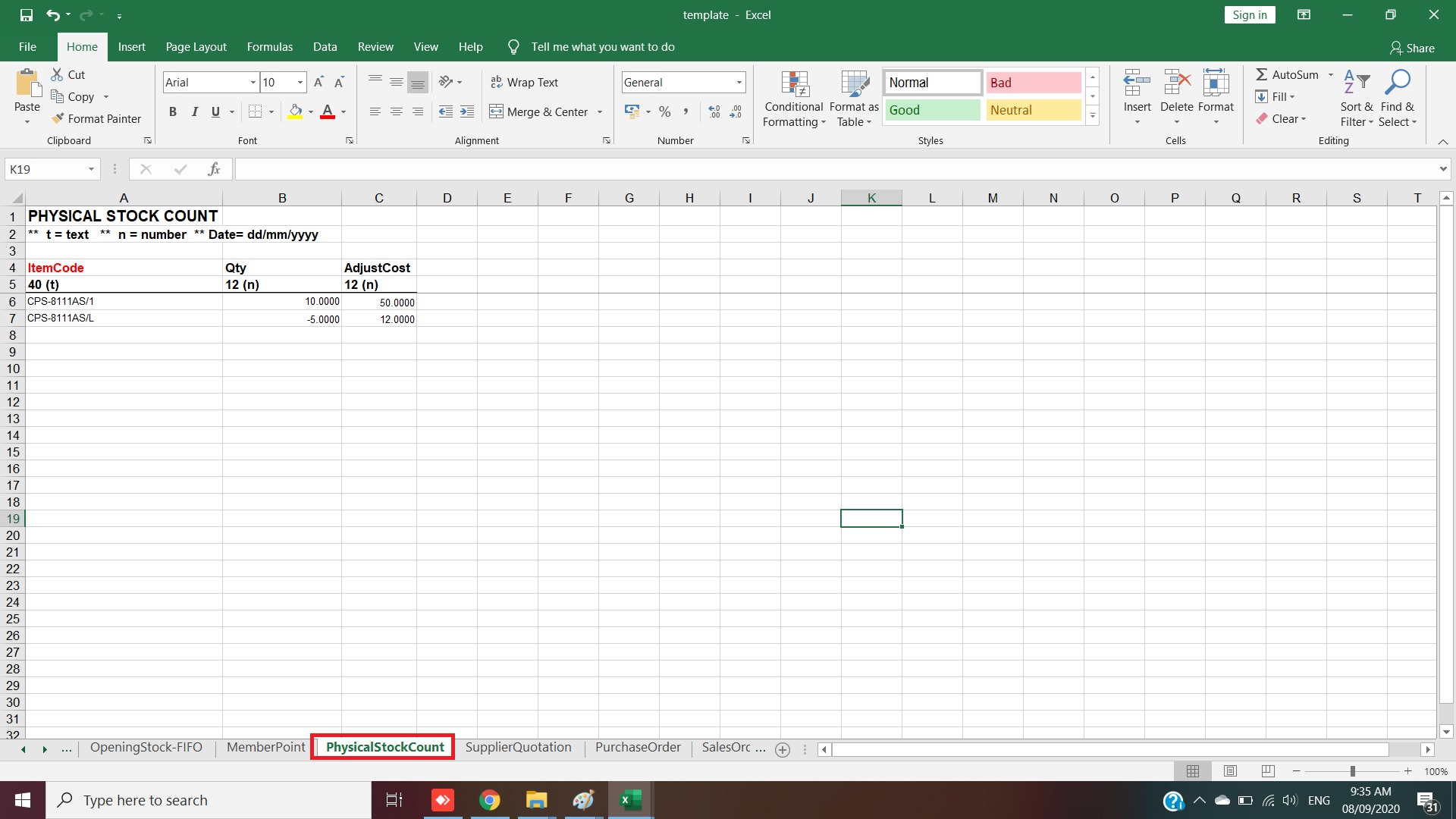
Sheet Physical Stock Count
- Please note that, advise excel records should not exceed 1000 line to avoid any disruption from internet disconnect.
- Browse, attach your excel file and click import to start import.
- Your data will be appear as temporary records.
- Click submit to proceed stock take data recording.
Powered By : SKYBIZ ® Beyond Cloud ™