Below are guidelines on how to Block or Allow User to Overwrite Negative Quantity
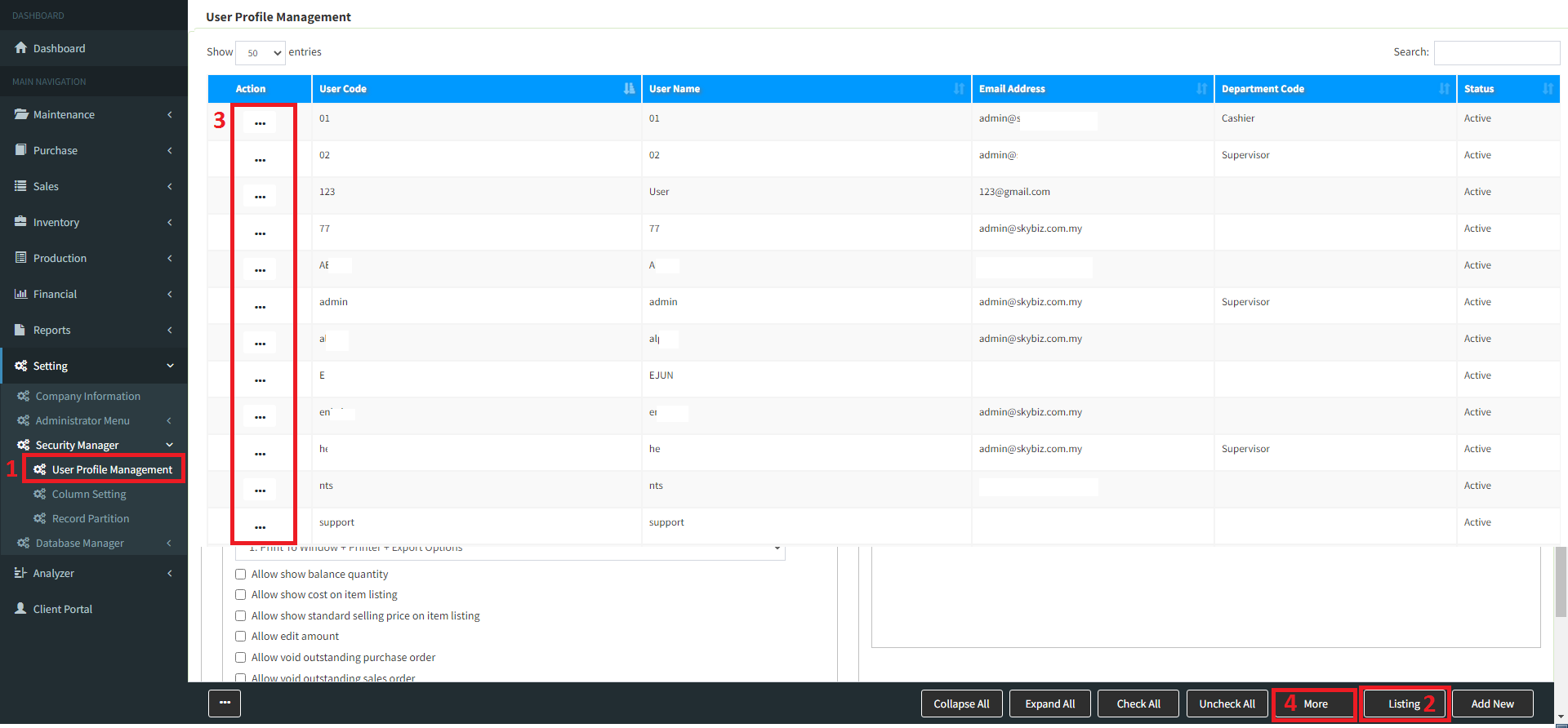
You may go to “menu” >> “Security Manager” >> “User Profile Management“
Go to “List” then select the user ID >> [Follow screen shot below]
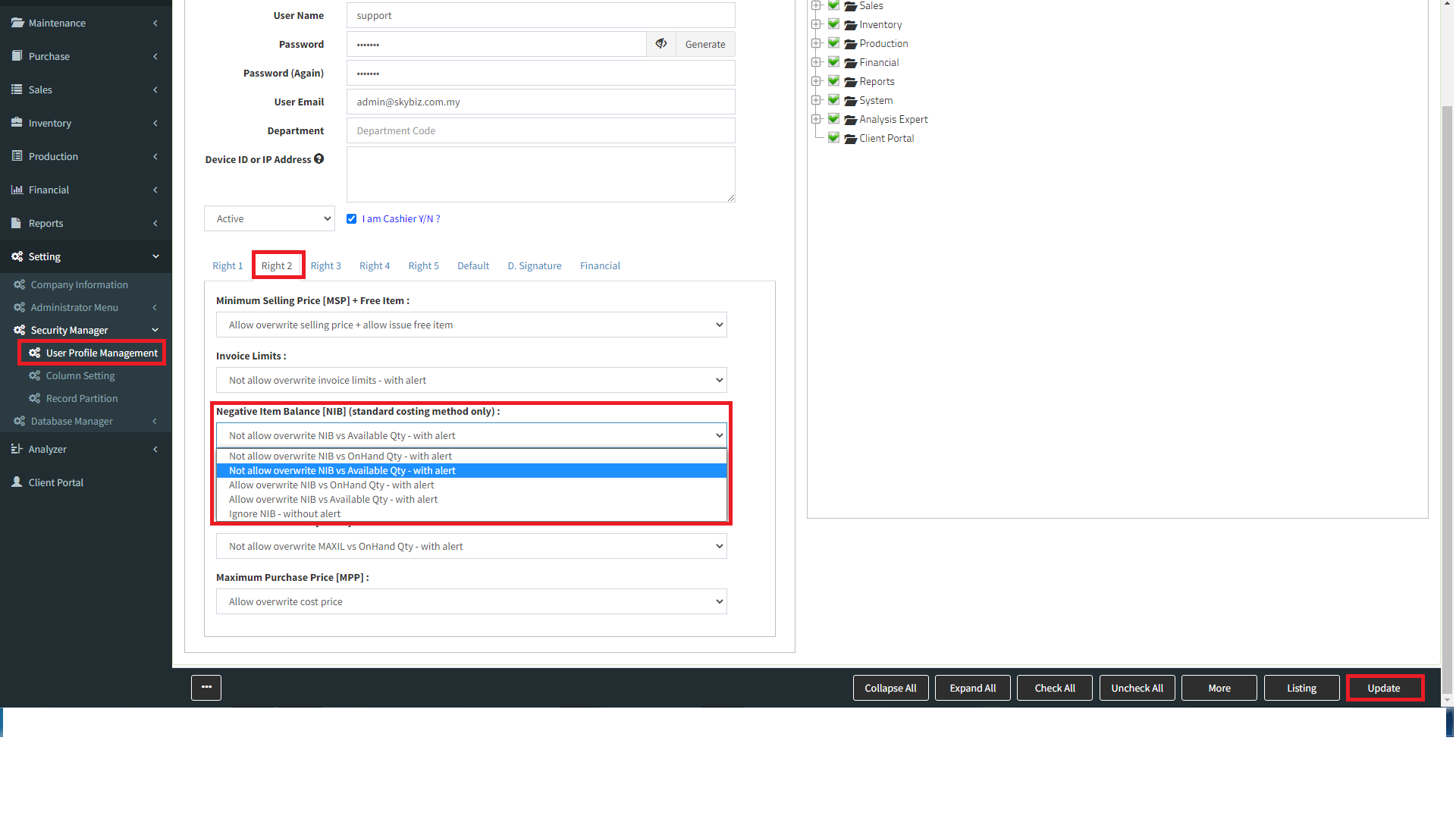
Go to “List” >>> select “User ID” >>> click “Right2“,
i-for BlockNegative Item Balance choose “Not allow overwrite NIB vs OnHand Qty – with alert” > then “Update” ii-for AllowNegative Item Balance choose “Allow overwrite NIB vs OnHand Qty – with alert” > then “Update”
(If item costing is standard costing you can go userprofile to set, item costing is Fifo costing onhand zero or negetive is not allow to do transcation) Powered By : SKYBIZ ®