SKYBIZ API — Item Module
Item
The Item module allows you to retrieve inventory item records from your SKYBIZ account. This module is read only — no create action is available.
Endpoint: /apiv2/modules/item.php
Required Permission: Item — Read
Read Items
Retrieves items modified within the given date range, ordered by ItemCode.
Base Request Structure
{
  "api_key": "your-api-key",
  "api_secret": "your-api-secret",
  "action": "read",
  "date_from": "YYYY-MM-DD",
  "date_to": "YYYY-MM-DD",
  "fields": [],
  "filters": {}
}
Request Parameters
| Parameter | Description | Required |
|---|---|---|
api_key |
Your API key | Yes |
api_secret |
Your API secret | Yes |
action |
Must be "read" |
Yes |
date_from |
Start date (YYYY-MM-DD) | Yes |
date_to |
End date (YYYY-MM-DD). Max 31 days range. | Yes |
fields |
Array of specific fields to return. Empty [] returns all. |
No |
filters |
Object to filter results (e.g., {"ItemGroup": "ELECTRONICS"}) |
No |
Date Rules
- Format must be
YYYY-MM-DD— e.g."2026-04-01" - Maximum range is 31 days
date_fromcannot be afterdate_to
Available Fields (Read Only)
Use the fields parameter to return only the fields you need. Leave empty to return all fields.
| Field | Type | Description |
|---|---|---|
ItemCode |
string | Item code (unique identifier) |
Description |
string | Item description |
ItemGroup |
string | Item group / category |
AnalysisCode1 to AnalysisCode15 |
string | Custom analysis / classification codes |
AlternateItem |
string | Alternate item code |
SupplierItemCode |
string | Supplier’s item code |
MaxStkLevel / MinStkLevel |
float | Maximum and minimum stock levels |
ReorderQty |
float | Reorder quantity |
UOM |
string | Default unit of measure |
UnitCost / MonthlyAveCost / MovingAveCost / FIFOCost |
float | Cost values under different valuation methods |
UnitPrice |
float | Unit selling price |
MSP / MSP1–4 / MAXSP / MAXSP1–4 |
float | Maximum / alternate selling prices |
MPP |
float | Minimum purchase price |
OnHand |
float | Current stock quantity on hand |
UOM1–4 / UOMCode1–4 / UOMFactor1–4 / UOMPrice1–4 |
string | Alternate units of measure, codes, conversion factors and prices |
DefaultUOM / BaseCode |
string | Default UOM and base UOM code |
ItemType |
string | Item type classification |
ItemBatchNoYN / WarrantyDateYN / QtyFormulaYN / UnitPriceFormulaYN |
string | Feature flags — "Y" or "N" |
WarrantyDay |
integer | Warranty period in days |
SuspendedYN |
string | Whether item is suspended |
PurchaseTaxCode / SalesTaxCode / RetailTaxCode |
string | Tax codes for different transaction types |
ValuationMethod |
string | Stock valuation method |
LocationCode |
string | Default stock location |
LeadTime |
integer | Lead time in days |
SupCode |
string | Default supplier code |
TariffCode / ClassificationCode / ClassificationCodeSelfBilled / OCCode |
string | Regulatory and classification codes |
AddBy / UpdateBy / VoidBy |
string | Audit fields — created / updated / voided by |
DateTimeModified |
string | Last modified datetime — used as the date filter |
Example 1 — Get All Items (All Fields)
This request returns all item fields for items modified between April 1, 2026 and April 30, 2026.
Request
{
  "api_key": "your-api-key",
  "api_secret": "your-api-secret",
  "action": "read",
  "date_from": "2026-04-01",
  "date_to": "2026-04-30",
  "fields": [],
  "filters": {}
}
Sample Code for making an API READ request using php
<?php
header('Content-Type: application/json');

// ============================================================
// STEP 1: CONFIGURATION
// ============================================================

$API_KEY = "your-api-key";
$API_SECRET = "your-api-secret";
$ACTION = "read";

// Date range (required for all endpoints, max 31 days)
$DATE_FROM = "2026-04-01";
$DATE_TO = "2026-04-30";

// ============================================================
// STEP 2: ENDPOINT
// ============================================================

$BASE_URL = "https://domain-name/01/clientportal/apiv2/modules"; //(replace it with your skybiz domain name url)
$ENDPOINT = "item.php";

// ============================================================
// STEP 3: REQUEST PARAMETERS
// ============================================================

$requestParams = [
    "date_from" => $DATE_FROM,
    "date_to" => $DATE_TO,
    "fields" => [], // Leave empty for all fields
    "filters" => [] // Optional filters
];

// ============================================================
// STEP 4: BUILD PAYLOAD
// ============================================================

$payload = array_merge(
    [
        "api_key" => $API_KEY,
        "api_secret" => $API_SECRET,
        "action" => $ACTION
    ],
    $requestParams
);

// ============================================================
// STEP 5: SEND REQUEST
// ============================================================

$url = rtrim($BASE_URL, '/') . '/' . ltrim($ENDPOINT, '/');

$ch = curl_init($url);

curl_setopt_array($ch, [
    CURLOPT_RETURNTRANSFER => true,
    CURLOPT_POST => true,
    CURLOPT_POSTFIELDS => http_build_query($payload),
    CURLOPT_TIMEOUT => 30,
]);

$response = curl_exec($ch);

// ============================================================
// STEP 6: HANDLE CURL ERROR
// ============================================================

if ($response === false) {
    echo json_encode([
        "status" => "error",
        "timestamp" => date("c"),
        "request_id" => uniqid("req_"),
        "message" => curl_error($ch)
    ], JSON_PRETTY_PRINT);
    curl_close($ch);
    exit;
}

$httpStatus = curl_getinfo($ch, CURLINFO_HTTP_CODE);
curl_close($ch);

// ============================================================
// STEP 7: DECODE RESPONSE
// ============================================================

$result = json_decode($response, true);

if (!$result) {
    echo json_encode([
        "status" => "error",
        "timestamp" => date("c"),
        "request_id" => uniqid("req_"),
        "message" => "Invalid JSON from API",
        "raw_response" => $response
    ], JSON_PRETTY_PRINT);
    exit;
}

// ============================================================
// STEP 8: RETURN CLEAN JSON FORMAT
// ============================================================

echo json_encode([
    "status" => $result['status'] ?? "error",
    "timestamp" => date("c"),
    "request_id" => $result['request_id'] ?? uniqid("req_"),
    "data" => $result['data'] ?? null,
    "message" => $result['message'] ?? null
], JSON_PRETTY_PRINT);
Response (Success)
{
  "status": "response",
  "timestamp": "2026-04-30T04:07:04+00:00",
  "request_id": "req_69f2d56891e57",
  "data": {
    "requested_by": "your-api-key",
    "mode": "2",
    "date_range": {
      "from": "2026-04-01",
      "to": "2026-04-30",
      "days": 30
    },
    "total_returned": 2,
    "data": [
      {
        "ItemCode": "ITEM001",
        "Description": "Product A",
        "ItemGroup": "ELECTRONICS",
        "UOM": "Piece",
        "UnitCost": 50.00,
        "UnitPrice": 100.00,
        "OnHand": 150,
        "DateTimeModified": "2026-04-15 10:30:00"
      },
      {
        "ItemCode": "ITEM002",
        "Description": "Product B",
        "ItemGroup": "ELECTRONICS",
        "UOM": "Piece",
        "UnitCost": 75.00,
        "UnitPrice": 150.00,
        "OnHand": 80,
        "DateTimeModified": "2026-04-20 14:45:00"
      }
    ]
  }
}
Example 2 — Get Specific Fields Only
This request returns only ItemCode, Description, UOM, and OnHand fields.
Request
{
  "api_key": "your-api-key",
  "api_secret": "your-api-secret",
  "action": "read",
  "date_from": "2026-04-01",
  "date_to": "2026-04-30",
  "fields": ["ItemCode", "Description", "UOM", "OnHand"],
  "filters": {}
}
Example 3 — With Filters
This request returns only items in the ELECTRONICS item group.
Request
{
  "api_key": "your-api-key",
  "api_secret": "your-api-secret",
  "action": "read",
  "date_from": "2026-04-01",
  "date_to": "2026-04-30",
  "fields": [],
  "filters": {"ItemGroup": "ELECTRONICS"}
}
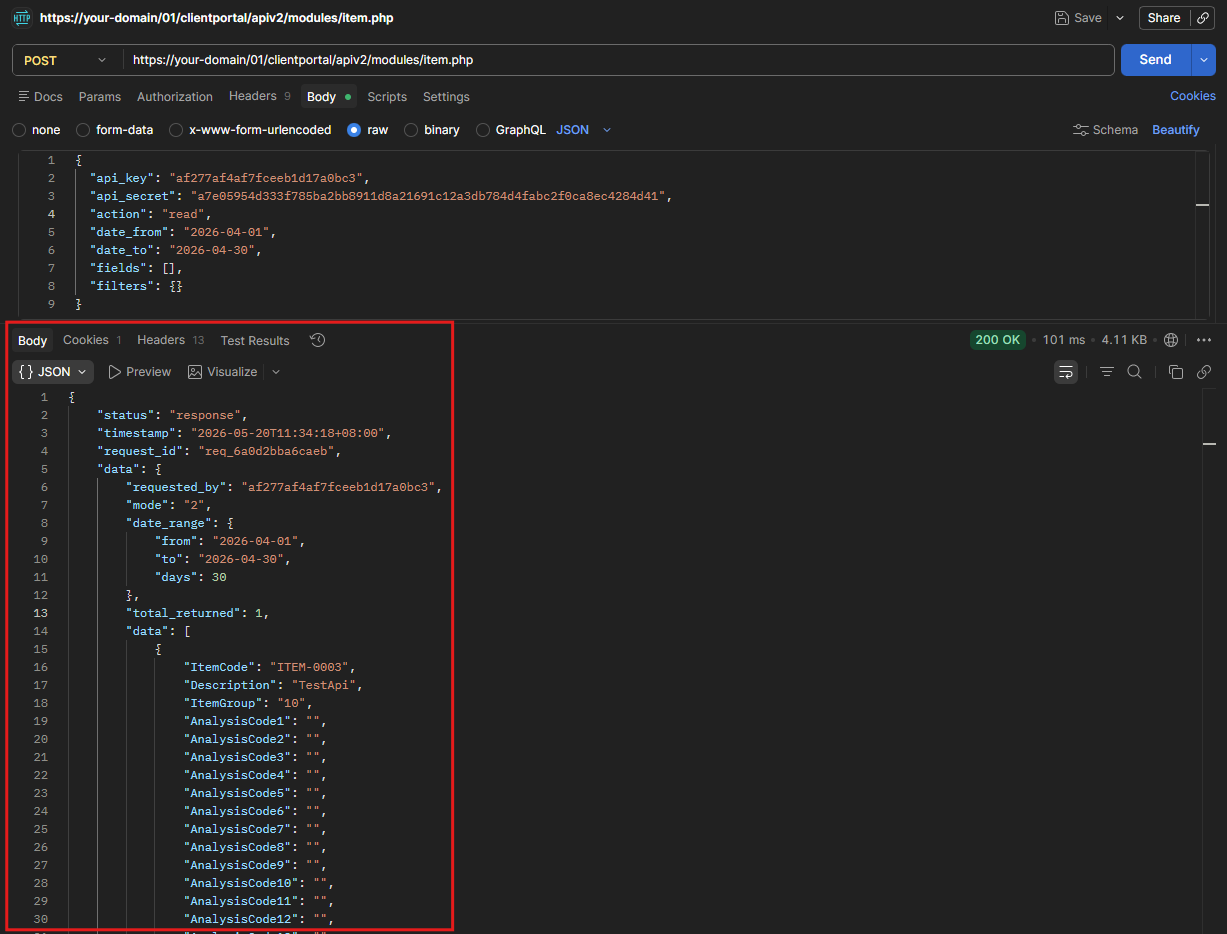
Postman Steps
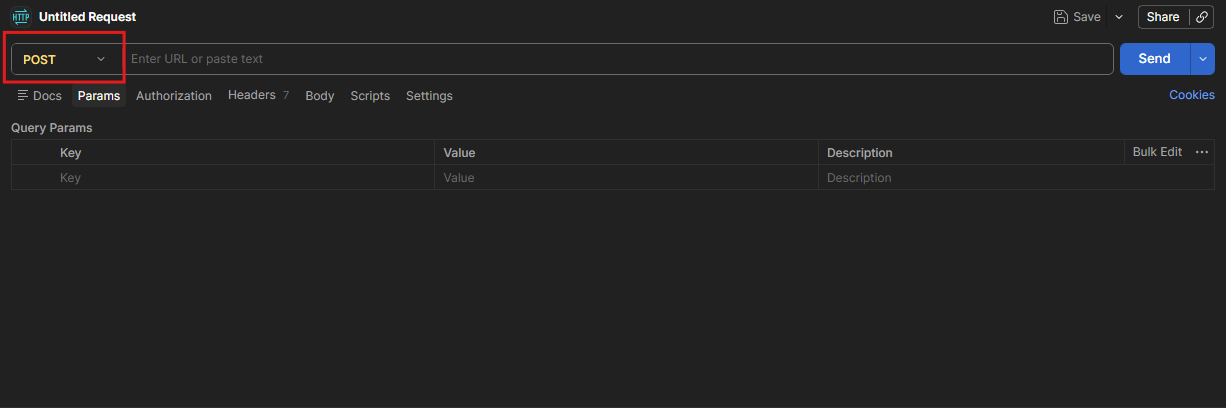
- Set method to POST
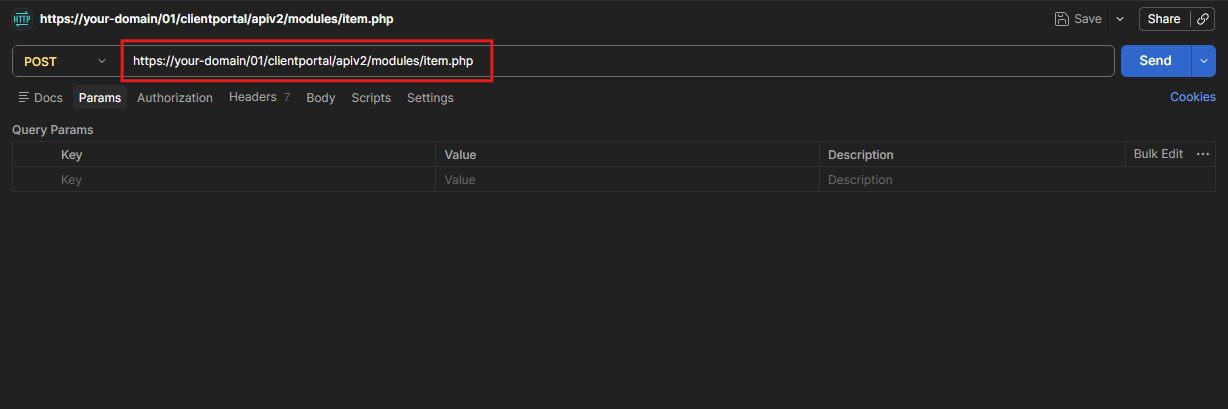
2. Enter URL: https://your-domain/01/clientportal/apiv2/modules/item.php
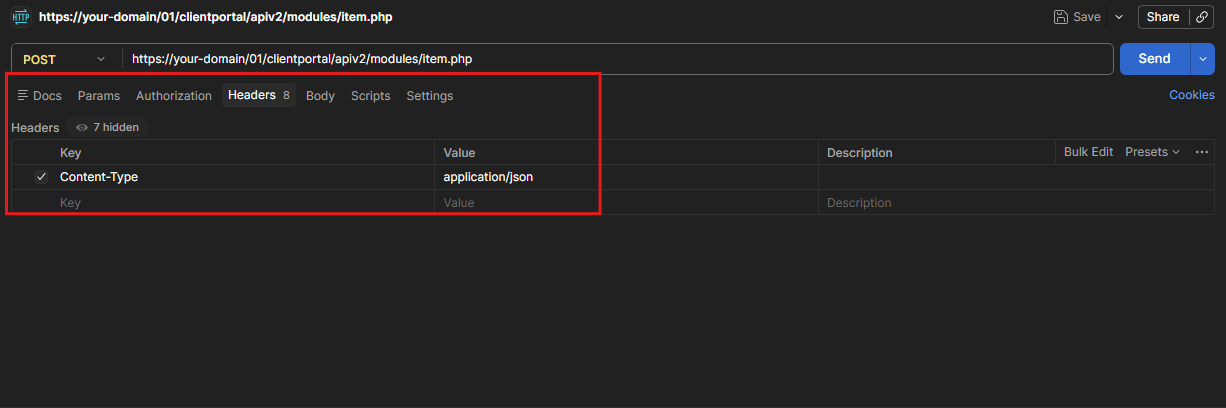
3. Set header: Content-Type: application/json
4. Under Body, select raw and format JSON
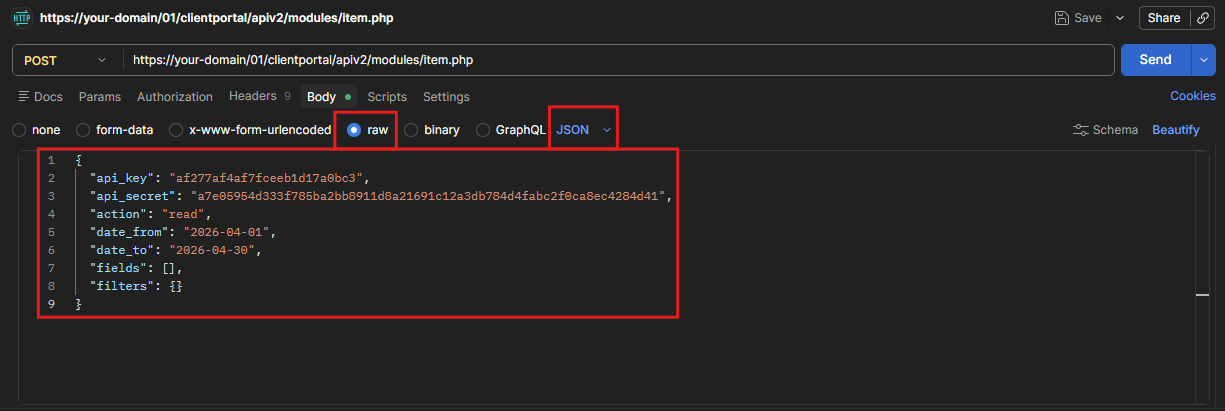
5. Paste your request payload and click Send and view the response.
Error Responses
Missing Date Range
{
  "status": "error",
  "timestamp": "2026-04-07T10:46:15+08:00",
  "request_id": "req_6612f3b9c21a7",
  "message": "date_from and date_to are required"
}
Invalid Date Format
{
  "status": "error",
  "timestamp": "2026-04-07T10:46:15+08:00",
  "request_id": "req_6612f3b9c21a7",
  "message": "Invalid date format. Use YYYY-MM-DD format."
}
Date Range Exceeds 31 Days
{
  "status": "error",
  "timestamp": "2026-04-07T10:46:15+08:00",
  "request_id": "req_6612f3b9c21a7",
  "message": "Date range cannot exceed 31 days."
}
No Read Permission
{
  "status": "error",
  "timestamp": "2026-04-07T10:46:15+08:00",
  "request_id": "req_6612f3b9c21a7",
  "message": "Item read permission denied"
}
Common Errors — Item Module
| Error Message | Cause | Fix |
|---|---|---|
"date_from and date_to are required" |
Missing date range | Add both fields to your request |
"Invalid date format. Use YYYY-MM-DD format." |
Wrong date format | Use YYYY-MM-DD — e.g. "2026-04-01" |
"Date range cannot exceed 31 days." |
Date range too wide | Narrow range to 31 days or fewer |
"No valid fields requested" |
No recognised field names in fields array |
Check field names against the Available Fields table |
"Item read permission denied" |
No read permission for Item module | Enable read permission in portal by contacting your SkyBiz Admin |
"Invalid API credentials" |
Wrong or expired API key/secret | Check your credentials or generate new ones |