Below are guideline(s) to the Add New Modifier
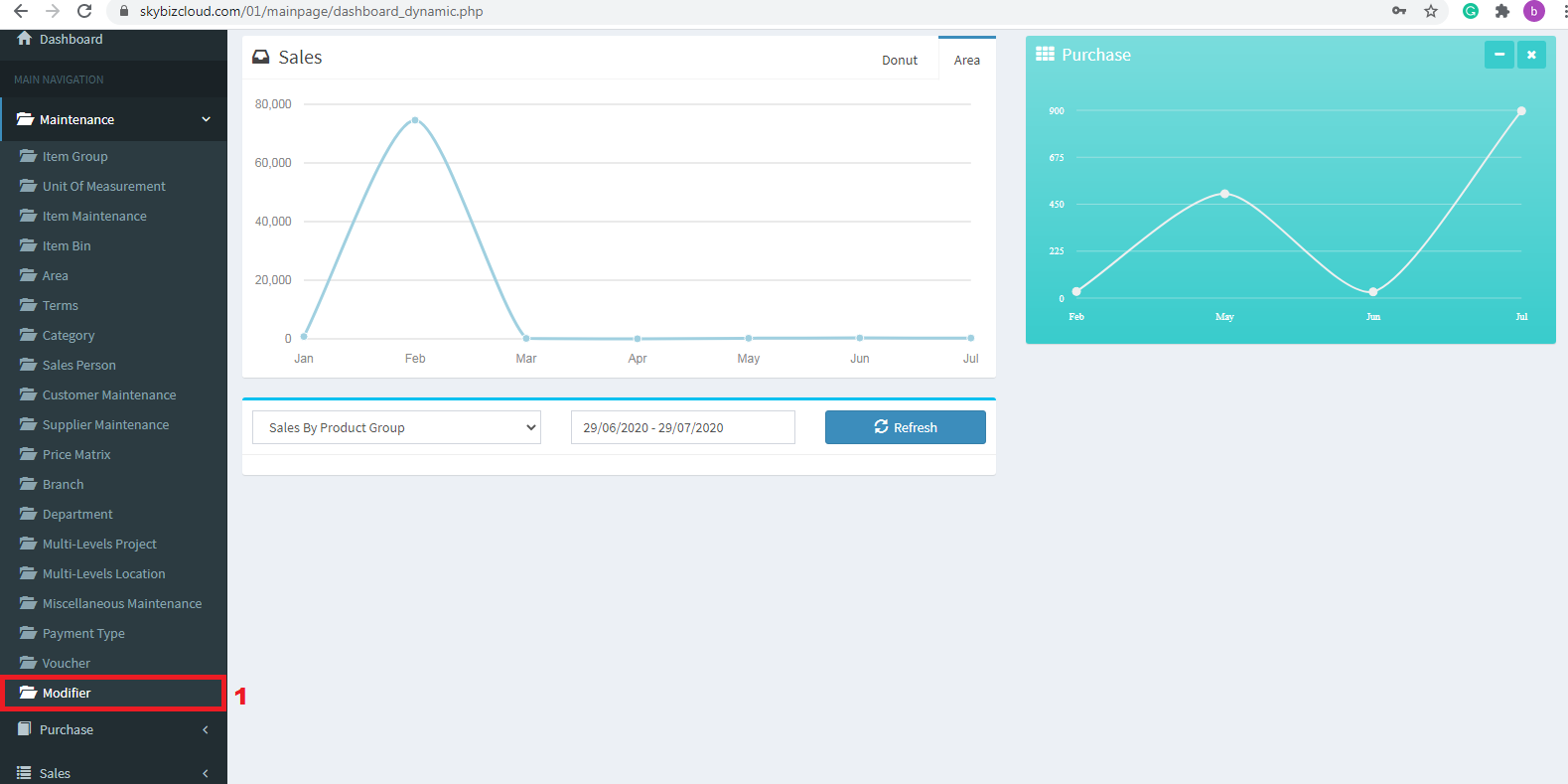
Modifier
1. Go to Maintenance>>Modifier
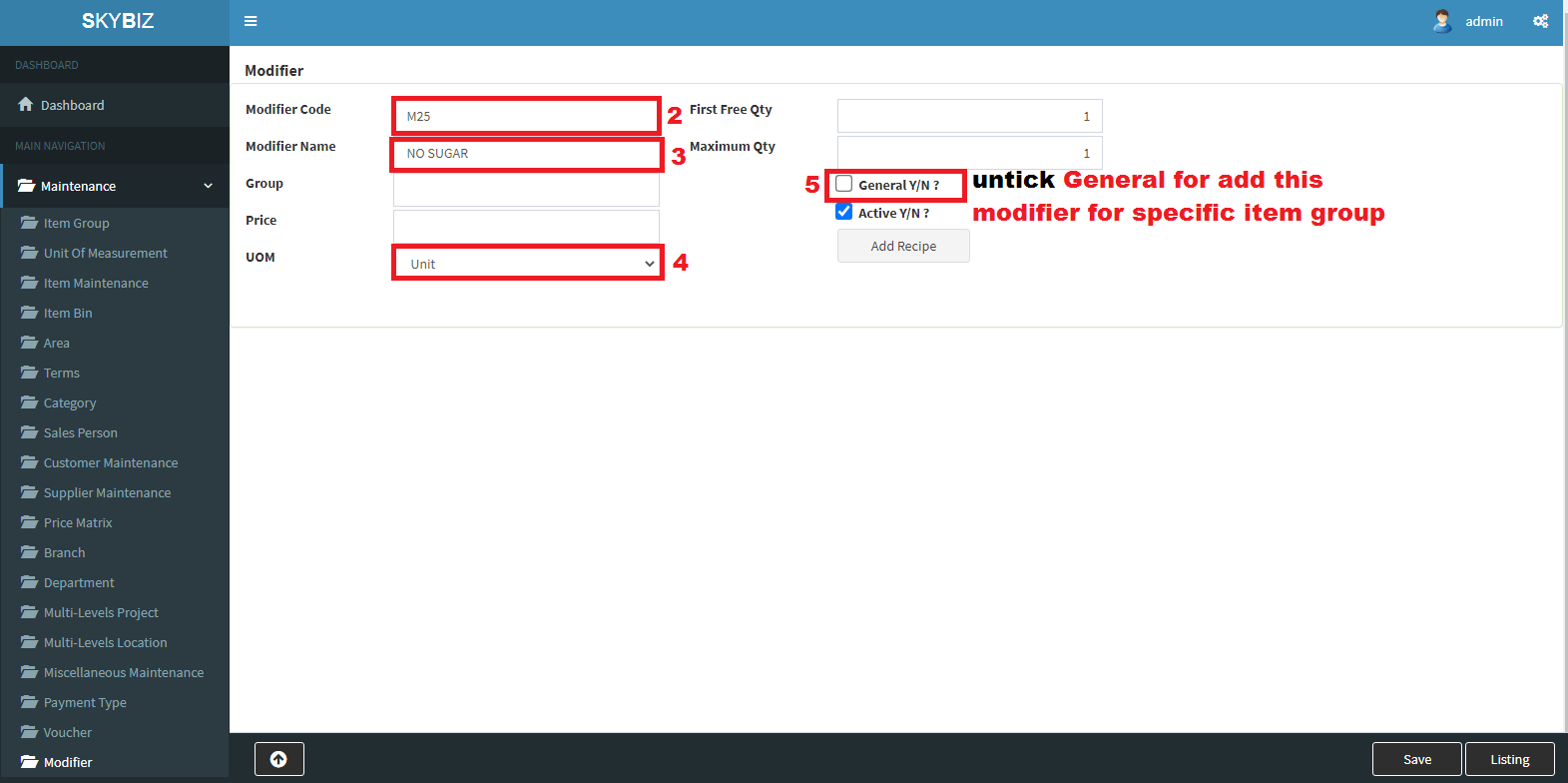
Add Modifier
2. Add the Modifier Code>>Modifier Name>>UOM>>
General Tick – For All Item Group
General UnTick – For Specific Item Group
3. Save
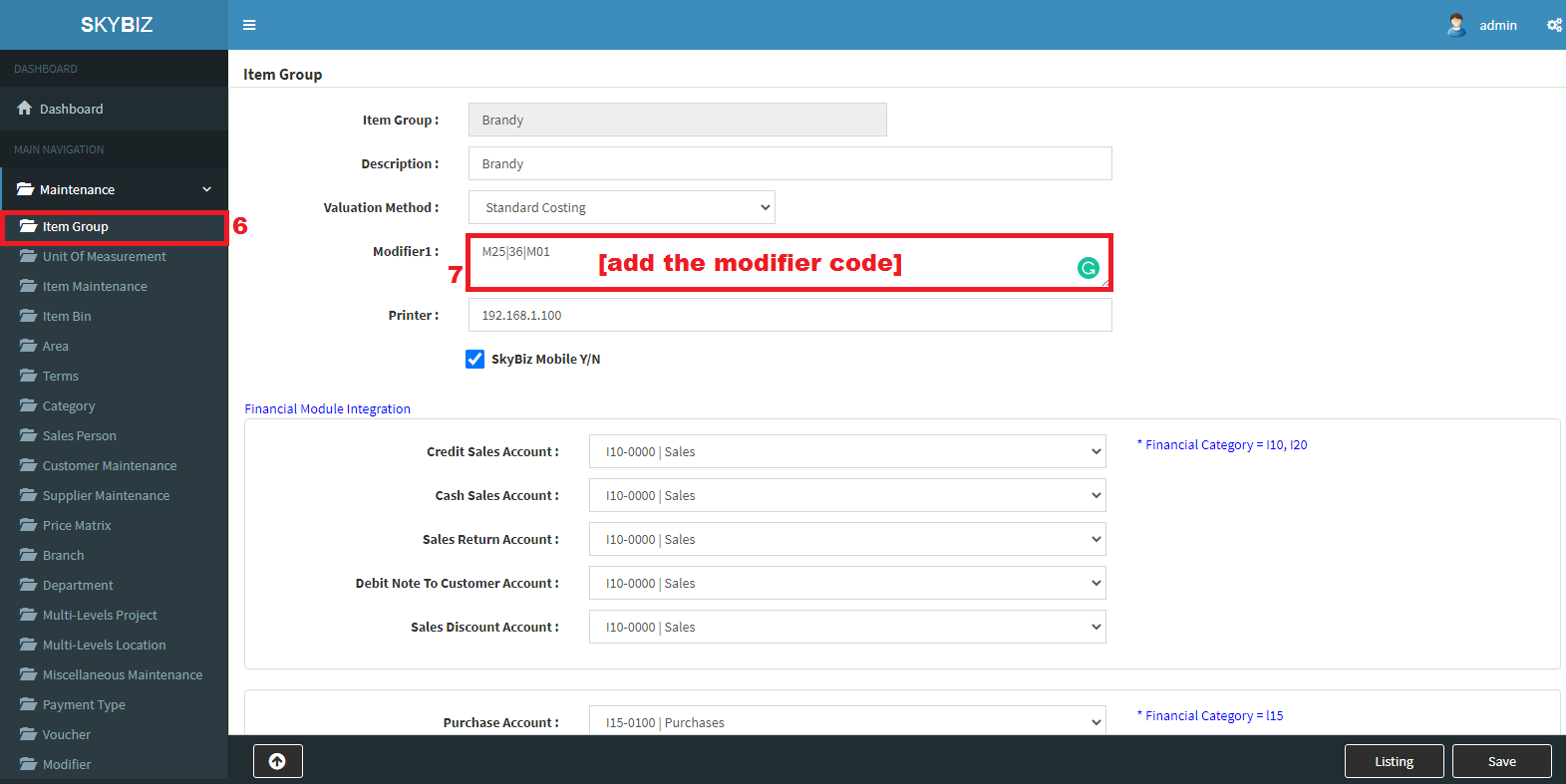
Item Group Add Modifier Code
4. After Save Modifier, Go to Item Group>>Edit the Item Group want to Add Modifier
5. On Modifier Column Add the Modifier Code follow the Example and Save.
Powered By : SKYBIZ ® Beyond Cloud ™