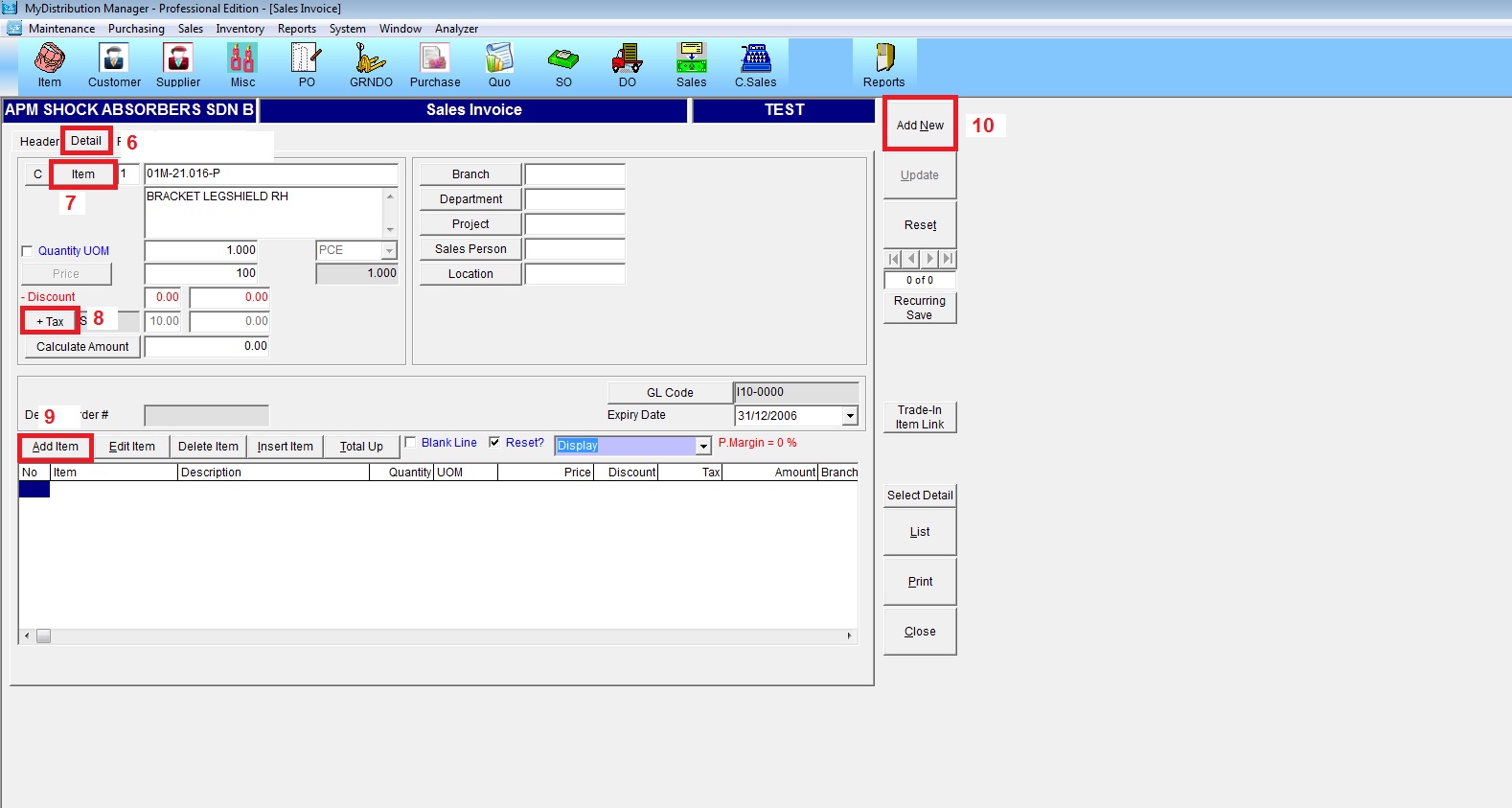
Below are Guideline(s) on How to Add New Sales Invoice
Log In MyDistribution
- 1. Go to Sales Invoice
- 2. On click Header
- 3. Type Invoice Number you also can set Running Number for Auto Run
- 4. Select Customer
- 5. Select the date when the Invoice being issued
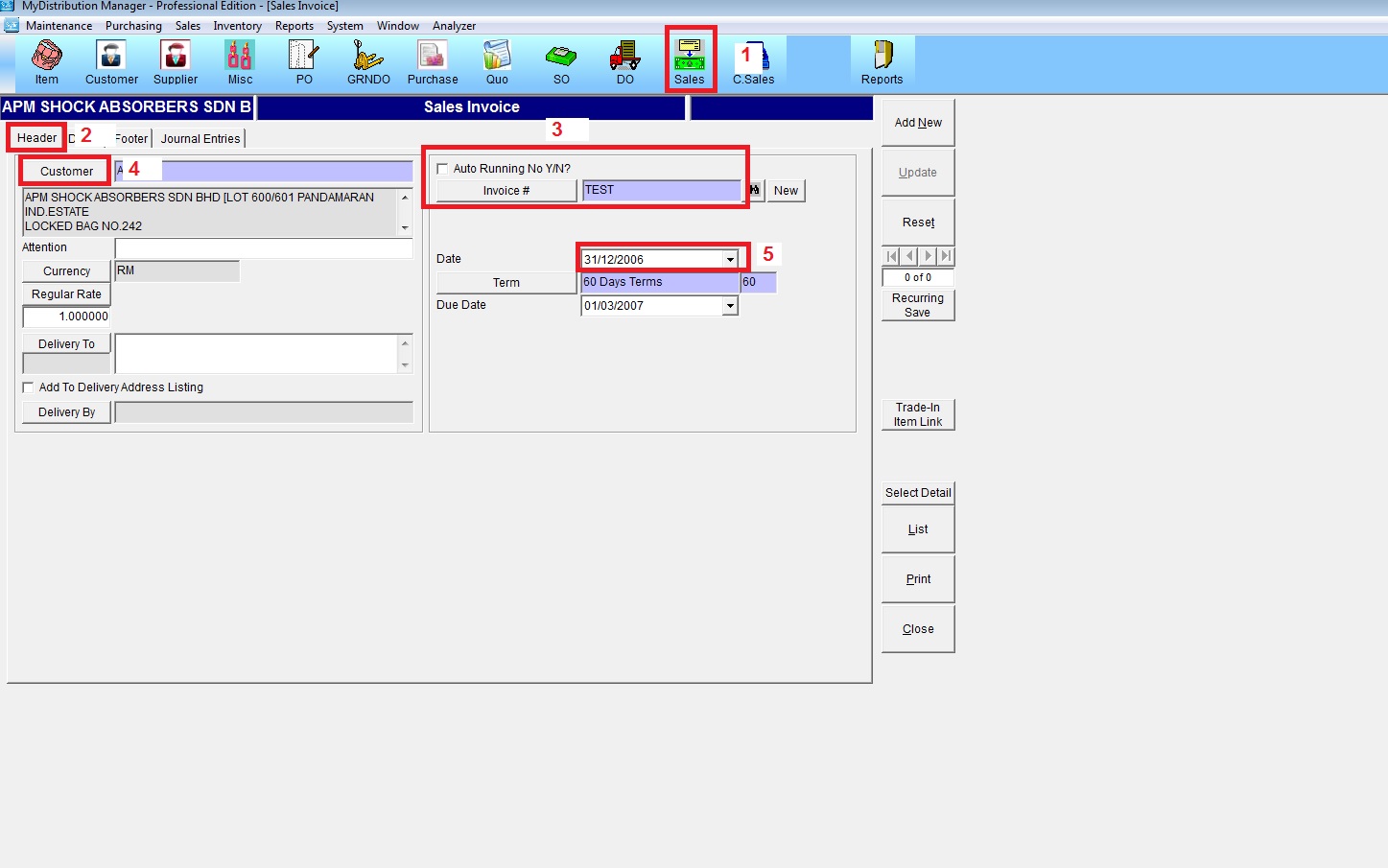
- 6. Go to Detail Part
- 7. Select Item , set qty and unit price
- 8. Select tax code
- 9. Add Item
- 10. Add New to save the Invoice