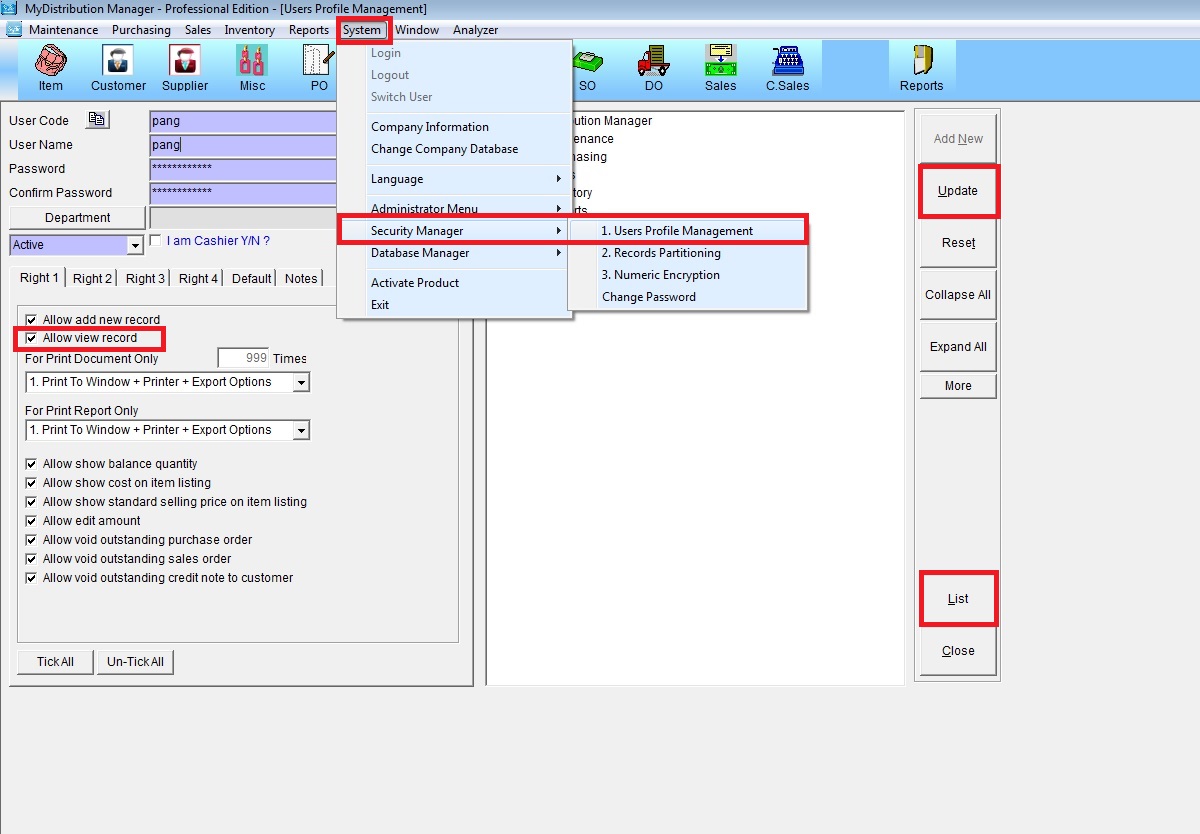
Below are Guideline(s) to setting “allow user to view records”
- Go to System>>Security Manager>>User Profile Management.
- Press “List” and select “User Code” .
- Assign “Allow view record” by ticking the check box.
- Press button “Update” to confirm amendment.