Steps to renew / extend Intermediary
Please be informed that appointing a service provider as an Intermediary in the Pre-production and Production Environment can be done through the MyInvois Portal. The Director or Representative that have the permission to manage Intermediary may refer to the below steps for details:
(If your status under Intermediary section is blocked, please inform us.)
For Taxpayer/Client:
1. Log in to the MyInvois Portal as a director.
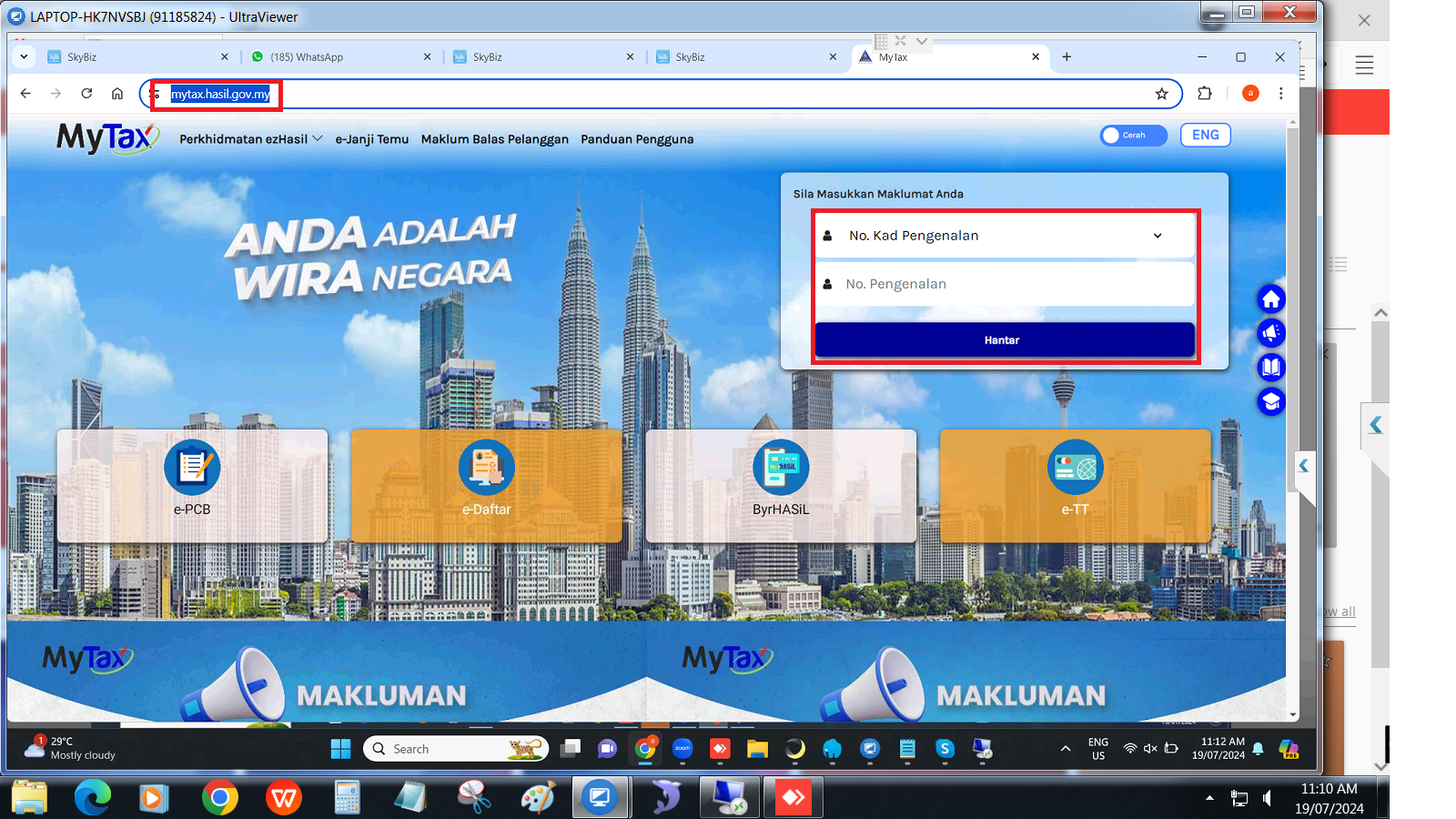
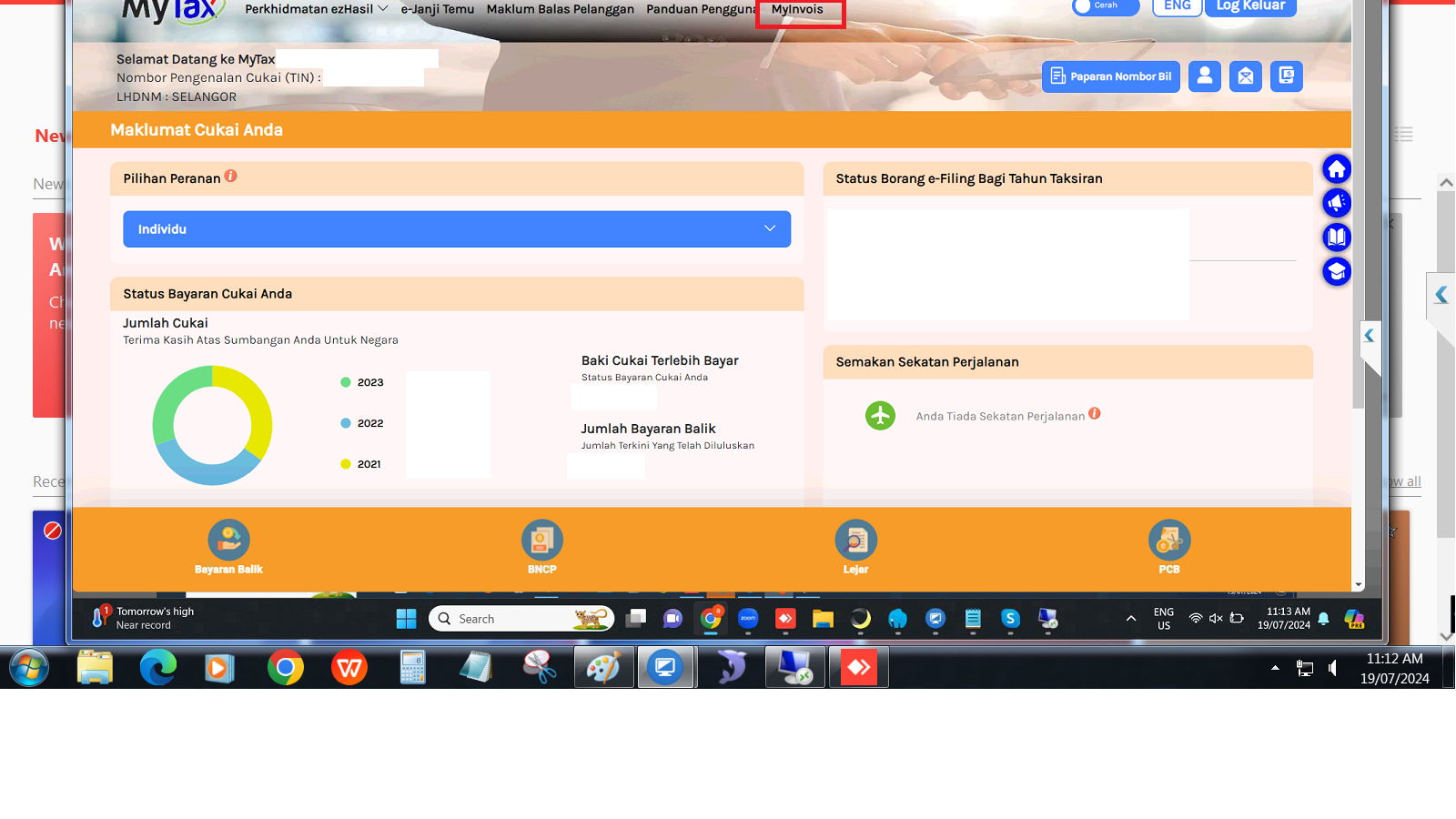
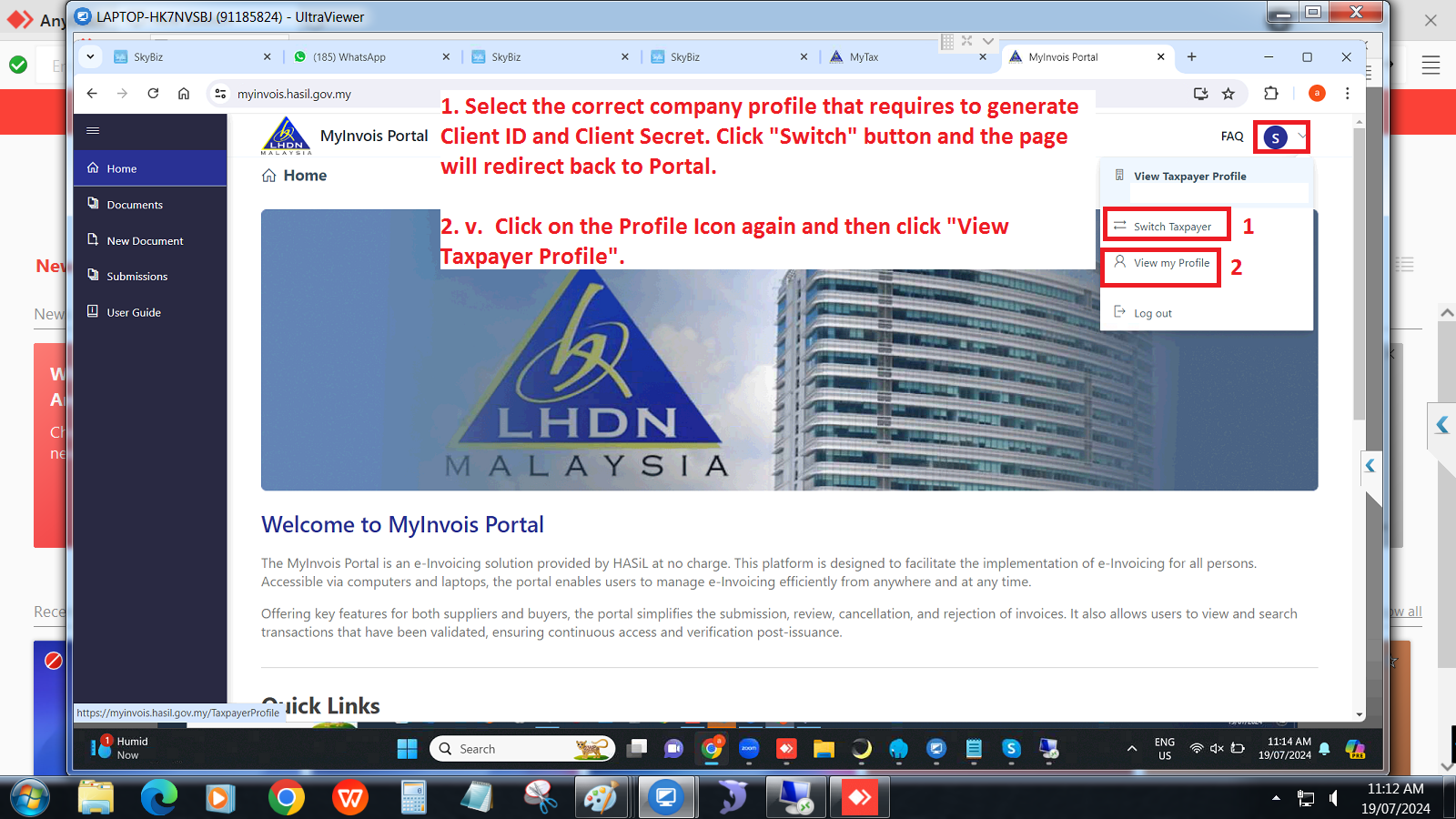
2. Click on the profile icon and select “Switch Taxpayer”, then choose the Company Profile
3. Click on the profile icon again and select “View Taxpayer Profile”
4. Scroll down to the “Representatives” section and click on “Intermediary” >>> Click the intermediary you want to renew.
5.Find your existing intermediary and click the 3 dots (⋮) on the right.
6.Select Edit.
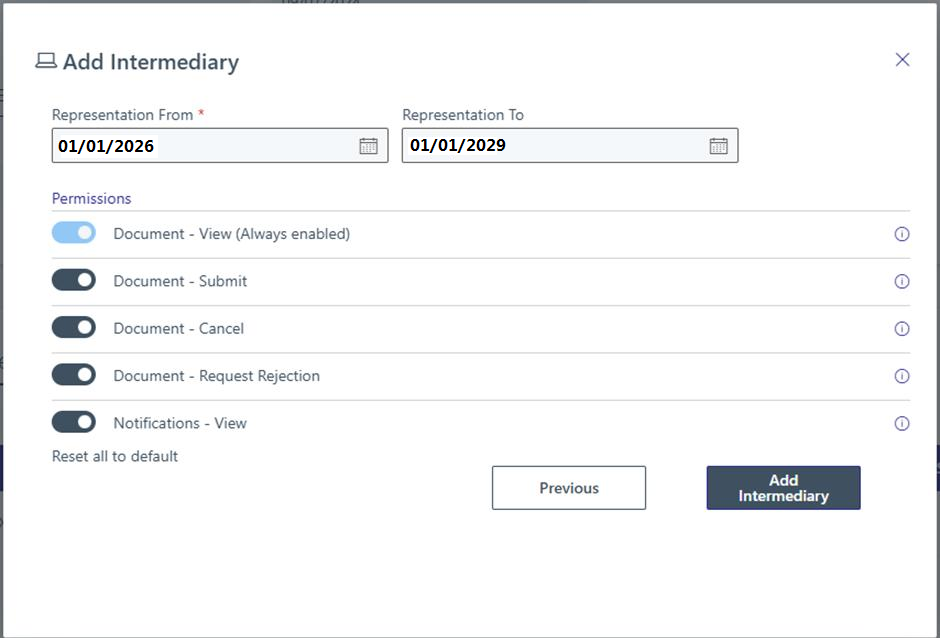
7.Update the Representation To date (expiry date).
8.Check the permissions and click Save Intermediary.

If you have further enquiry, do not hesitate to reach us by using the e-Invoice Customer Feedback Form via the following link: https://feedback.myinvois.hasil.gov.my
Thank you.
Powered By : SKYBIZ ®