Introduction to OMNIXYNC SiteGiant Order Listing
SiteGiant Order Listing brings your marketplace orders from SiteGiant into SKYBIZ. You can choose which orders to fetch, then check them in one list.
How to Sync and Filter SiteGiant Orders?
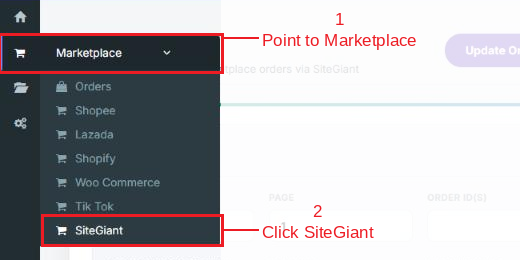
Step 1: Navigate to Marketplace > SiteGiant
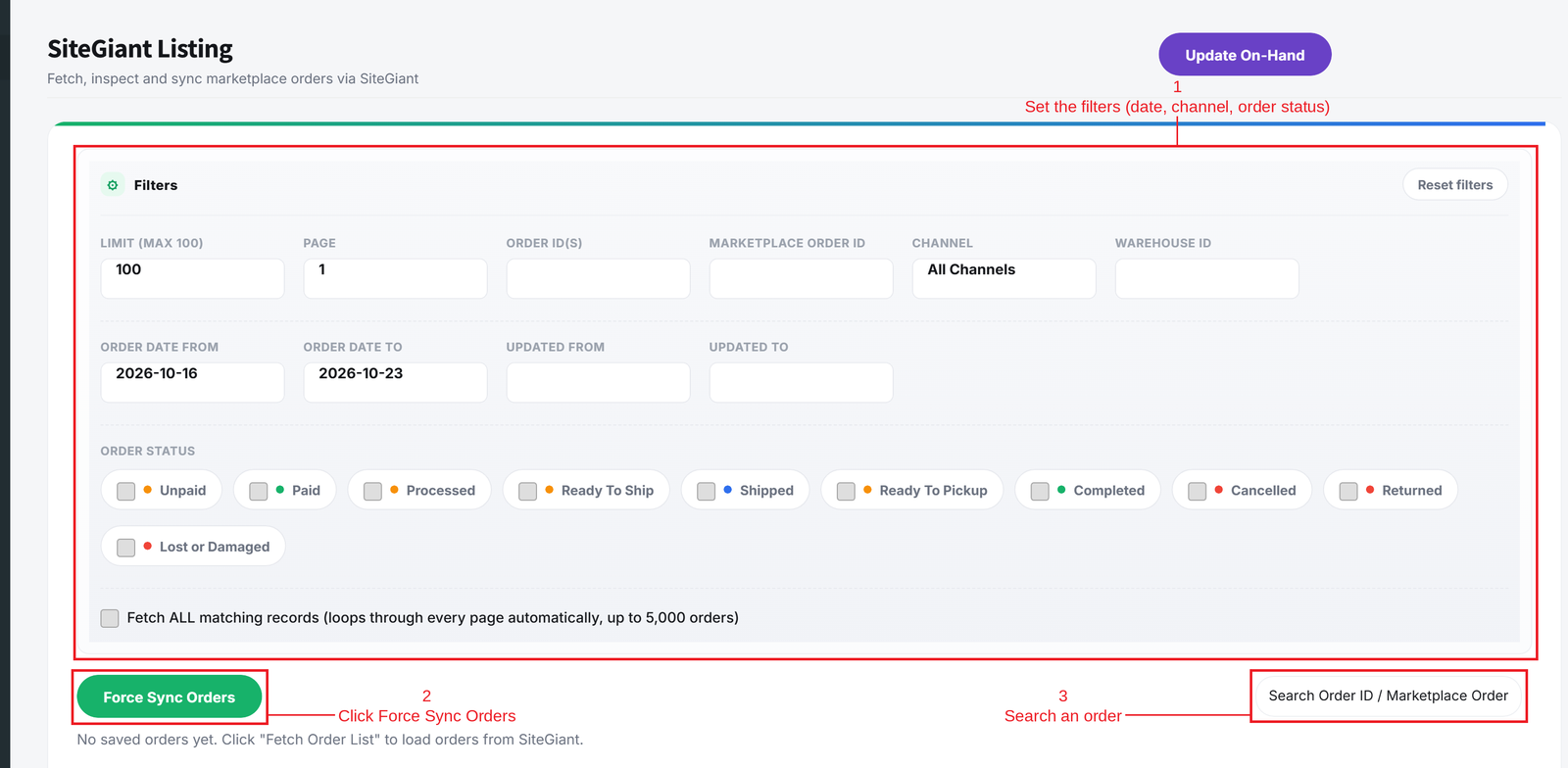
Step 2: Set the filters, then click Force Sync Orders:
- Limit and Page = How many orders to fetch, and which page.
- Order ID(s) and Marketplace Order ID = Fetch specific orders only.
- Channel and Warehouse ID = Fetch orders from one channel or warehouse.
- Order Date and Updated date = Fetch orders within a date range.
- Order Status = Tick the statuses to fetch, such as Paid, Ready To Ship or Completed.
- Fetch ALL matching records = Loops through every page automatically, up to 5,000 orders.
Use the search box to find an order in the list.
Conclusion
In conclusion, SiteGiant Order Listing lets you bring in only the orders you need and check them in SKYBIZ.
Powered By: SKYBIZ ®