Introduction to OMNIXYNC Restock Returned Items
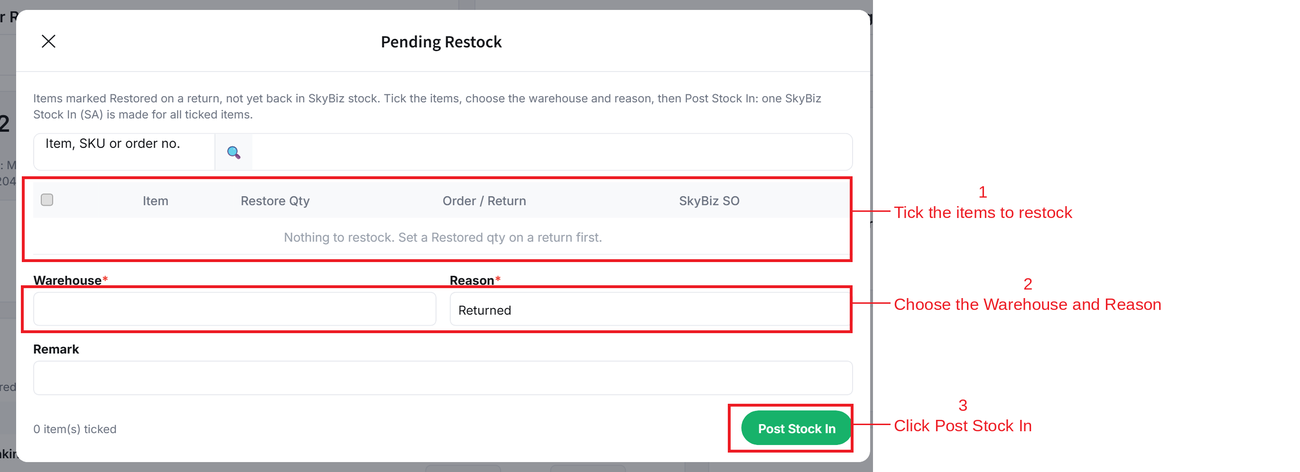
Pending Restock lists the items marked Restored that are not back in SKYBIZ stock yet. Posting them makes one SKYBIZ Stock Adjustment (SA) and the stock goes up.
How to Restock Returned Items?
Step 1: Navigate to Marketplace > Manage Order Return
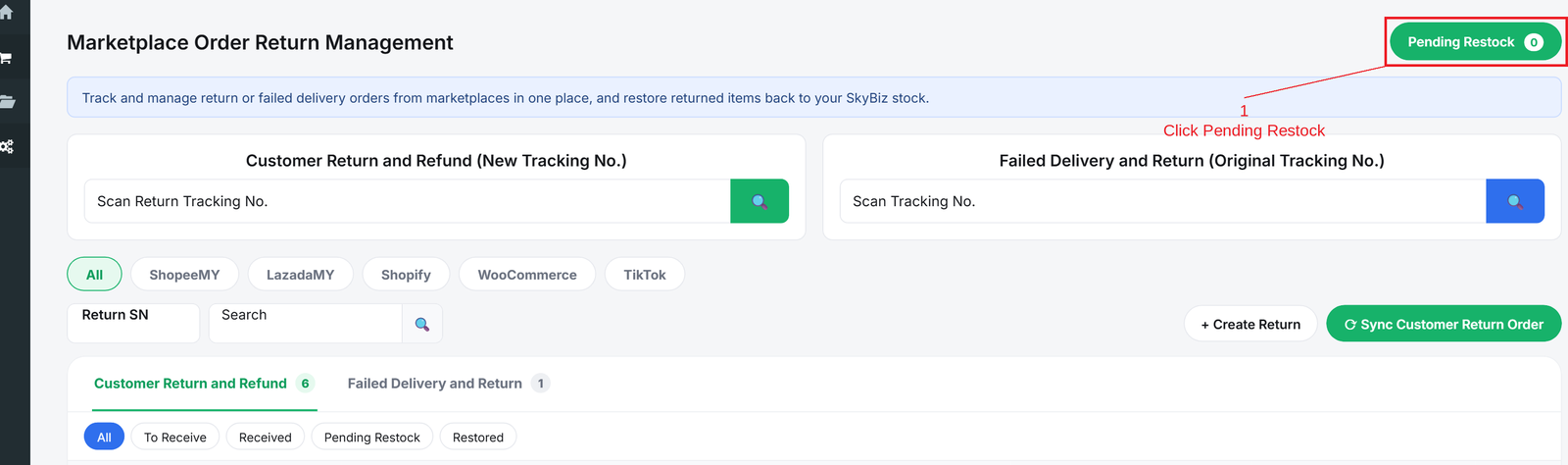
Step 2: Click Pending Restock on the top right
Step 3: Tick the items, choose the Warehouse and Reason, then click Post Stock In
Conclusion
In conclusion, Pending Restock puts good returned items back into your SKYBIZ stock in one step, so they can be sold again.
Powered By: SKYBIZ ®