Introduction to OMNIXYNC WooCommerce Edit Product
Edit Product lets you change your WooCommerce product details from SKYBIZ, such as the name, images, price and stock. The changes are sent to WooCommerce when you save.
How to Edit a WooCommerce Product?
Step 1: Navigate to Marketplace > WooCommerce
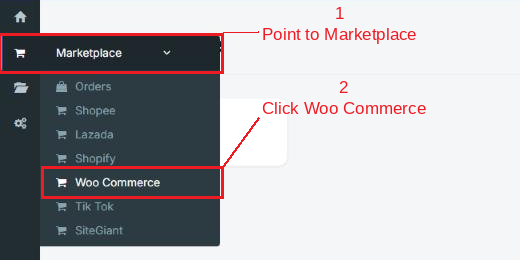
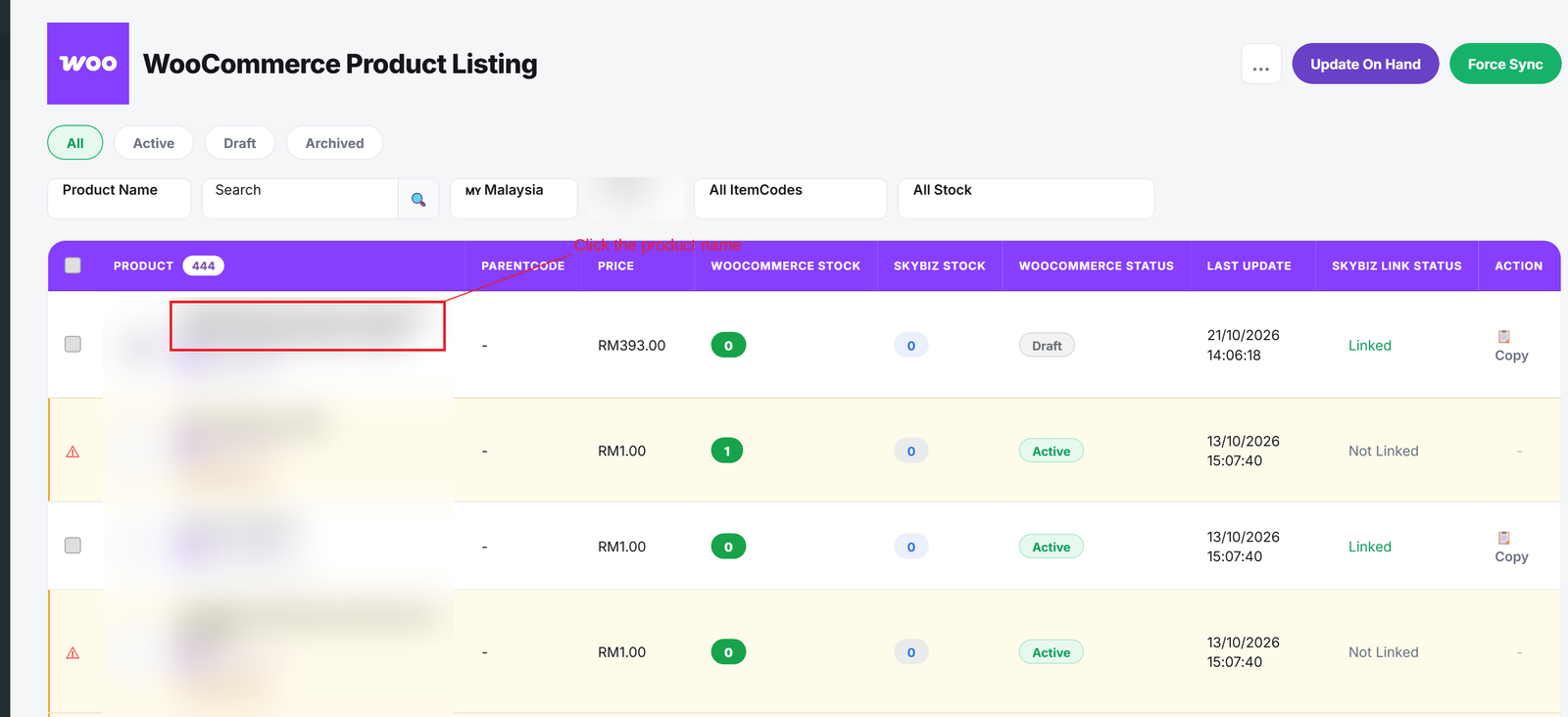
Step 2: Click your shop to open the Product Listing

Step 3: Click the product name to open Edit Product
Step 4: Change the product details, then click Update to save. Use the menu on the right to jump to a section

Conclusion
In conclusion, Edit Product lets you update your WooCommerce products directly from SKYBIZ, so you do not need to log in to WooCommerce admin for every change.
Powered By: SKYBIZ ®