Below are Guideline(s) on How to Use SkyBiz Emailing System
- Login on System
*Sending Debtor Statement*
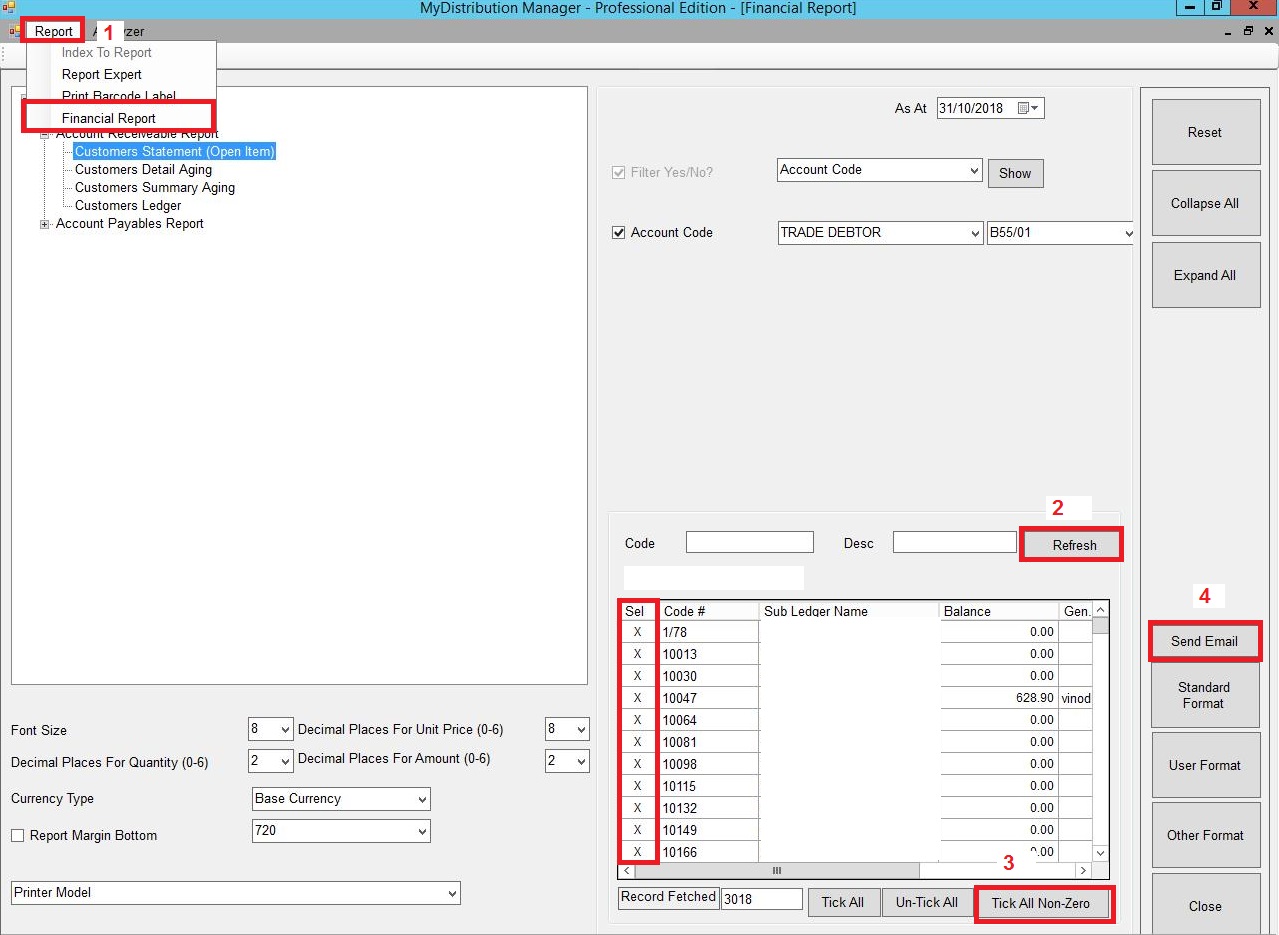
- Go to Reports > Financial; reports > Account Receiveable Report > Customer Statement (Open Item)
- Refresh
- Select particular Debtor Code or Tick All Non-Zero
- Click Send Email
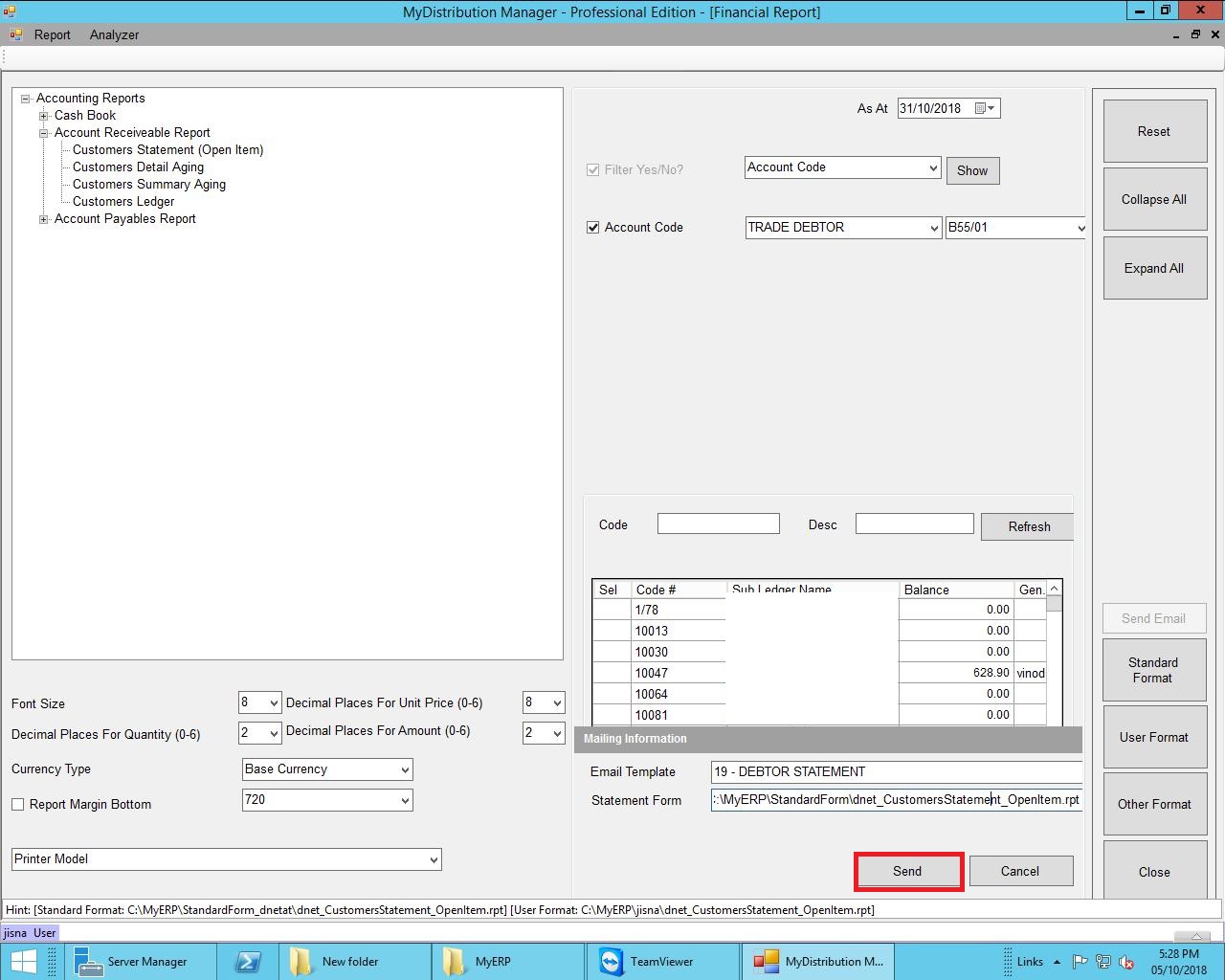
- Send
*Sending Invoice*
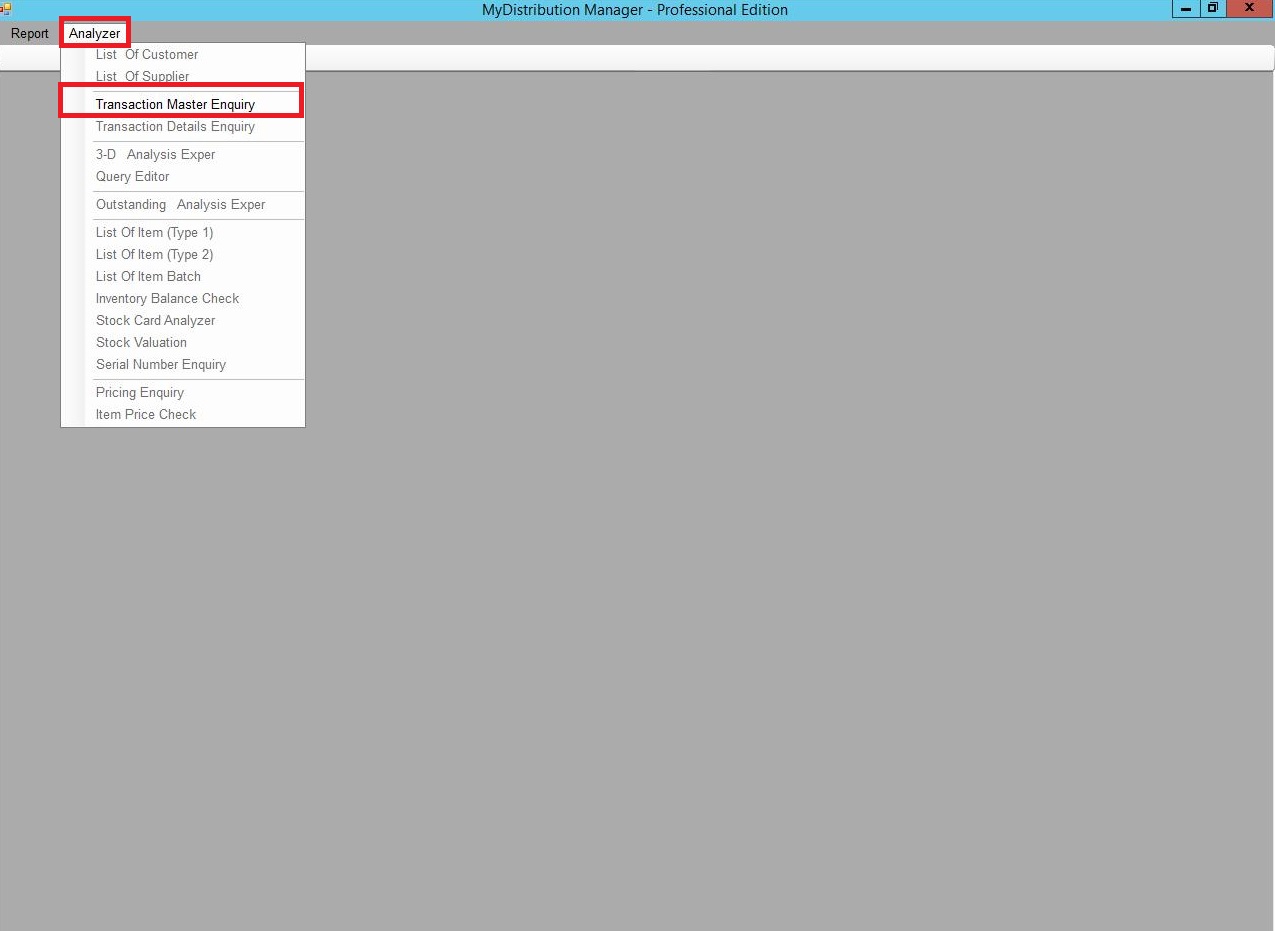
- Go to Analyzer > Transaction Master Enquiry
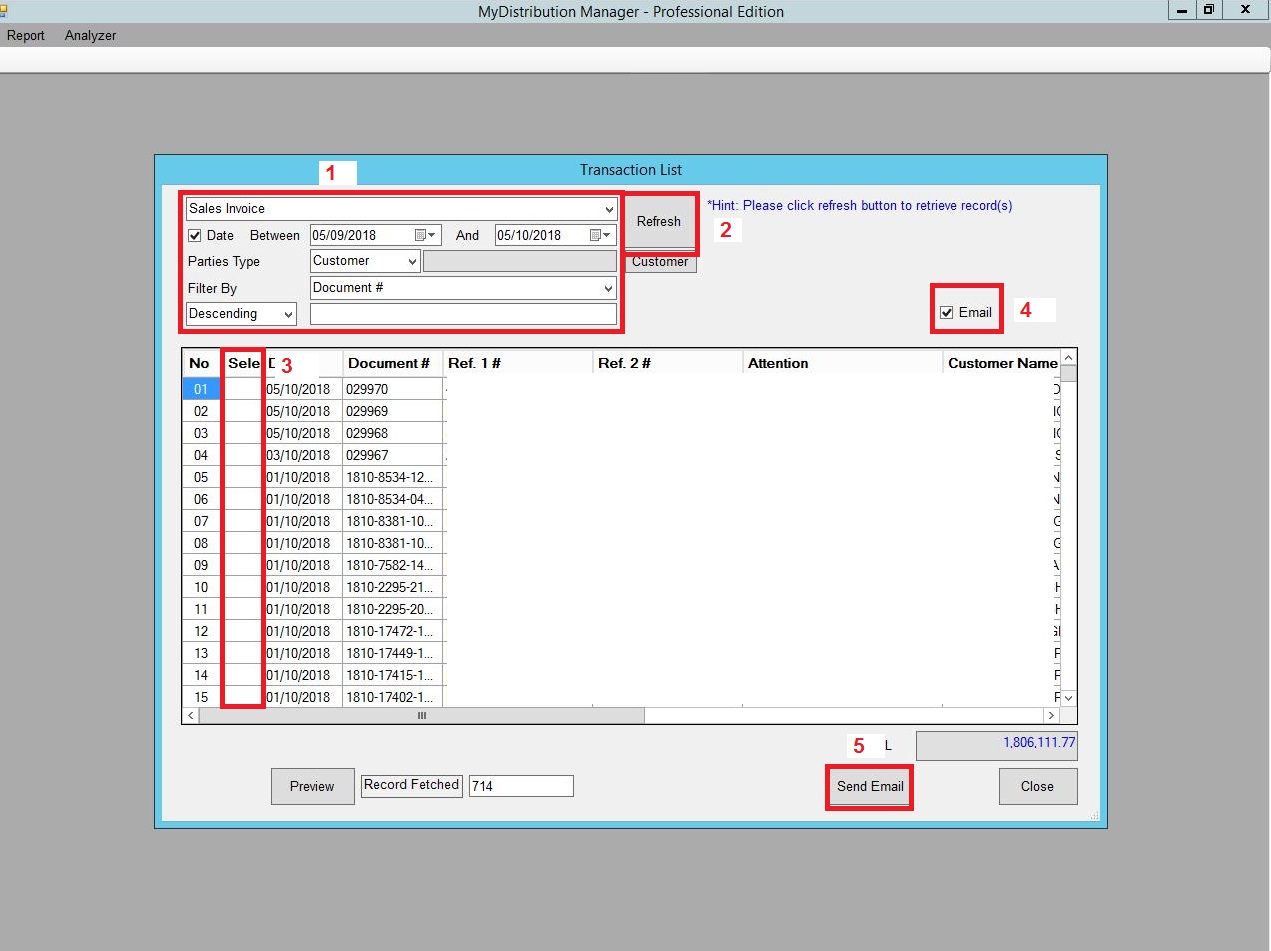
- Select Sales Invoice > Set Date Between or Keyin Document # and Untick Date Between if want to Send out Particular Invoice
- Refresh
- Select Multiple Invoice if want to Send out Multiple Invoices
- Tick Email
- Then Send