Introduction to SKYBIZ Purchase Order
A Purchase Order (PO) is a legally binding, commercial document issued by an organization’s procurement department to a vendor, indicating the specific types, quantities, and agreed prices for products or services required. Once a purchase requisition is verified and an external supplier quotation is accepted, the procurement module automatically generates this official document, anchoring a unique PO tracking number to ensure flawless end-to-end traceablity. Serving as the vital bridge between internal inventory demands and external procurement, the PO formalizes the buyer’s intent and establishes explicit terms for delivery timelines, payment schedules, and technical specifications. When this document is dispatched to the vendor, it acts as a primary financial control gate within the enterprise framework, blocking unauthorized corporate spending and establishing an ironclad data baseline that the warehouse team will later use to reconcile Goods Received Notes (GRN) and that finance will use to verify incoming supplier invoices.
The Void Outstanding Purchase Order mechanism is a critical inventory and procurement control that allows authorized administrators to permanently cancel a generated purchase order that has passed its delivery deadline or is no longer required by the business. An outstanding purchase order represents an active, unfulfilled financial commitment that artificially inflates “ordered” stock levels in warehouse registries and ties up unspent corporate budget allocations in accounting pipelines. By initiating a void command on these stagnant documents, the procurement system instantly unties those financial liabilities from the general ledger, updates the product master file to reflect true anticipated inventory levels, and reverses any previous purchase requisition linkages. Hardcoding strict authorization barriers onto this mechanism ensures that open contracts with external vendors cannot be deleted or manipulated without direct supervisory approval, maintaining an ironclad audit trail of why the order was abandoned—whether due to vendor stockouts, delayed shipping windows, or canceled corporate projects.
How to Void Outstanding Purchase Order?
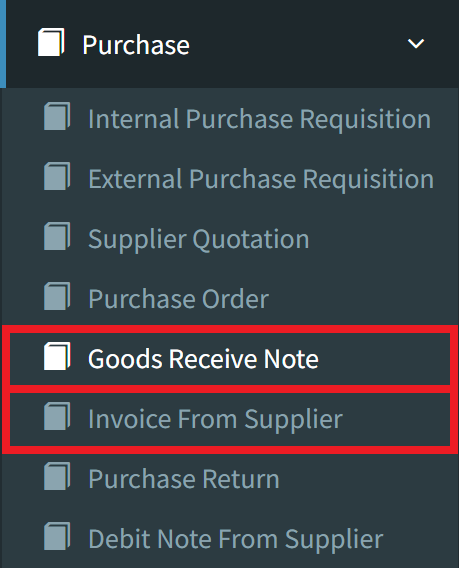
Step 1: To void an outstanding Purchase Order, navigate to the Purchase menu and select either Goods Receive Note or Invoice From Supplier.
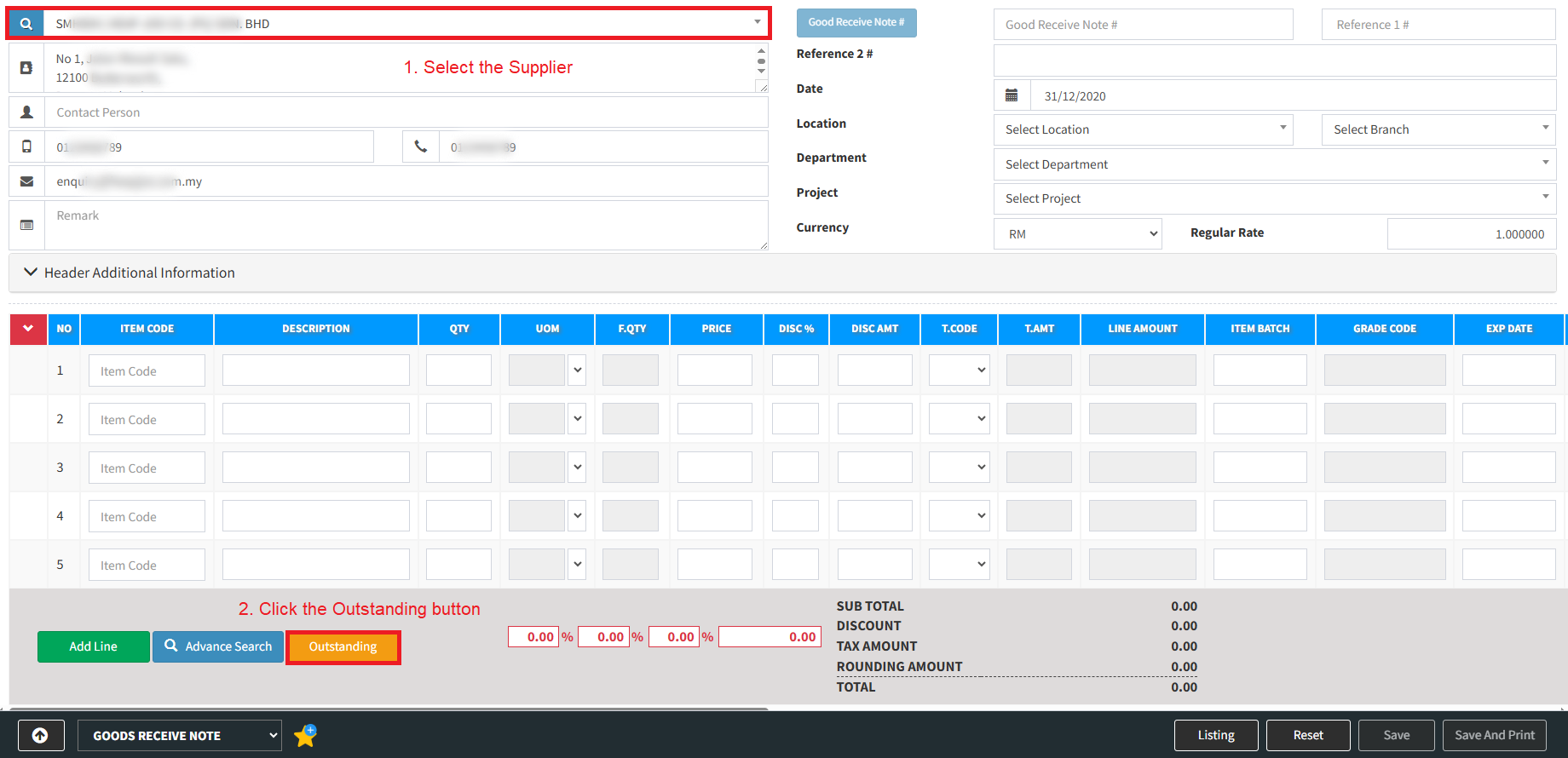
Step 2: Select the specific Supplier from the list, then click the Outstanding button located at the bottom to view the documents.
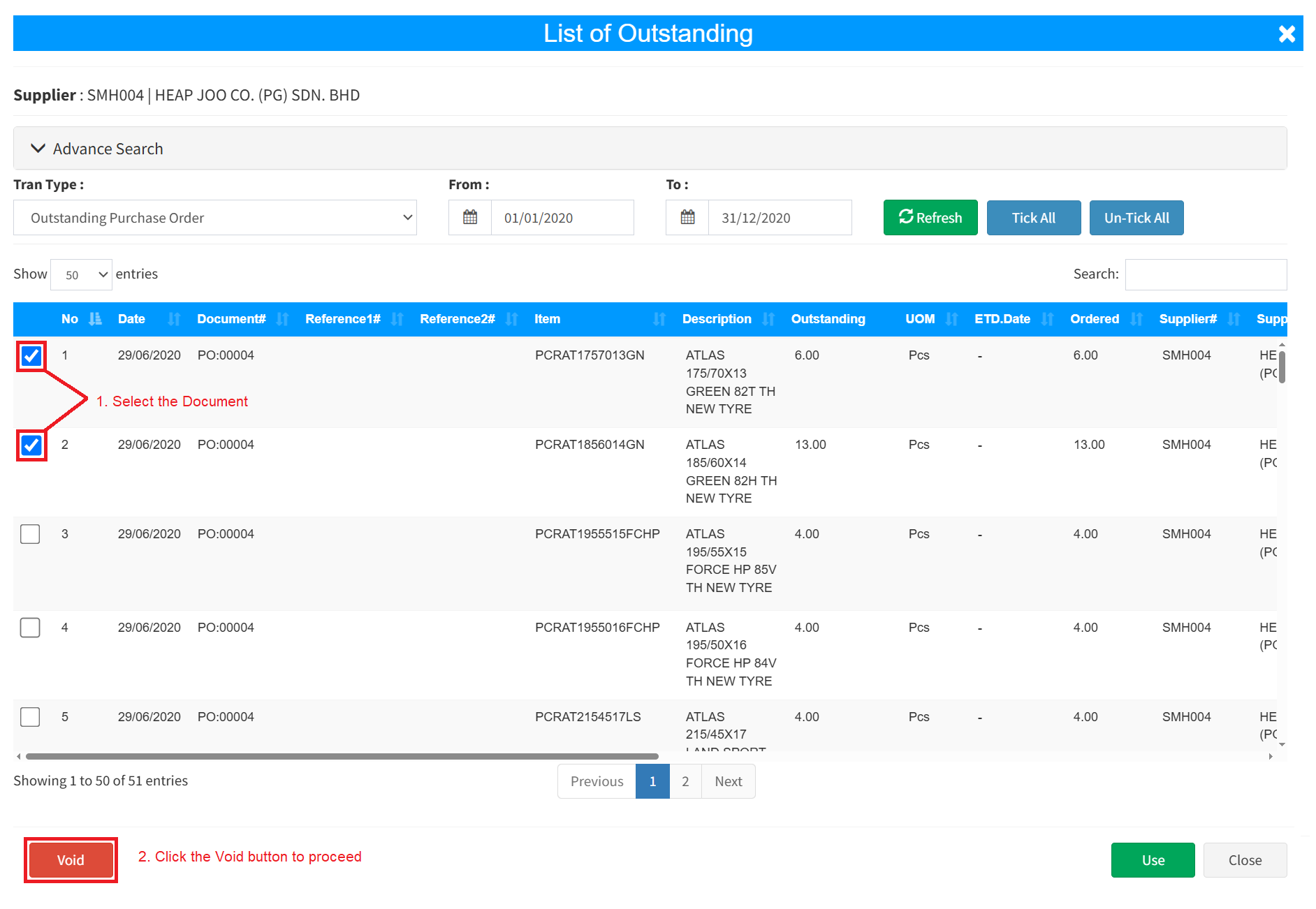
Step 3: Select the outstanding Purchase Order you wish to cancel, click the Void button, and then click OK to confirm the action.
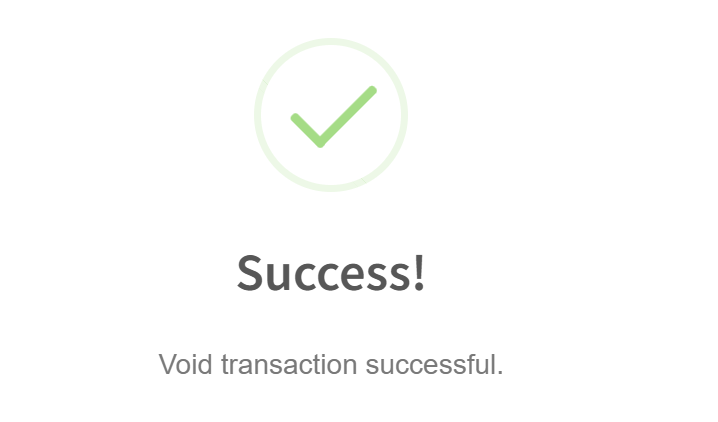
Step 4: A confirmation pop-up will show that the Purchase order has been successfully voided.
Conclusion
In conclusion, implementing a systematic workflow to void outstanding purchase orders is essential for maintaining pristine inventory balances and accurate fiscal forecasting. Automating the cleanup of these pending commitments prevents operational confusion in the warehouse, where staff might otherwise anticipate stock deliveries that will never arrive. By instantly releasing locked budgetary funds back into the active procurement pool, this utility enhances organizational cash flow flexibility and shields the business from rogue data accumulation. Ultimately, anchoring a robust void-and-cancel structure within your purchasing system guarantees that your supply chain logs remain highly accurate, your financial ledgers stay fully auditable, and your vendor performance metrics are cleanly measured against actual fulfillment rates.
Powered By: SKYBIZ ®