Introduction to SKYBIZ Sales Invoice
A Sales Invoice is an official financial document issued by a seller to a buyer after goods or services have been delivered. It serves as a formal request for payment and includes essential details such as the invoice number, date, customer information, description of goods or services, quantities, unit prices, taxes, total amount due, and payment terms. In accounting, the sales invoice acts as proof of a completed transaction and is recorded as revenue for the seller and an obligation to pay for the buyer. It also serves as a key reference for financial reporting, tax filing, and audit purposes.
How to create Email Templates for Sales Invoice?
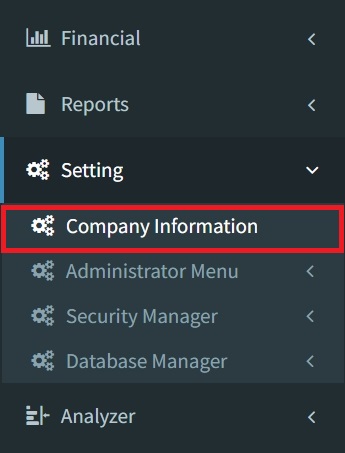
Step 1: To create email templates for sales invoices, navigate to Settings > Company Information
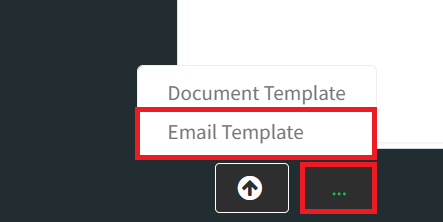
Step 2: Click the 3-Dots button on the bottom left, then select Email Template.
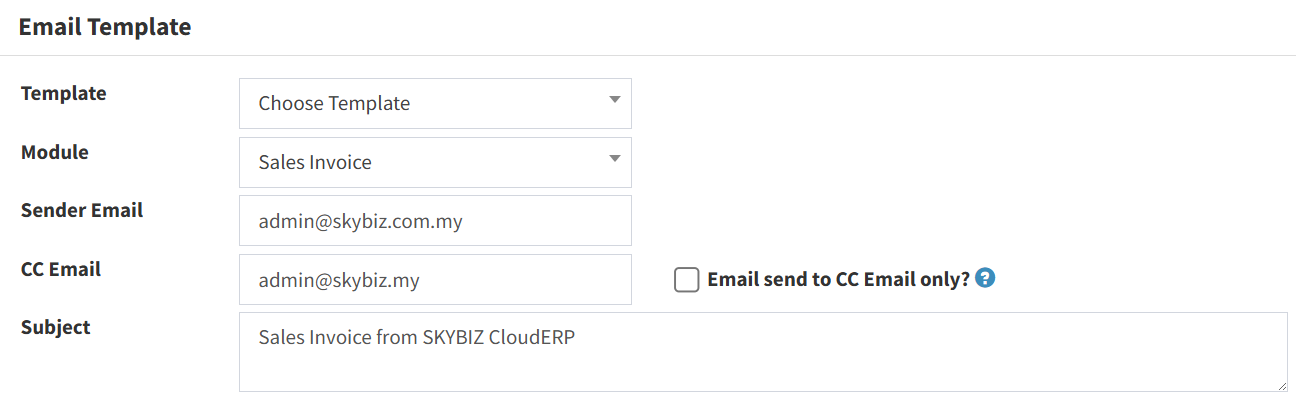
Step 3: Select Choose Template to create a New template and select Sales Invoice as the Module type, then fill in all fields
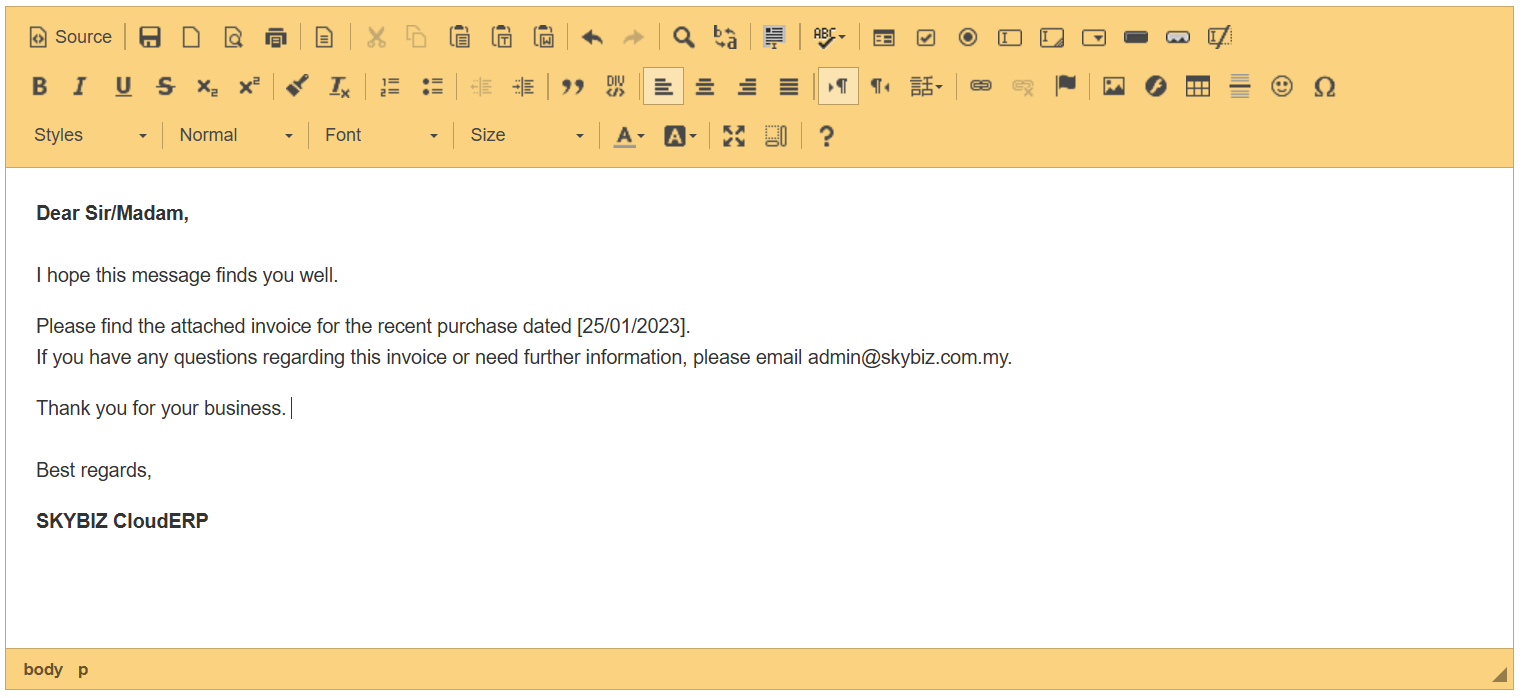
Step 4: For the Content, you can fill it with the message you want for your customers. You can also add media and add an attribute like color to text.
Step 5: Click the Add button to save your Email Template.

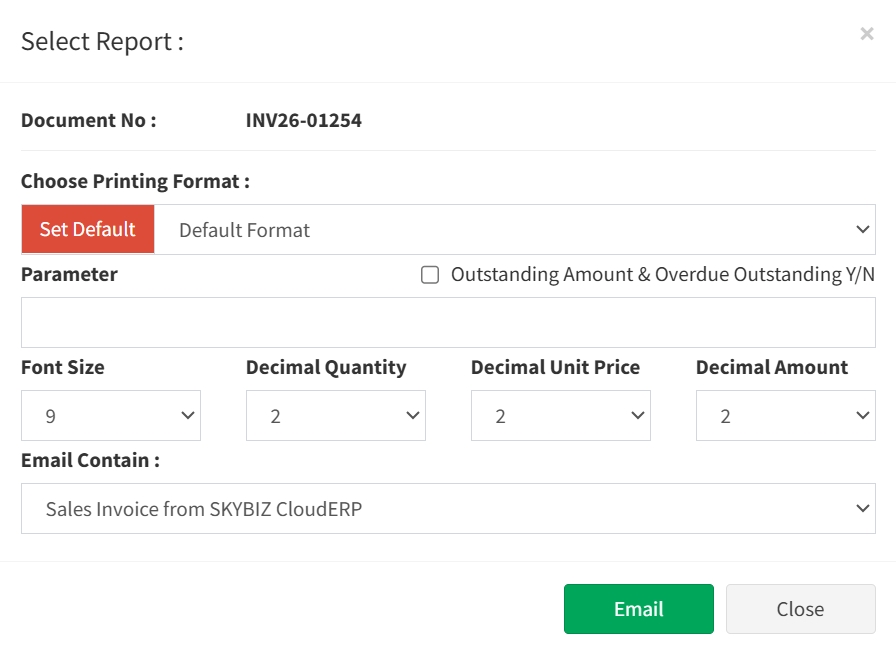
Step 5: Now you can select the email template when you try to send the Sales Invoice.
Conclusion
In conclusion, an email template on a sales invoice is a practical and professional tool that streamlines the invoicing process. It ensures consistent communication, reduces manual effort, minimizes errors, and presents invoices clearly and professionally to customers. By using standardized, automated templates, businesses can improve efficiency, strengthen their brand image, and support faster, more reliable payment collection.
Powered By: SKYBIZ ®