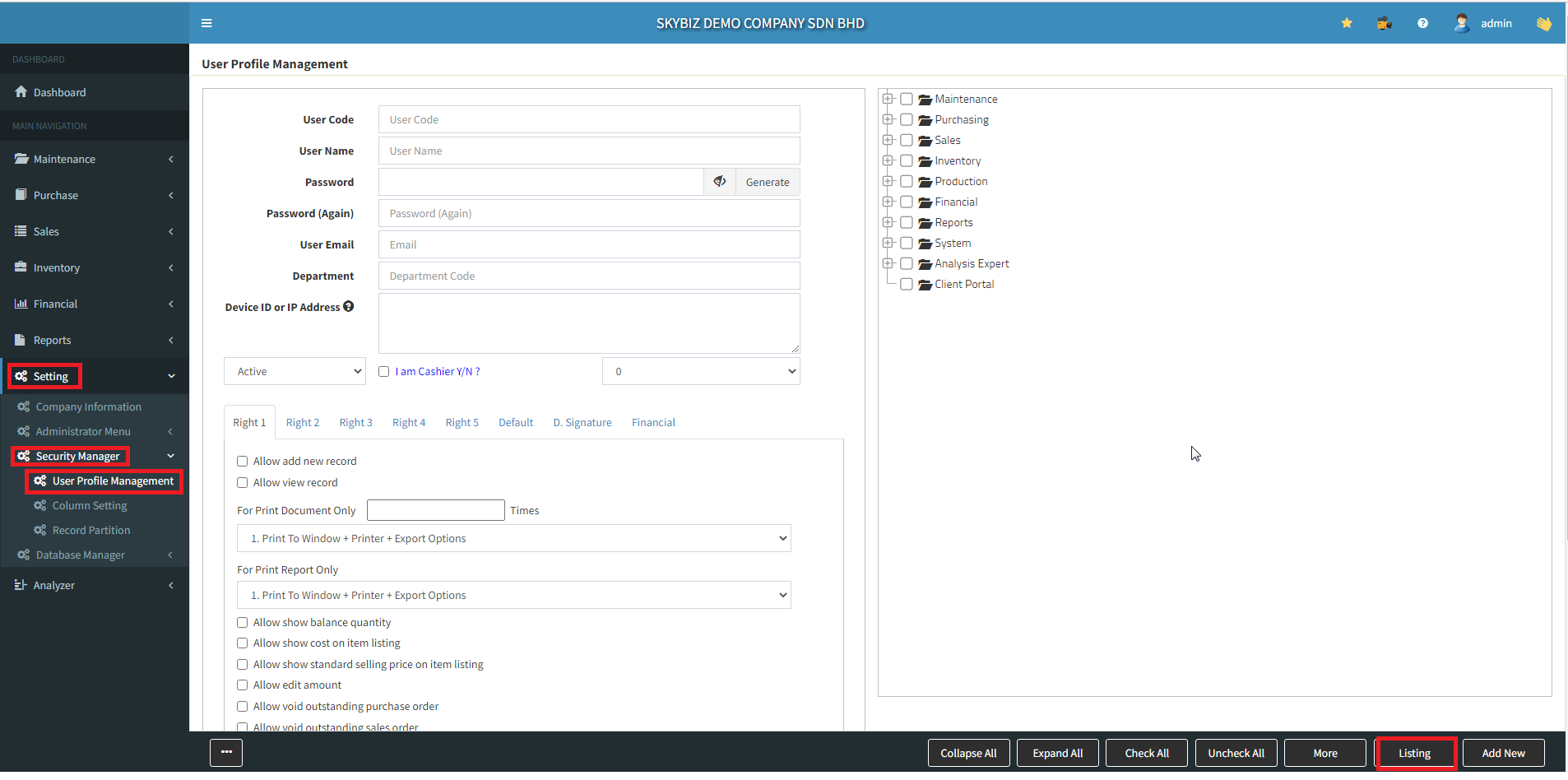
1.Go to : ” Setting “ >> ” Security Manager “ >> ” User Profile Management “
2.Go to : ” Listing “
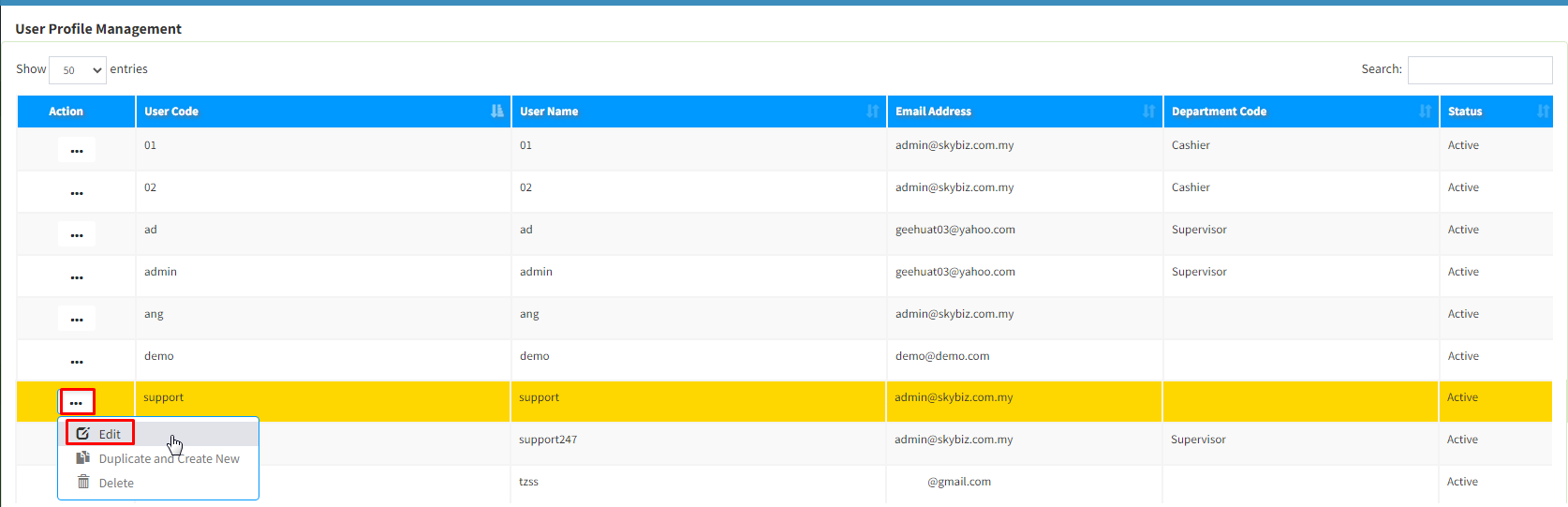
3. Find the User >> click ” Edit “
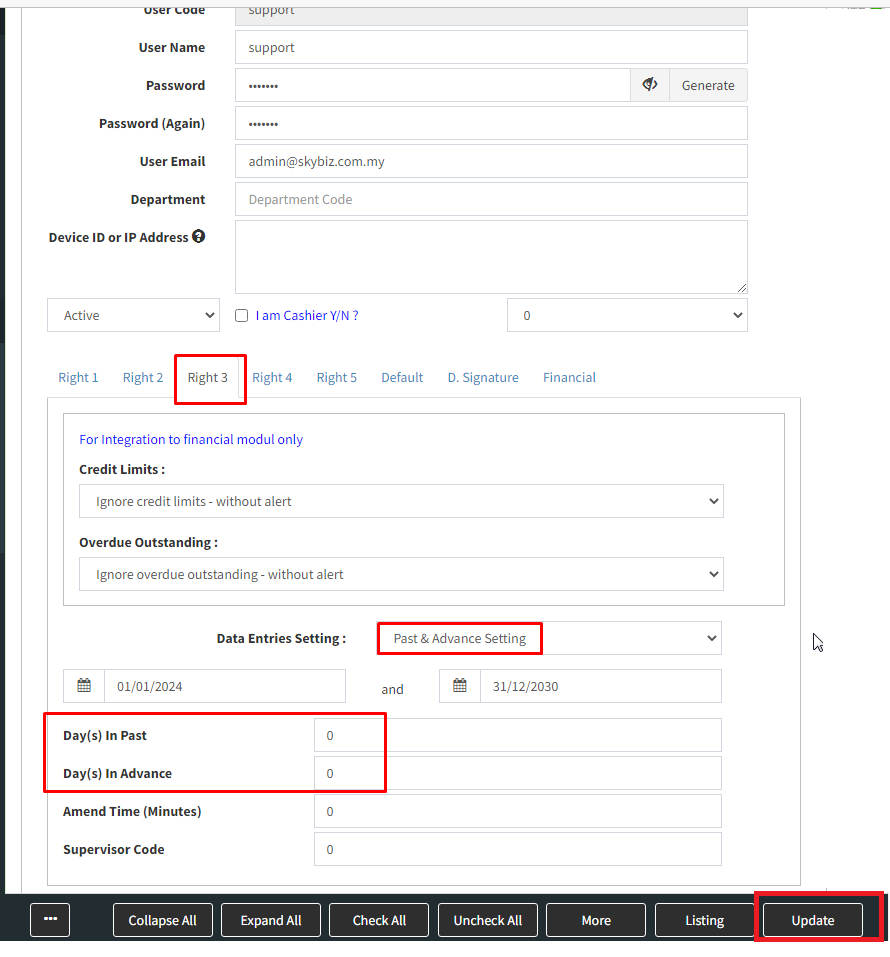
4. Right 3 >>> Data Entries Setting choose Past & Advance setting >>> fill Day(s) In Past & Advance >>> update
1.Go to : ” Setting “ >> ” Security Manager “ >> ” User Profile Management “
2.Go to : ” Listing “
3. Find the User >> click ” Edit “
4. Right 3 >>> Data Entries Setting choose Past & Advance setting >>> fill Day(s) In Past & Advance >>> update