Introduction to Auto Running Number
An Auto Running Number Document refers to a system-generated document numbering feature commonly used in accounting and business software. This feature automatically assigns a unique, sequential number to each new document—such as invoices, purchase orders, sales orders, or receipts—without manual input. The purpose of using auto-running numbers is to maintain consistency, avoid duplication, and ensure easy tracking and referencing of documents within the accounting system. This automatic numbering enhances document control, auditability, and data accuracy, supporting efficient financial record-keeping and reporting processes.
How to Allow Manual Running Number on a Delivery Order?
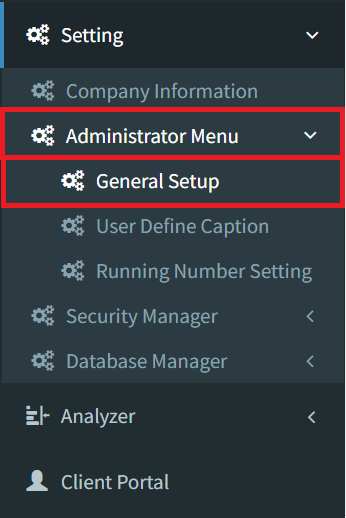
Step 1: To allow a manual running number on a Delivery Order, navigate to Settings > Administrator Menu > General Setup
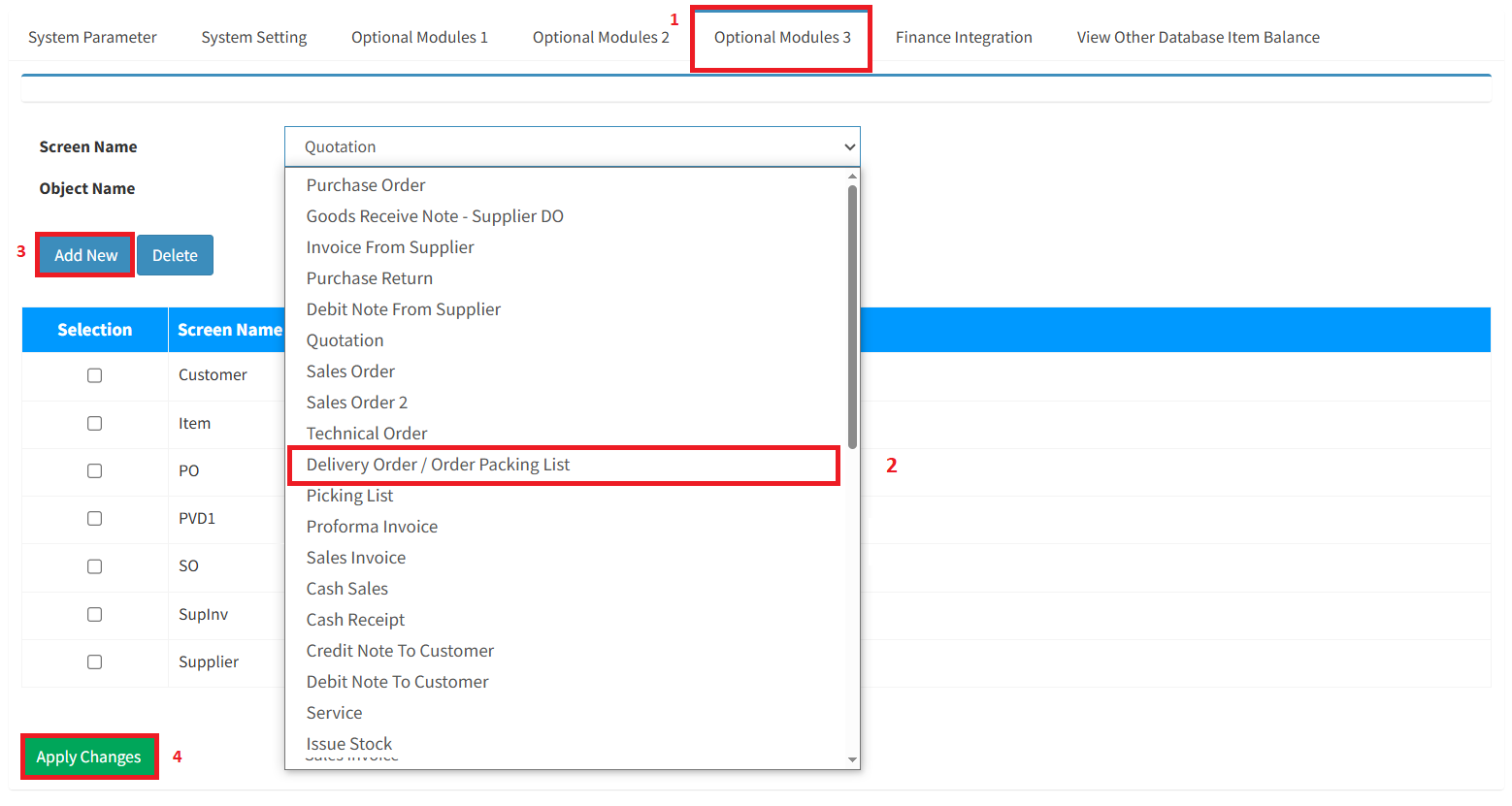
Step 2: Click the Optional Modules 3 button. Select the Delivery Order for the Screen Name, then click the Add New button and the Apply Changes button.
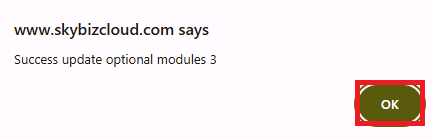
Step 3: Click the OK button to continue allowing a manual running number on the Delivery Order.
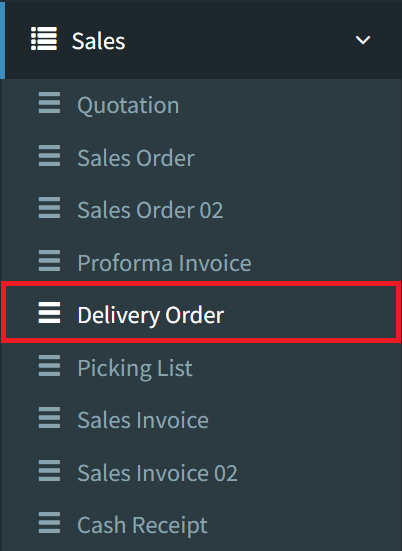
Step 4: Go to the Delivery Order page, navigate to Sales > Delivery Order
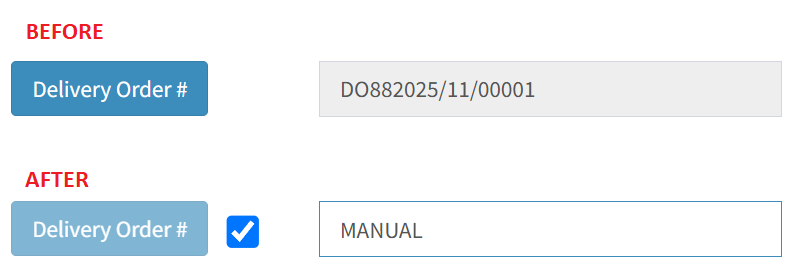
Step 5: Now you can manually create a new Delivery Order running number by ticking the checkbox
Conclusion
While automatic running numbers enhance consistency and reduce errors, allowing manual running number documents provides essential flexibility for handling special business needs. Manual numbering is useful in cases such as correcting system errors, aligning with external document sequences, fulfilling client-specific requirements, or integrating legacy systems. When properly controlled, this flexibility ensures that unique operational or regulatory demands are met without compromising the accuracy and traceability of accounting records.
Powered By: SKYBIZ ®