1. Guideline(s) to key in Below are guideline(s) to Enter Branch Opening Balance for Accounting:
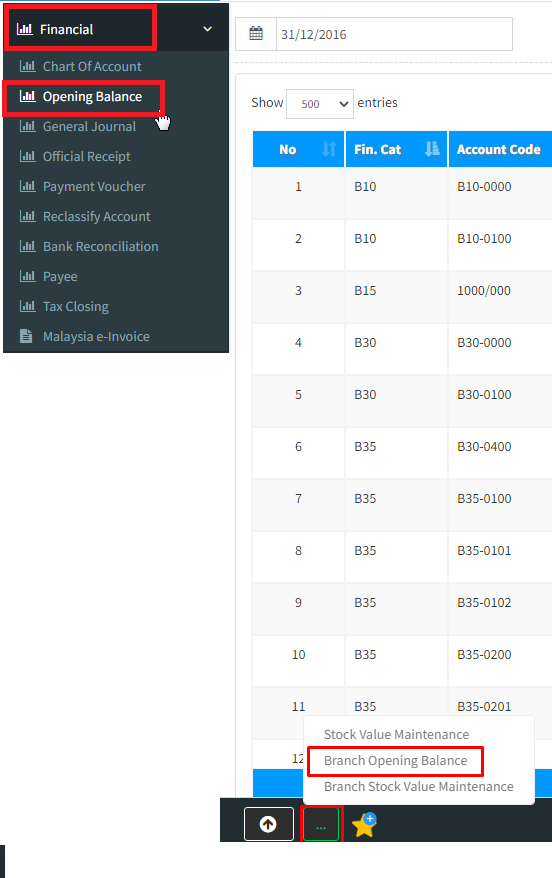
1a. Open the [Opening Balance] screen.
You may go to menu >>> Financial >>> Opening Balance >>> 3 dots [Branch Opening Balance]
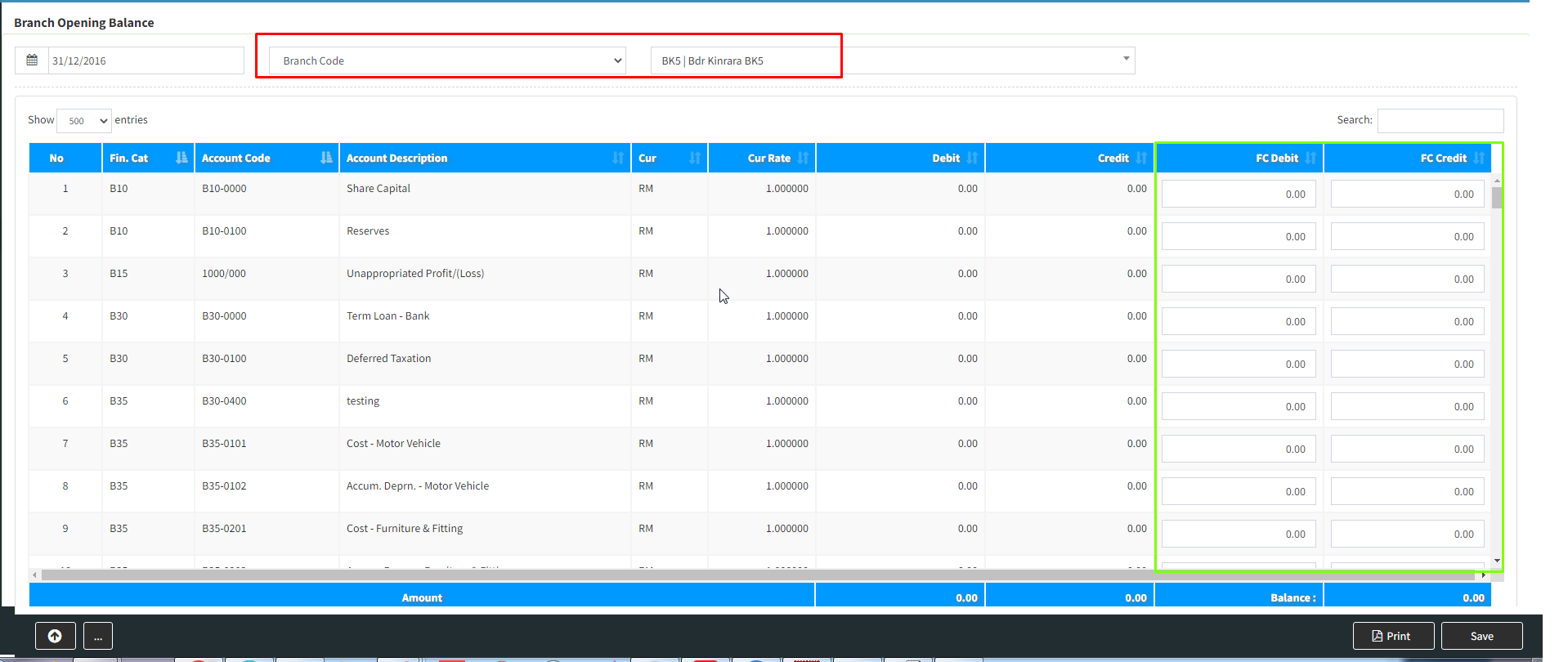
1b. Choose Branch code
1c. Key in the green colour column, the opening balance of each account for the financial period. After keyed all, please make sure the amount is correct by counter check that the [Balance] amount should equal zero. You may save the data by clicking the [Save] button.