Introduction to Auto Running Number
An Auto Running Number Document refers to a system-generated document numbering feature commonly used in accounting and business software. This feature automatically assigns a unique, sequential number to each new document—such as invoices, purchase orders, sales orders, or receipts—without manual input. The purpose of using auto-running numbers is to maintain consistency, avoid duplication, and ensure easy tracking and referencing of documents within the accounting system. This automatic numbering enhances document control, auditability, and data accuracy, supporting efficient financial record-keeping and reporting processes.
How to Set Auto Auto-Running Number on a Proforma Invoice?
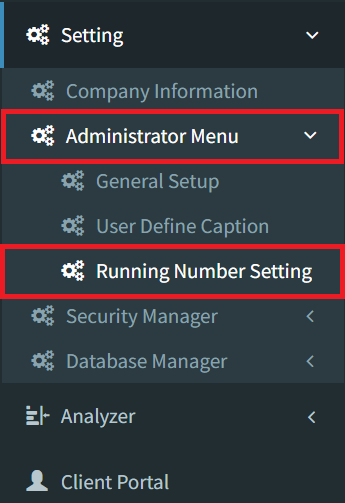
Step 1: To set auto auto-running number on a proforma invoice, navigate to Settings > Administrator Menu > Running Number Setting
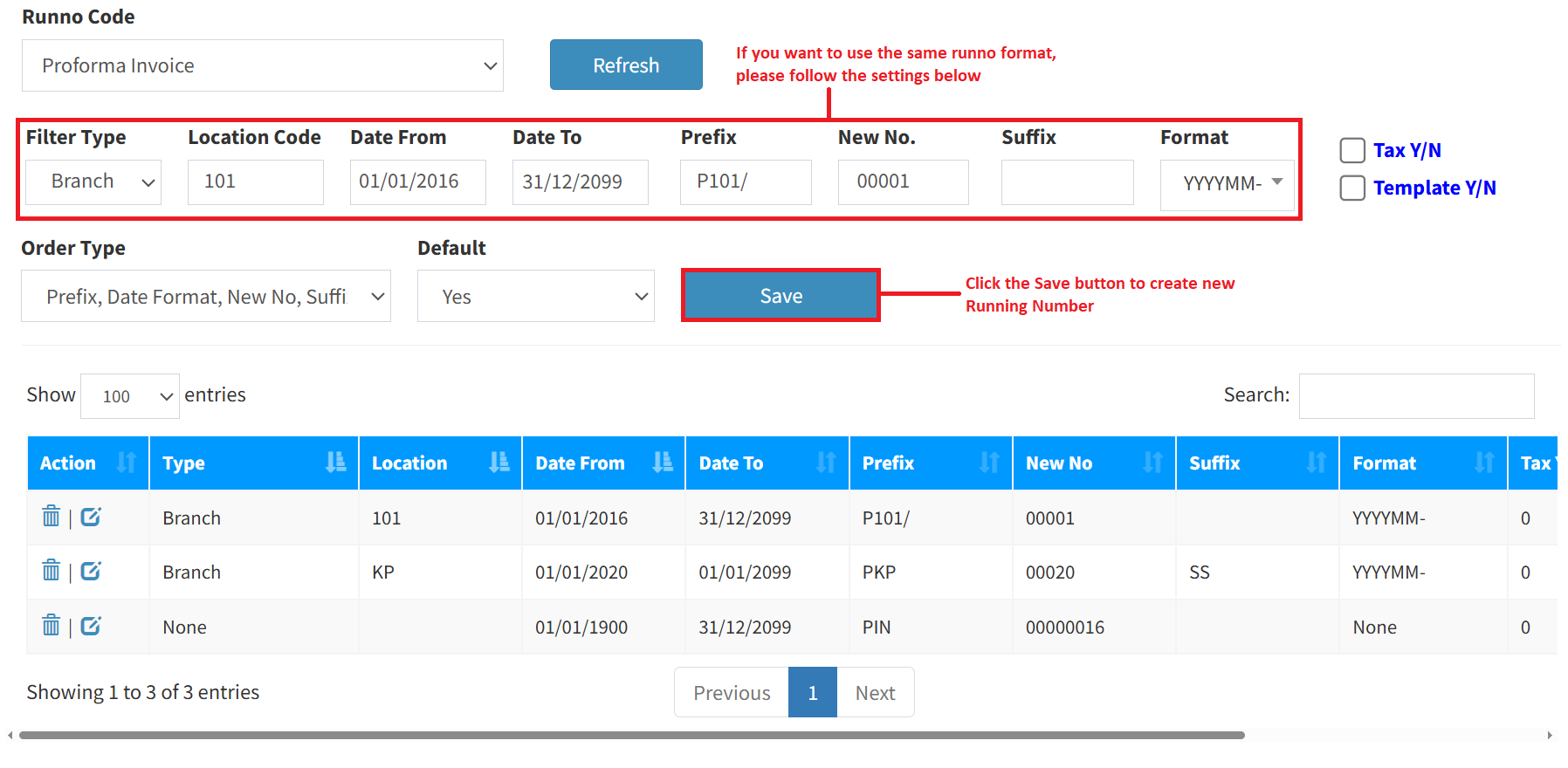
Step 2: Select proforma invoice as Runno Code, then click the Refresh button.

Step 3: Fill in all fields with your auto-running number details, then click the Save button to create your new auto-running number.
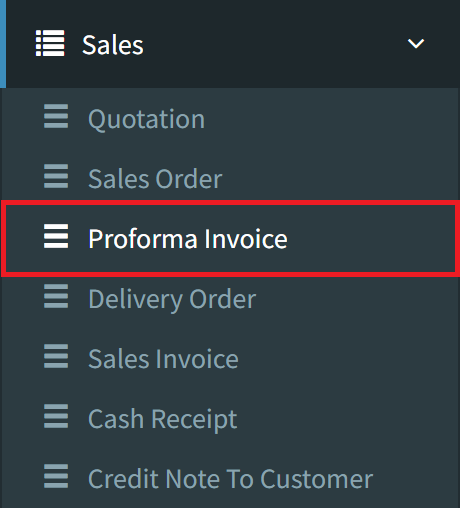
Step 4: Go to the Proforma Invoice page, navigate to Sales > Proforma Invoice
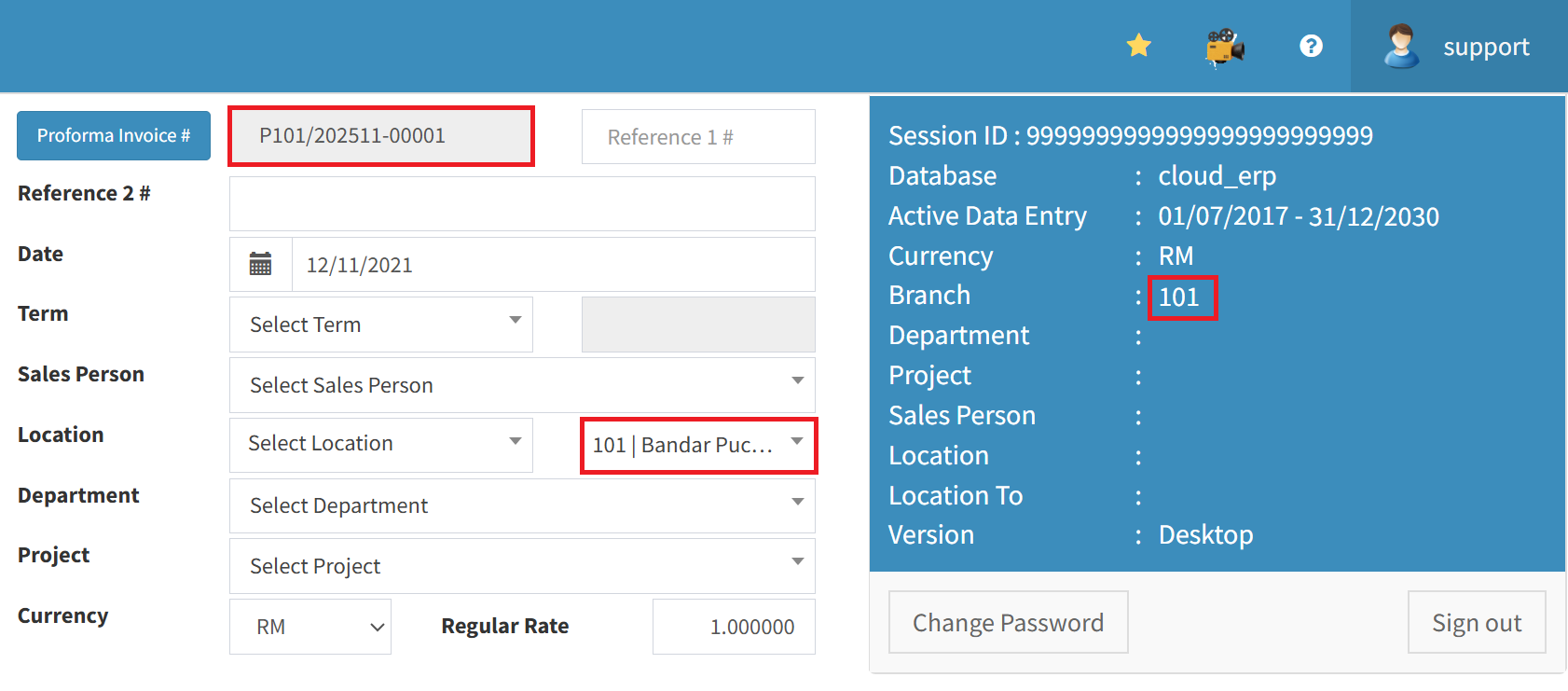
Step 5: Now, the Proforma Invoice auto-running number will follow the format
Conclusion
In conclusion, the Auto Running Number Document feature is a valuable tool in accounting systems that ensures consistency, accuracy, and efficiency in document tracking. By automatically generating unique, sequential numbers for each transaction, it minimizes human error, prevents duplication, and enhances auditability. This automation not only streamlines workflow but also supports clear and organized financial records—making it an essential function for reliable and professional accounting practices.
Powered By: SKYBIZ ®