Below are guideline(s) how to Install SKYBIZ Products:
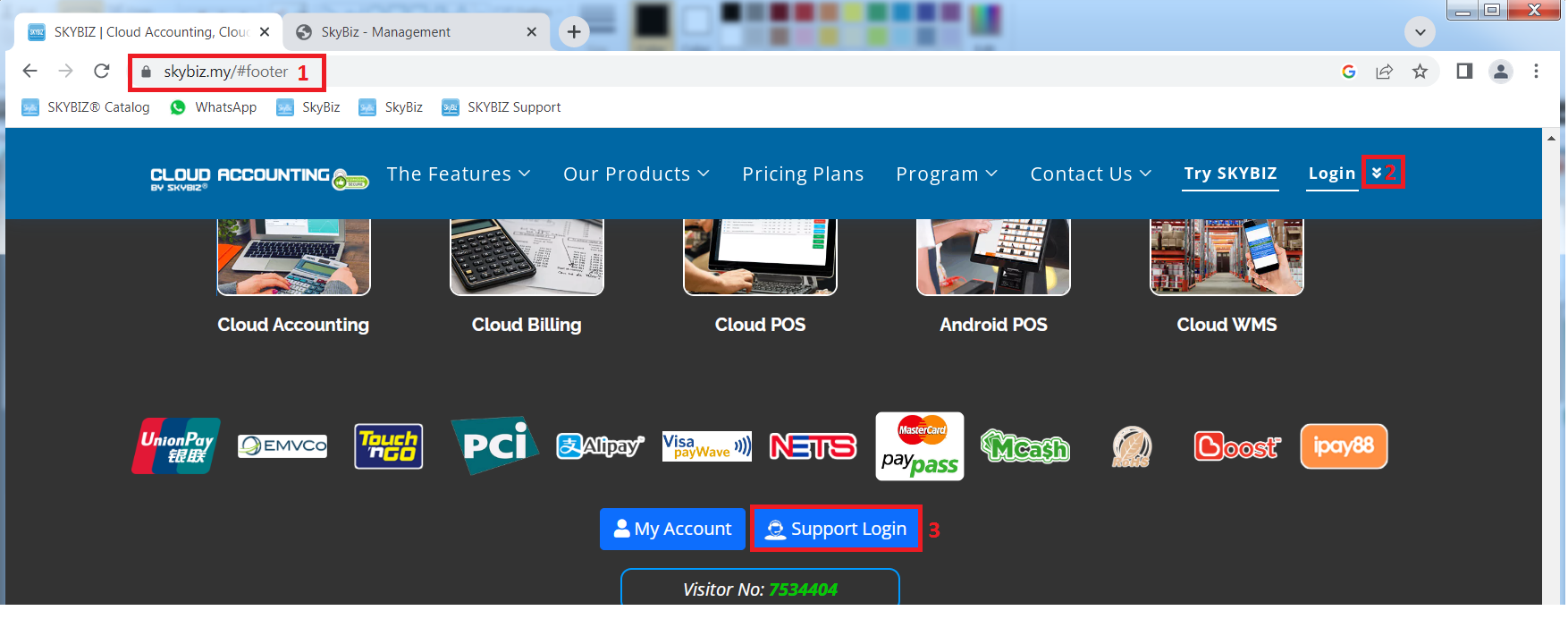
Step 1: Download the installation and patching files. First please goto www.skybiz.my, [top-right] please click the scroll down vv icon in order to fast go to bottom page. Then click on [Support Login] button which will direct you to SKYBIZ support portal login page.
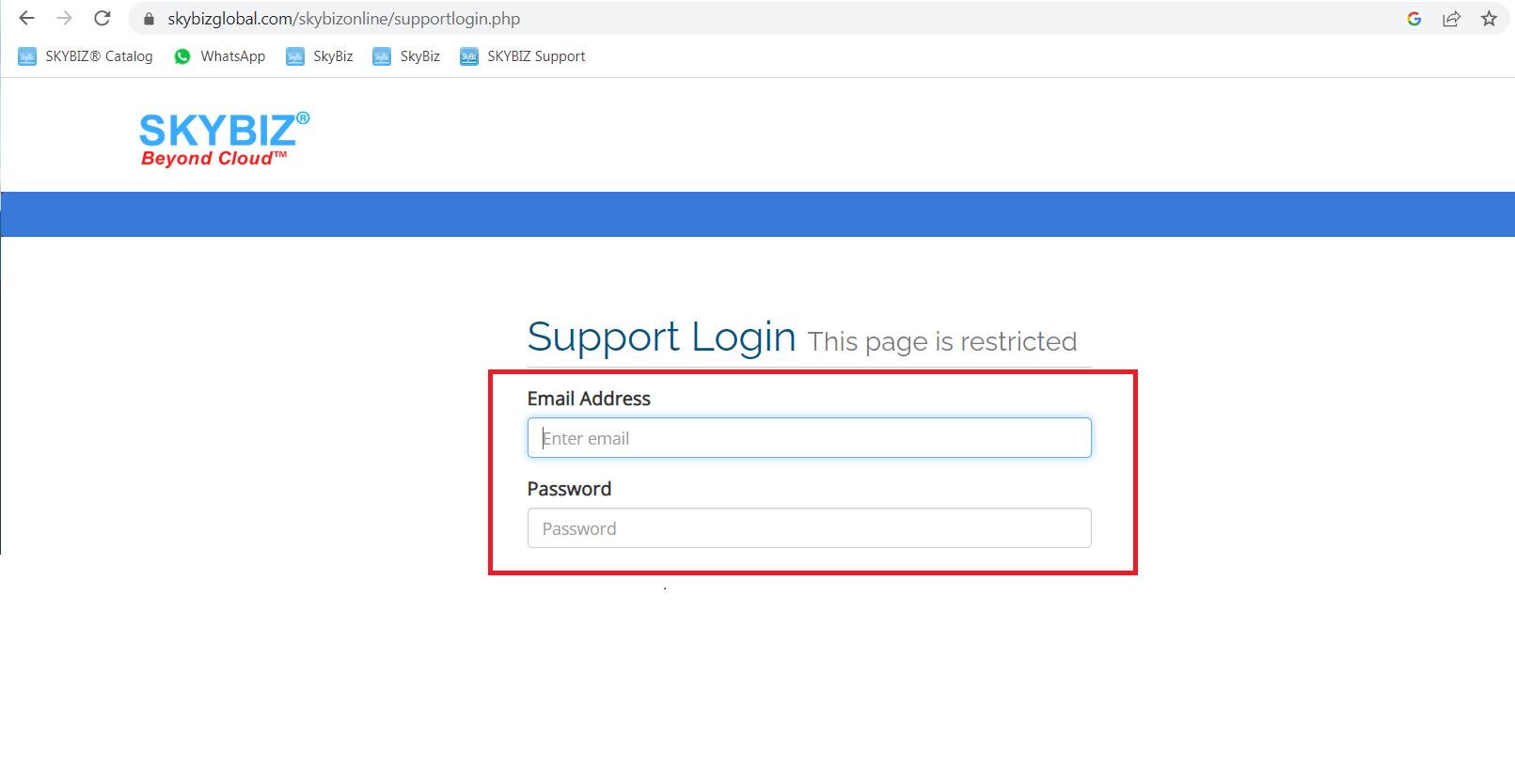
****key in your user Email and password then click login.
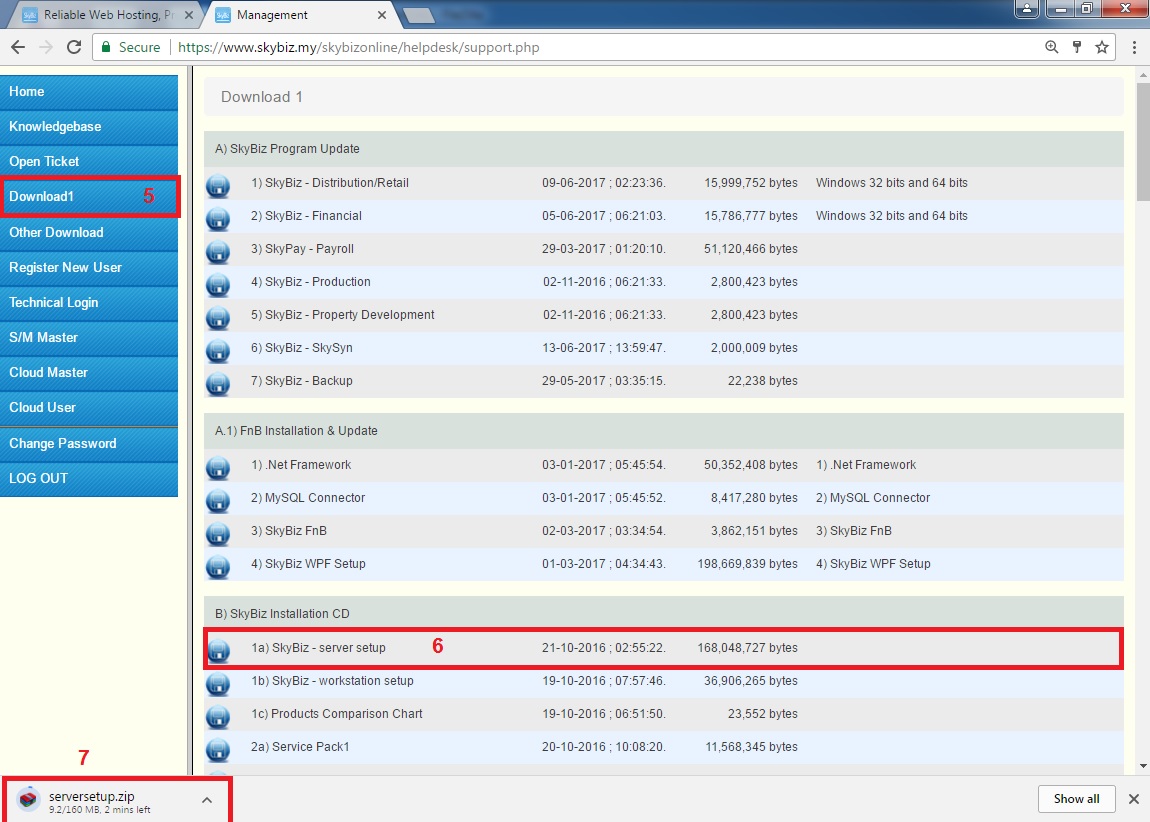
Step 2: Download installer, please download below files:
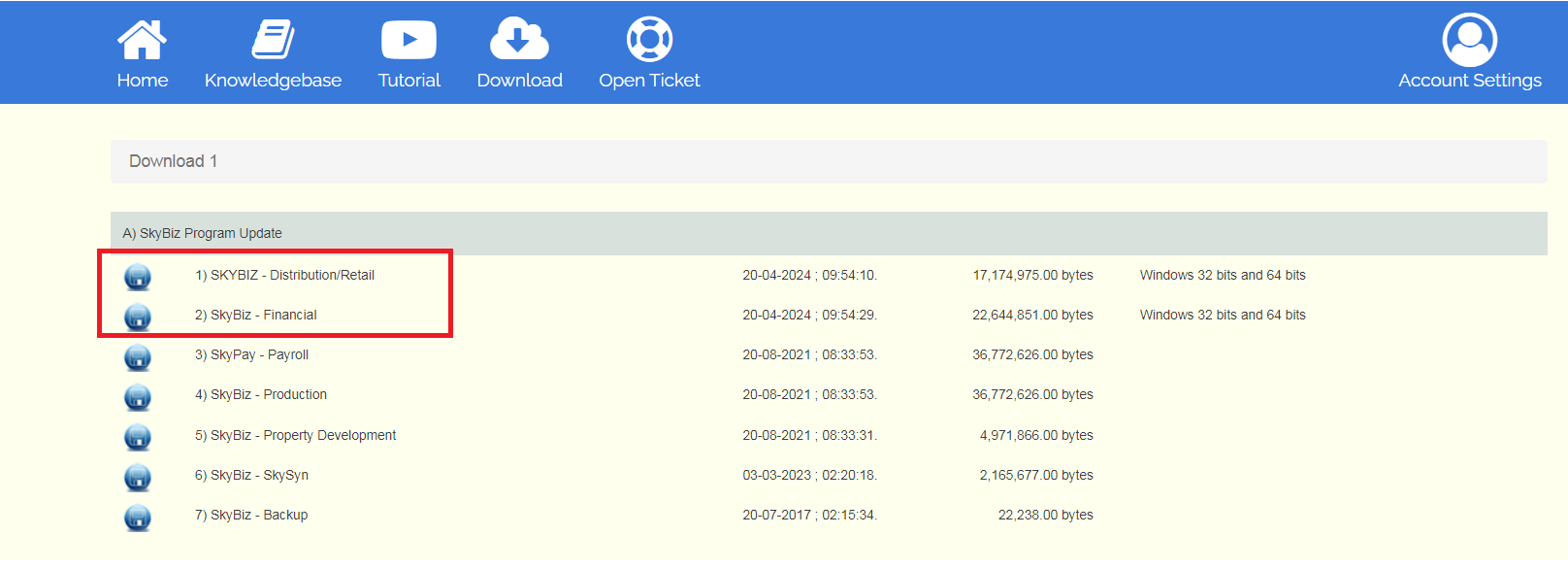
Download 1: [1. Server Setup, 2. Dis.exe, 3. Fin.exe]
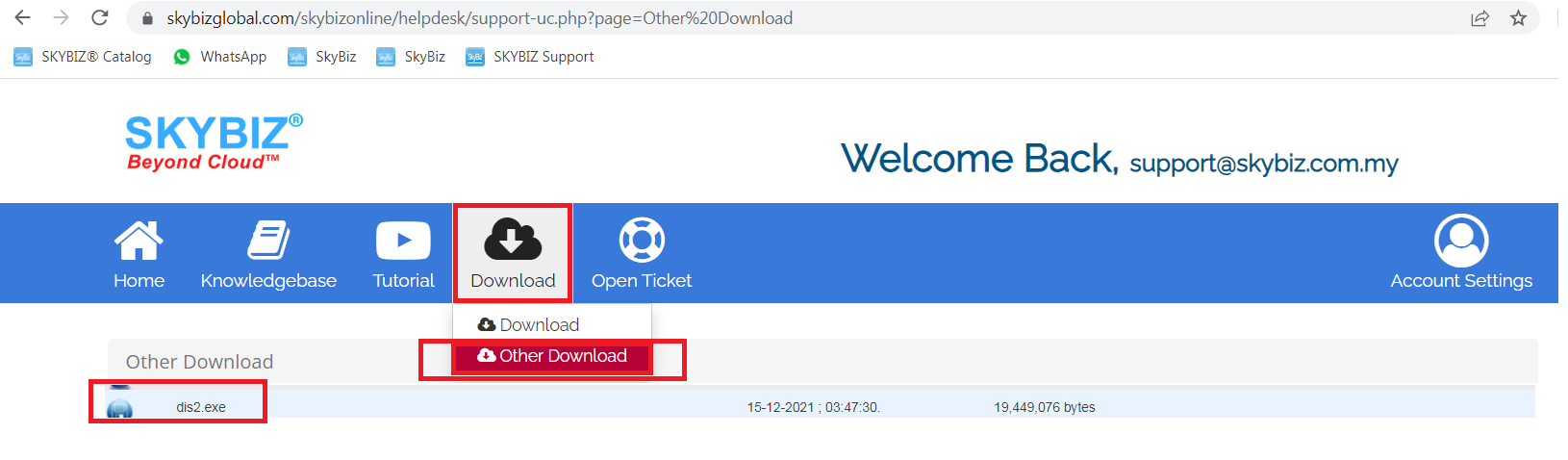
Other Download : [1. Dis2.exe]
Step 4: After download all files, you may follow below sequence to run the installer.
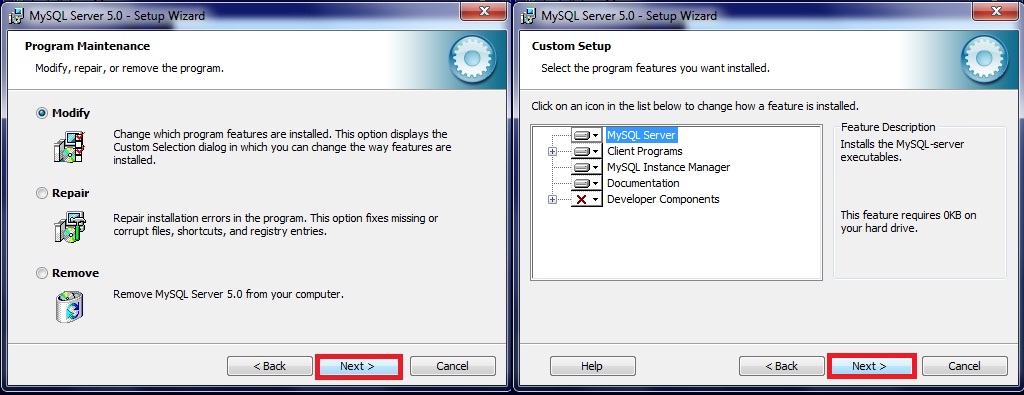
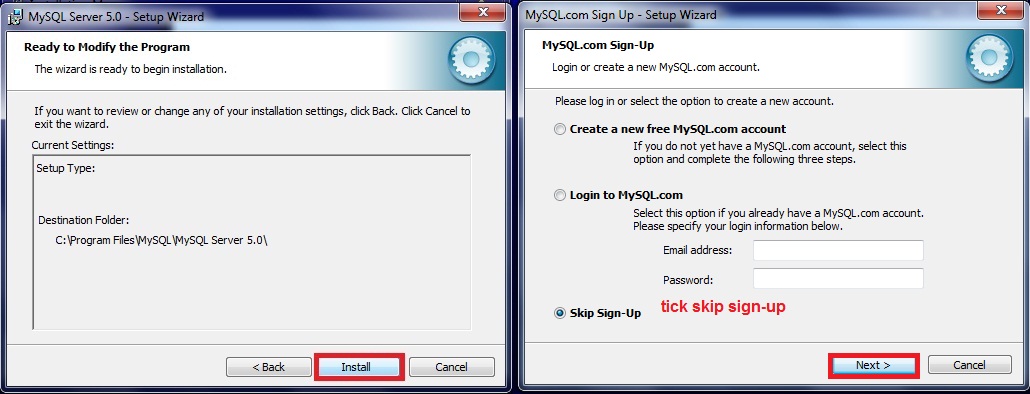
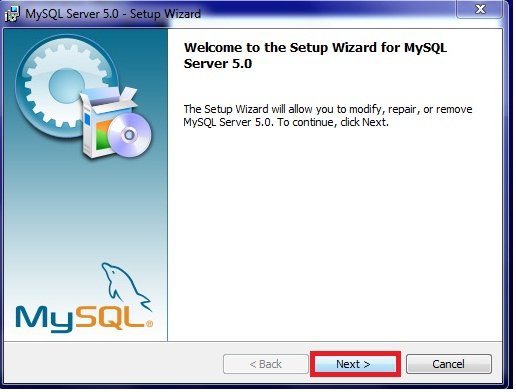
Step 4a: Run [serversetup.exe] follow below screen shoots and choose the appropriate options
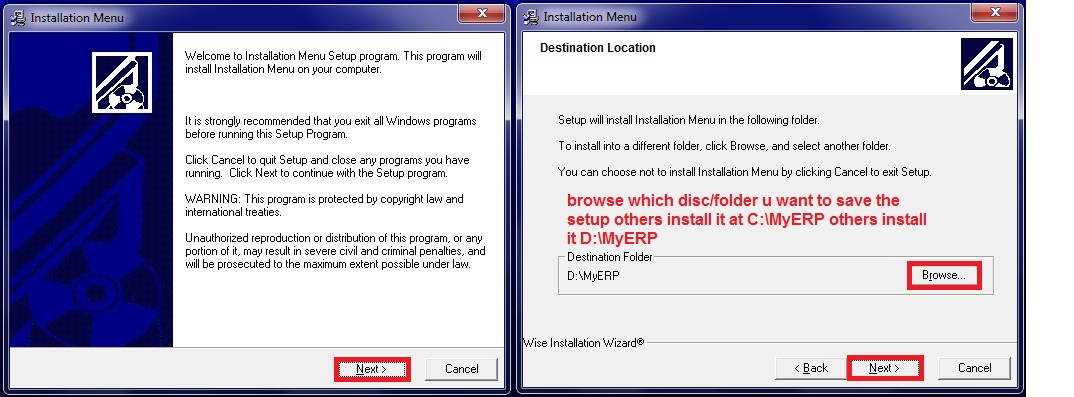
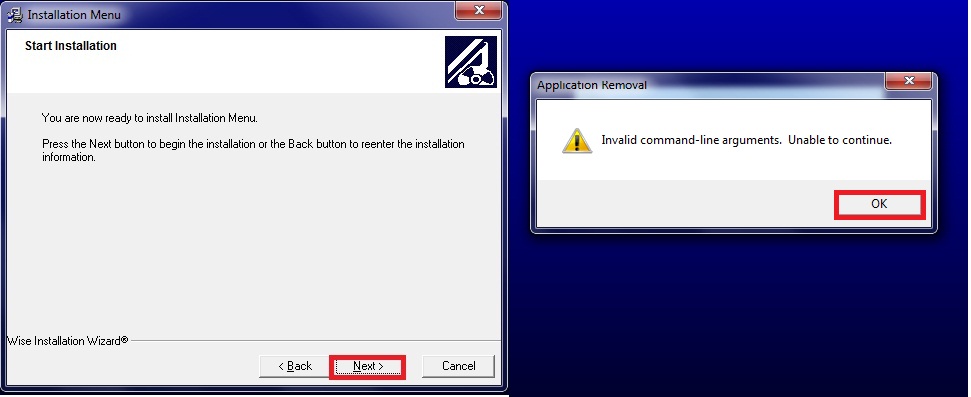

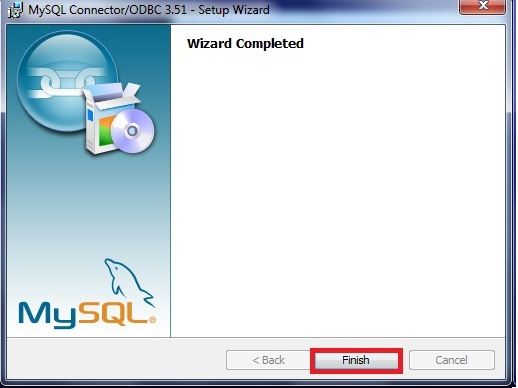
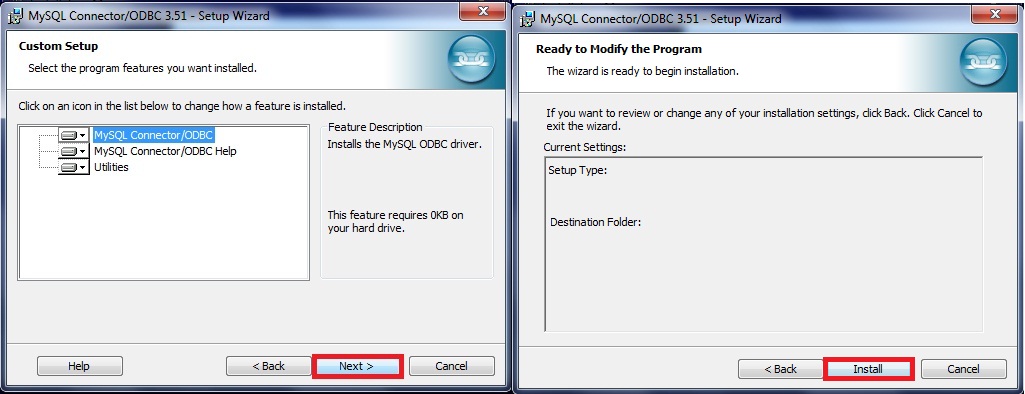
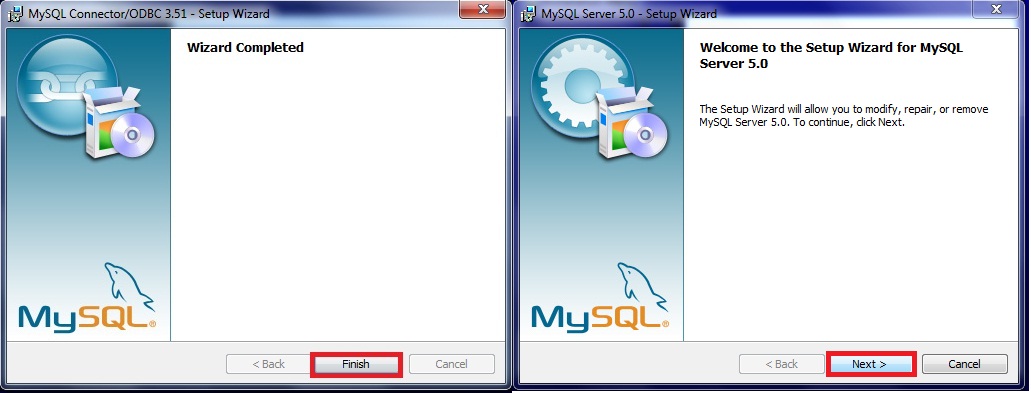

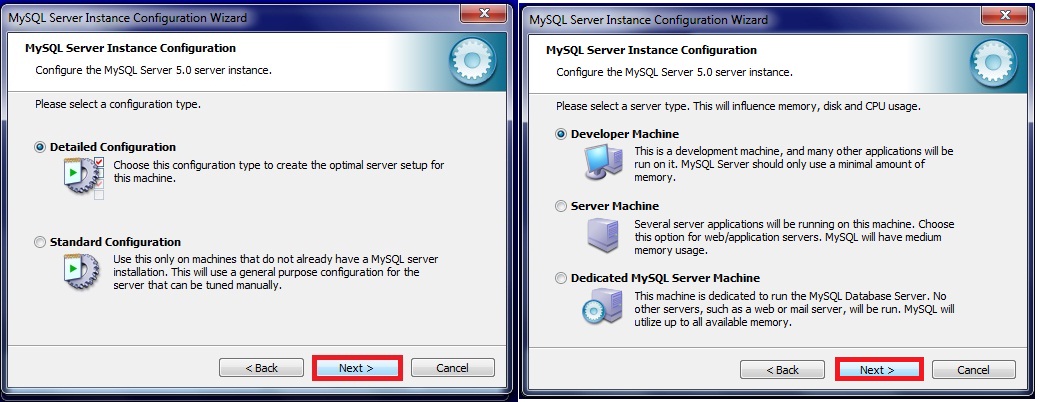
Step 4b: This step is for [Server PC] only, if you install for workstation, please skip to next step. If you install only for 1 Server PC only, then you require to complete this step. Please follow below screen shoots and choose the appropriate options as shown in the screen shoots.
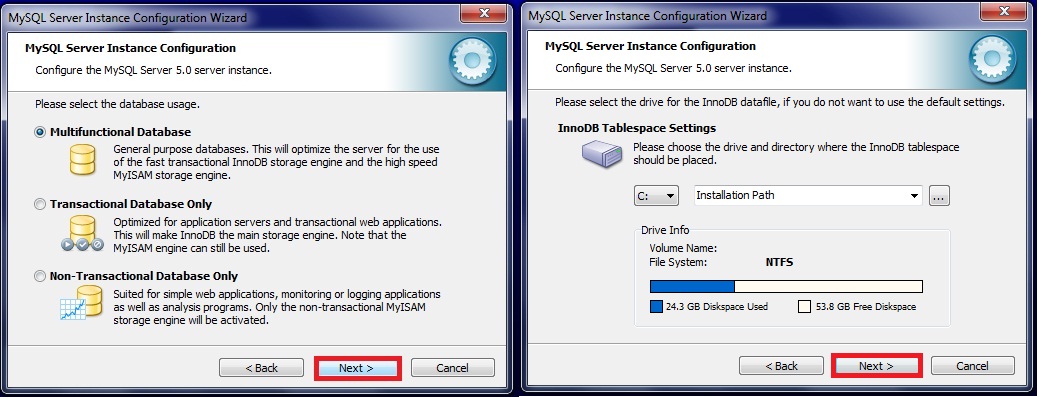
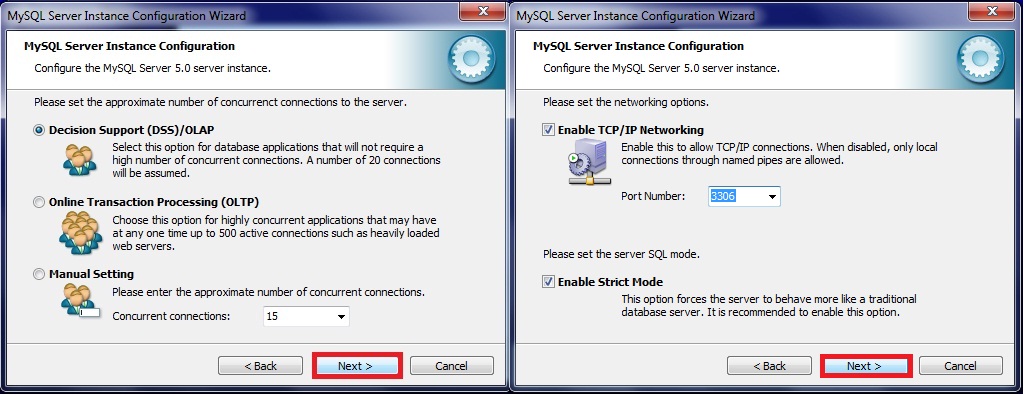
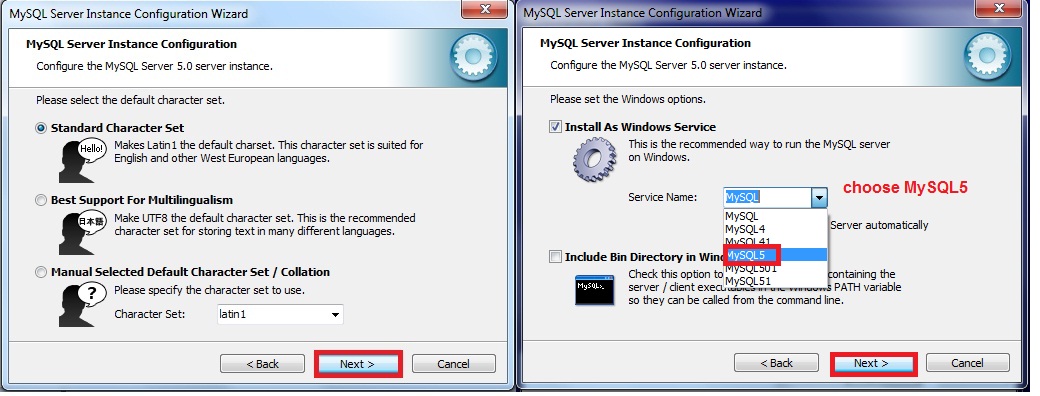
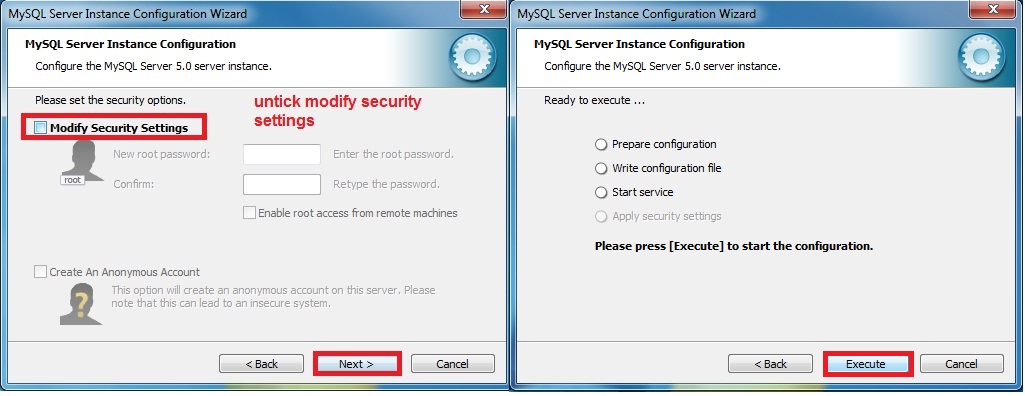
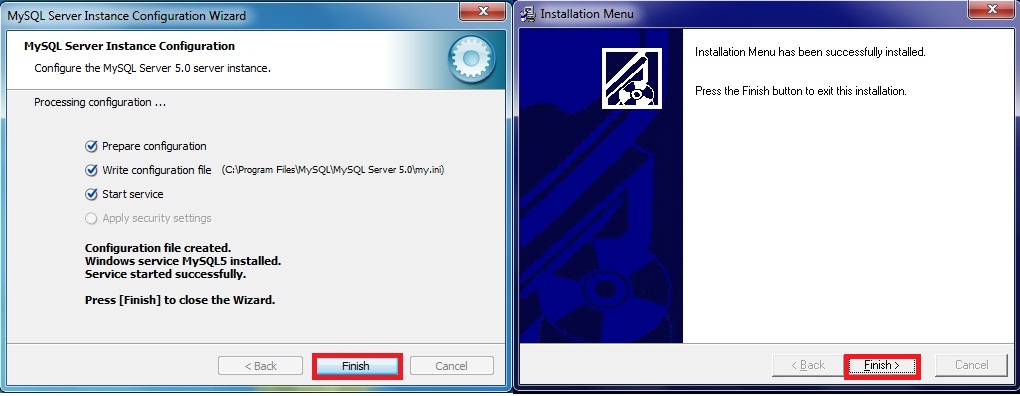
Step 4c : This step will guide you to install the dis2.exe. Please run the dis2.exe by click the next button until complete. Dis2.exe is just to update some system library files.
Step 4d : Finally, we come to stage of running the latest SKYBIZ Financial and Distribution patching files. The steps is fairly straight forward, just need to run both Dis.exe and Fin.exe you download just now by clicking the [Next] button until complete. Bingo, all installation is complete, next is the steps to configure the programs.
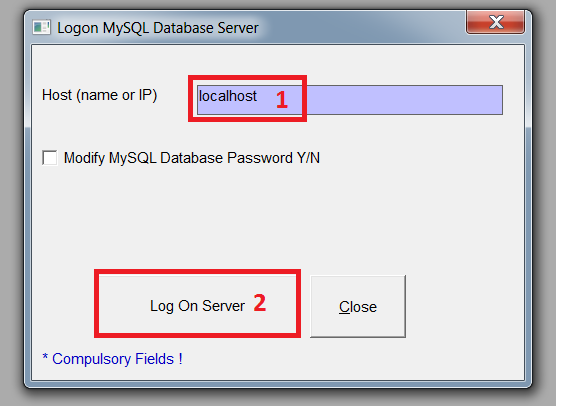
Step 5a: Run the SKYBIZ Distribution program, first time run, it will prompt below screen [Logon as localhost] for user to key in the correct server name. By default if the computer is standalone or server, then the server name you can leave it and named it as [localhost], and proceed click [Log on Server]. If everything ok, system will prompt [Log on successful].
Step 5b : Re-run MyDistribution, system will prompt you below screen if there is no database exist. Following below screen shoots, it will guide you to generate new company database. If you do have existing database which transfer from other server, please skip to step 6c.
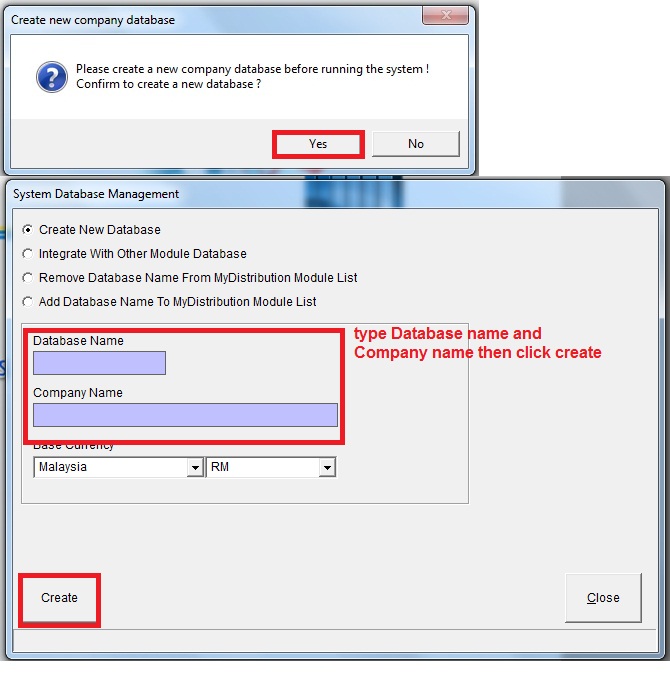
Step 5c : Same it happen to SKYBZI Financial, below screen shoots will guide you to create/integrate Database.
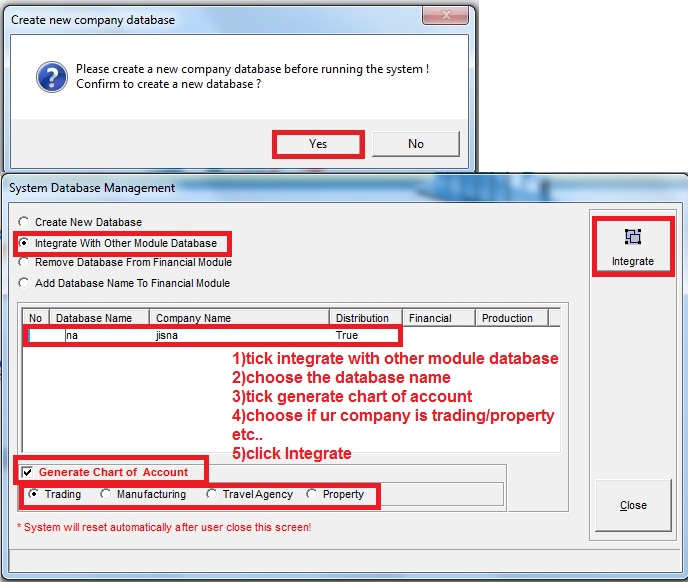
Step 5d : If you transferring database from other server, then you just need to copy existing database to MYSQL data folder such as below [C:\Program Files (x86)\MySQL\MySQL Server 5.0\data]. After copy all the existing database the MYSQL data folder, you can start run SKYBIZ programs as usual.
**Note: If Old Server copy to New Server then have to follow New Server**.