Below are guideline(s) to do installation at workstation:
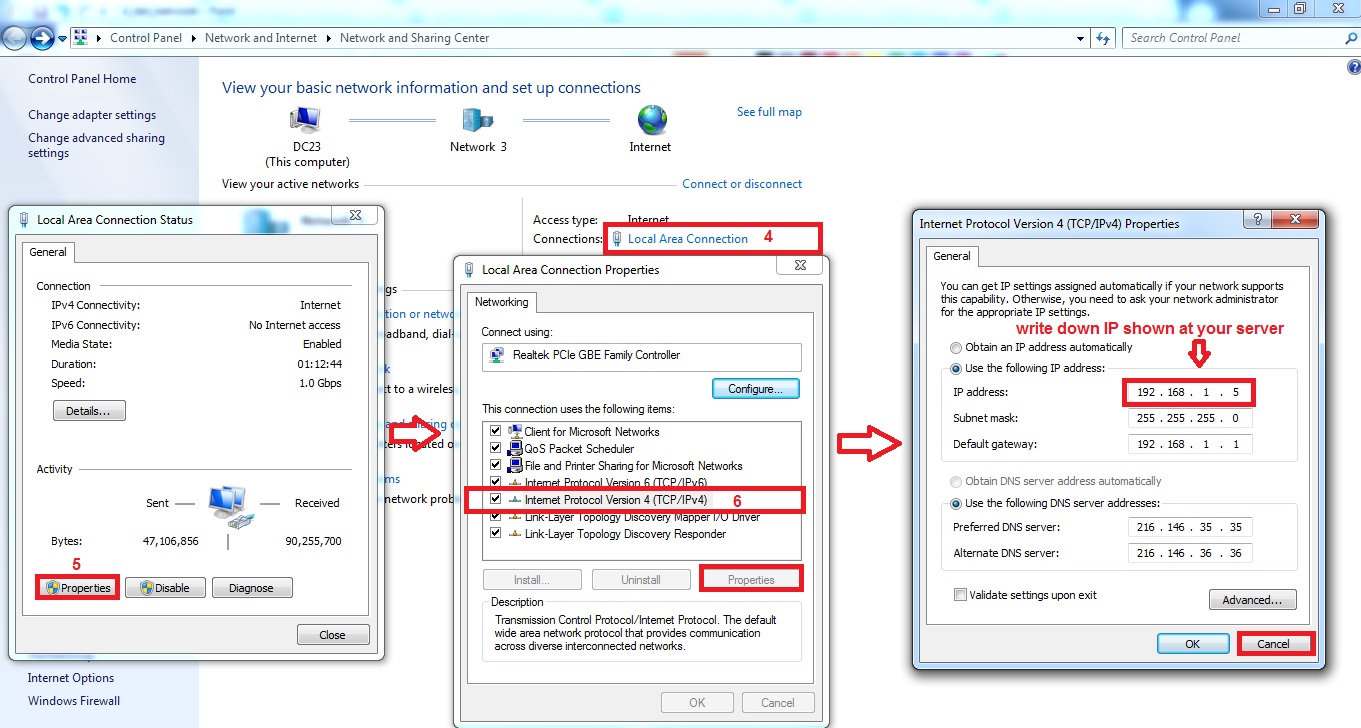
- Go to “Server Computer“, check “LAN IP Address“.
- On the right bottom corner of server monitor, click “Network Icon” and then click “Open Network and Sharing Center“. (Follow screen shot steps 1,2,3)

- Click on “Local Area Connection>>Properties” and write down “IP address“. (Follow screen shot steps 4,5,6)
- Go to “Workstation Computer“, type your server IP and install highlighted file as per screen shot.
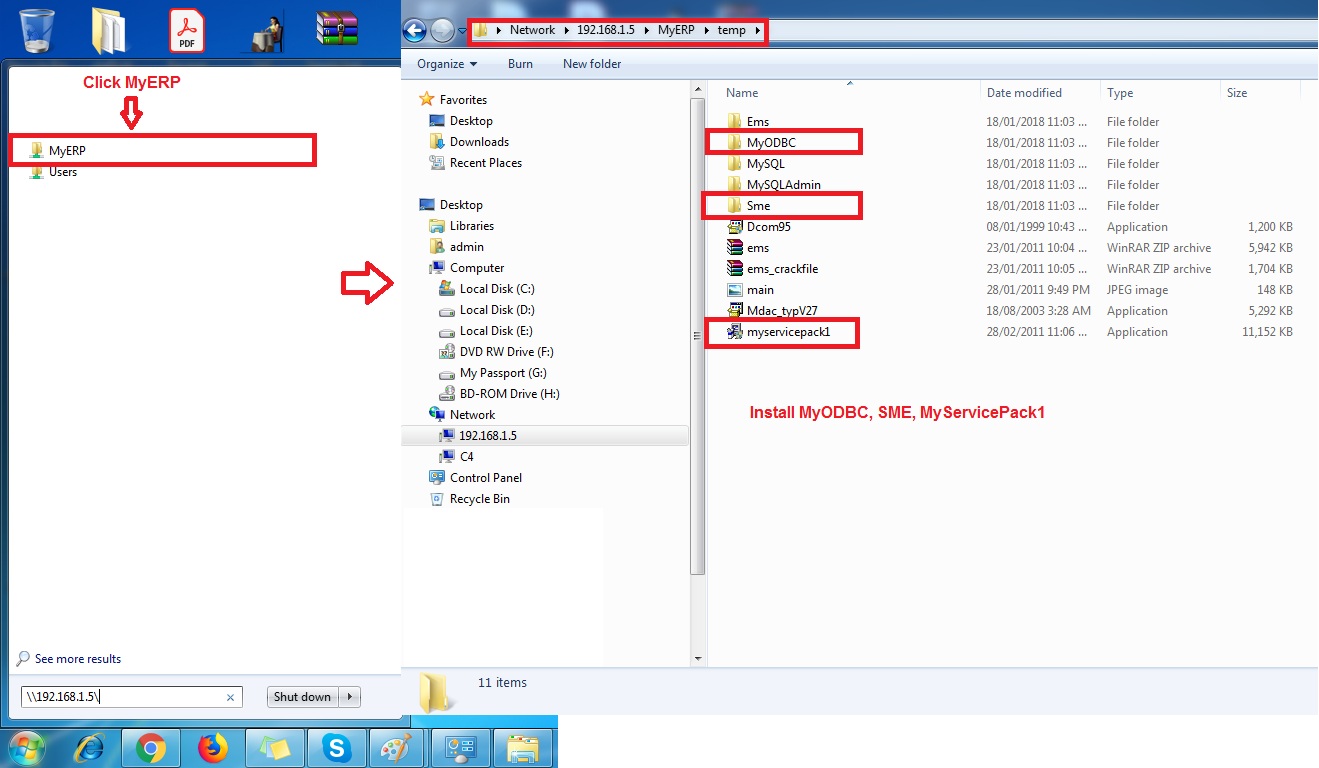
- At last, go to “\\serverip\MyERP\“, create shortcut. (Follow screen shot steps)

Powered By : SKYBIZ ® Beyond Cloud ™