Below are guideline(s) to Add New Counter :
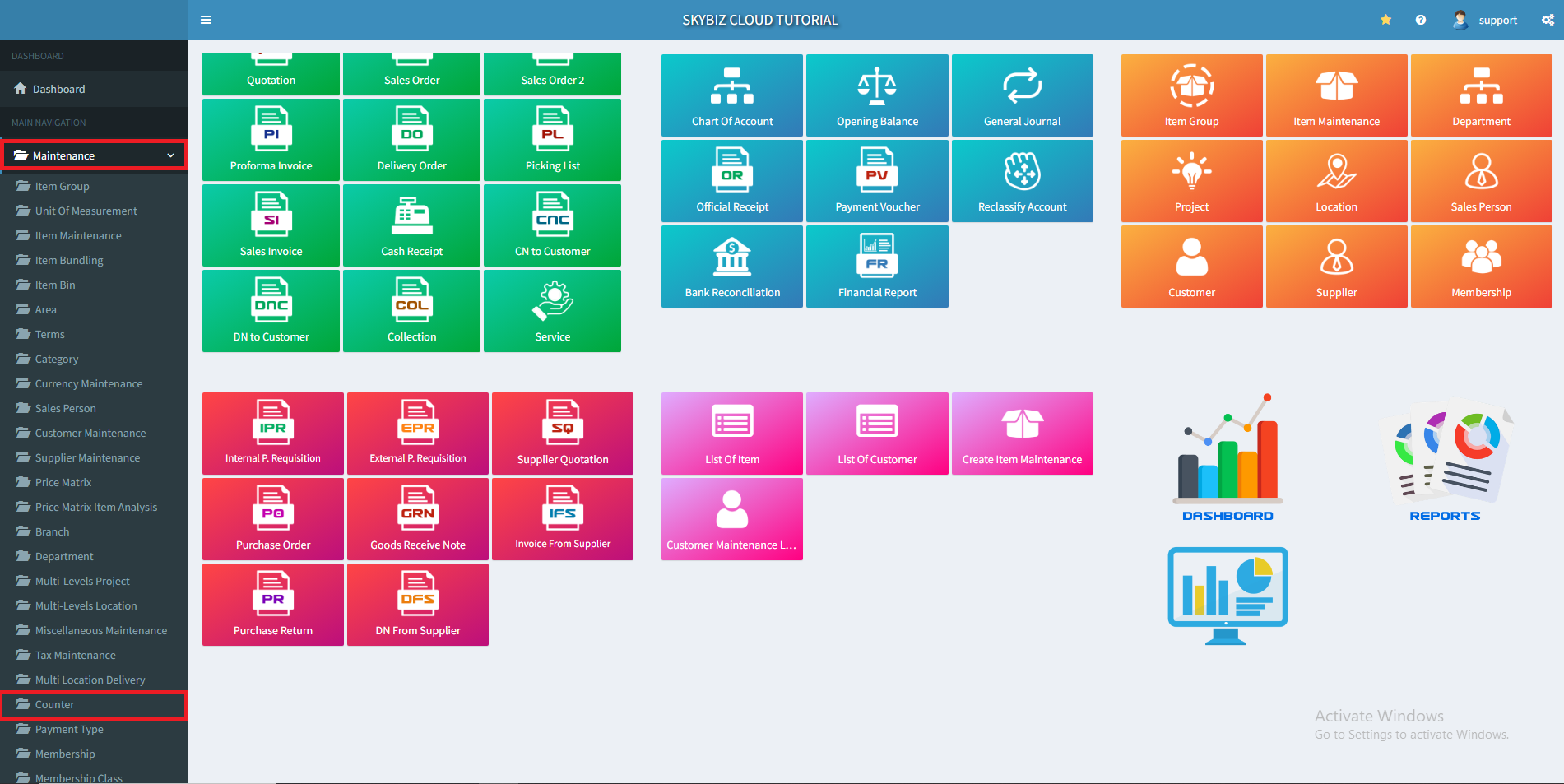
1. Go to “Maintenance” >> “Counter”
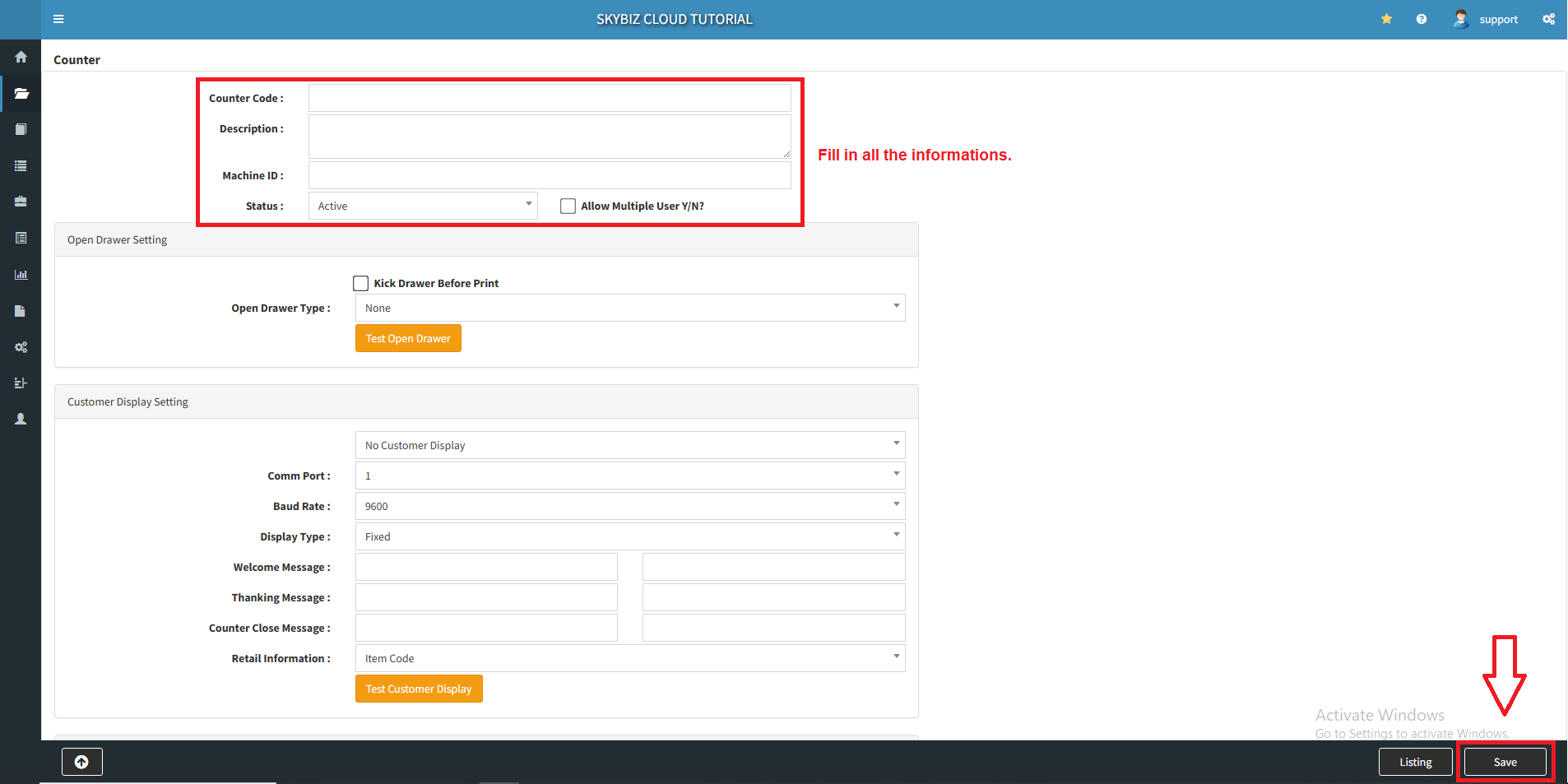
2. Fill in counter code, description and leave status as “active“. After that, click “Save” to add new counter.
Powered By : SKYBIZ ® Beyond Cloud ™
1. Go to “Maintenance” >> “Counter”
2. Fill in counter code, description and leave status as “active“. After that, click “Save” to add new counter.
Powered By : SKYBIZ ® Beyond Cloud ™