Supplier Maintenance is used to created and maintain detailed records for each of your supplier. Maintain details including when supplier information is found to be incorrect and must be changed, or when it is incomplete and additional data must be entered.
Below are guideline(s) to Create Supplier Maintenance :
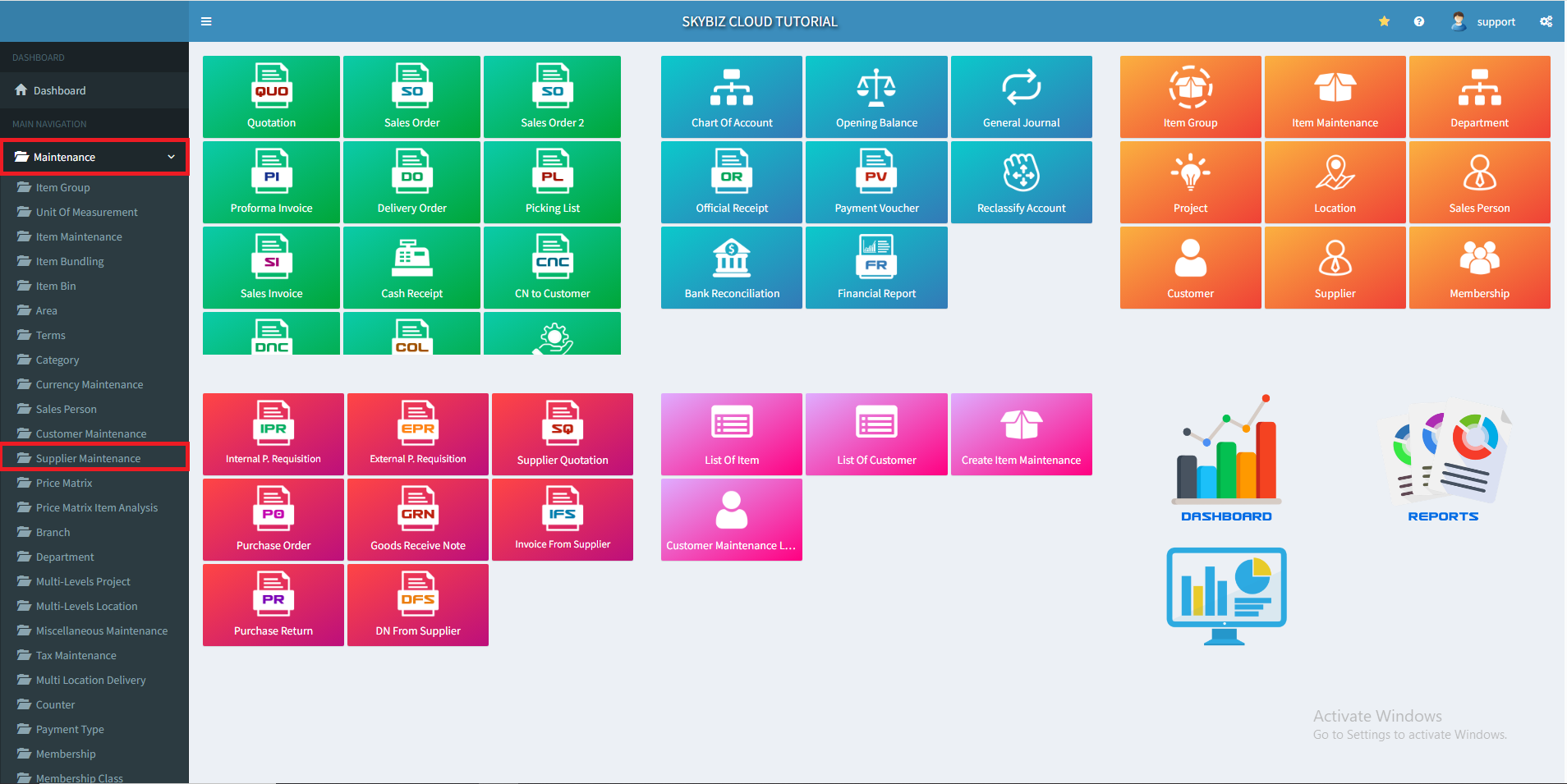
1. At menu “Maintenance“, click ” Supplier Maintenance”
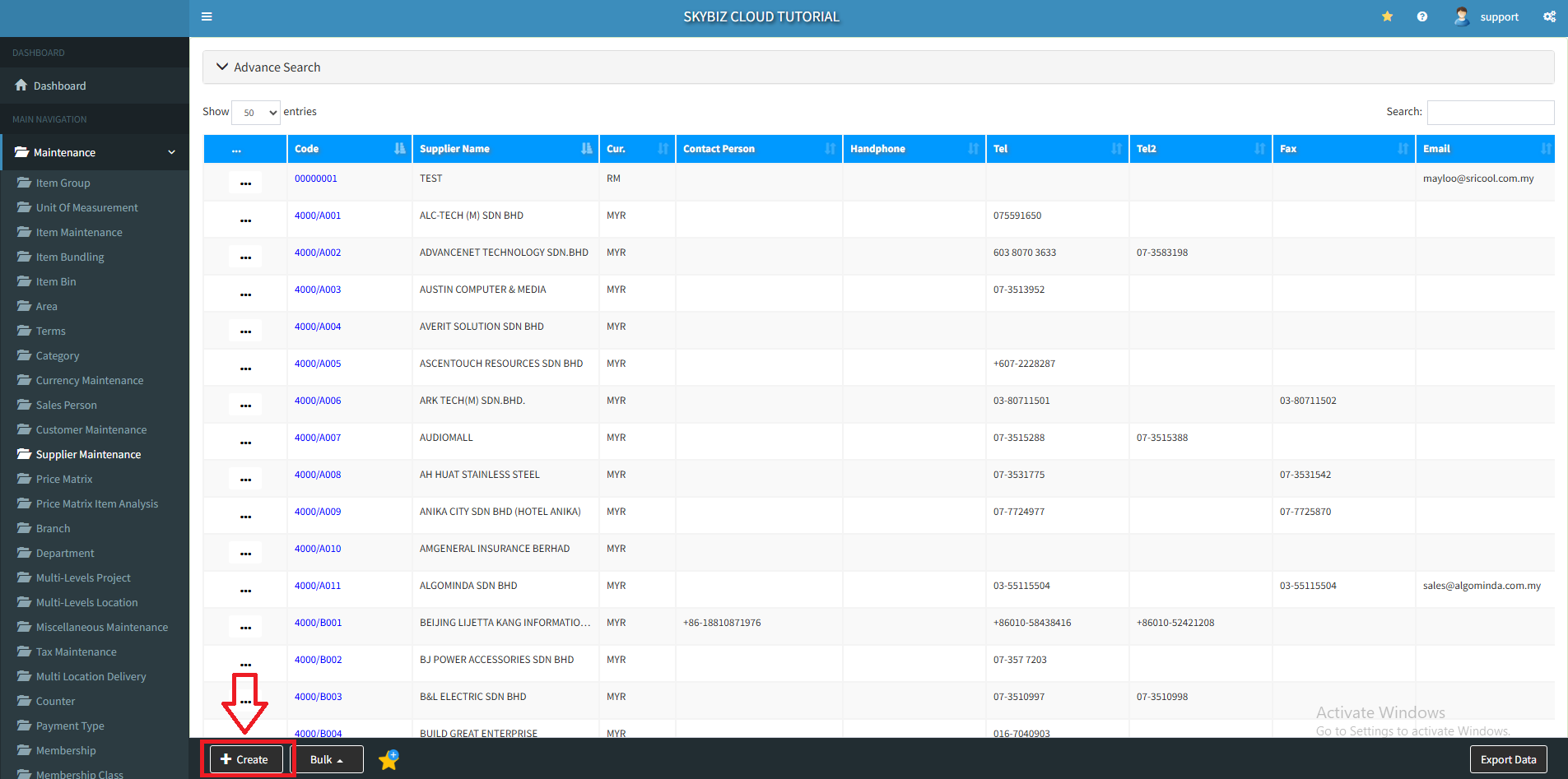
2. Click “Create” to create new supplier.
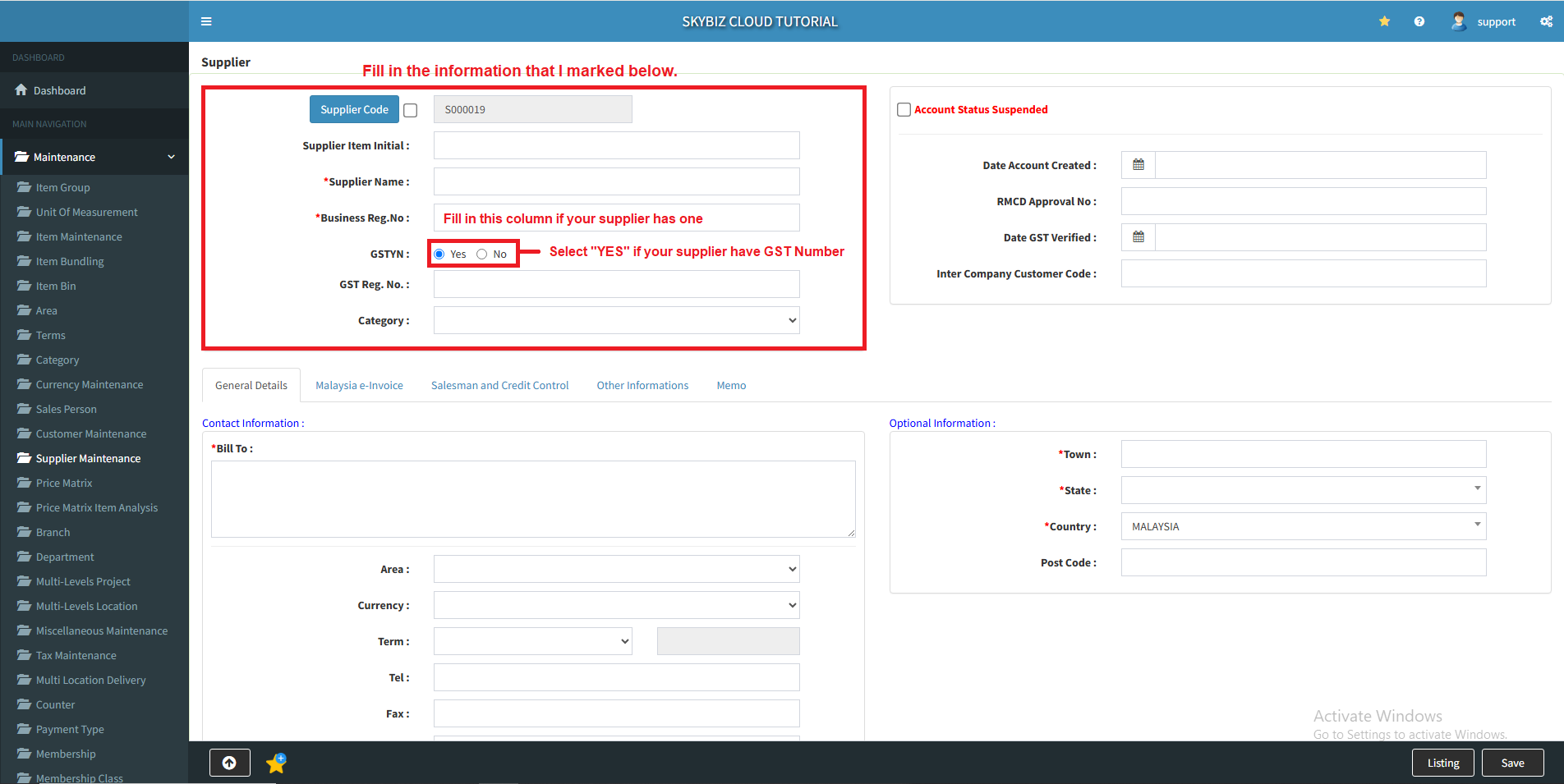
3. Insert your supplier code and your supplier name. Fill in the Busniess Registration Number form if your supplier has one. Select “YES” if your supplier have GST Number, then select the Supplier Category.
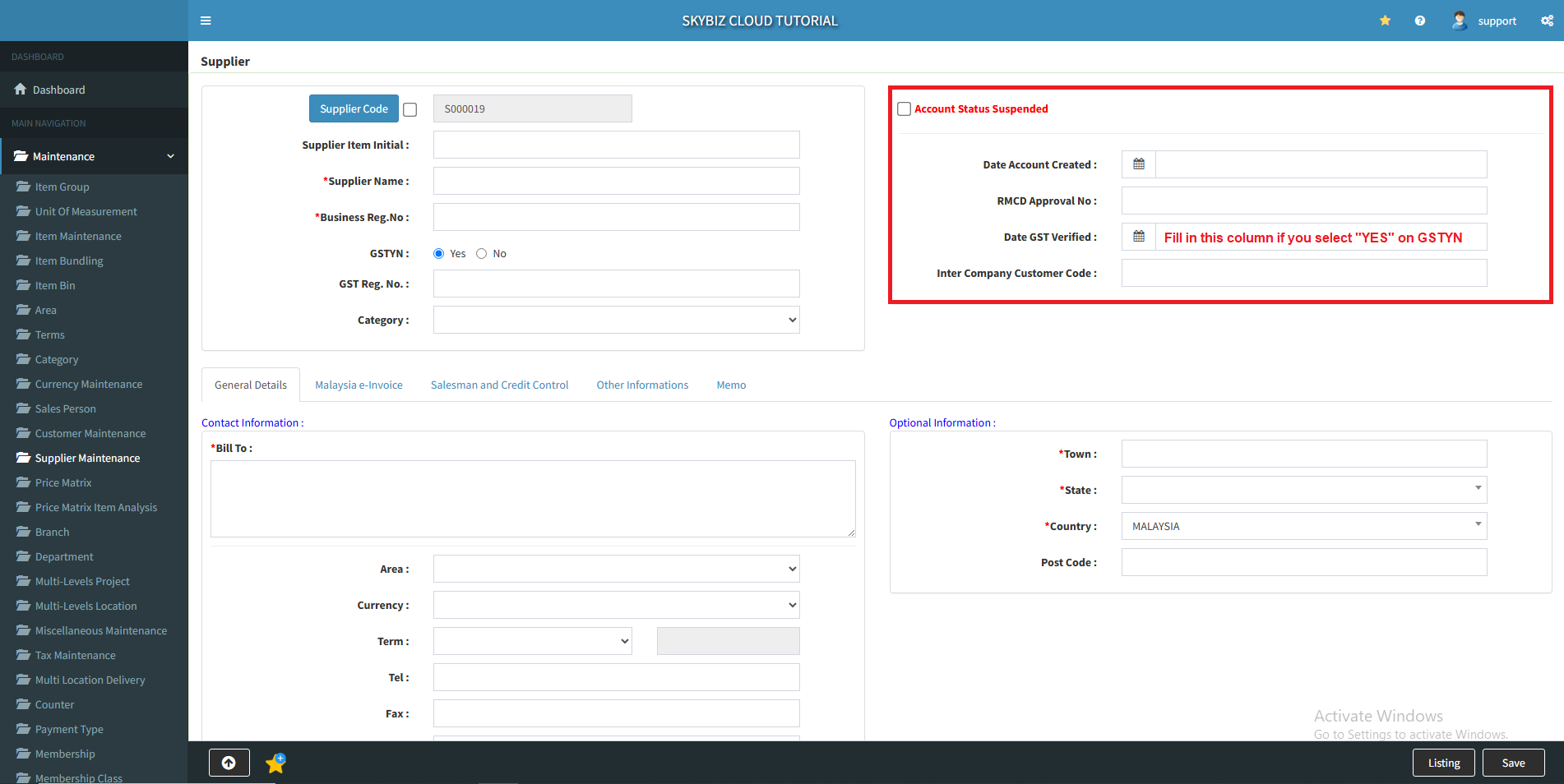
4. Select the date account created, leave it blank if you want to use today date. Fill the date GST verified form if you select “YES” on GSTYN.
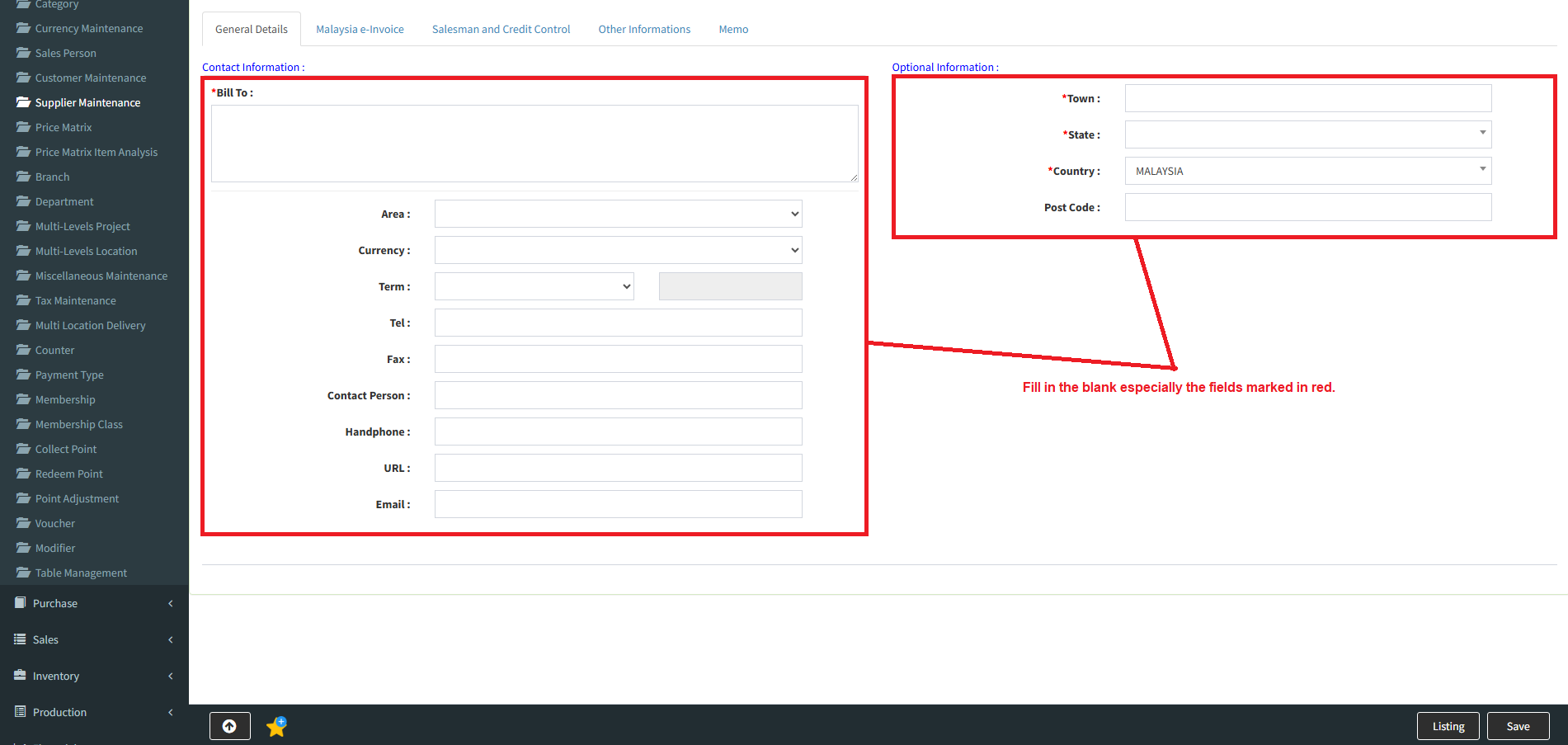
5. Fill in the other details.
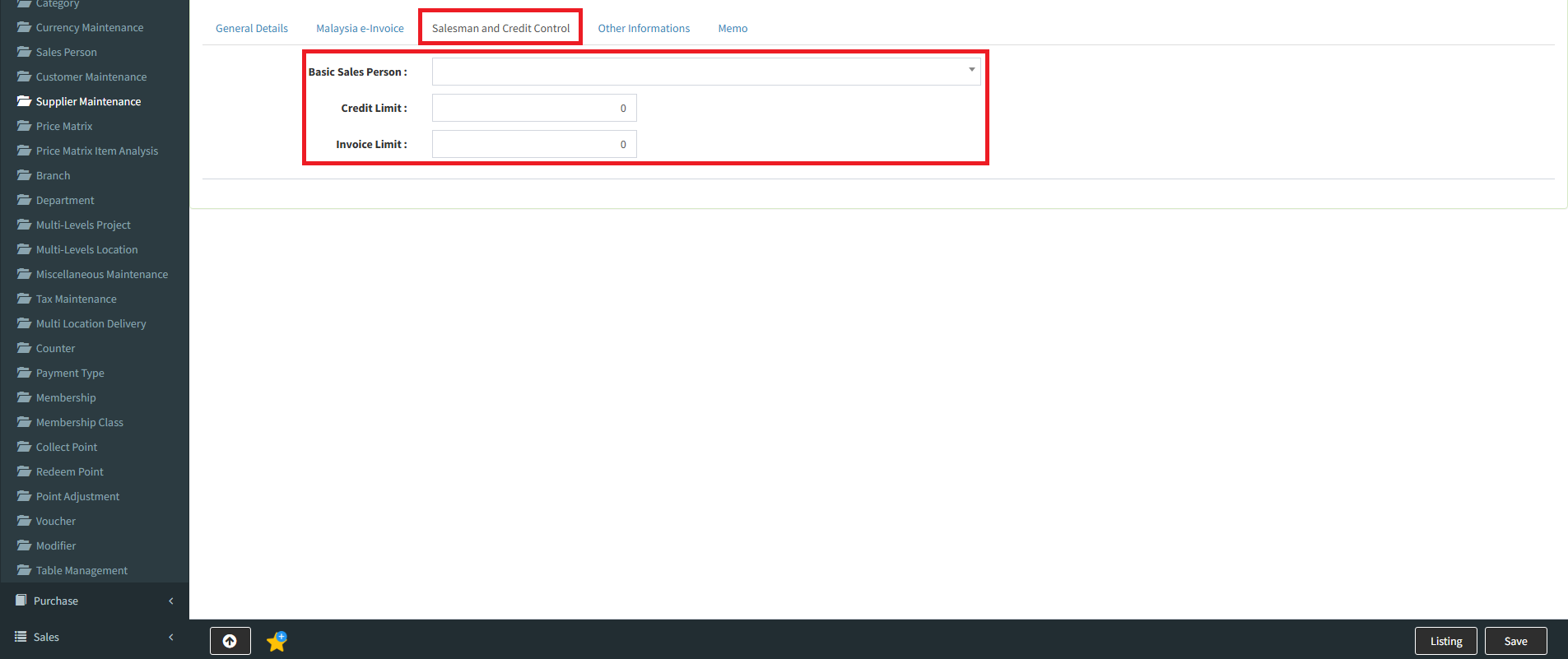
6. On the “Salesman and Credit Control“, you can choose the salesman and control the credit for this supplier.
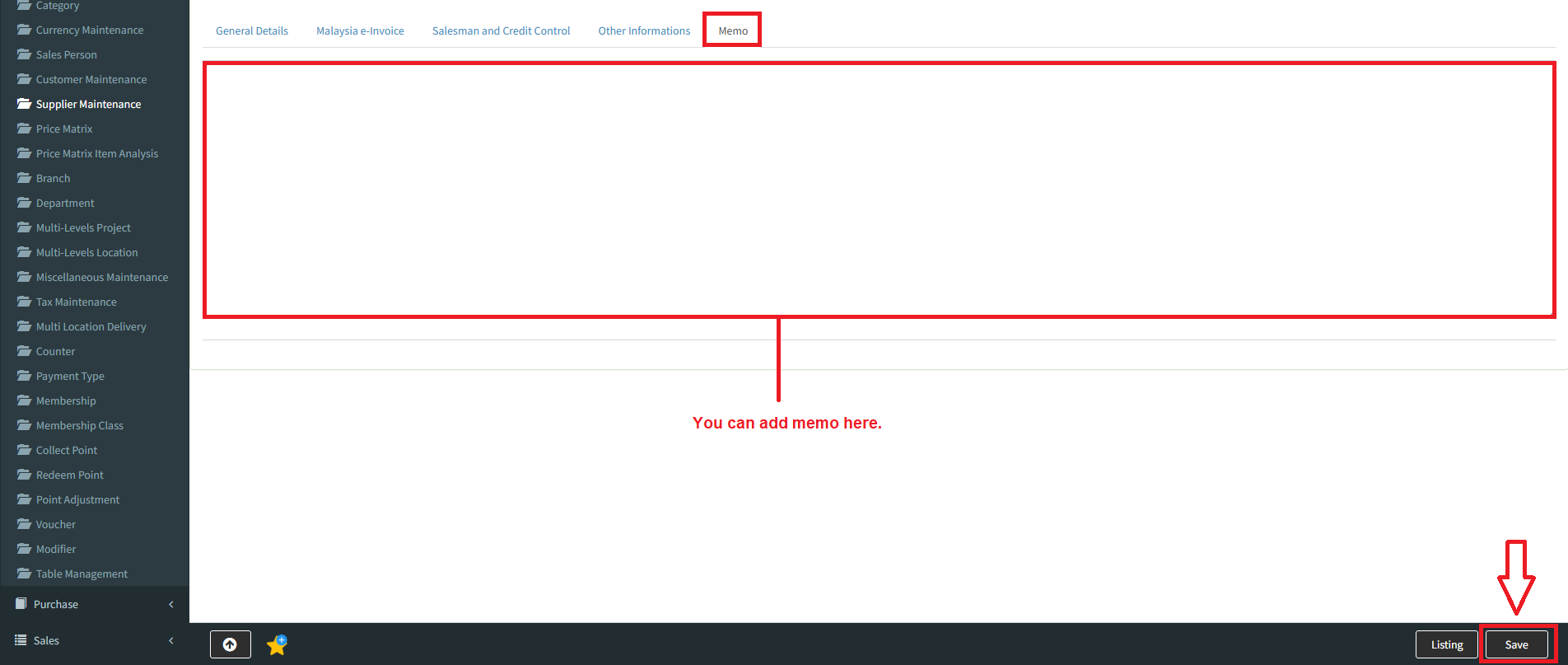
7. You can find and fill other information form by clicking the “Other Information” and add memo on “Memo“. After fill in all informations, click “Save” to save your supplier informaitons.
Powered By : SKYBIZ ® Beyond Cloud ™