Purchase order is a commercial document and the first official offer issued by a buyer to a seller, indicating the types, quantities and agreed prices for products or services the buyer intends to purchase.
Below are guideline(s) to create Purchase Order :
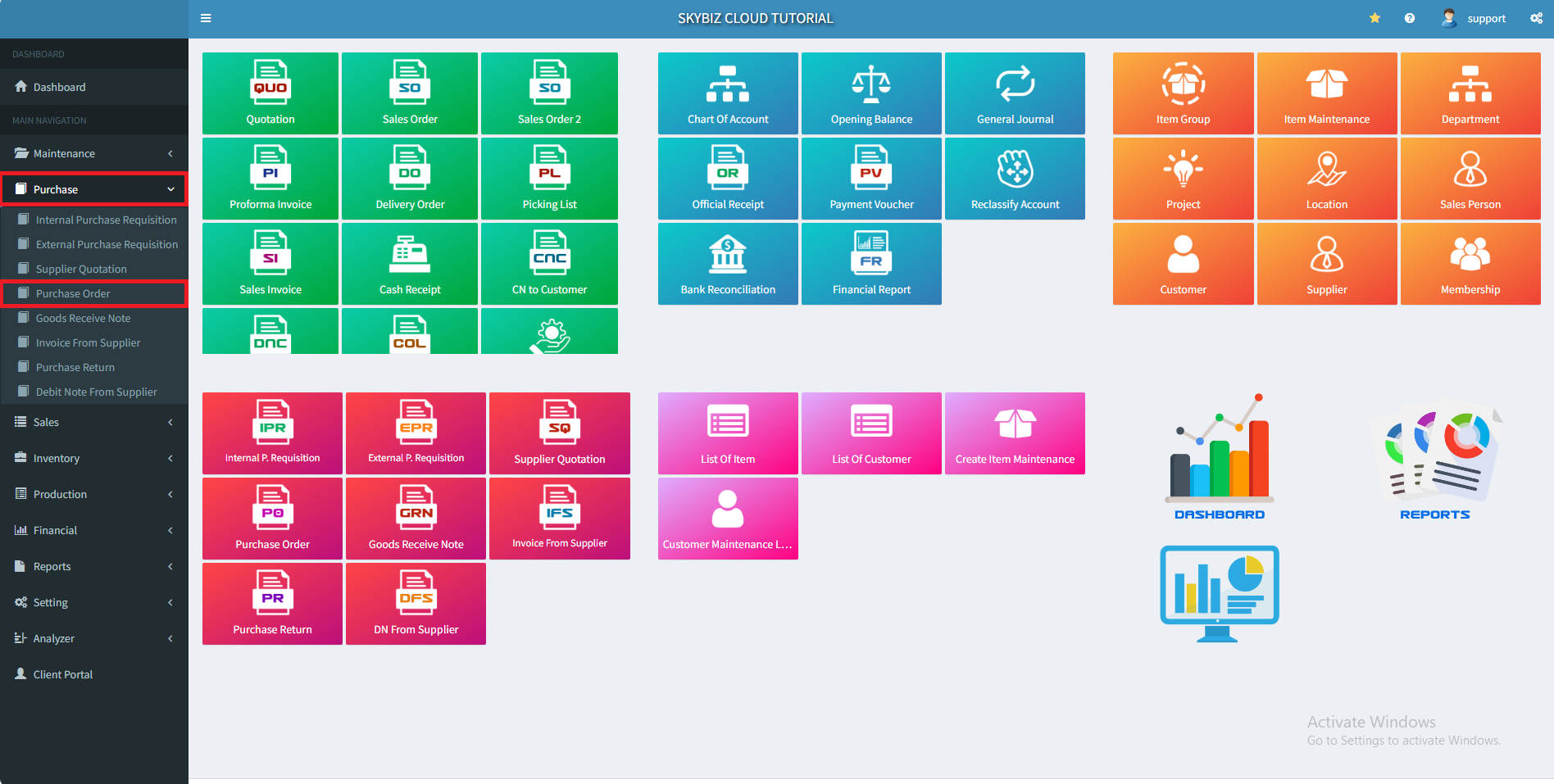
1. At menu Purchase, click “Purchase Order”
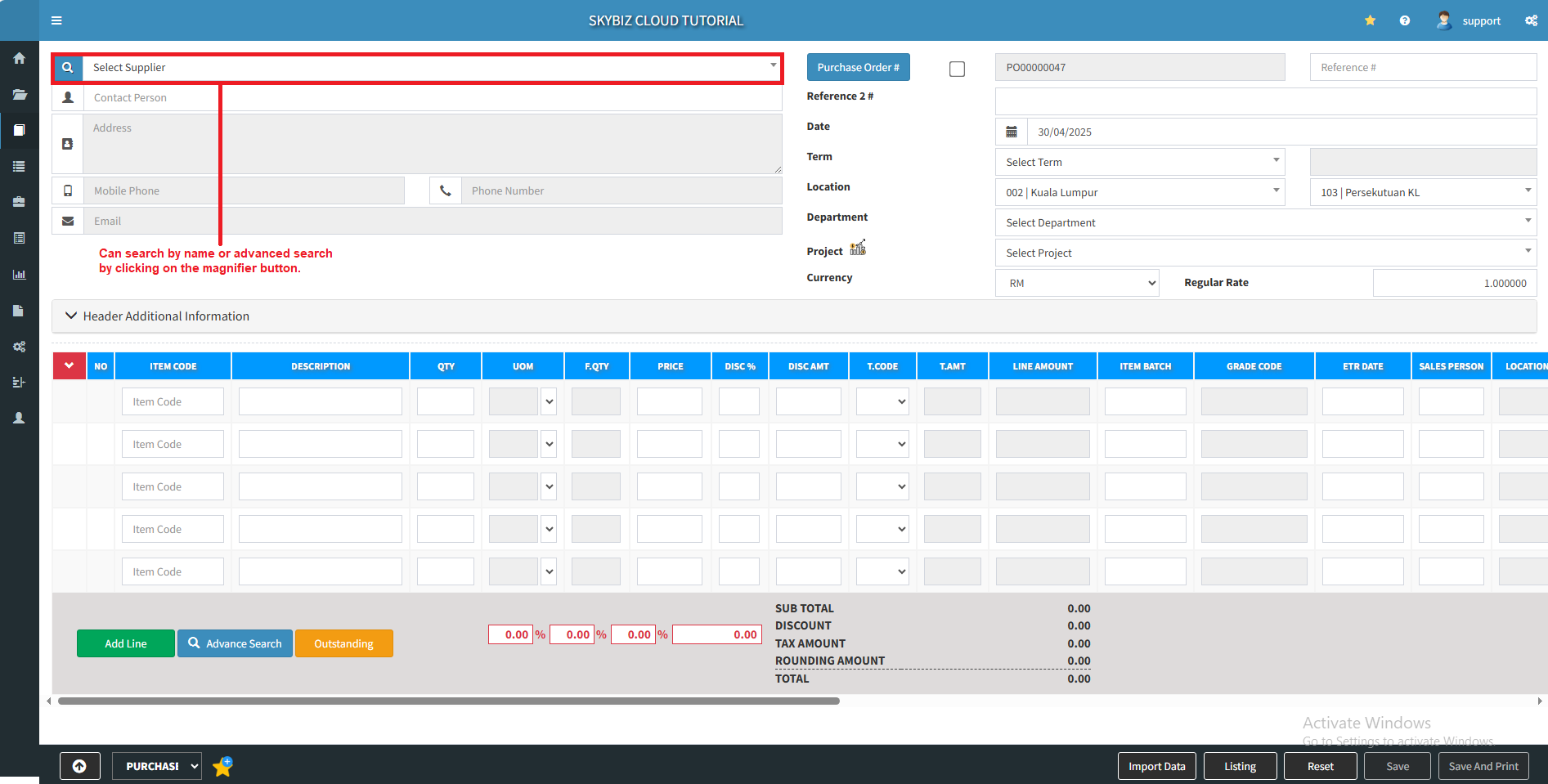
2. Select the supplier and fill in the basic information.
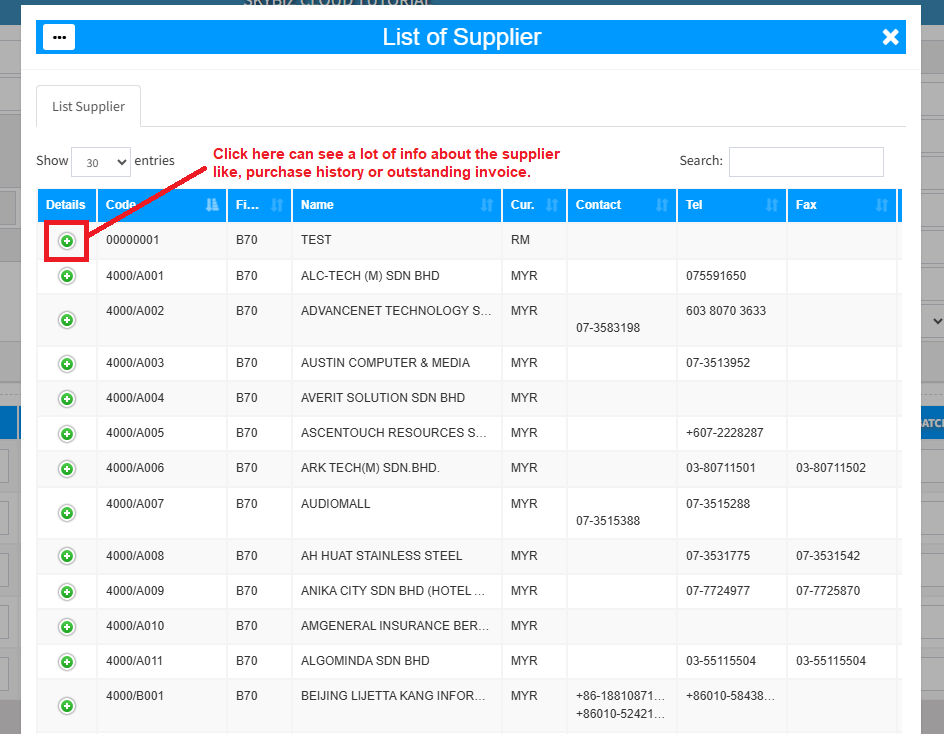
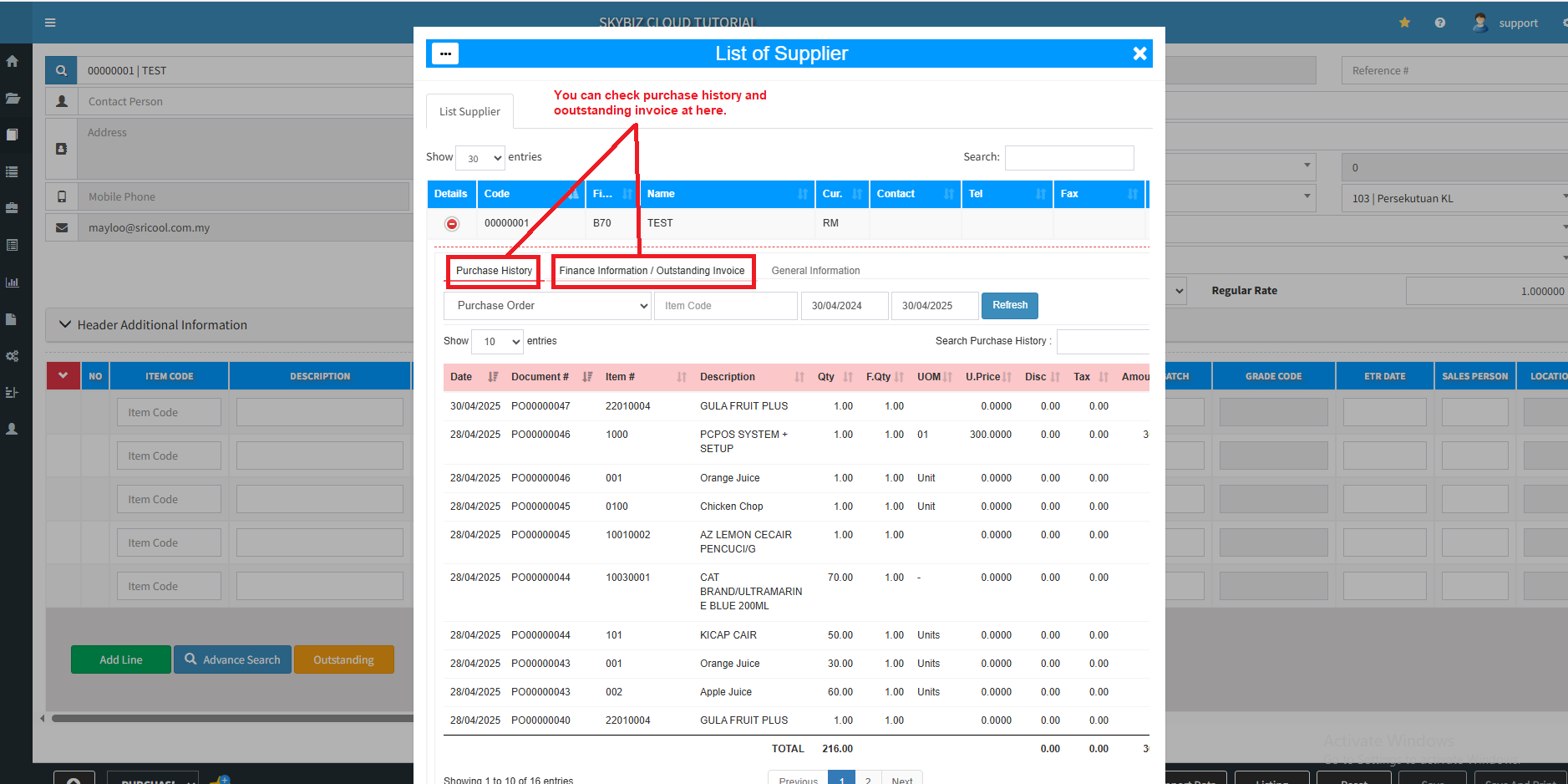
3. By go through advance search, we can see a lots of info about the supplier like, purchase history or outstanding invoice.
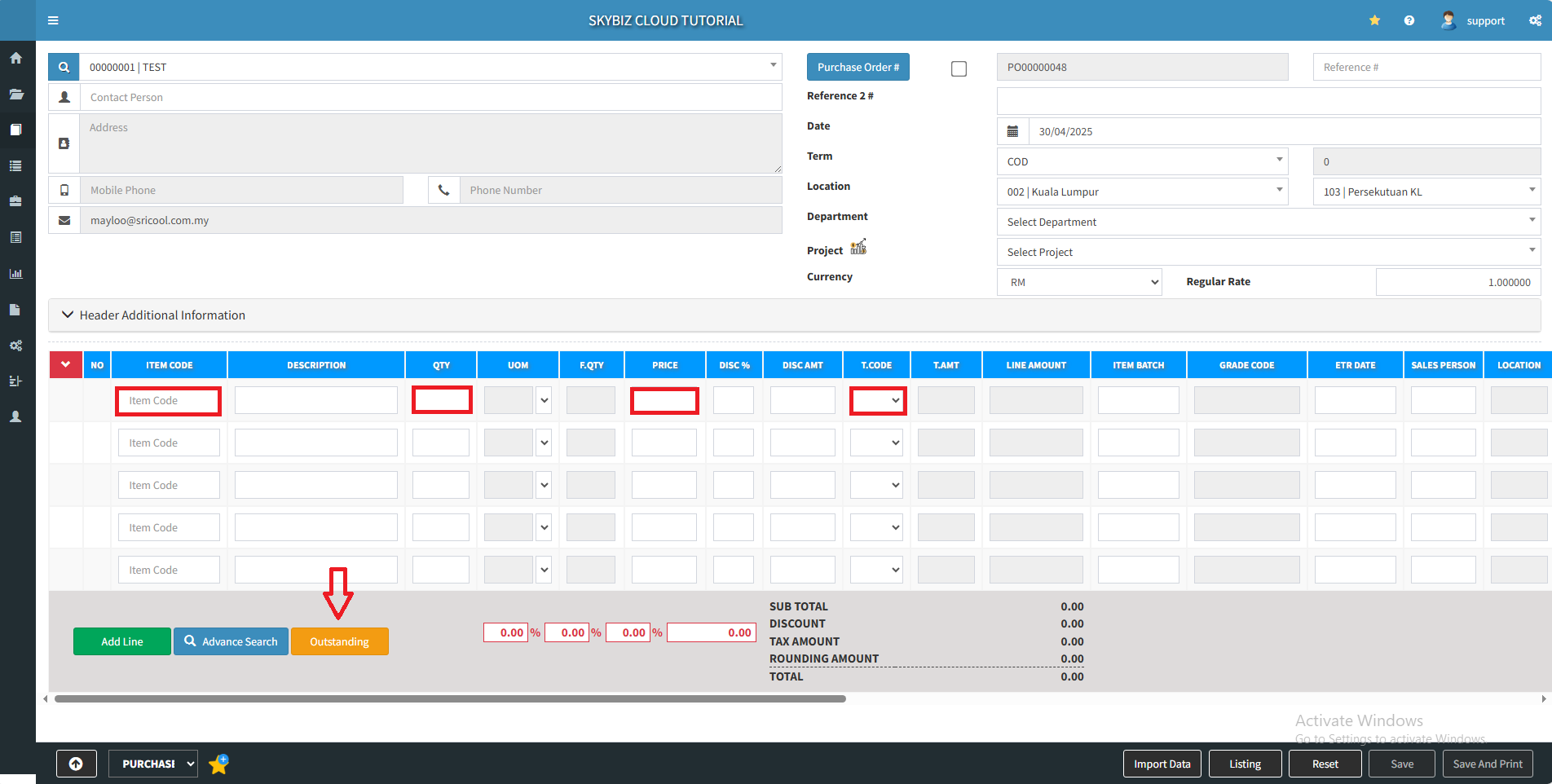
4. Add item by typing item code, quantity, price, t.code and etc. You can also use Advance Search to select items.
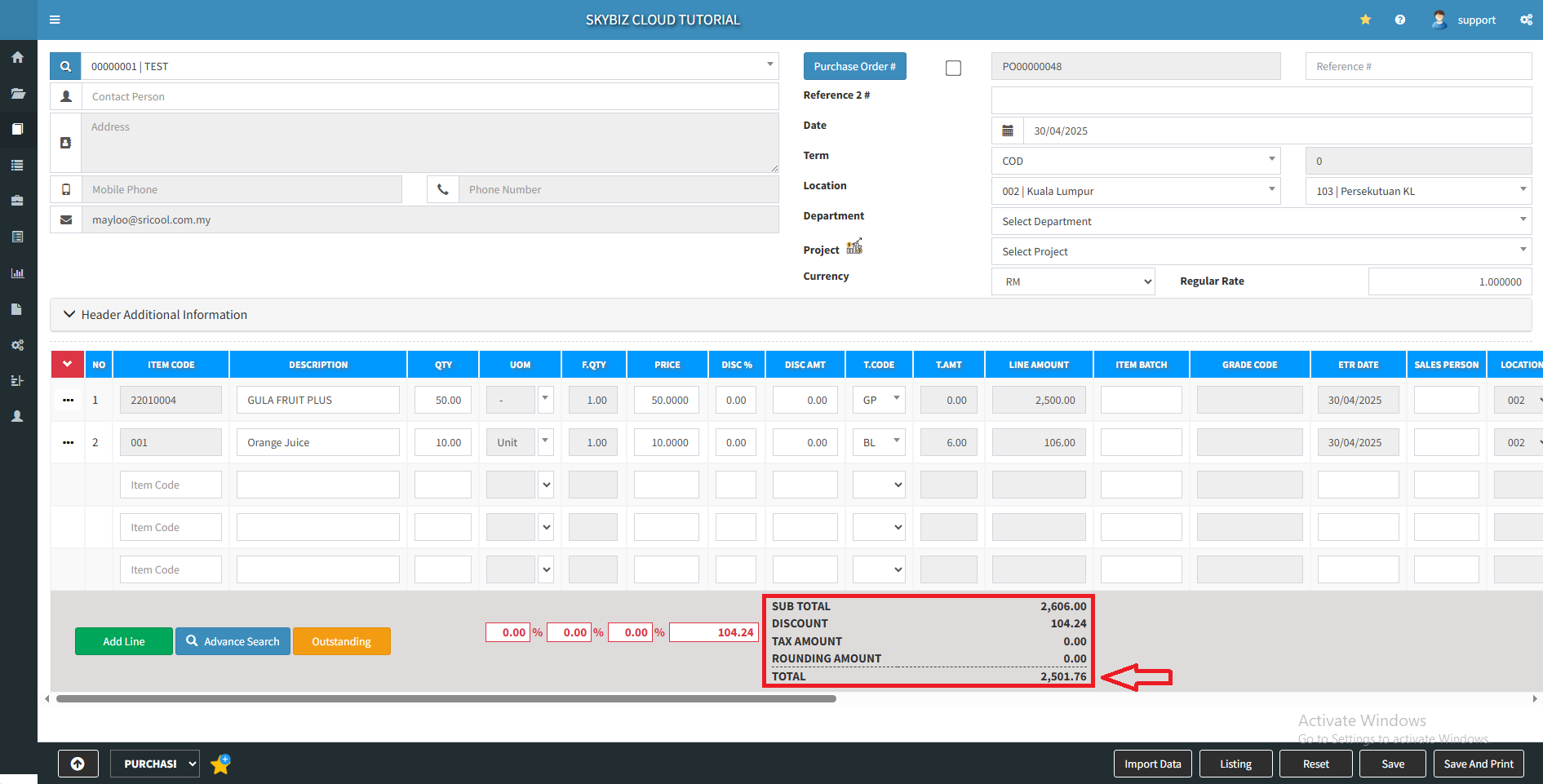
5. You may double check the total amount below.
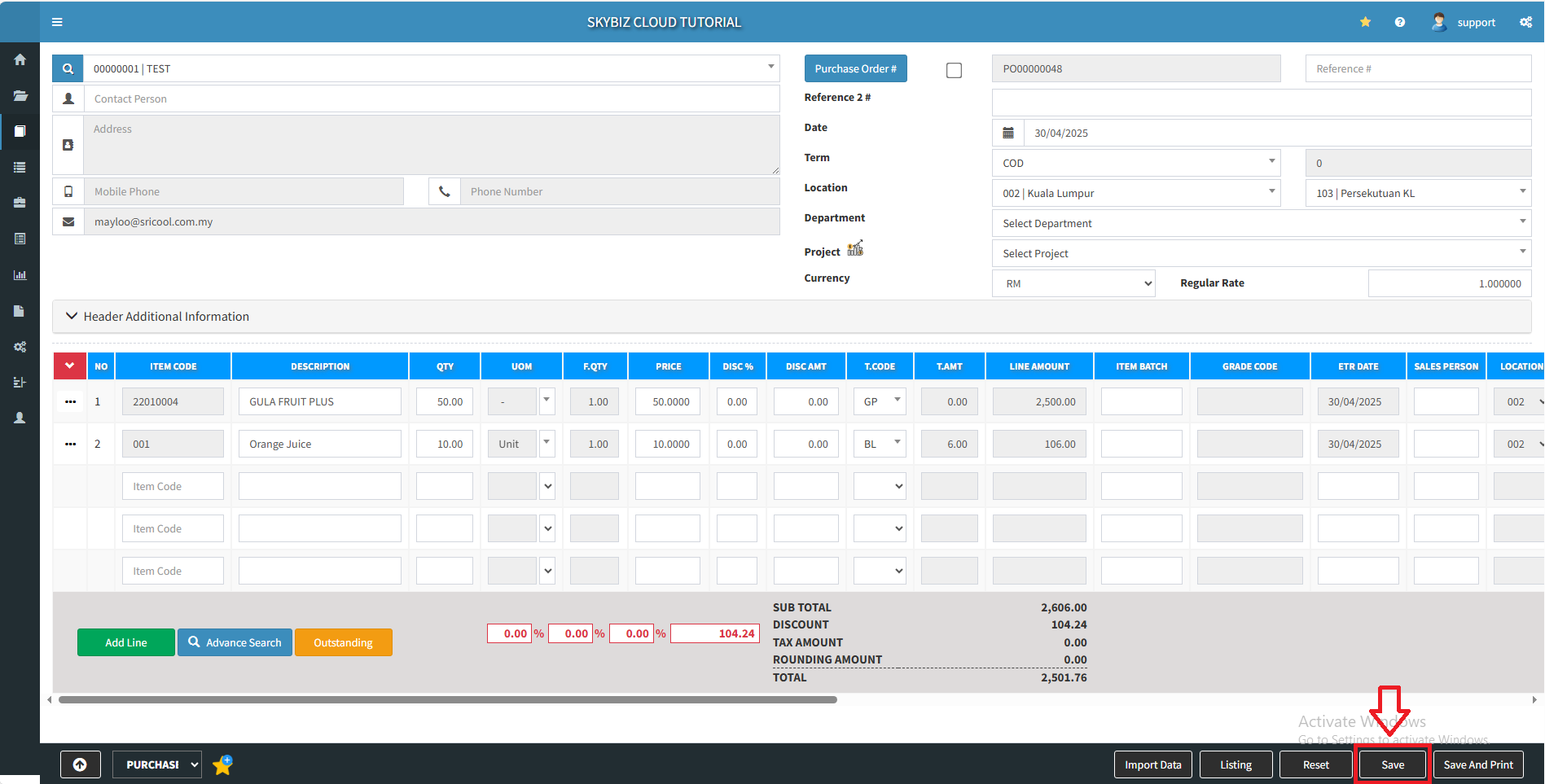
6. Click “Save” to create a new purchase order.
Powered By : SKYBIZ ® Beyond Cloud ™