Goods Received Note is a record of goods received that shown as a proof that ordered products had been received. The record is used by the buyer for comparing the number of goods ordered to the ones delivered.
Below are guideline(s) to Create Goods Receive Note :
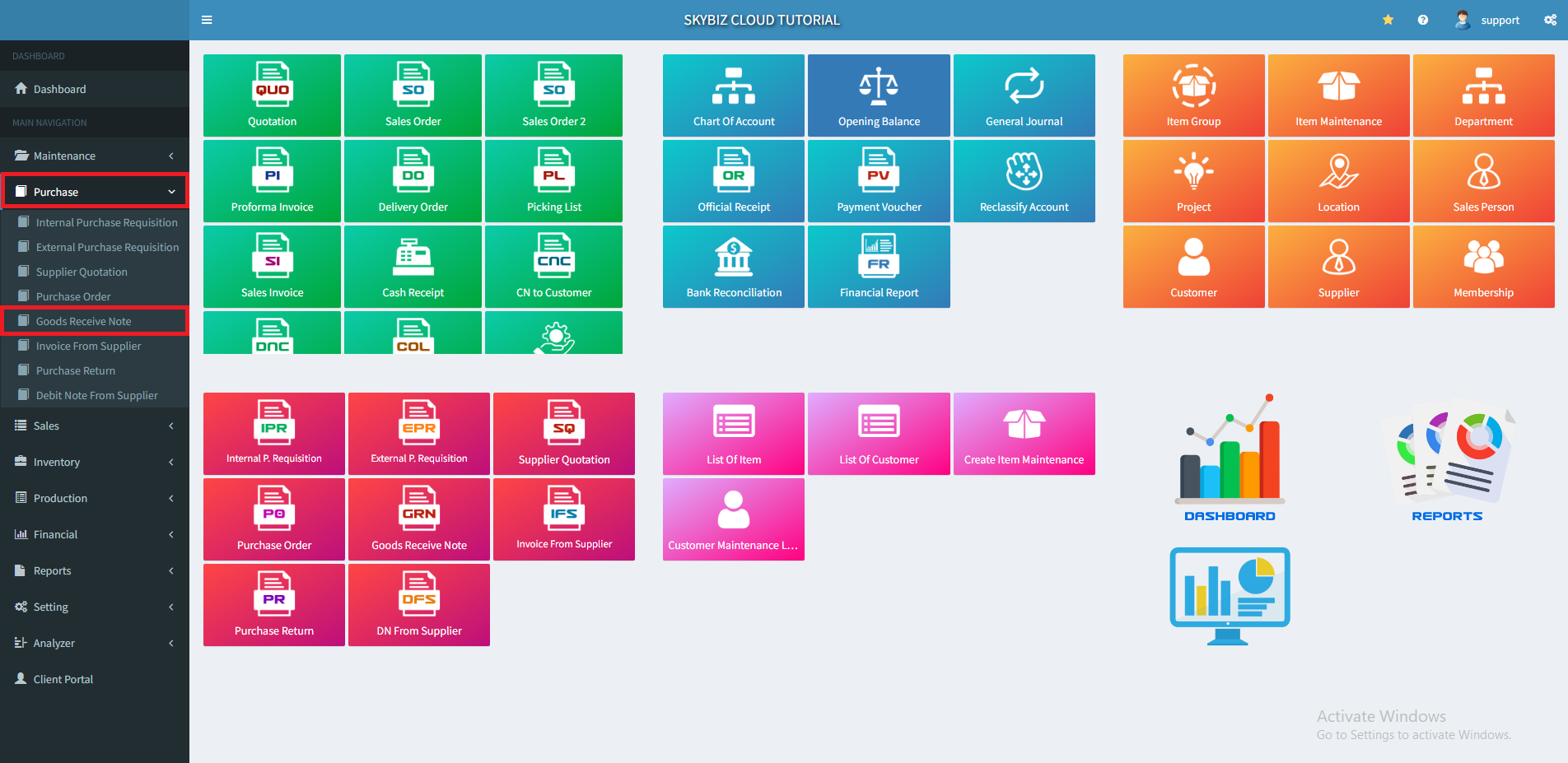
1. At menu “Purchase“, click “Goods Receive Note”
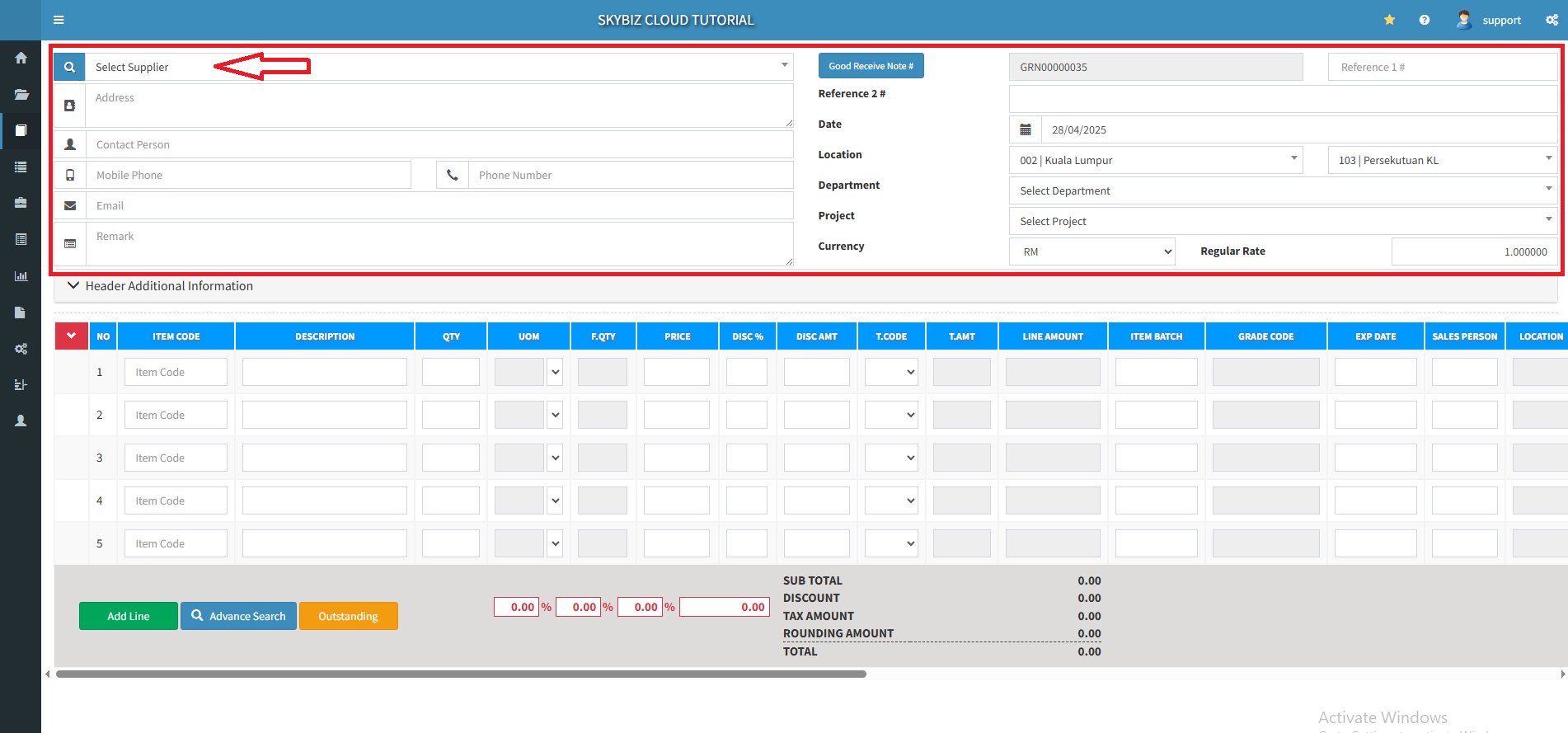
2. Fill up your supplier name and other details.
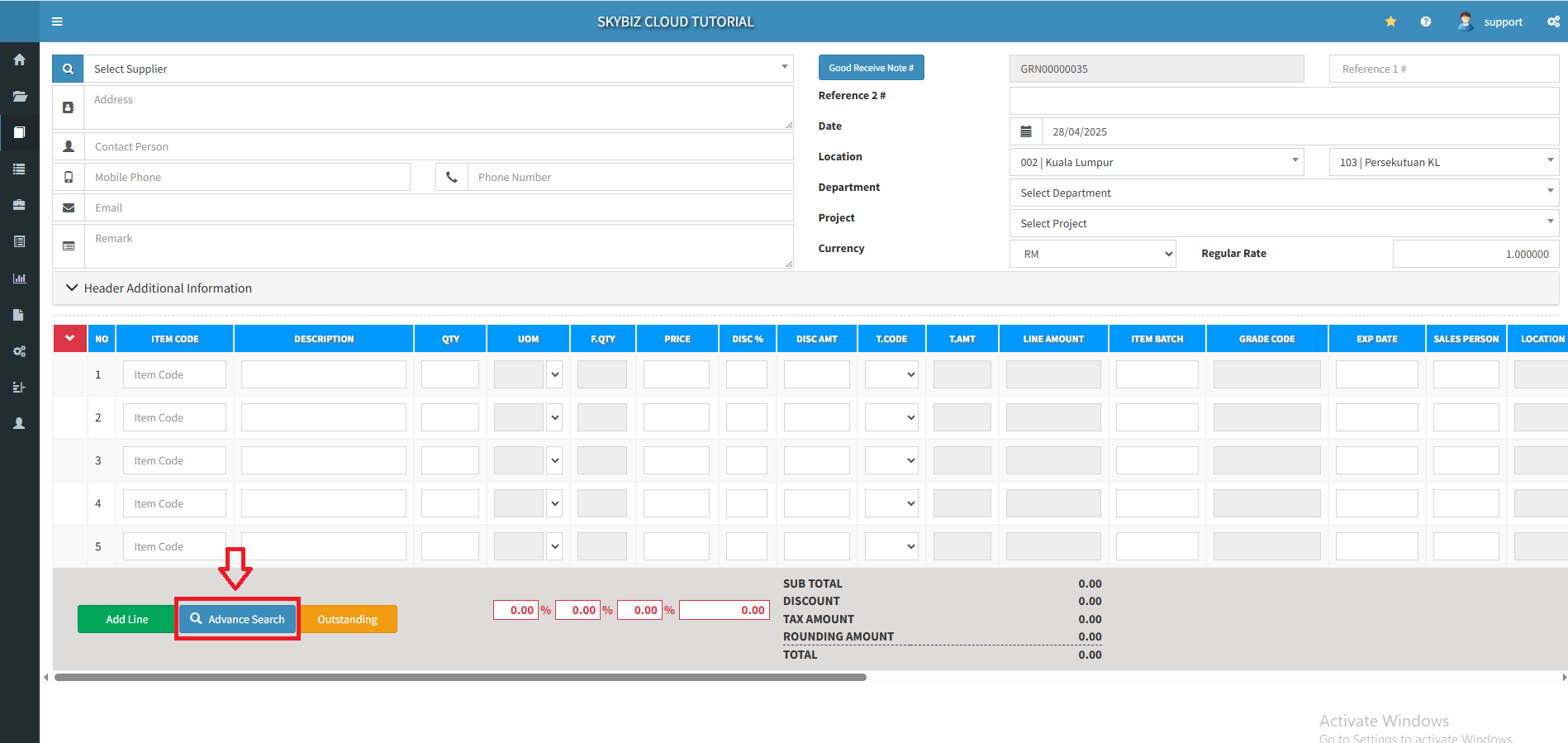
3. Click “Advance Search” to insert your products or services.
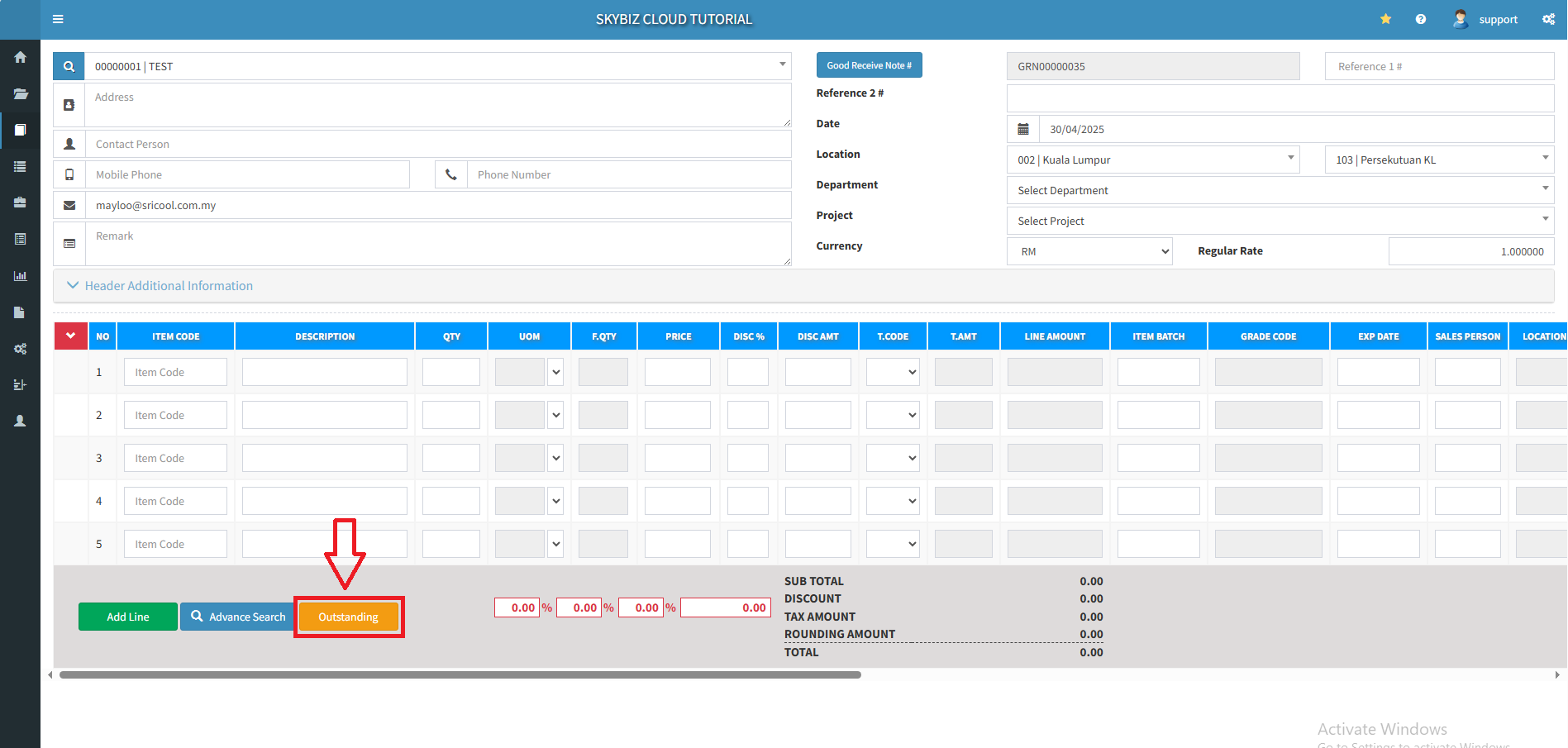
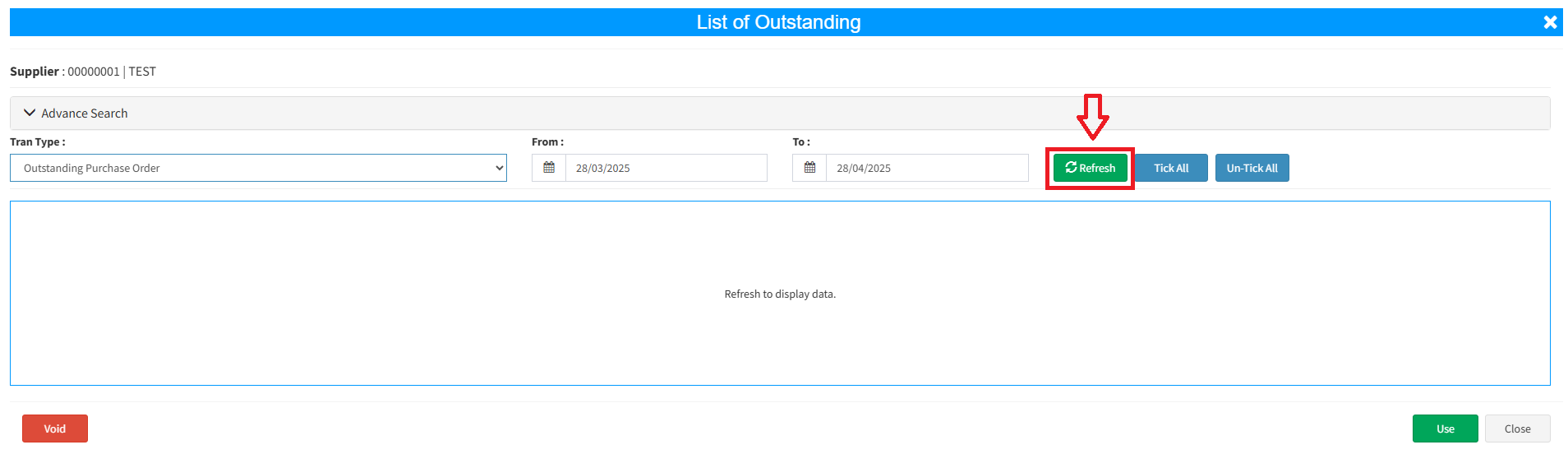
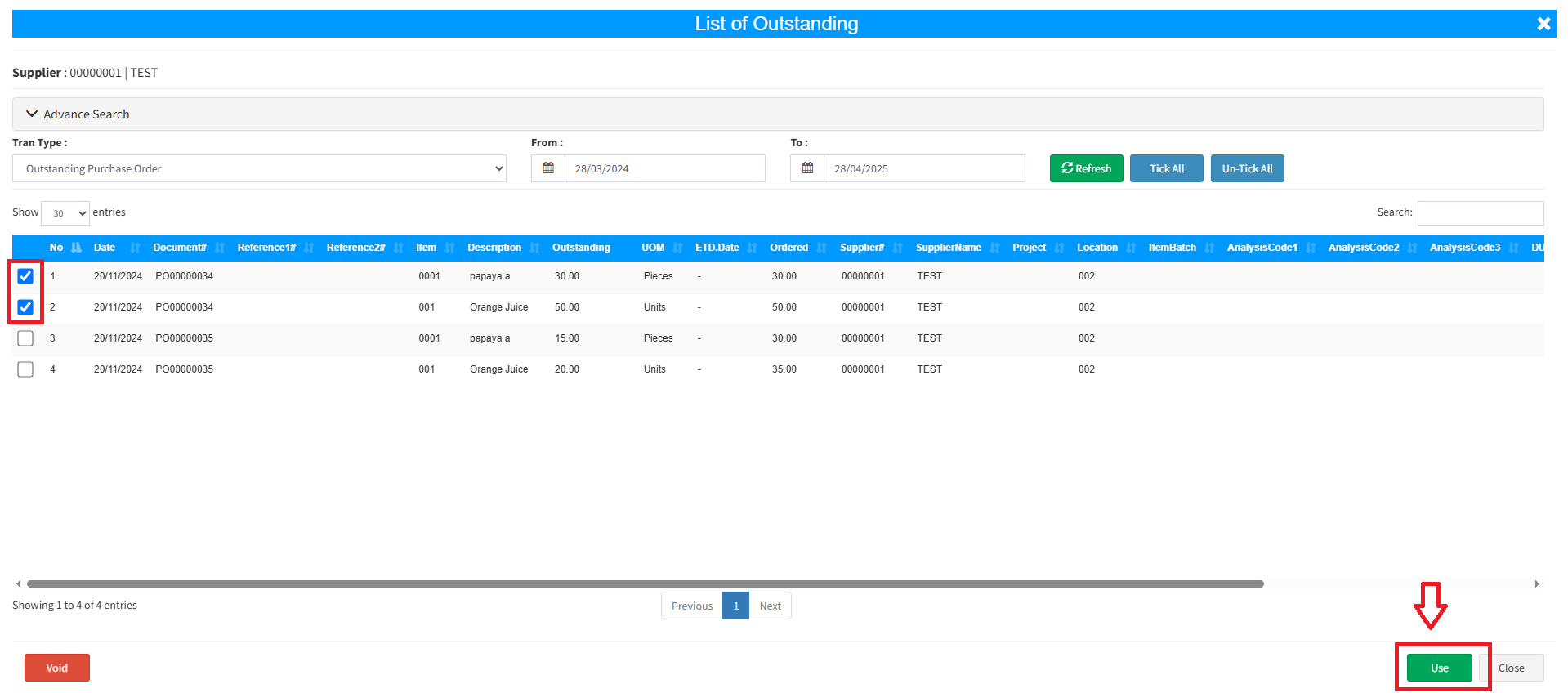
4.You can pull up the outstanding purchase order by clicking the “Outstanding“ button.
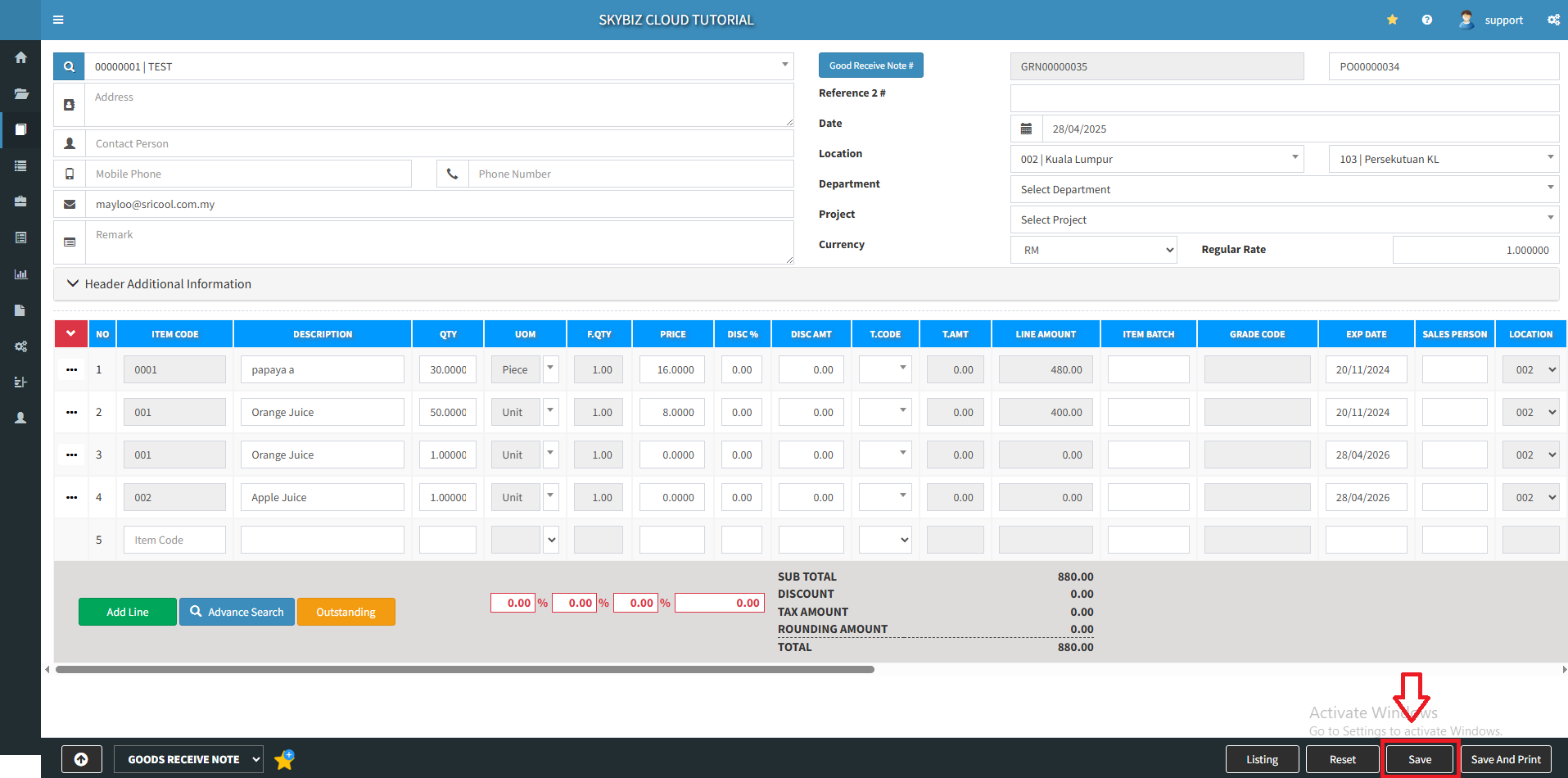
5. Click “Save” to create a Goods Receive Note.
Powered By : SKYBIZ ® Beyond Cloud ™