Bank reconciliation is the process that companies use to make sure that the
cash balances they show on their books matches the actual cash they have in the bank.
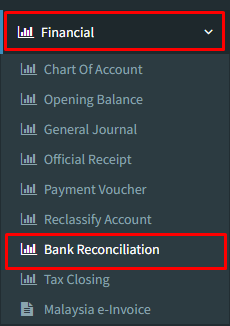
Step 1 : Click on side menu >> Financial >> Bank Reconciliation
Step 2 : Choose “Bank name” which bank statement that you want to do reconciliation
Select “Bank Statement Date” according to bank statement
Key in “New Statement Balance” from bank statement
Click on “Untick” then “Refresh” to show current official receipts available for reconciliation
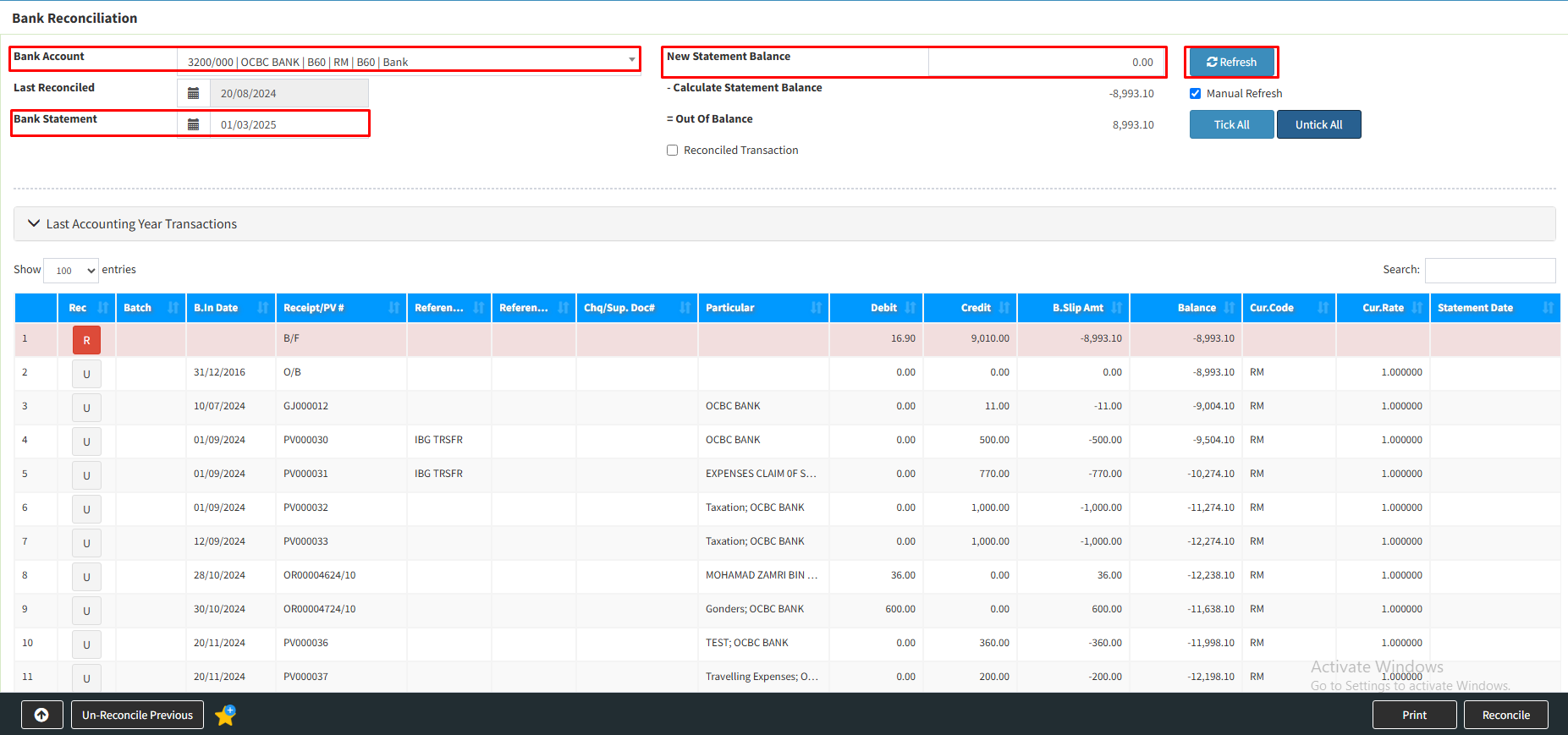
Step 3 : Click the official receipt that you want to reconciliation, it become “GREEN” in bold
Click “Refresh” button once again

Step 4 : The official receipts selected will become “GREEN” in whole line as picture show below.
Make sure the official receipts selected were correct then click on “Reconcile”
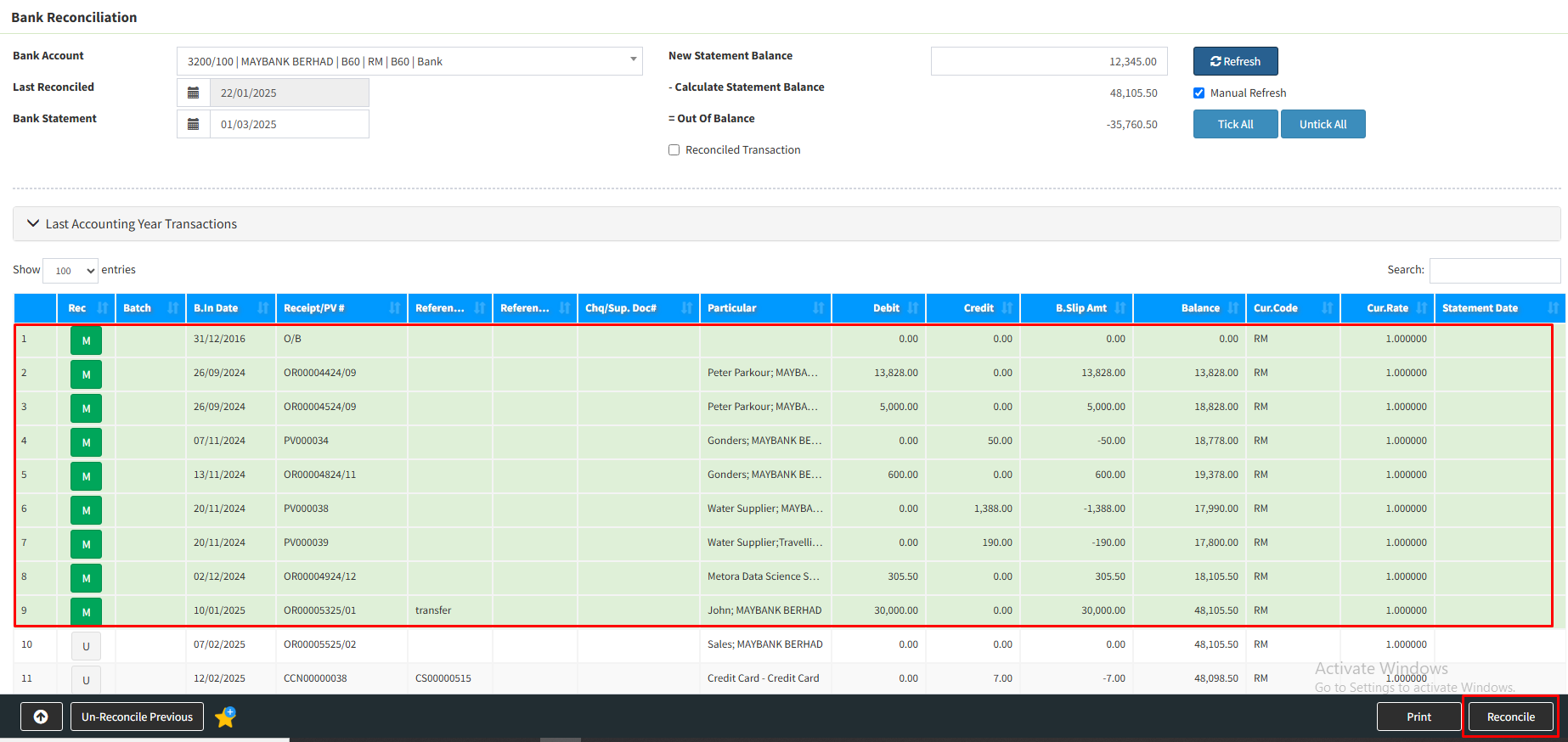
Your bank reconciliation is done.
Powered By : SKYBIZ ®