User Profile Grant Delete Record(s)
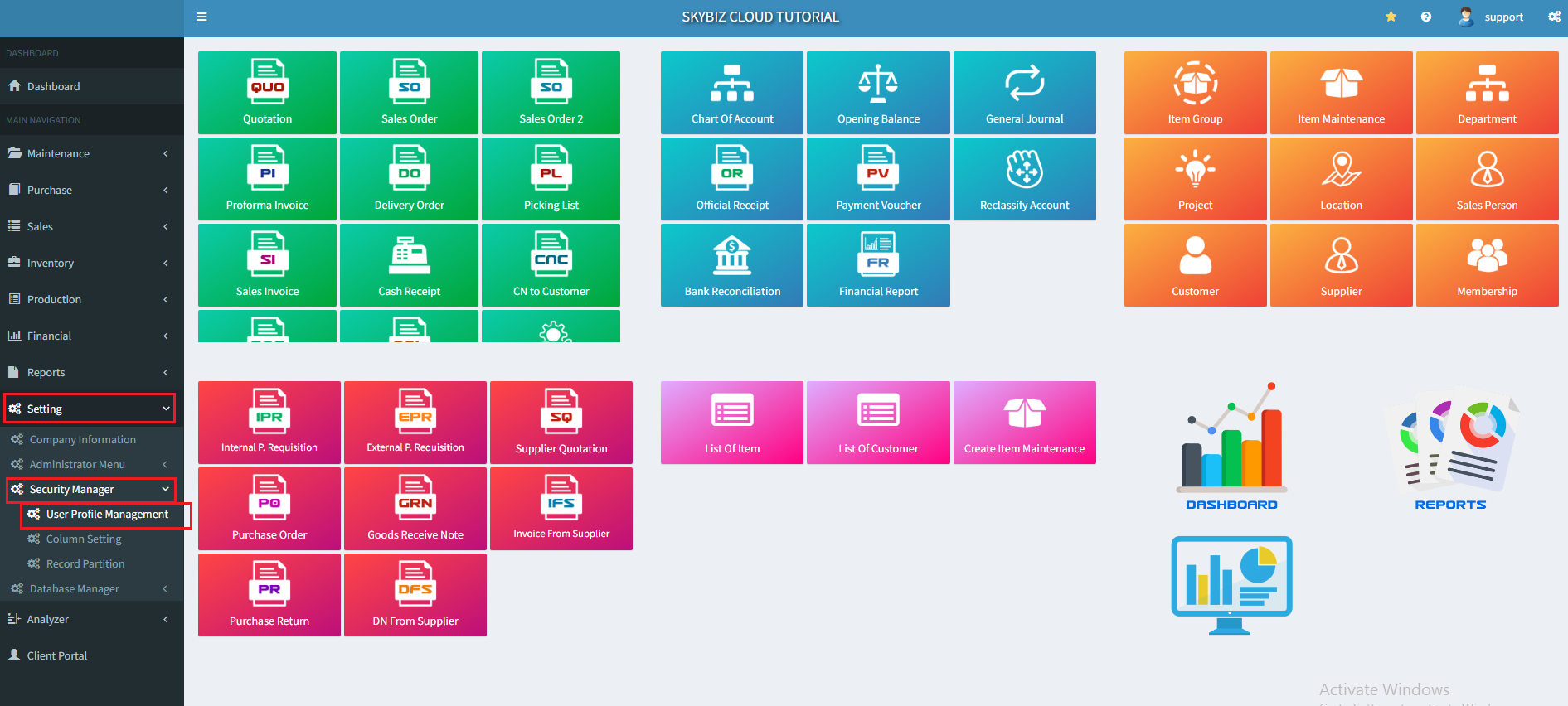
- Go to : ” Setting “ >> ” Security Manager “ >> ” User Profile Management “
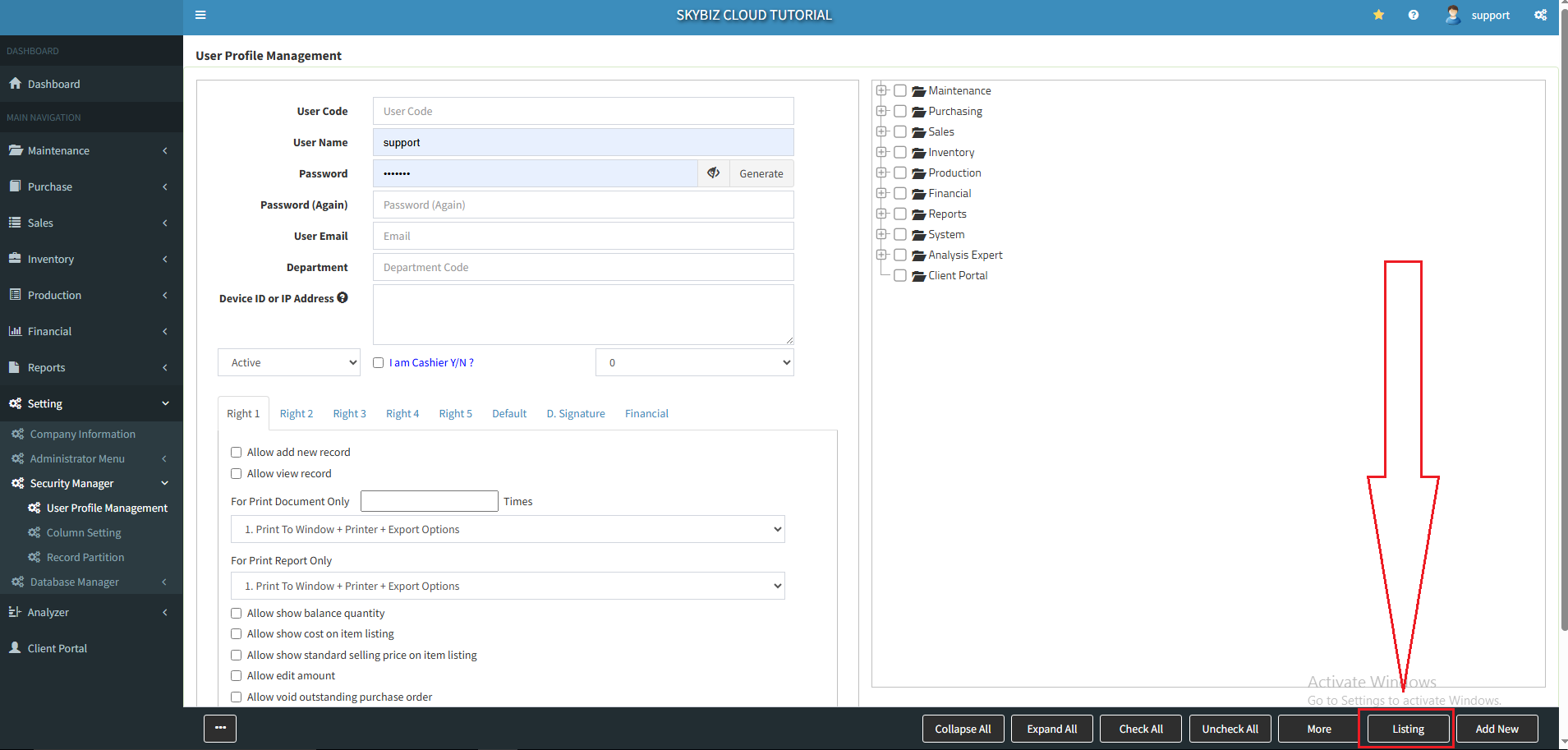
2. Go to : ” Listing “
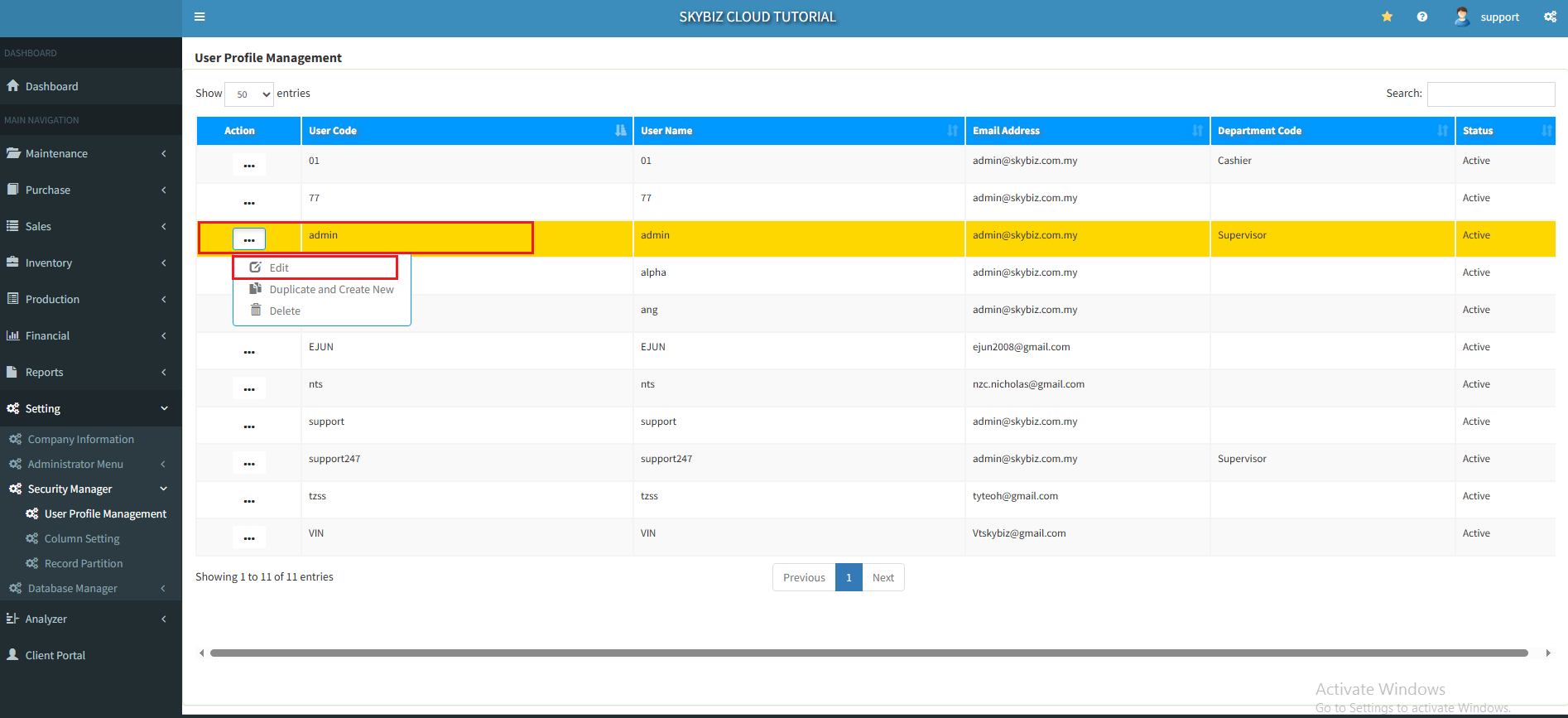
3. Find the User >> click ” Edit “
4. Go to : ” More “
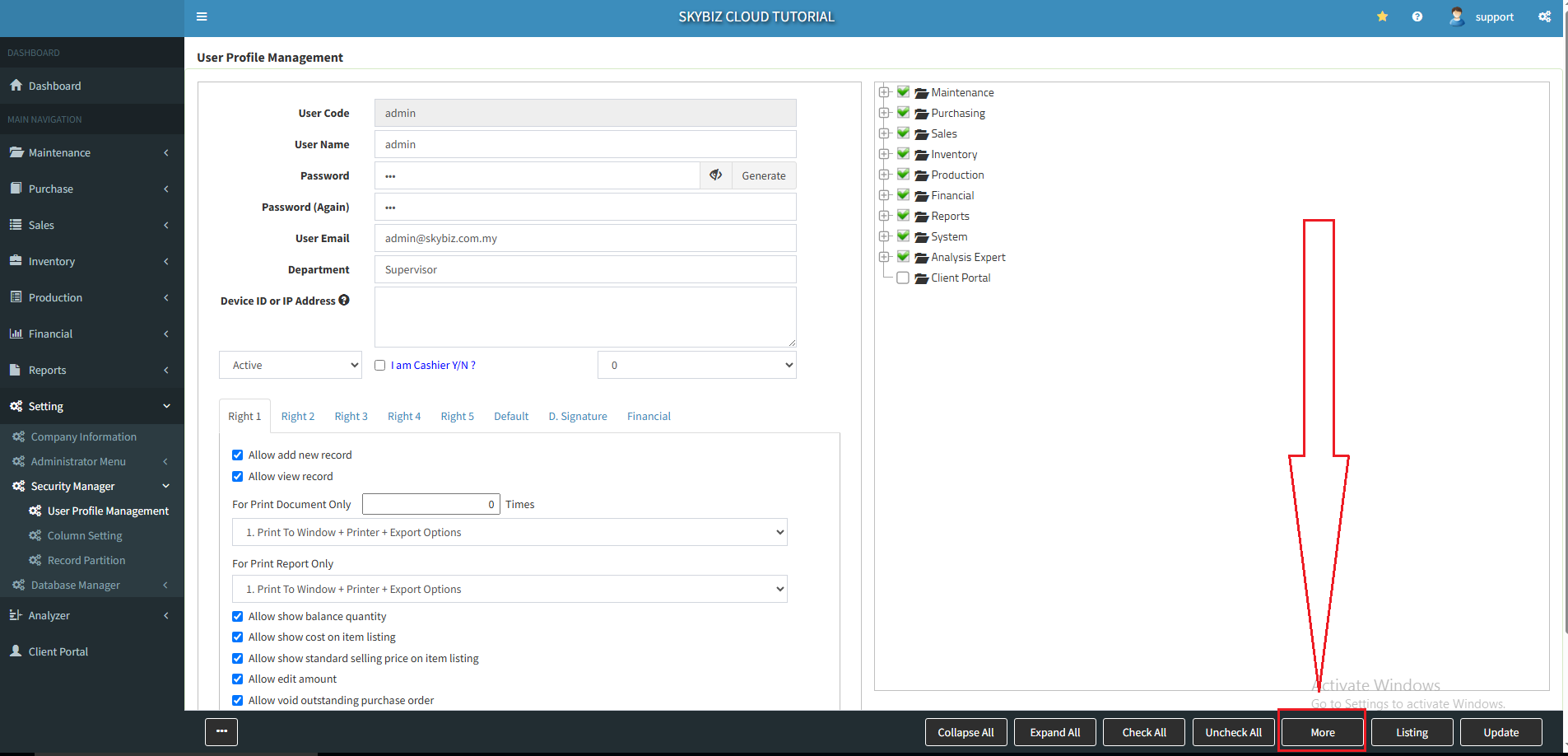
5. Find the options that you want to allowed user to delete, tick the box >> ” Update “
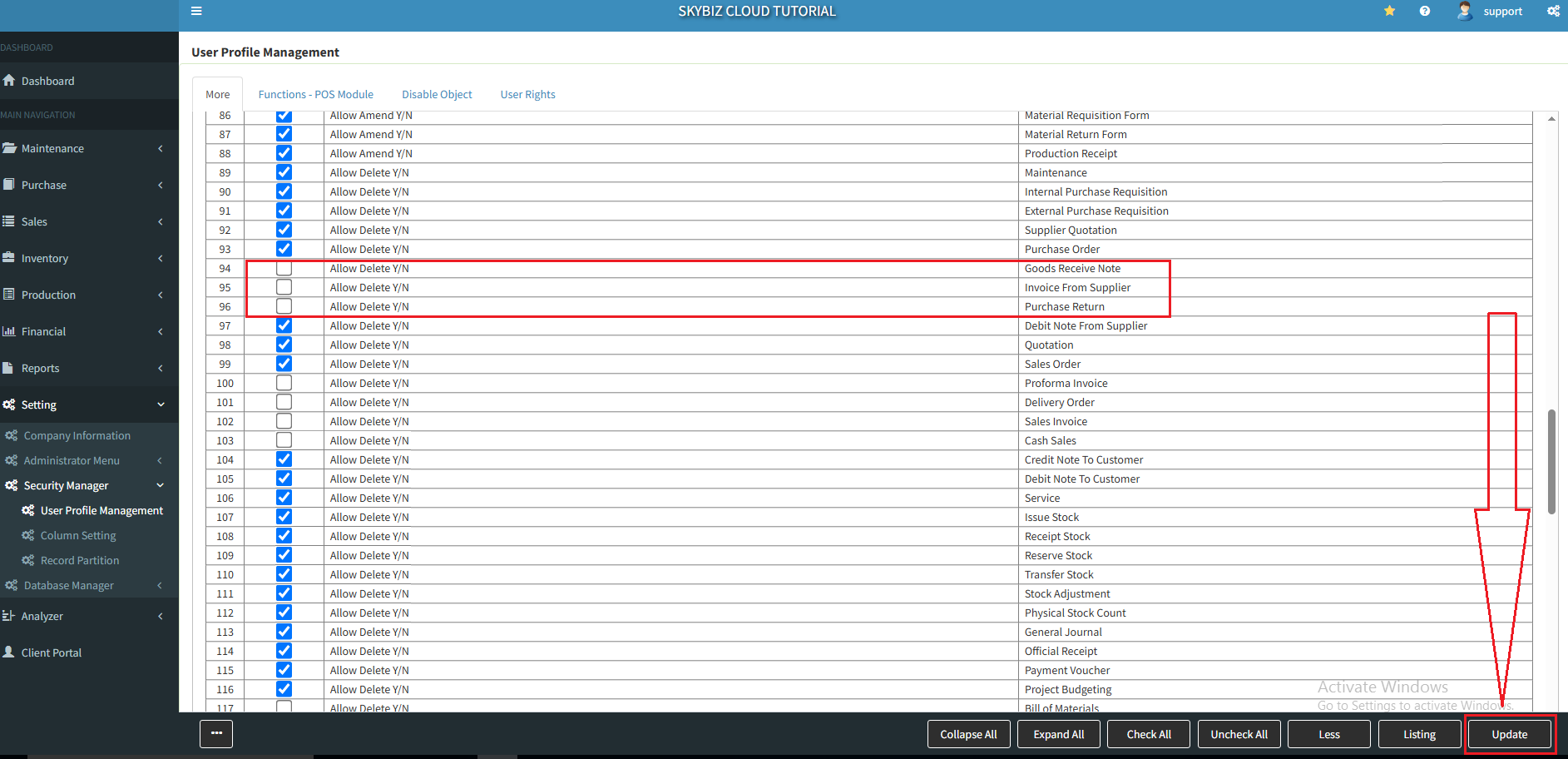
Your grant access right setting to Allowed Delete is completed.