* In accounting, a payment voucher is a document that records a business’s outgoing payments, ensuring proper authorization and providing a detailed record of transactions, which is crucial for accurate financial records and audits.
Below guide you how to recreate Payment Voucher to Supplier:
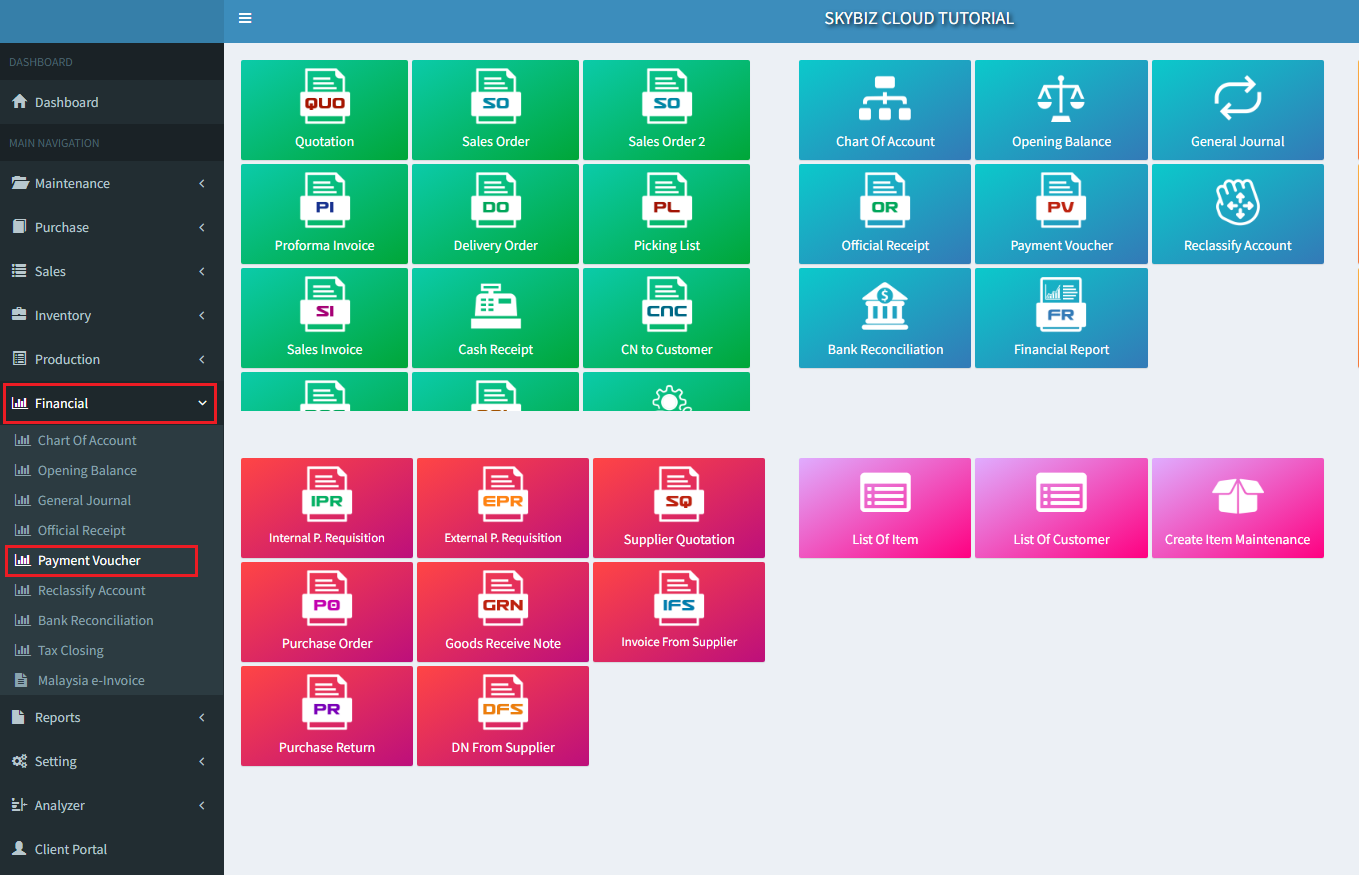
- Go to ” Financial “ then ” Payment Voucher “
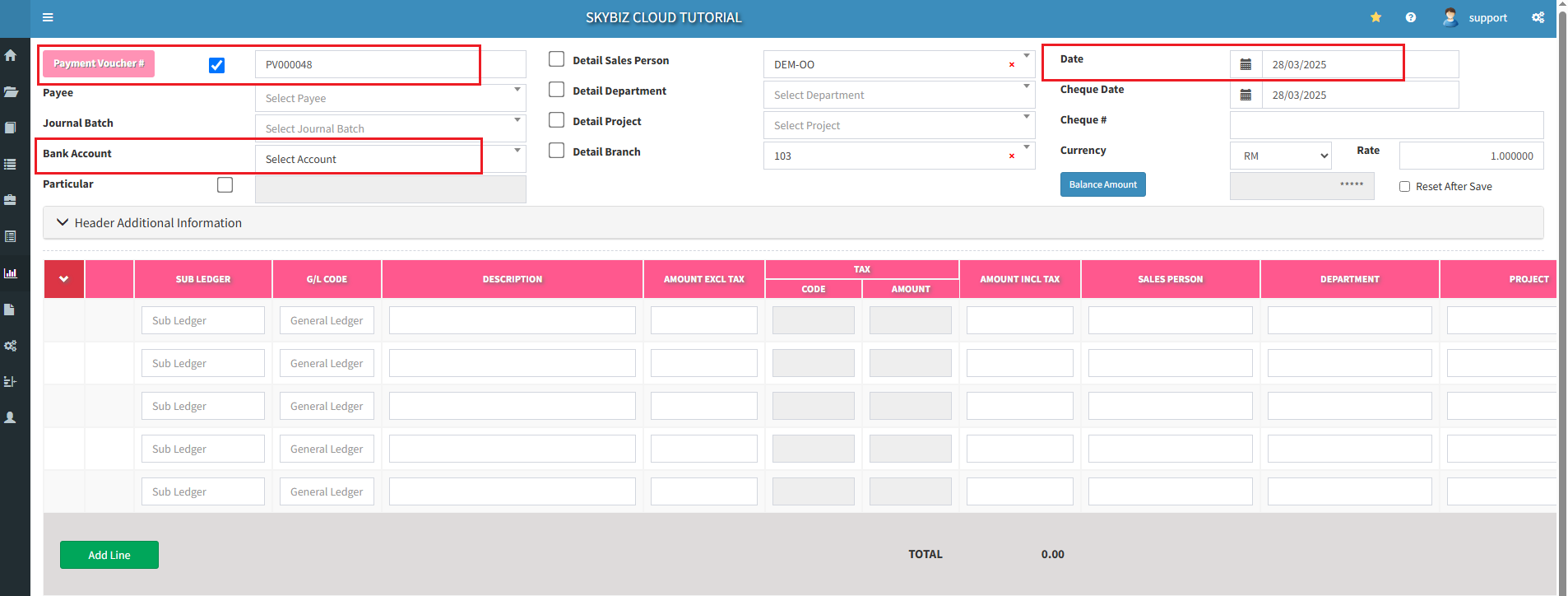
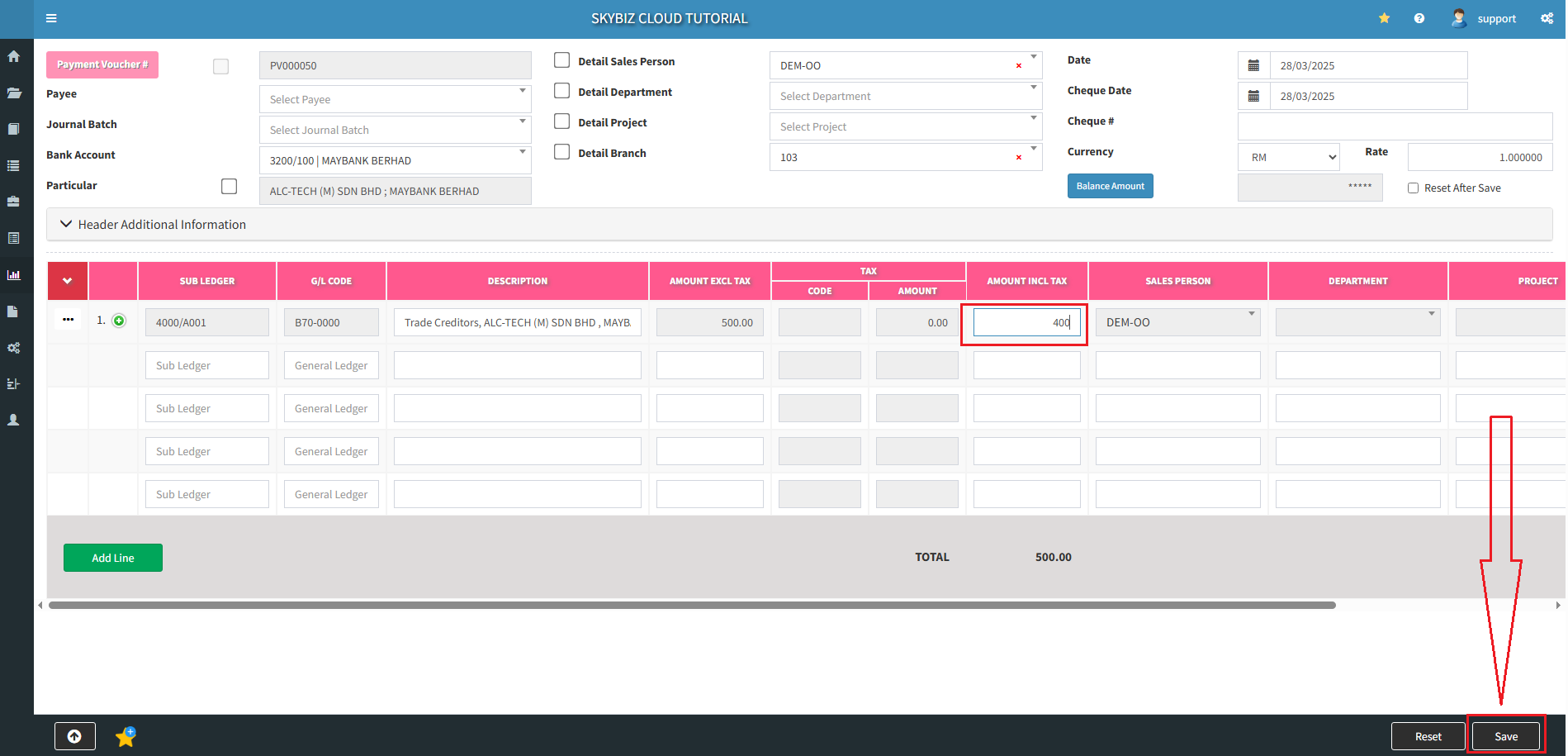
2: You can choose the system payment voucher running number by tick the checkbox beside the payment voucher button and key in your own payment voucher number or manually key in your own payment voucher number.
Select ” Bank Account “ to decide which bank account you want to pay this payment voucher with and select the ” Date ” you create the payment voucher.
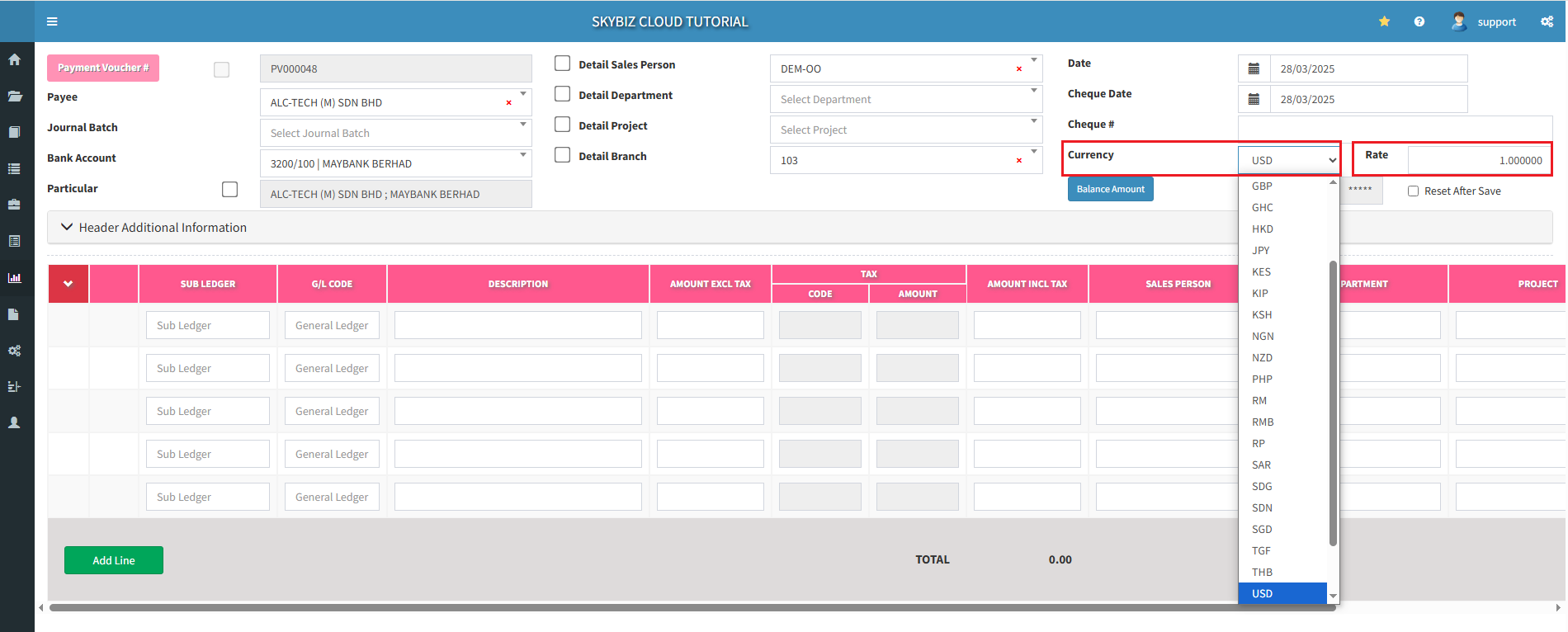
3. You may select the different ” Currency “ you wish to pay for and key in the currency the ” Rate “
4. Go to ” Sub Ledger “ to find your creditor account >> select the creditor and click on ” + “ button to show creditor outstanding invoices.
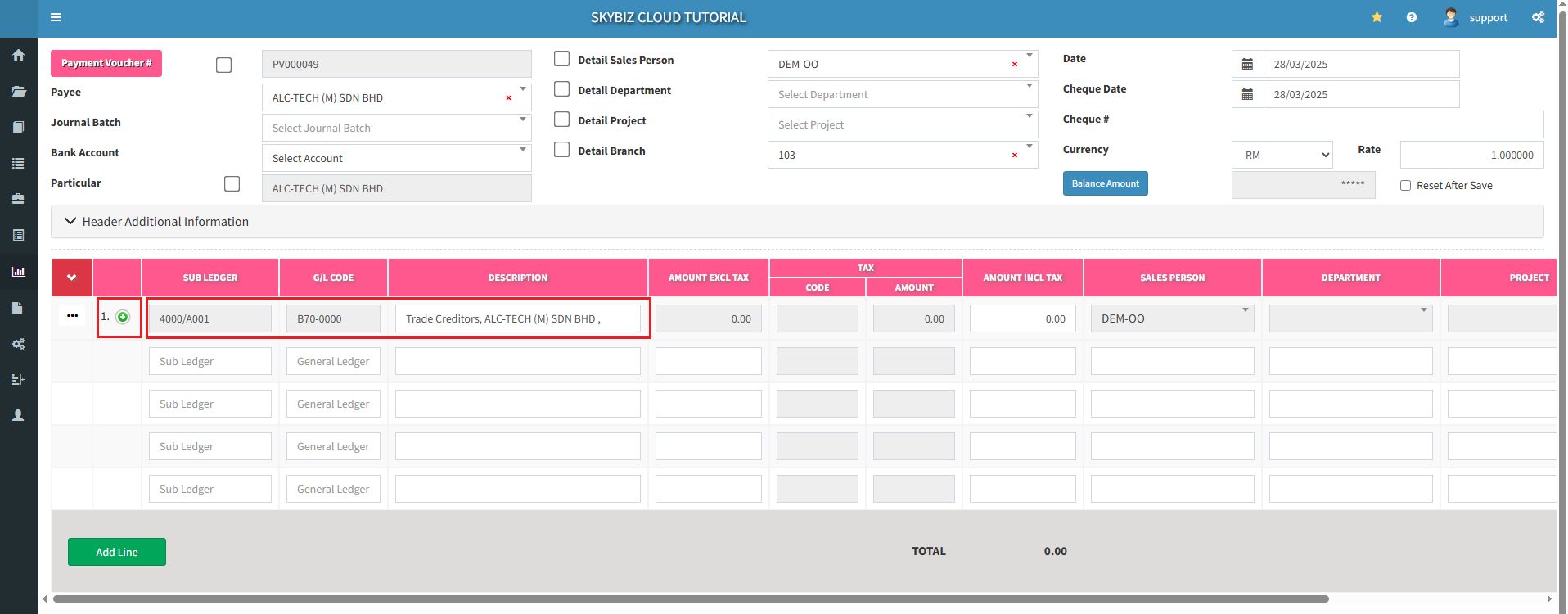
5. By clicking “+” button will show creditor outstanding invoices from here you may choose which invoice(s) you want to knock off
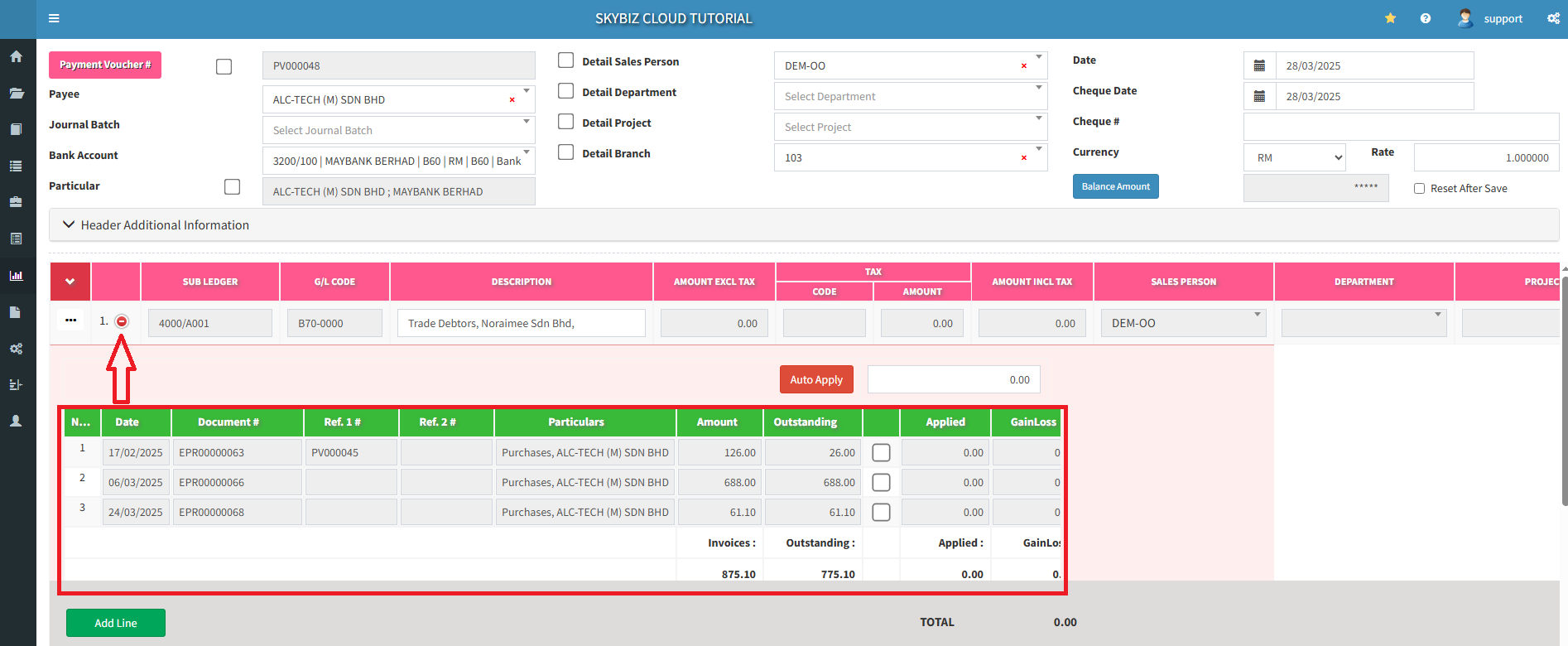
6. “Tick” on the invoice that you want to pay for knock off/ issuing payment voucher
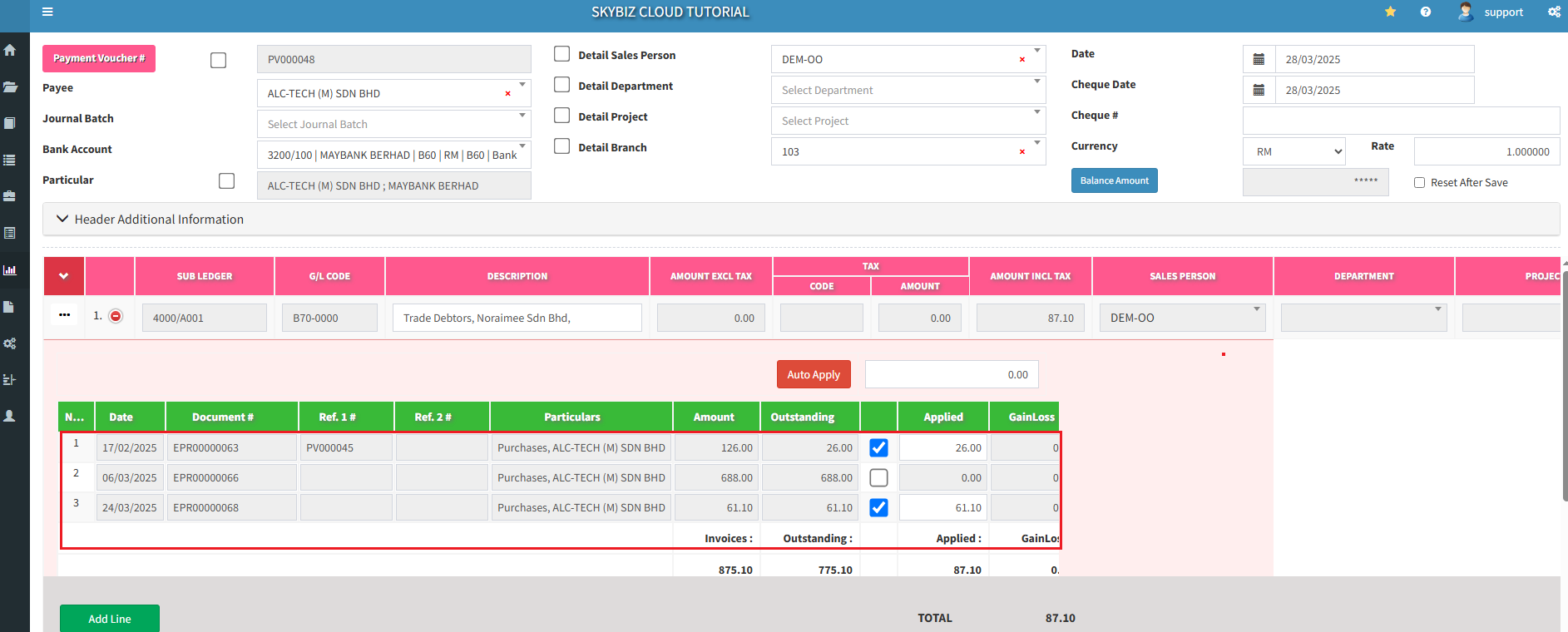
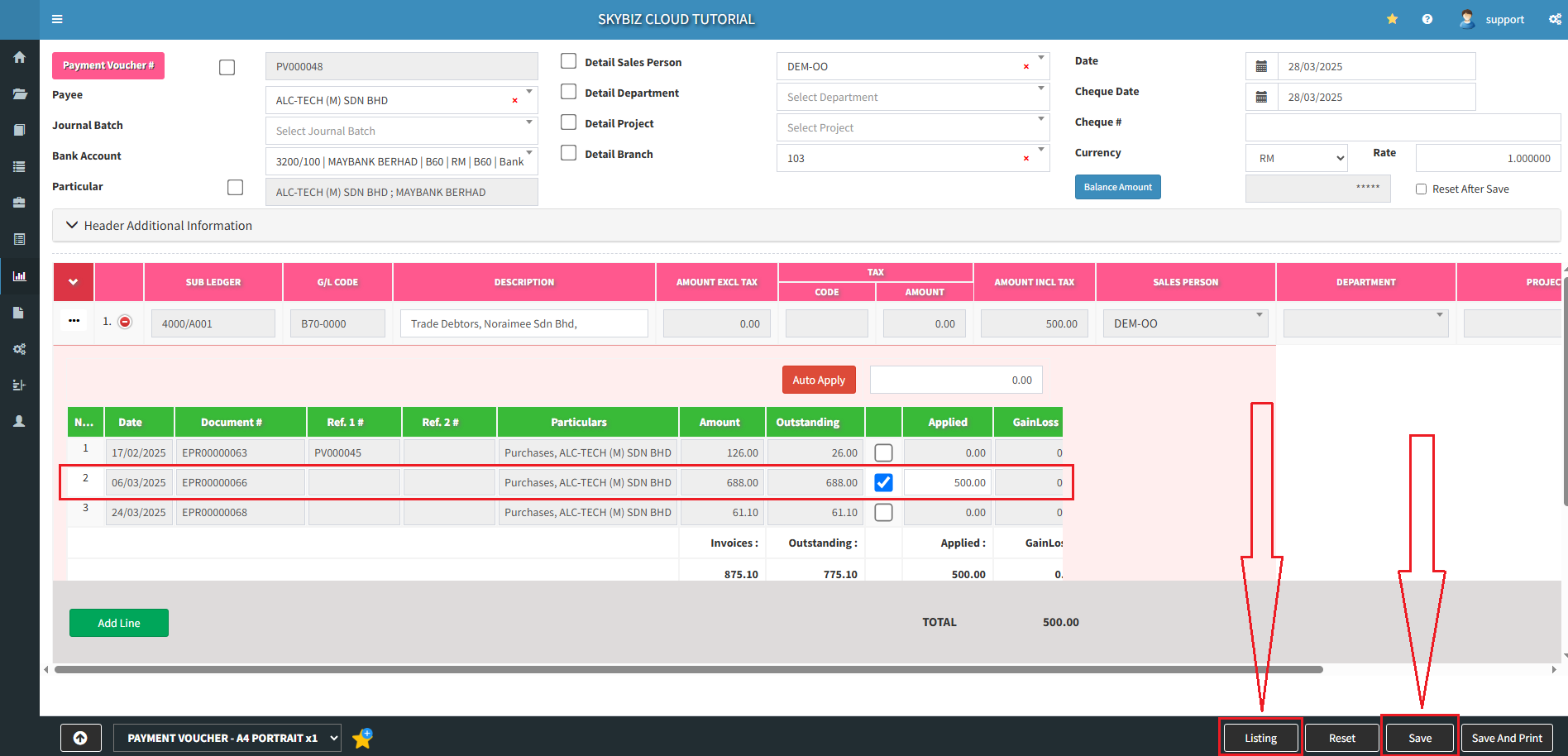
7. You may also tick and fill in the partial amount that you want to pay for the certain invoice
” Save “ and next click ” Listing “
7a. Click ” Edit with unmatch “ if you would like to amend the payment voucher then click ” Yes “
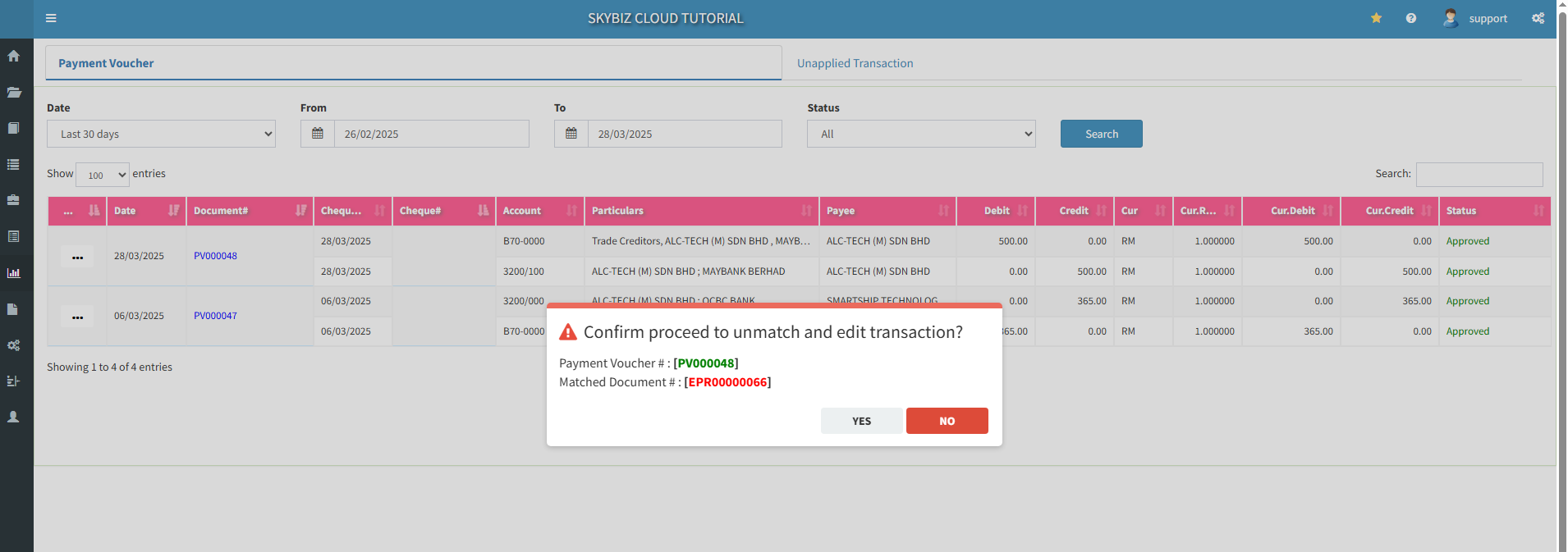
7b. Go to the Payment Voucher make an amendment and ” Save “
8. You may ” Print”, ” Edit “ or ” Delete “ the payment voucher
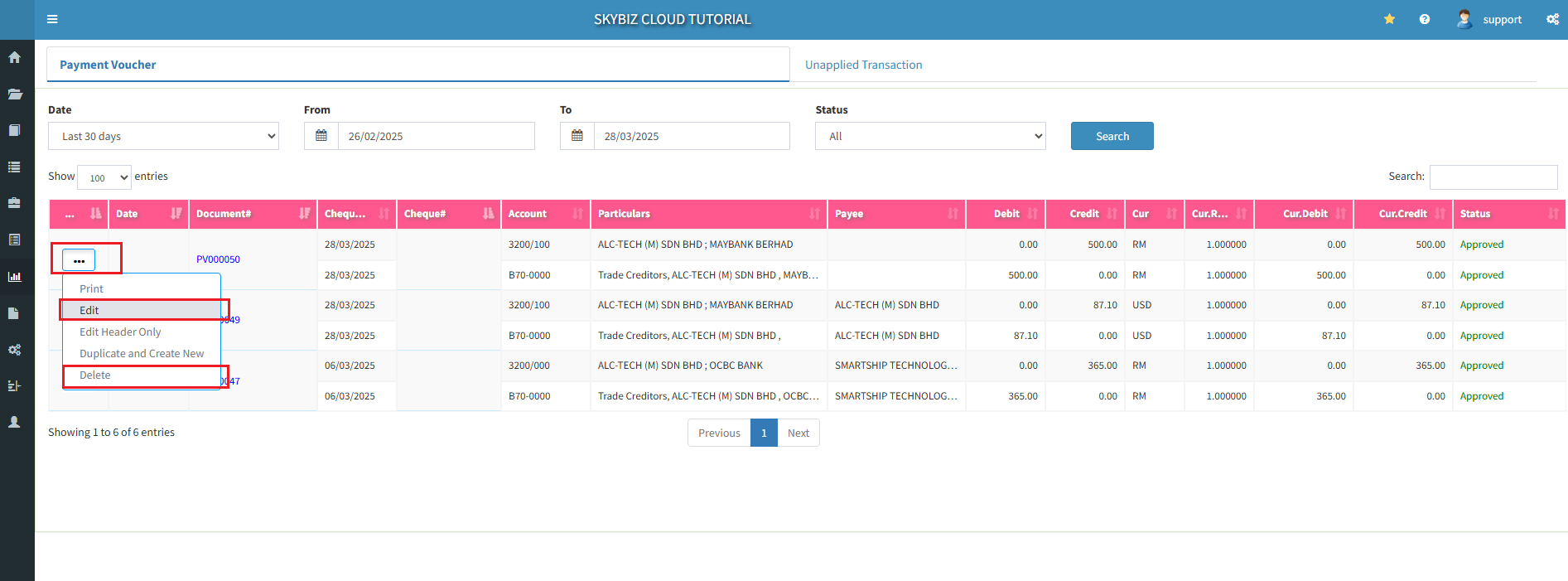
Your payment voucher is successful created.