Bank reconciliation is the process that companies use to make sure that the
cash balances they show on their books matches the actual cash they have in the bank.
“Reconcile to previous bank statement”
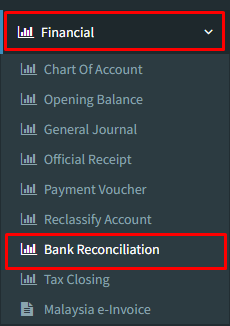
Step 1 : Click on side menu >> Financial >> Bank Reconciliation
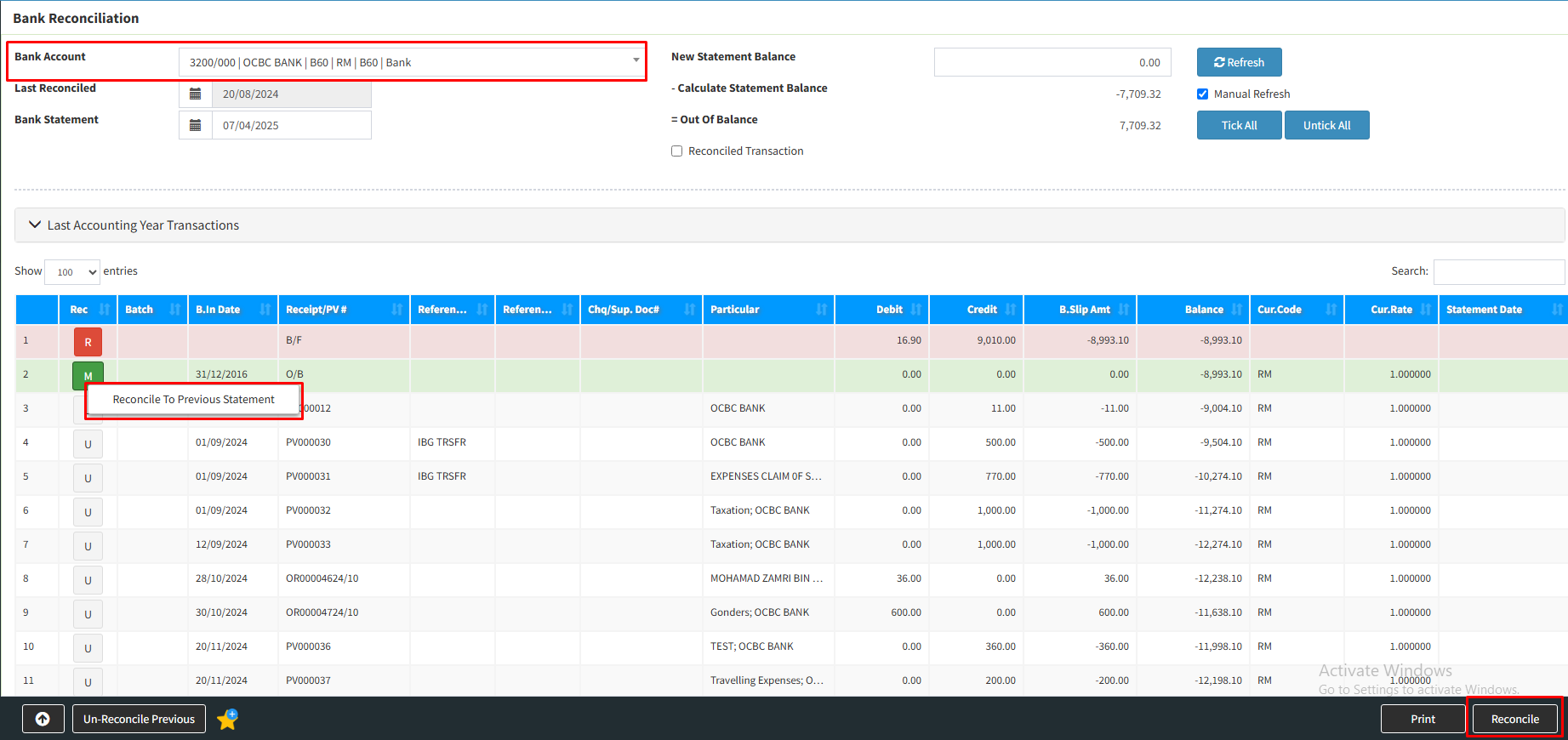
Step 2 : Choose “Bank name” which bank statement that you want to do reconciled to previous bank reconciliation.
Choose the official receipt that want to reconciled back to previous bank by “right click”
Click “Reconcile”
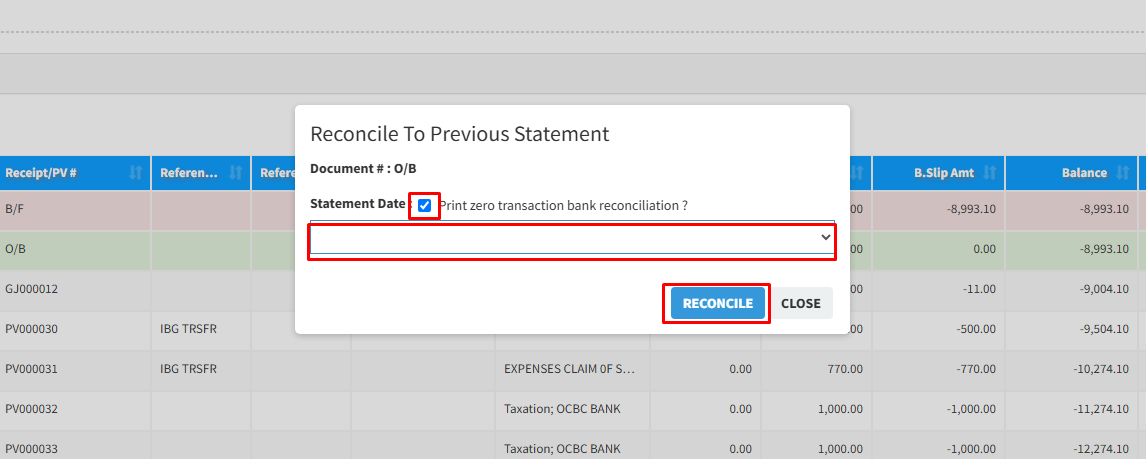
Step 3 : “Tick” the check box
Choose the “Statement Date” from the column’s arrow
Click “Reconcile”
Step 4 : Tick “YES” to reconcile to previous statement
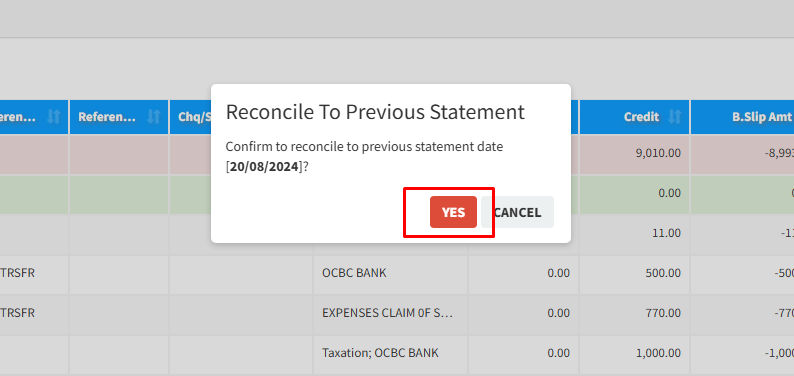
Your bank reconciliation to previous statement is completed.
Powered By : SKYBIZ ®