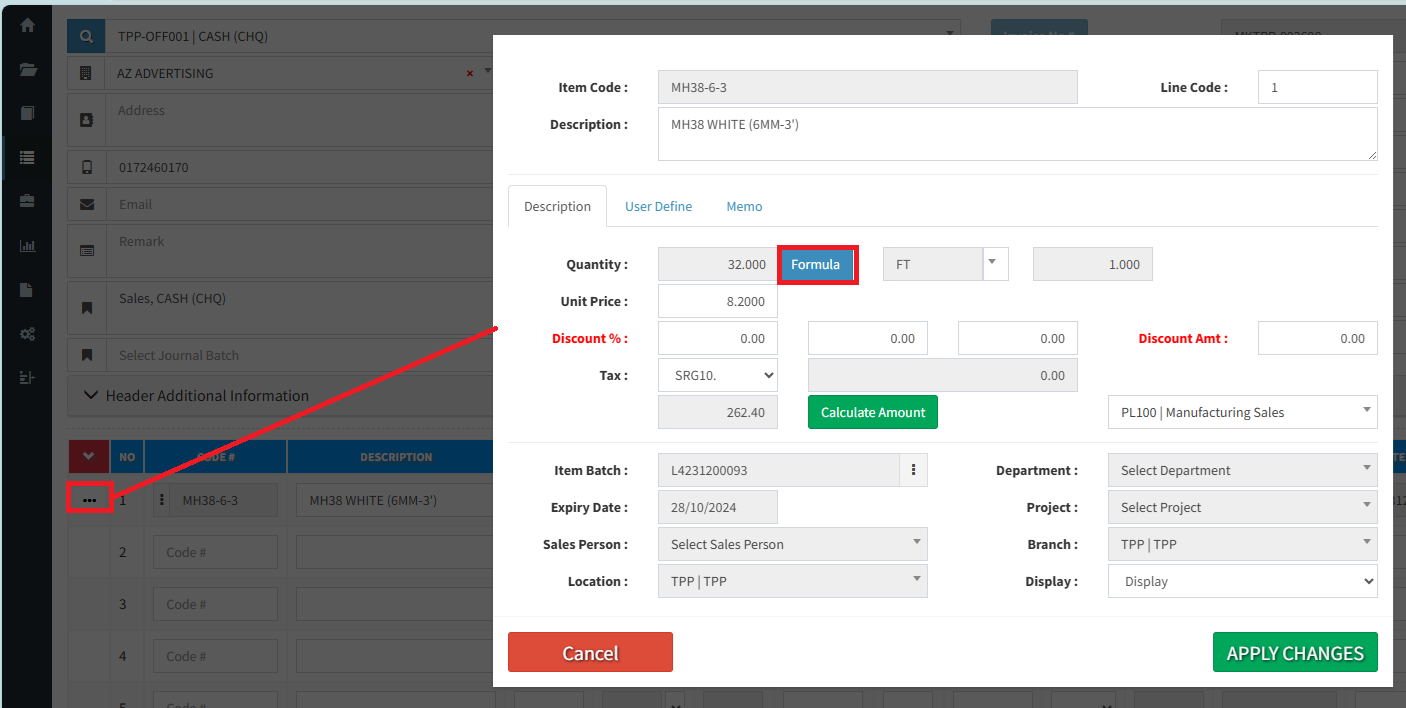
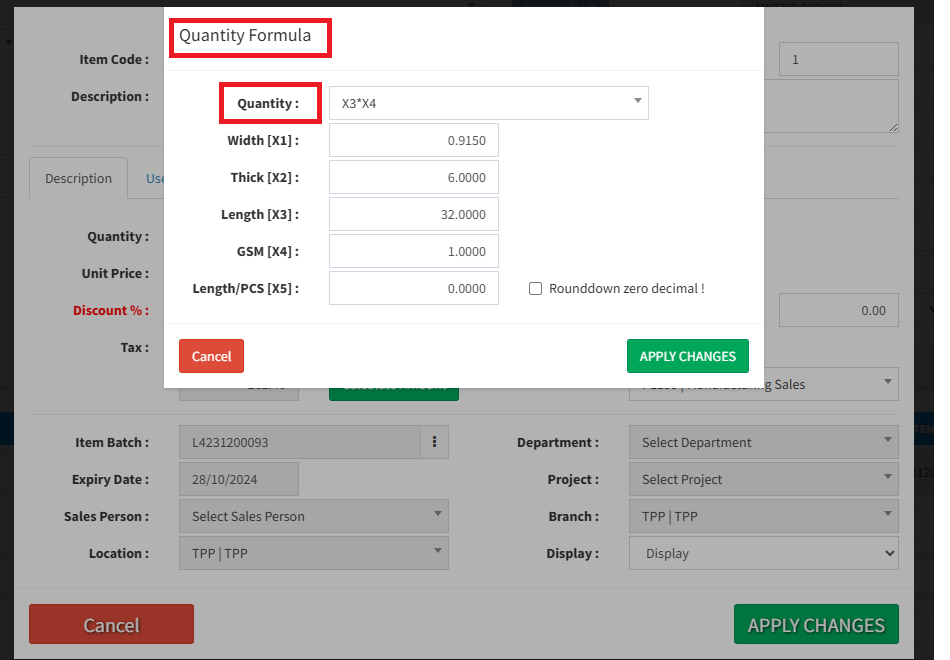
Below are guideline(s) to setup items quantity and unit price formula :
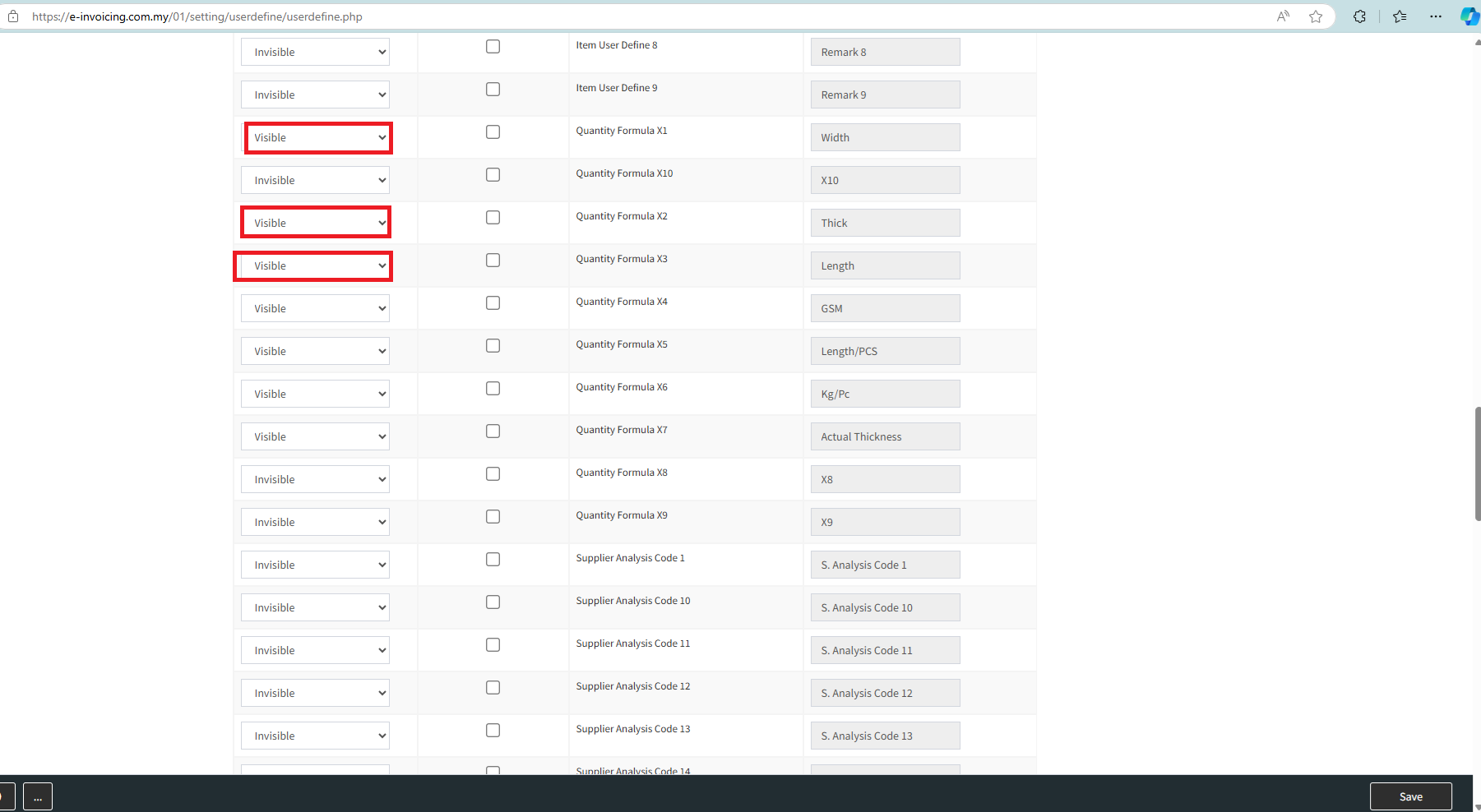
Step 1: Go to System >> Administrator Menu >> User Define Caption
[Choose Visible] “Quantity or Unit Price Formula” (It depends on how many parameters you would like to activate) >> change the user define caption >> tick “Save” to apply changes.
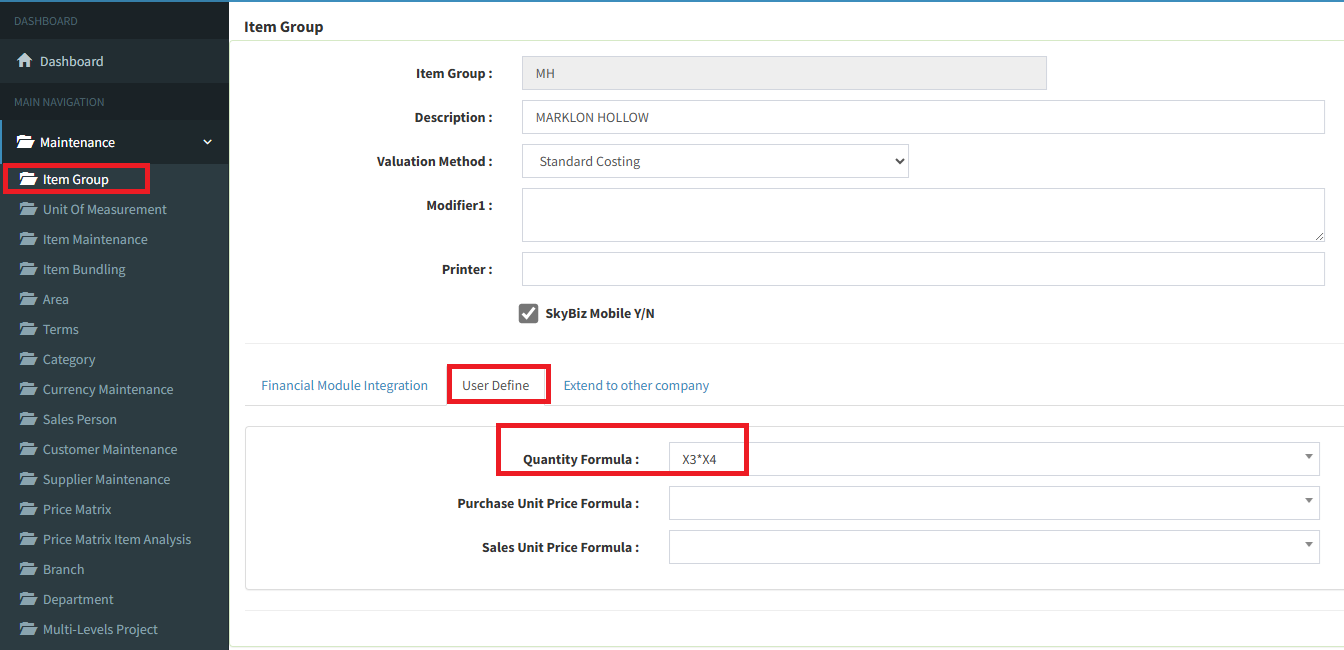
Step 2 : then Go to Item group > [User Define] tab, here you can setup formula for parameter(s) you just activated in the system, such as : X1*X2-X3/X4+X5
Step 3 :Go to Item > [User Define 3] tab > here you allow to update default value for parameter(s).
X = Quantity Formula parameter(s)
Y= Unit Price Formula parameter(s)
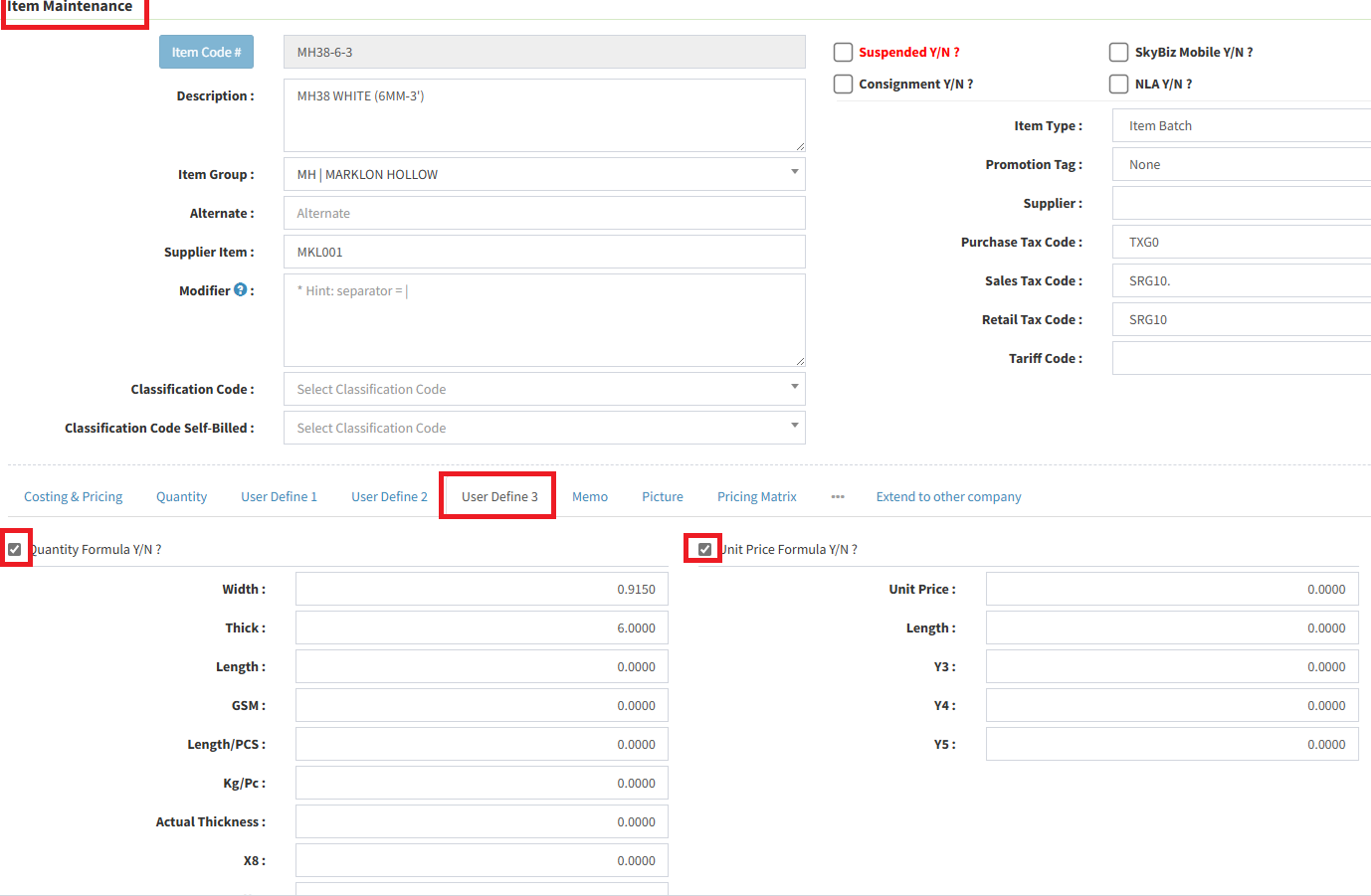
Step 4 : Click 3 dot to view the formula, amend and update new parameter(s) value.