Below are guideline(s) to setting allow manual set document number :
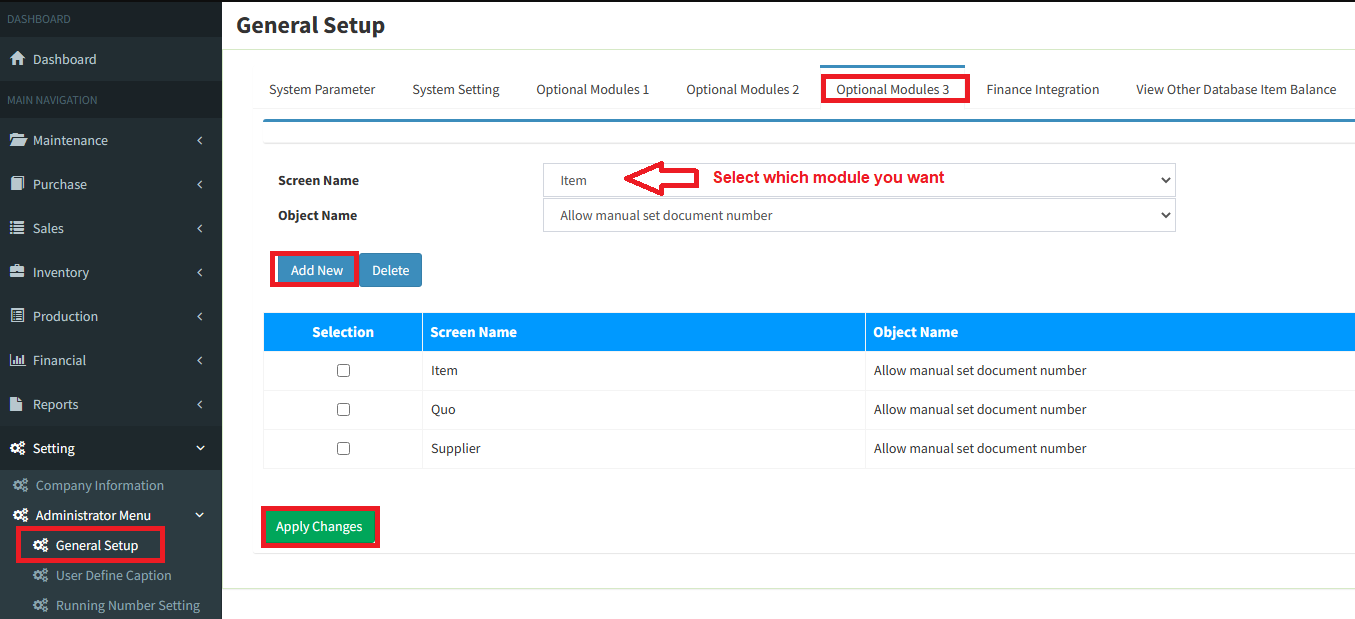
1. Enter the menu setting, click Administrator Menu >>> General setup
2. Select optional module 3, manual number stage can also be applied to item, customer, supplier, internal purchase requisition, etc
3. For the screen name, select which module you want, Object name select [Allow manual set document number]
4. Click [Add New] and click [Apply Changes] “success update”
Example:
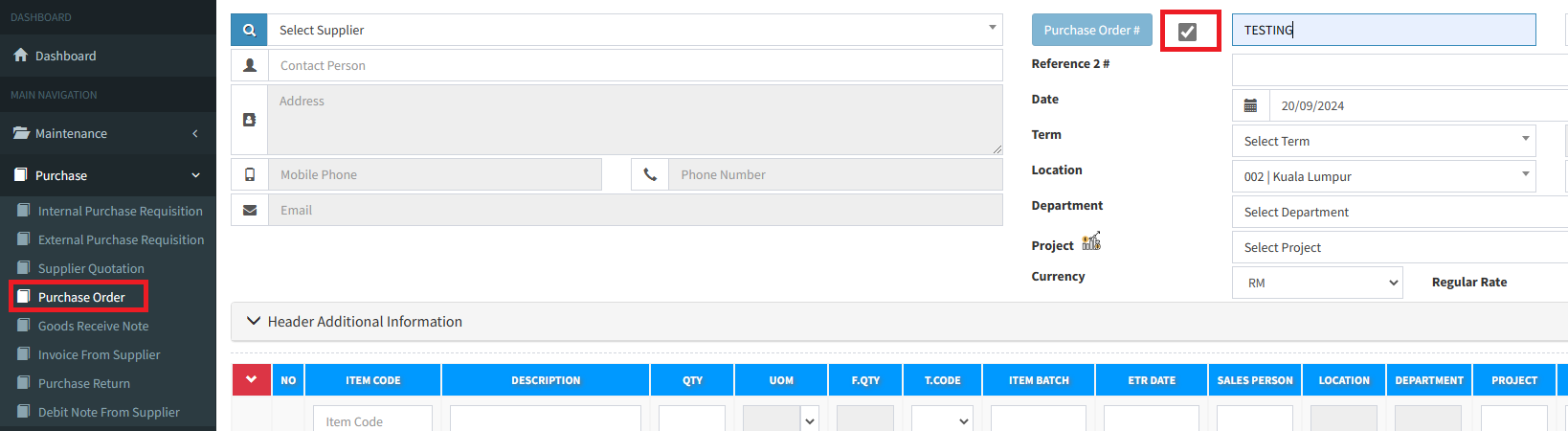
a. For the screen name this time we select Purchase Order.
b. Now back to purchase order page, manual number option will be available.
c. Ticking the object to enter the desired purchase order manual number.
d. This stage is performed if the company allows document deletion procedures and manually re-enters the previous document number.
e. If the company does not require such a method, should not use manual number to avoid user entry incorrect number.
Powered By : SKYBIZ ®