Below are Guideline(s) on How to Delete Stock Adjustment Transaction
Step 1: Go to Inventory >> Stock Adjustment >> List
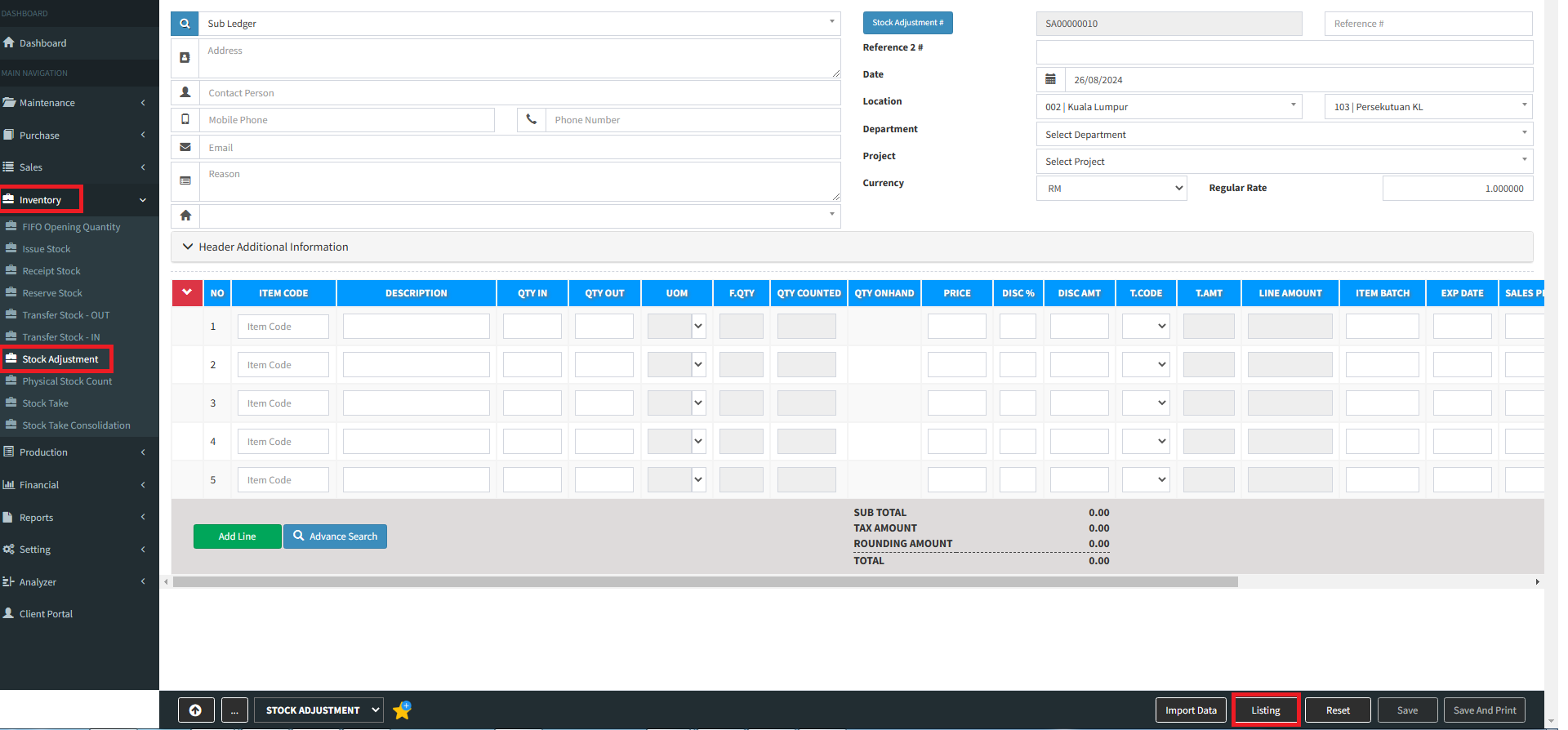
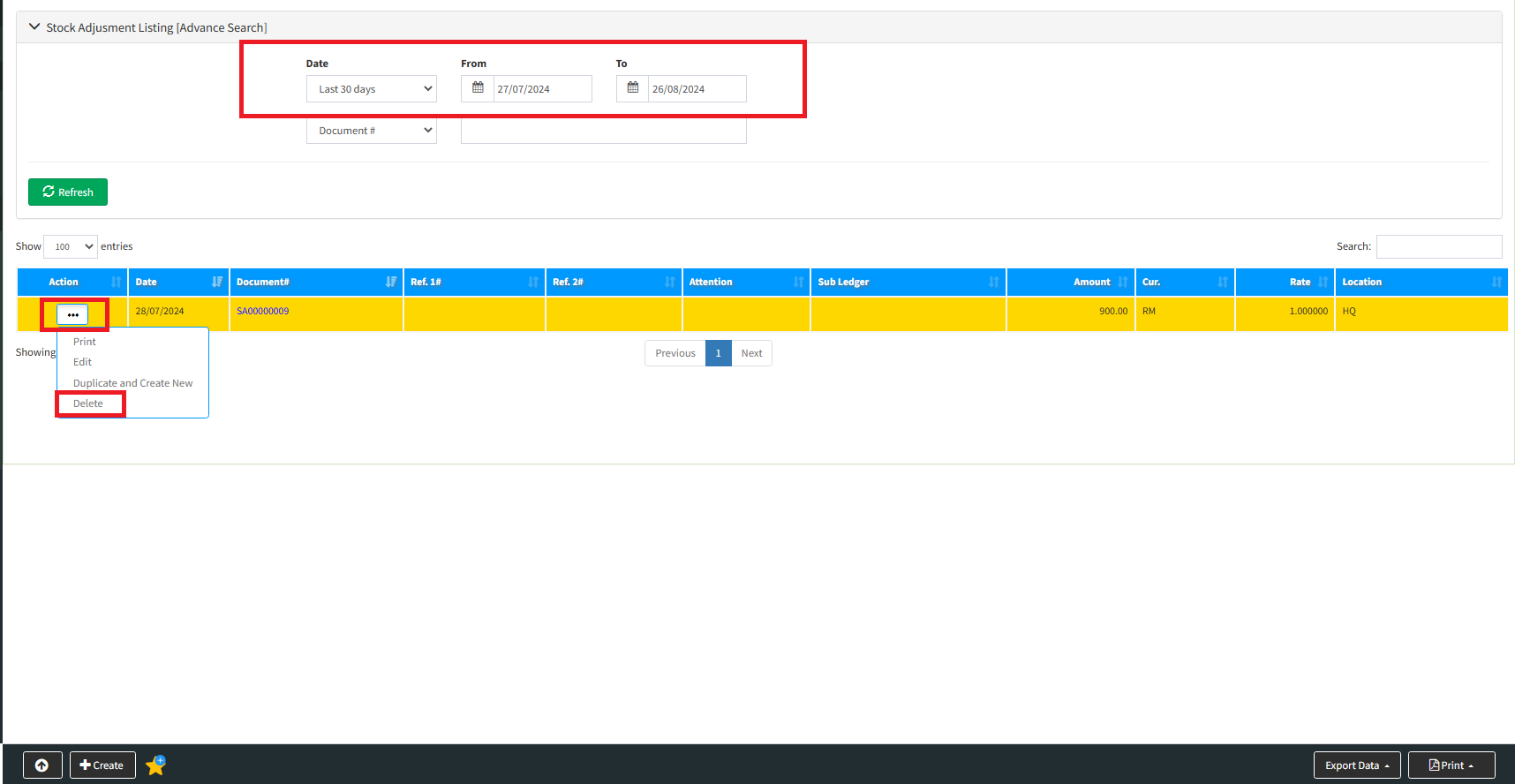
Step 2:Select Transaction Date >> click “Refresh” >> select which transaction want to delete >> click “Delete”
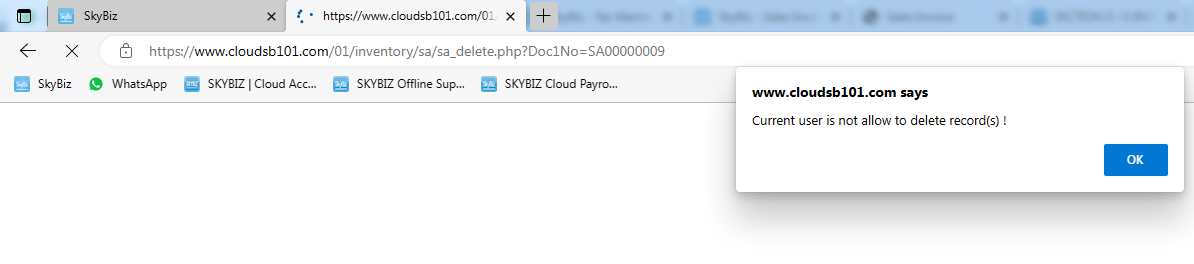
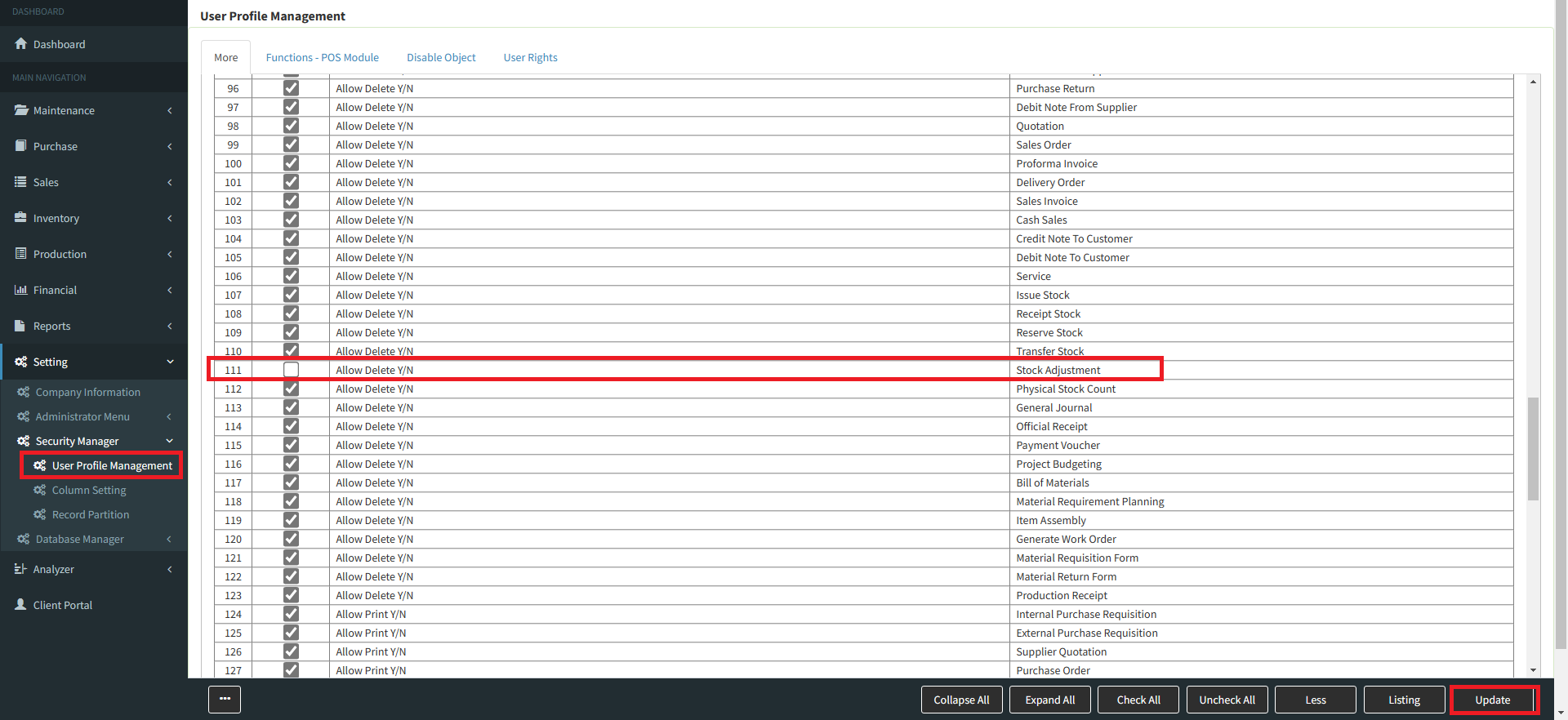
Step 3 : Allow User to delete Stock Adjustment
a. You may go to “menu” >> “Security Manager” >> “User Profile Management“
b. Go to “List” then select the user ID >> “More” [Follow screen shot below]
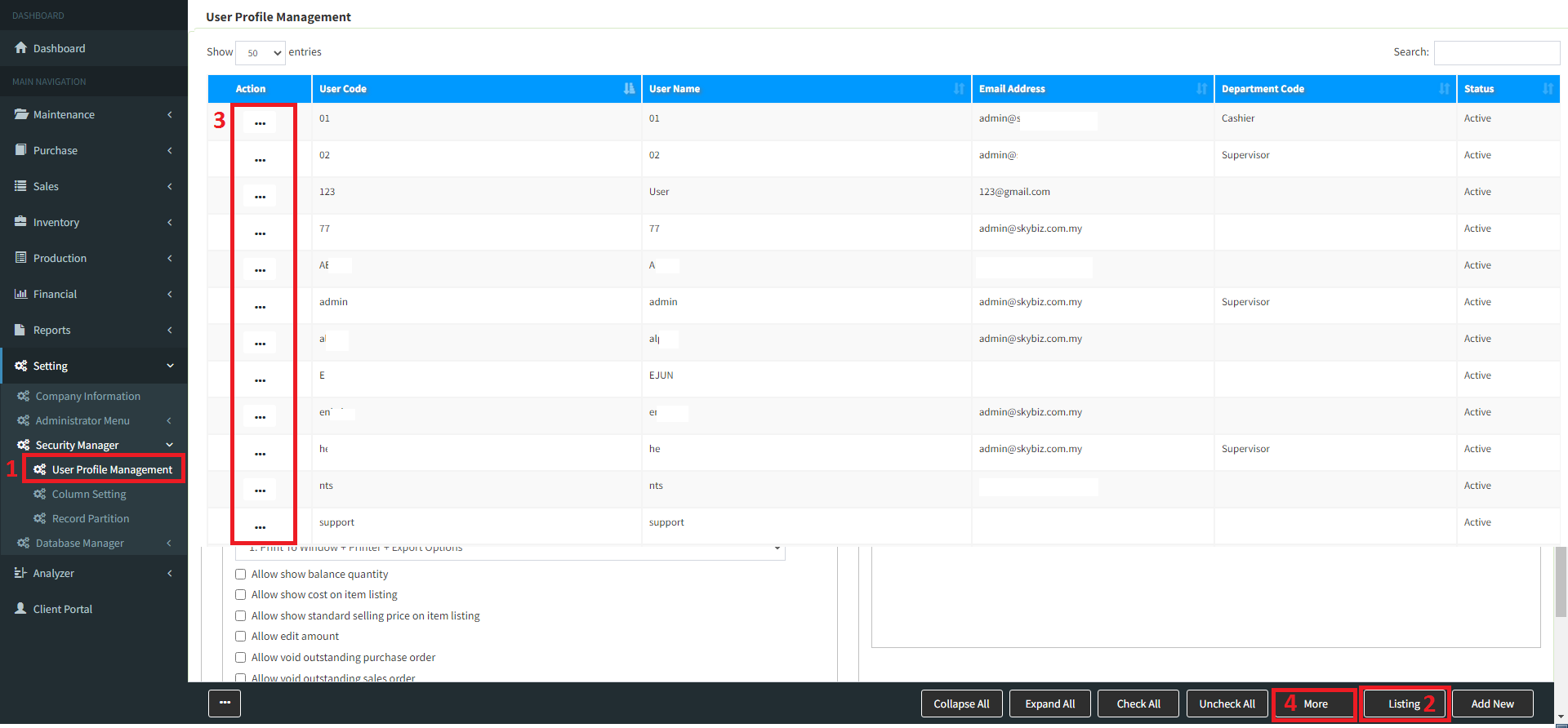
c. Allow user can delete Stock Adjustment tick this column then update.
Powered By : SKYBIZ ®