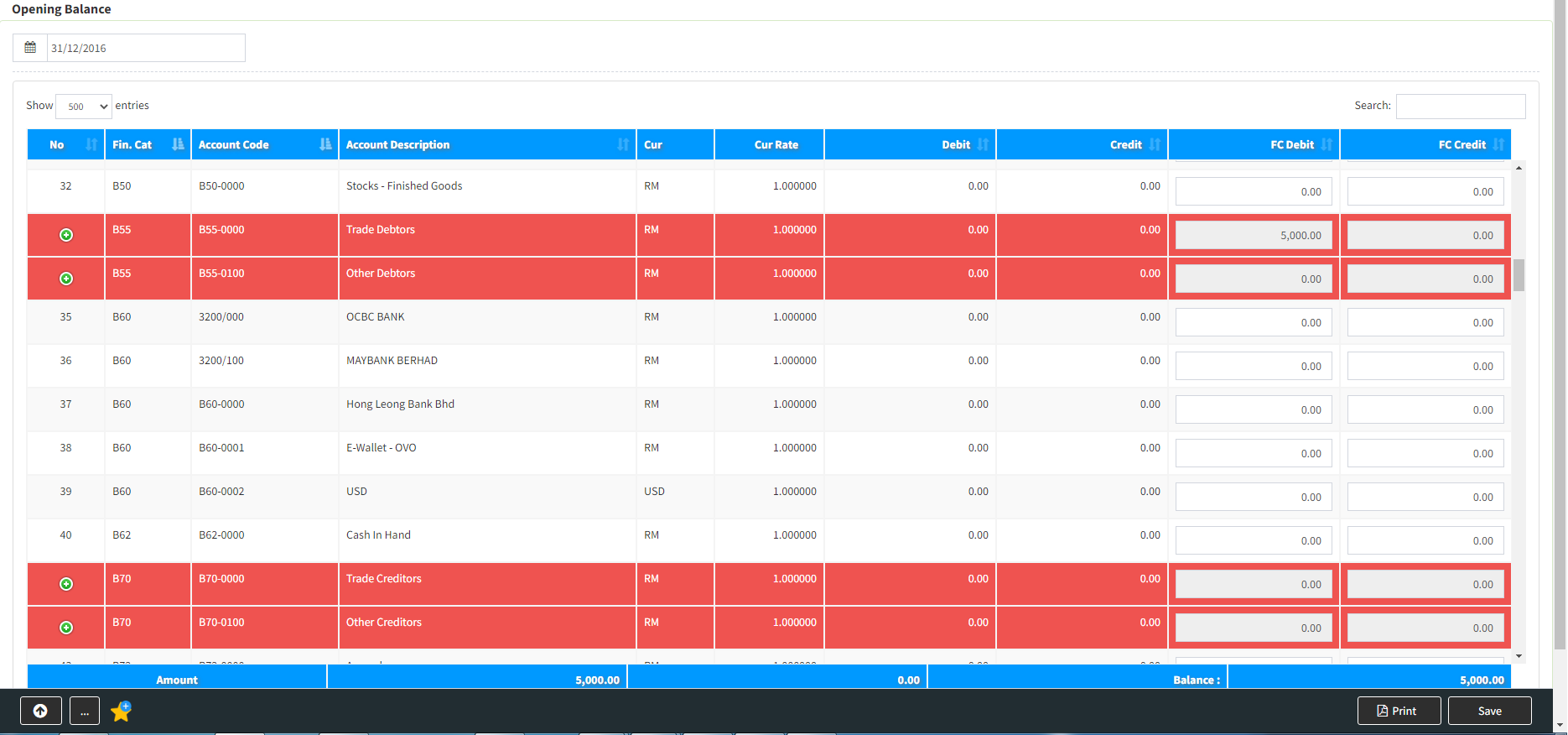
1. Guideline(s) to key in Below are guideline(s) to Enter Opening Balance for Accounting:
1a. Open the [Opening Balance] screen.
You may go to menu >>> Financial >>> Opening Balance
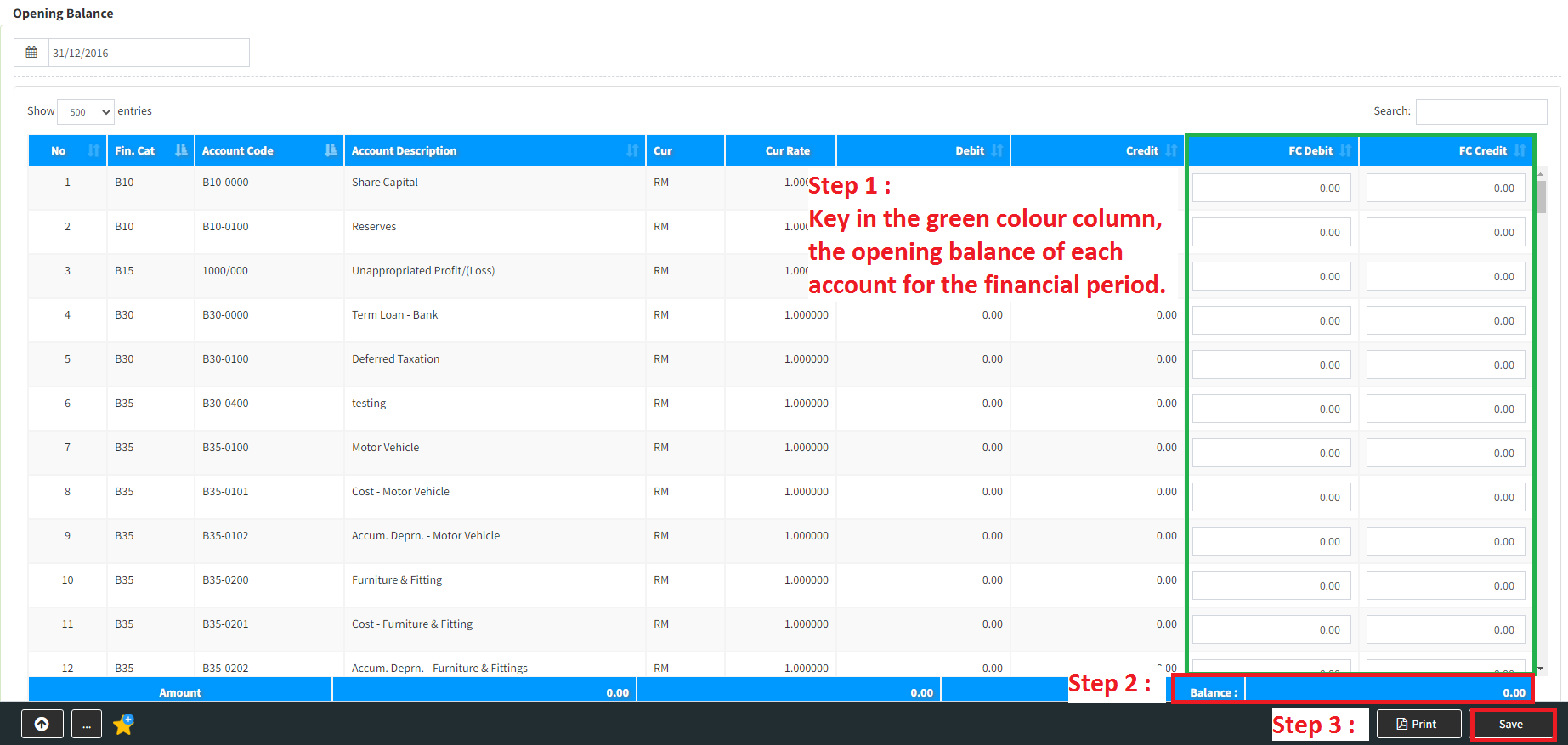
1b. Key in the green colour column, the opening balance of each account for the financial period. After keyed all, please make sure the amount is correct by counter check that the [Balance] amount should equal zero. You may save the data by clicking the [Save] button.
2. Guideline(s) to Enter Opening Balance for Sub-Ledgers:
2a. You may access the sub-ledgers listing by double click each of the red colour row of the grid. Once the pop-up list appear, select the sub-ledger, subsequently you key in the date, invoice #, particular, amount and then choose whether the transaction in [Debit] or [Credit].Upon finished key in, you just need to click button [Save] to save the whole transaction.
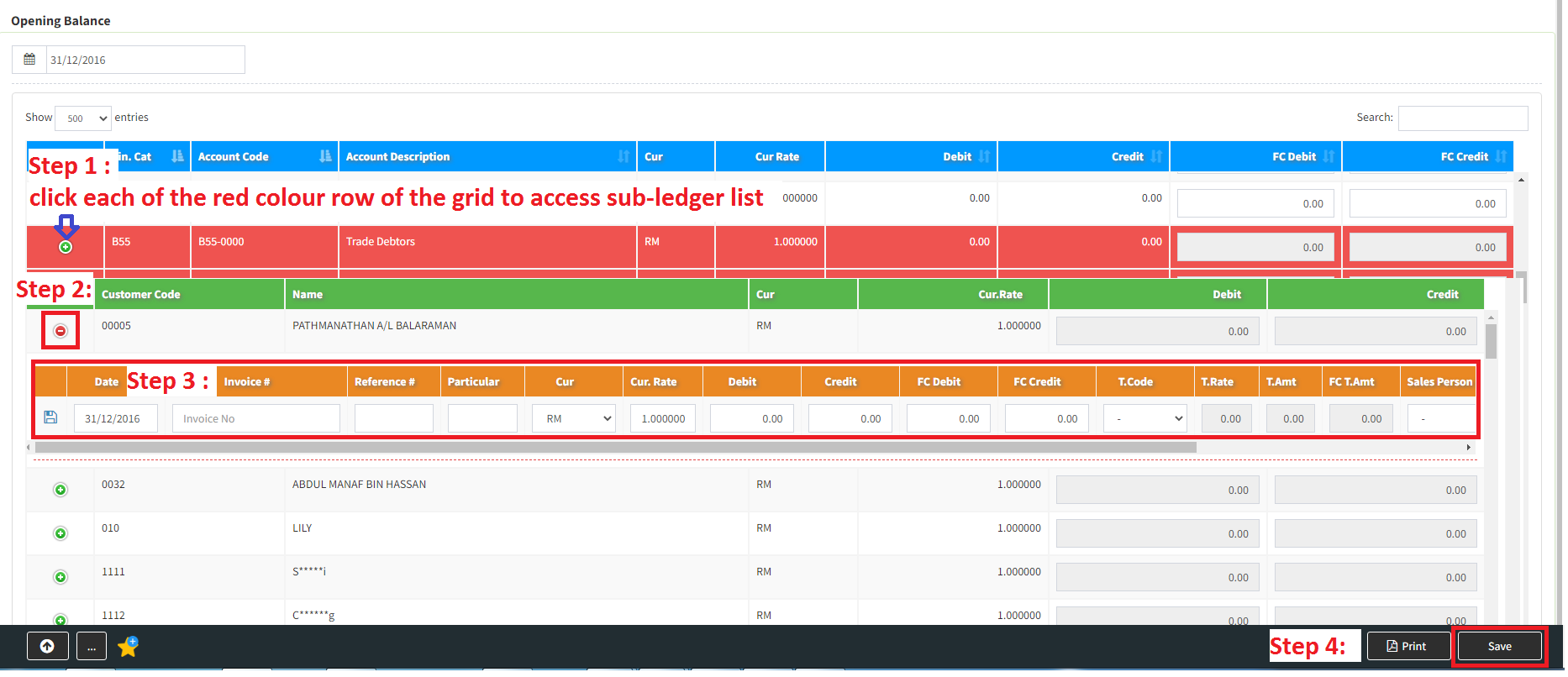
For Other Debtors,Trade Creditors and Other Creditors fill up the B/F bill same as Trade Debtors step.