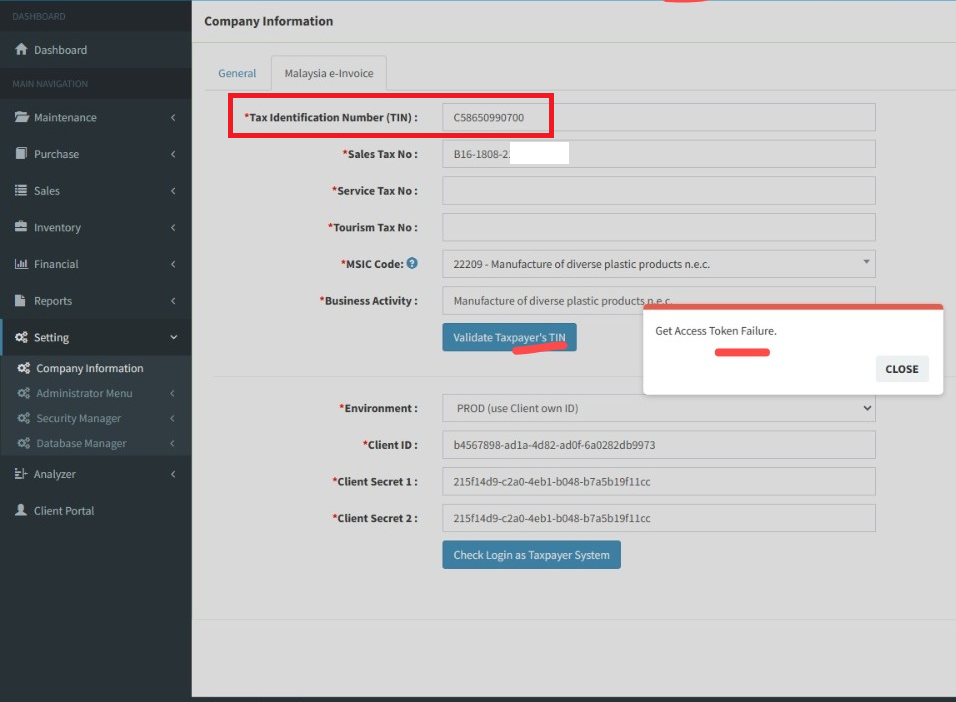
Q1: After registered intermediary, please go back SKYBIZ Cloud to [ Validate Taxpayer’s TIN ]
1-Click [ Validate Taxpayer’s TIN ] show error message
1a: Please check Tax Identification Number (TIN) make sure fill up correct , Example: TIN number start with C and 11-digit number .
you may refer below url for details TIN explanation, TIN Link :https://www.hasil.gov.my/media/1iblexbc/malaysia-tin.pdf
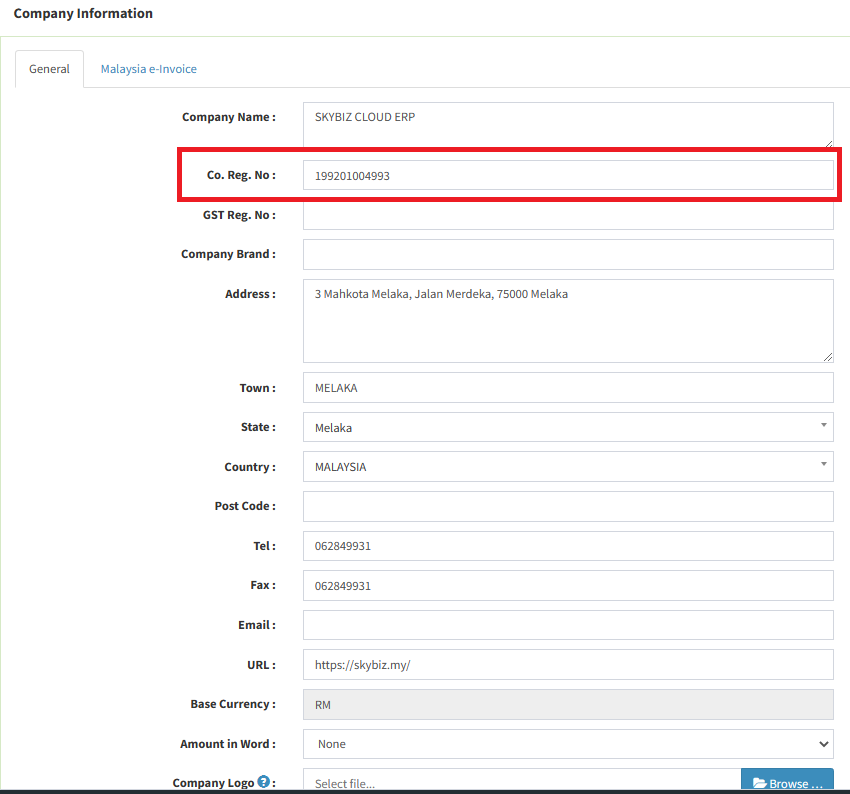
1b: Please make sure is fill up New Business Registration Numbers
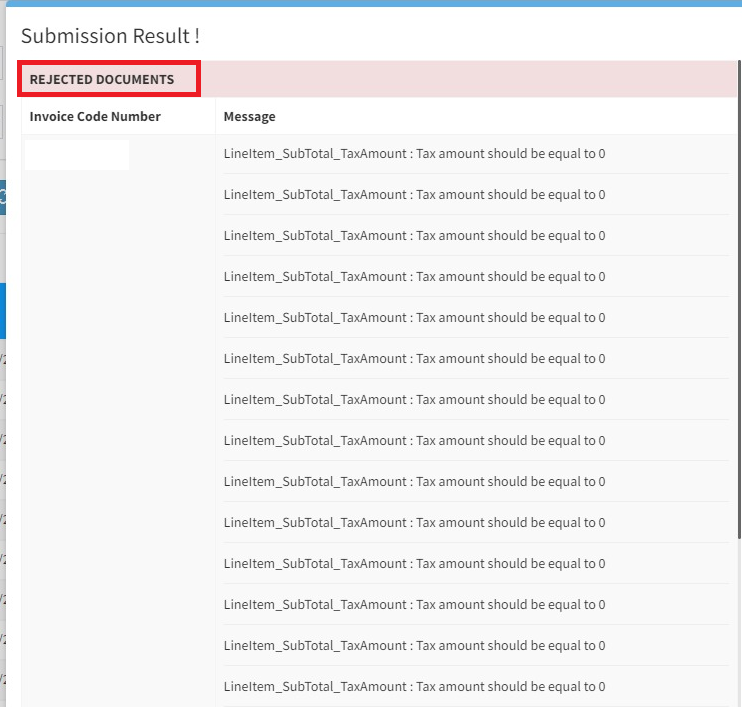
Q2 : During E-invoice Submission if prompted below message: [REJECTED DOCUMENTS]
SKYBIZ Cloud
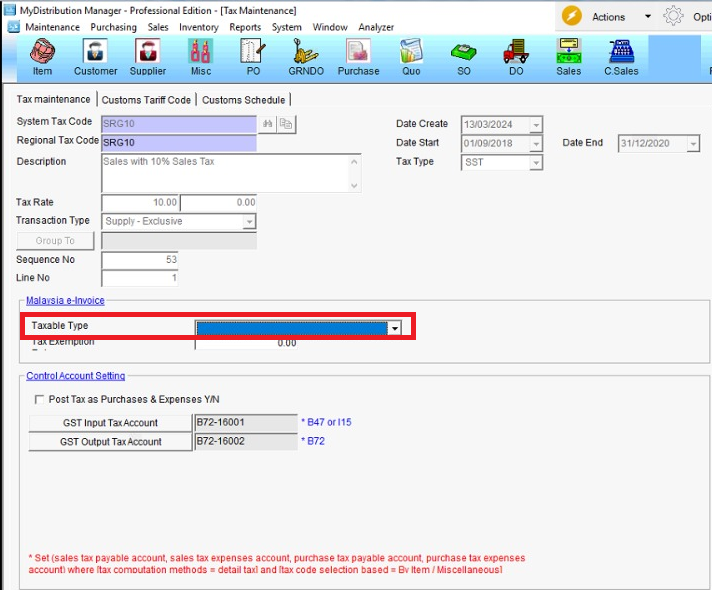
A: You may go to menu >>> Tax Maintenance >>> Malaysia e-Invoice (Taxable Type), make sure your local taxable type has filled up correctly.
You may refer below Taxable Type url link : https://sdk.myinvois.hasil.gov.my/codes/tax-types/
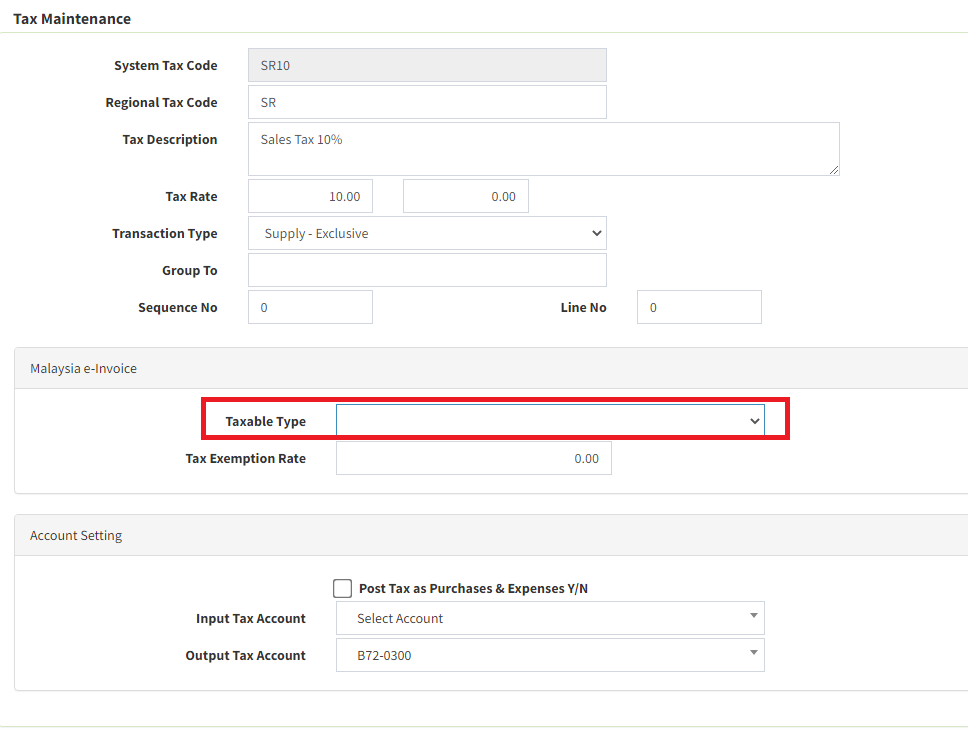
SKYBIZ Offline
A : Please update your local system Taxable Type and click Syn Master File to sync the latest update to cloud tax maintenance.
You may refer below Taxable Type url link : https://sdk.myinvois.hasil.gov.my/codes/tax-types/
Powered By : SKYBIZ ®