SECTION C1 : SKYBIZ Malaysia E-Invoicing User Guide
DRAFT
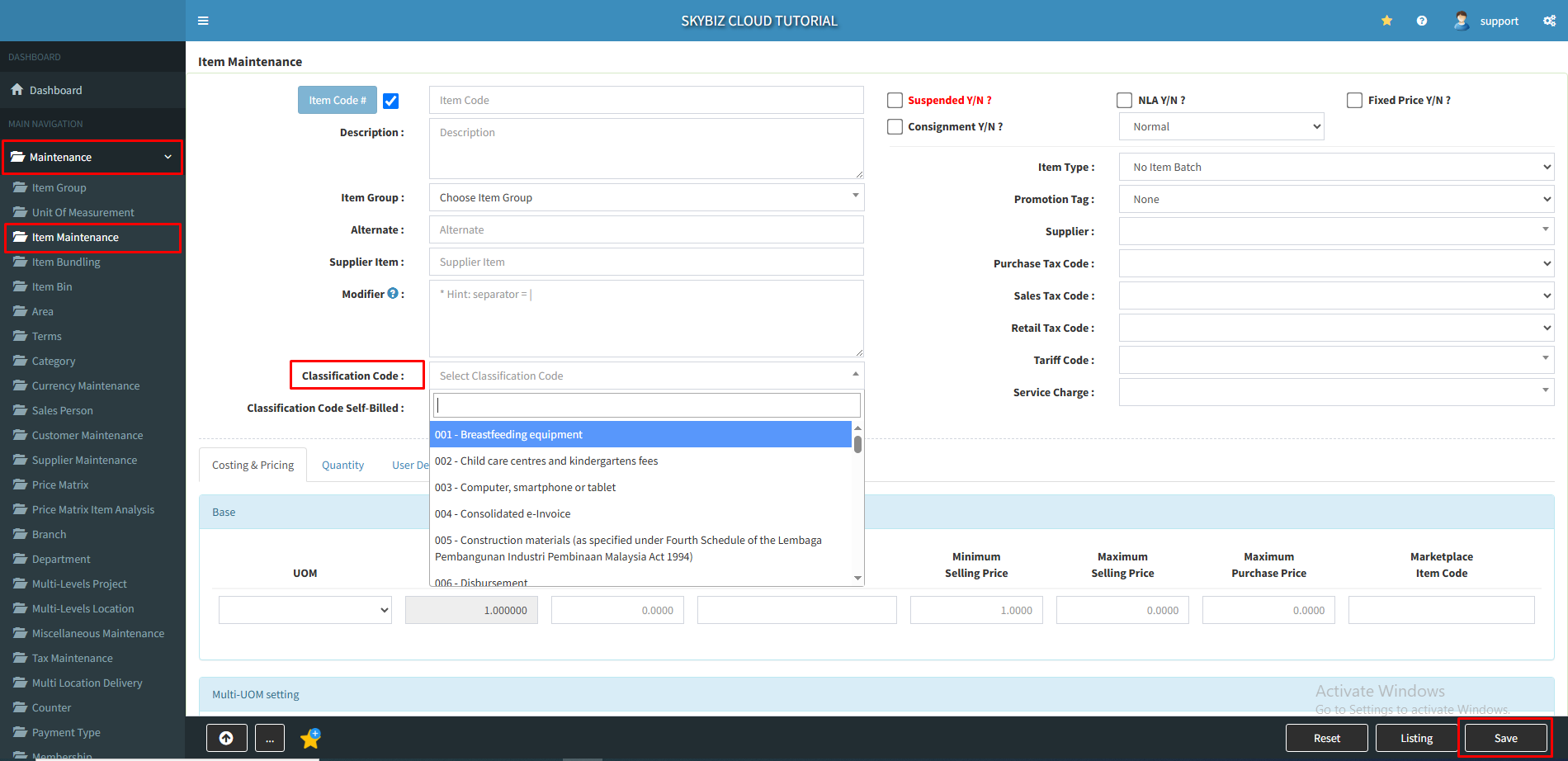
Step 5 : Fill up Classification Codes : go to >> [ Maintenance ] >> [ Item Maintenance ] >> [ Classification Code ] choose the code and [ Save ]
(Classification code list defines the category of products or services being billed as a result of a commercial transaction.)
Classification Codes : https://sdk.myinvois.hasil.gov.my/codes/classification-codes/
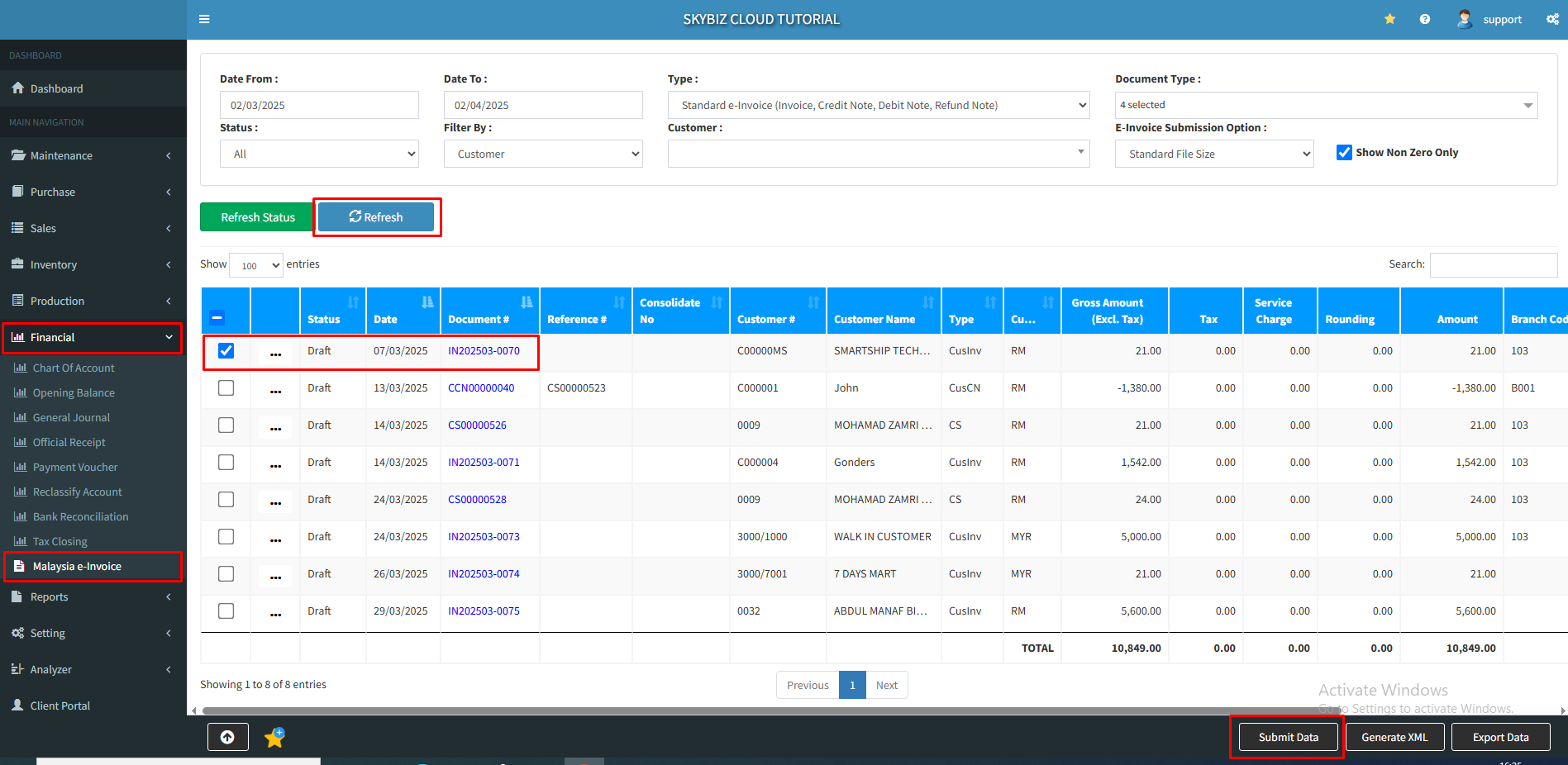
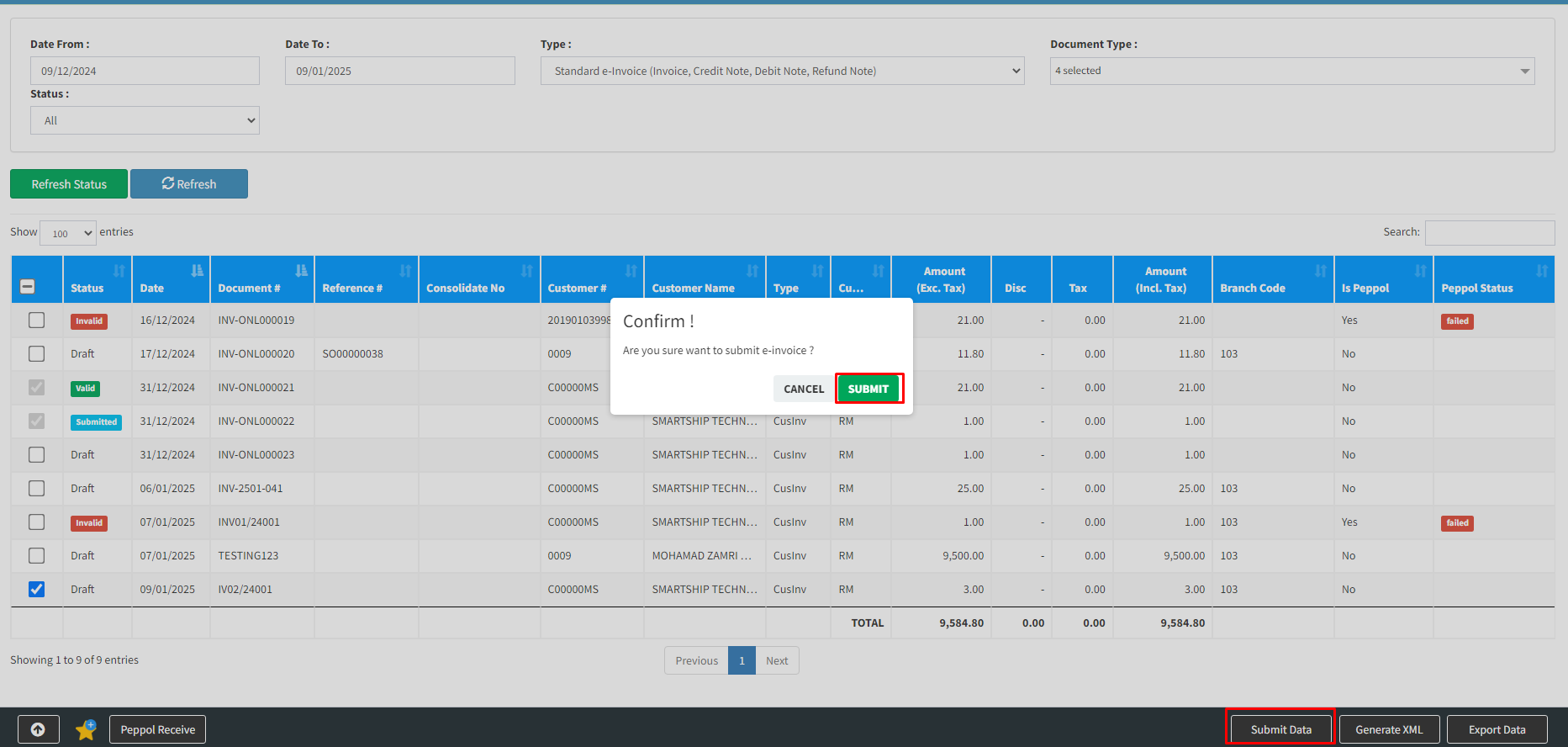
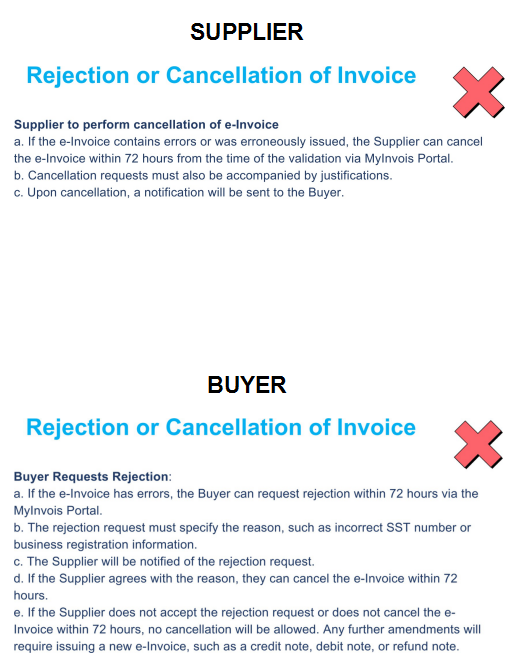
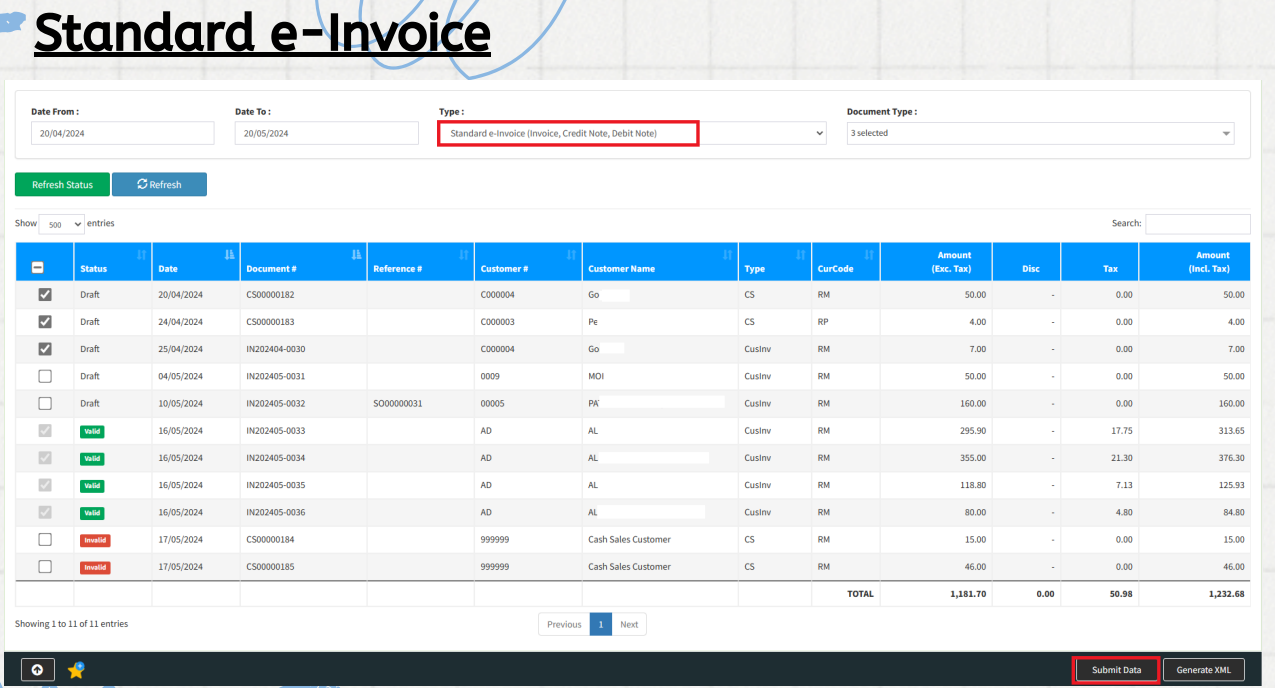
Step 6 : E-Invoice Submission : go to [ Financial ] >> [ Malaysia e-invoice ] >> [ Refresh ] >> tick the invoice that you want to submit to LHDN >> click [ Submit Data ]
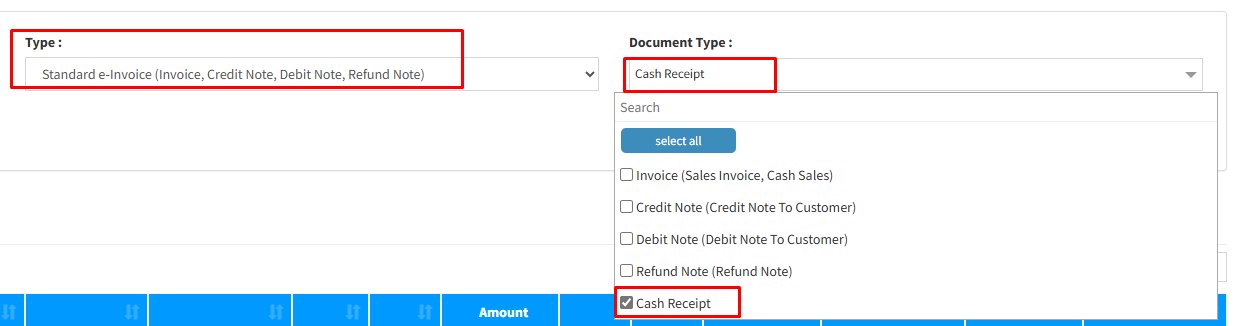
Step 6b : Submit POS System Sales as E-Invoice
Step 7: Add digital certificate at template
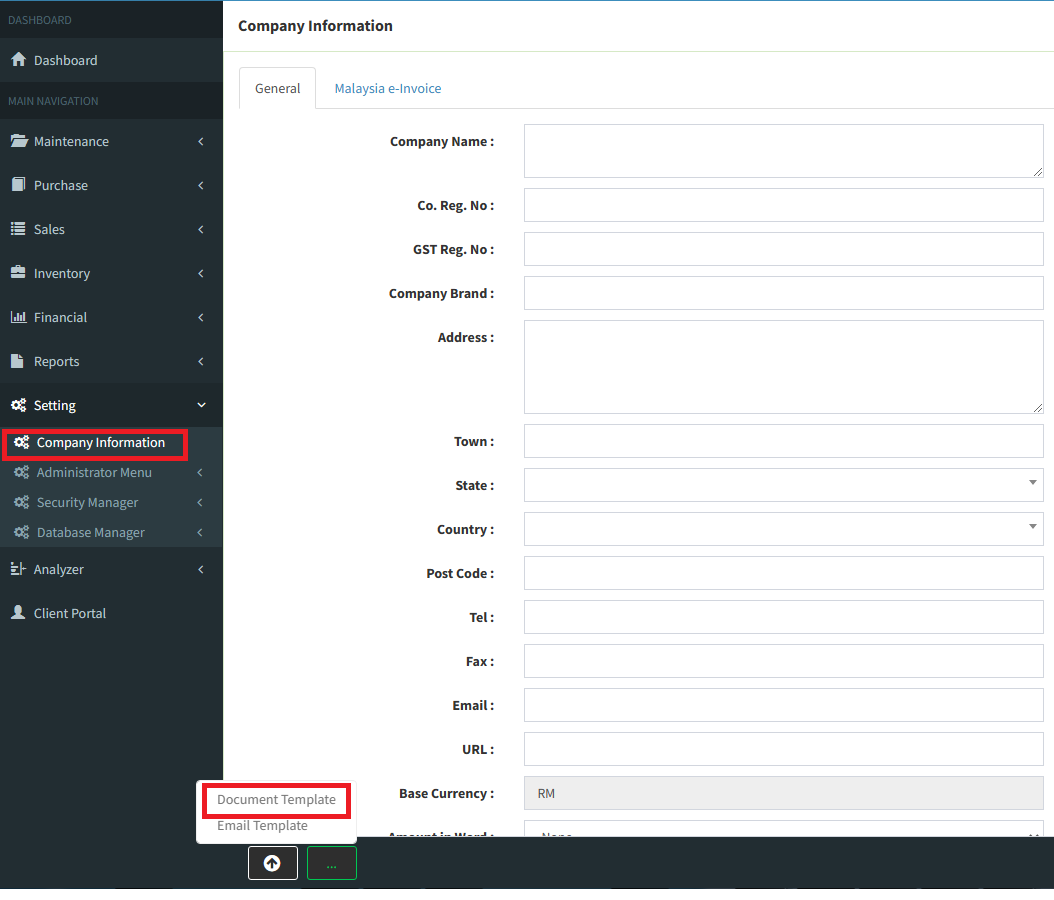
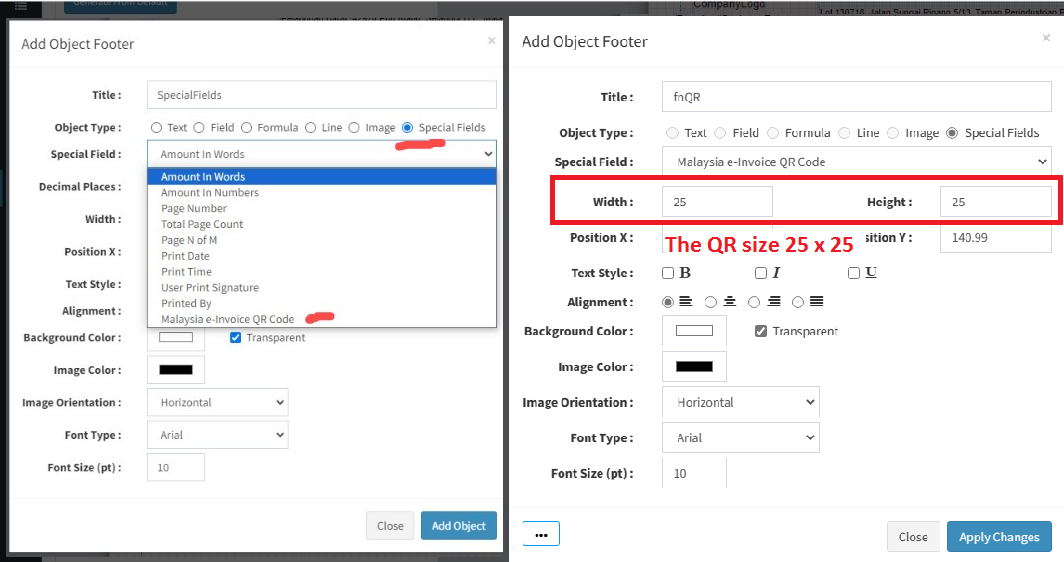
Please go to setting >>> Company Information >>>Document Template >>> Choose your template to add QR code
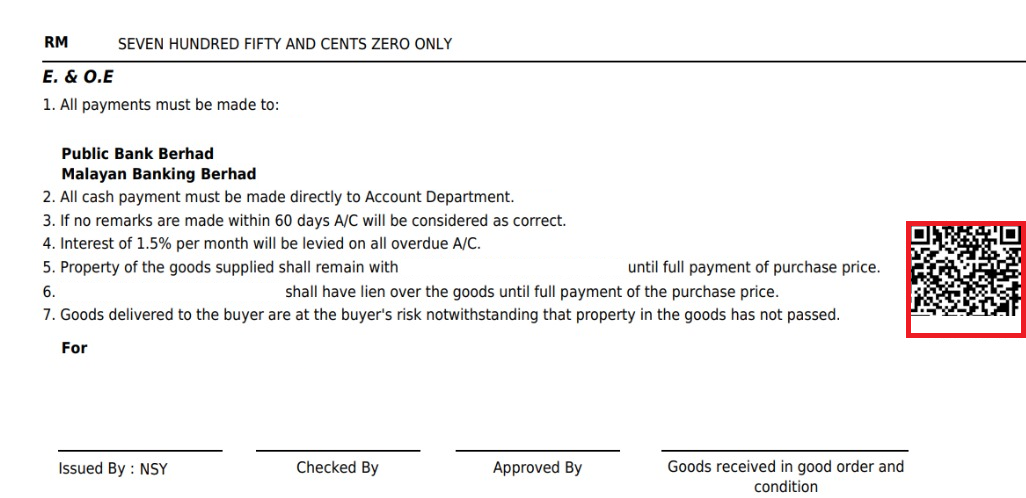
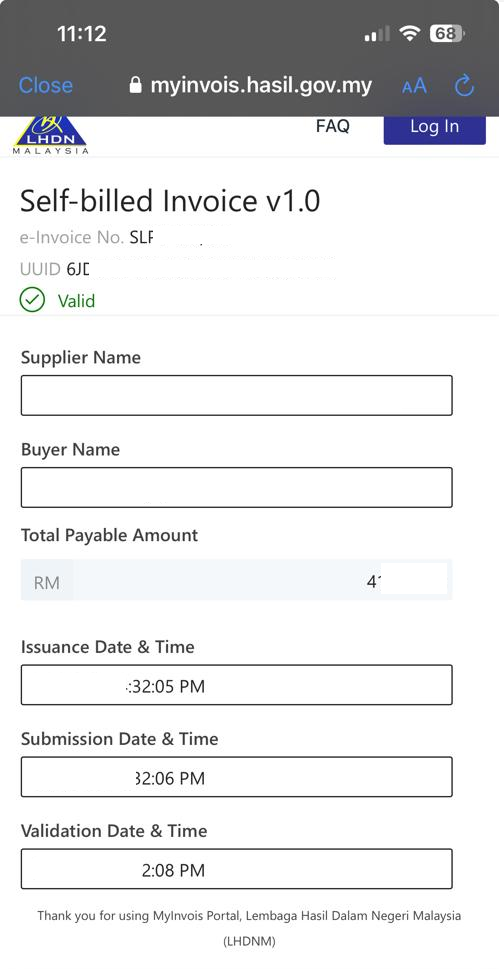
If you scan that QR use your handphone, it will show you this page.

Powered By : SKYBIZ ®