Invoice from supplier is a document that lists the amount of bill payable to the suplier by the recipient. It includes the amount to be paid, purchase tax, shipping costs, payment due date and where to send the payment.
Below are guideline(s) to Create Invoice from Supplier :
1. At menu “Purchase“, click “Invoice from Supplier”

2. Fill up your supplier name and other details.
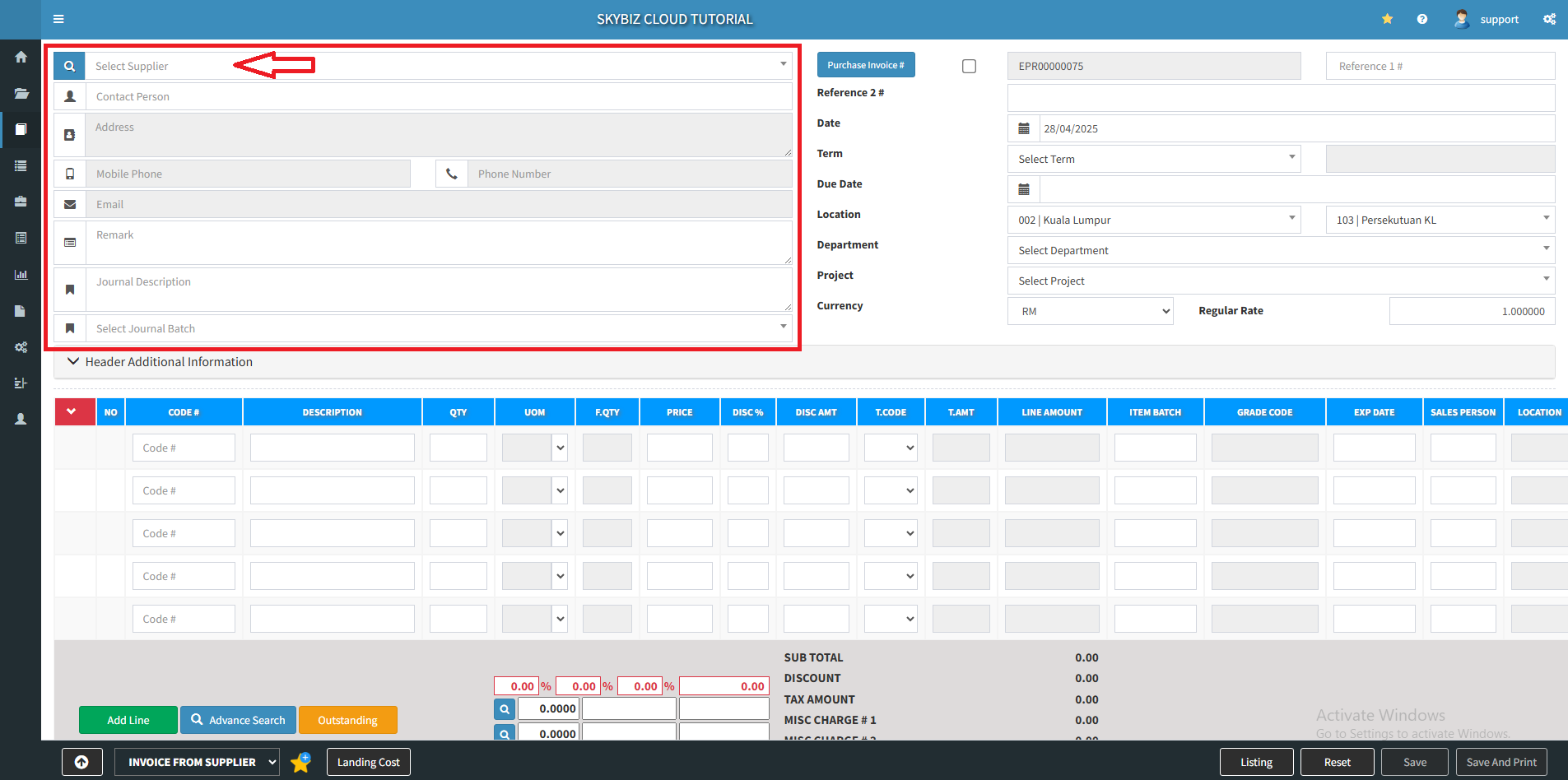
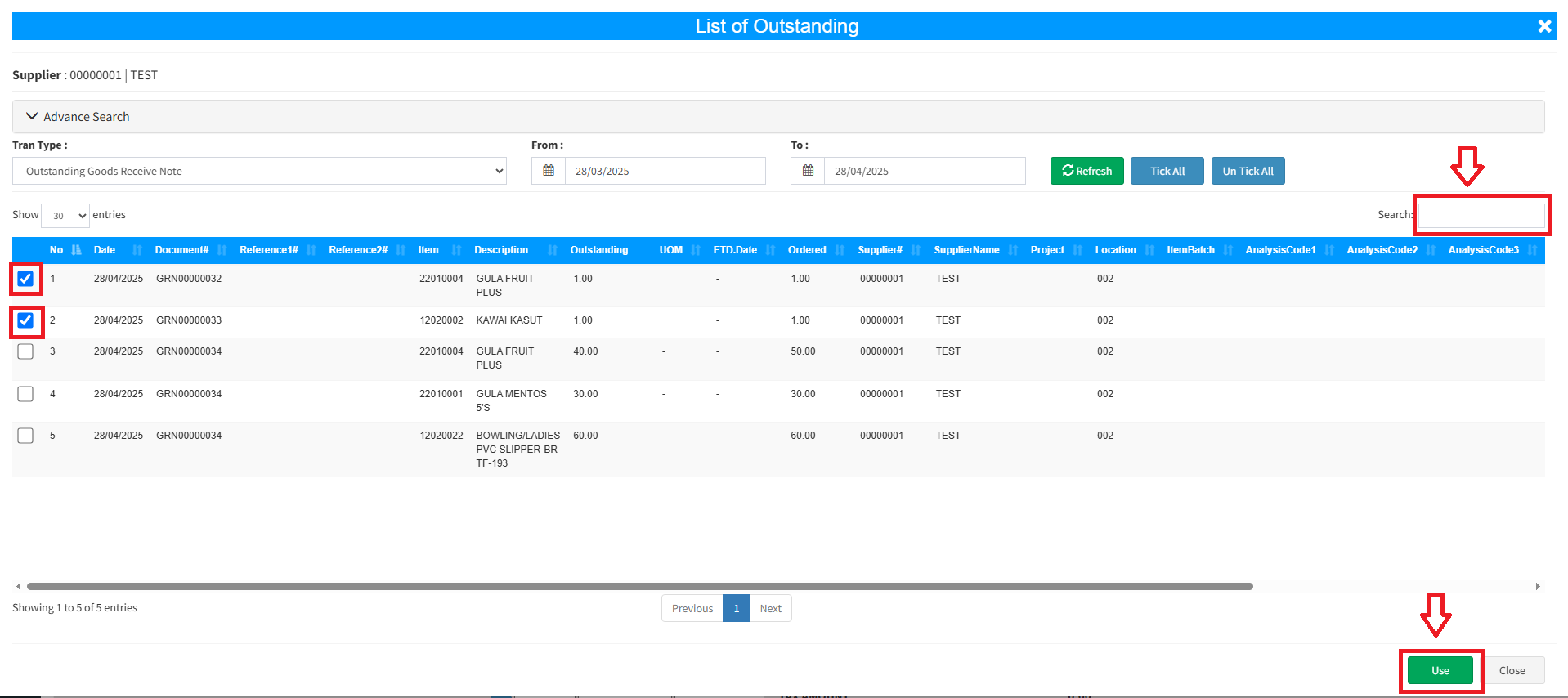
3. Click “Outstanding“, there are several ways you may retrieve data. It can be from Outstanding Purchase Order or Outstanding Goods Receive Note.


4.Tick the product after that click “Use” to continue. You may search Goods Receive Note number, item code, description, etc.
5. Select a date and enter purchase number. For purchase number, you can follow preset running number or you can enter the desired purchase number by ticking the small box.
6. Click “Save” to create a supplier invoice.

Powered By : SKYBIZ ® Beyond Cloud ™