Below are guideline(s) to Entry Item Bundling :
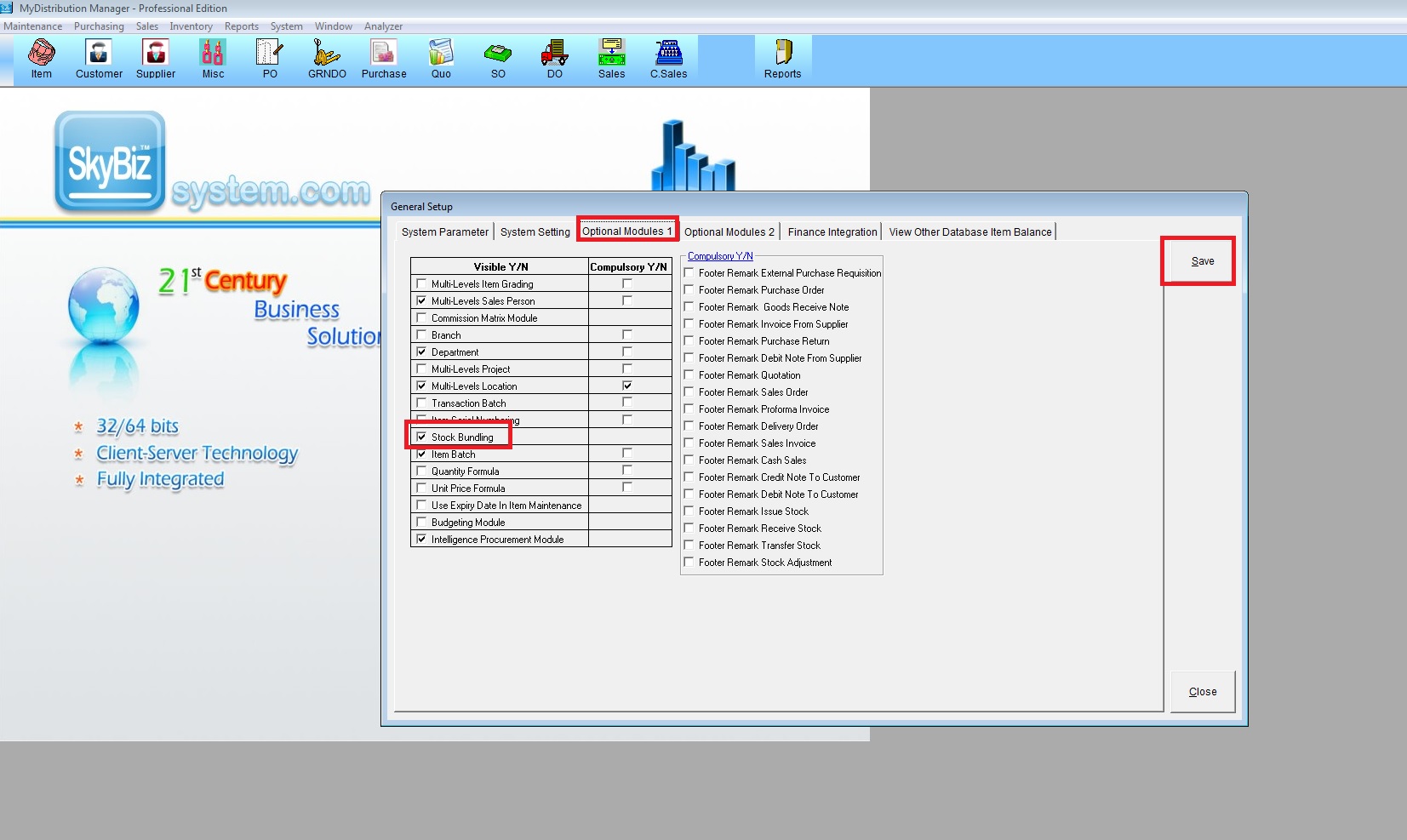
Step 1: Go to System >> Administrator Menu >> General Setup >> Optional Module 1 >> Tick Stock Bundling then Save
Step 2: Go to Maintenance >> Item Bundling

Step 3:
a. Fill bundling code, description, bundle UOM, bundle cost, bundle price
b. Select item group
c. Choose item code
d. Click “Add Item”
e. Click “Save”
