This is to maintain different currencies and their exchange rates against home currency. By default, the system sets the currency of the account depending on the country of registration. The owner of the account can change it.
Below are guideline(s) to create new currency maintenance:
- Tap the main menu ≡ button in the top left corner>>Maintenance>>Currency Maintenance.
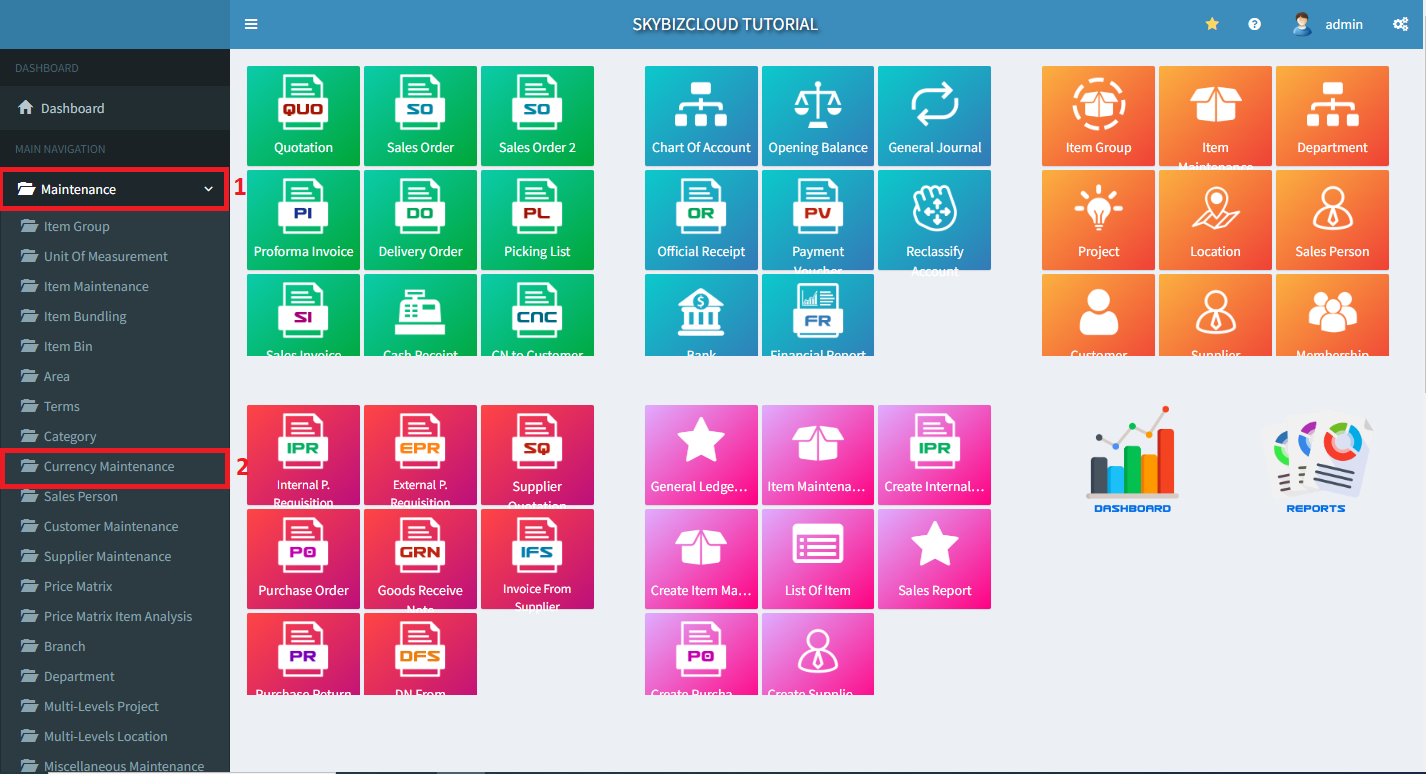
Create Currency Maintenance
- Tap Create.
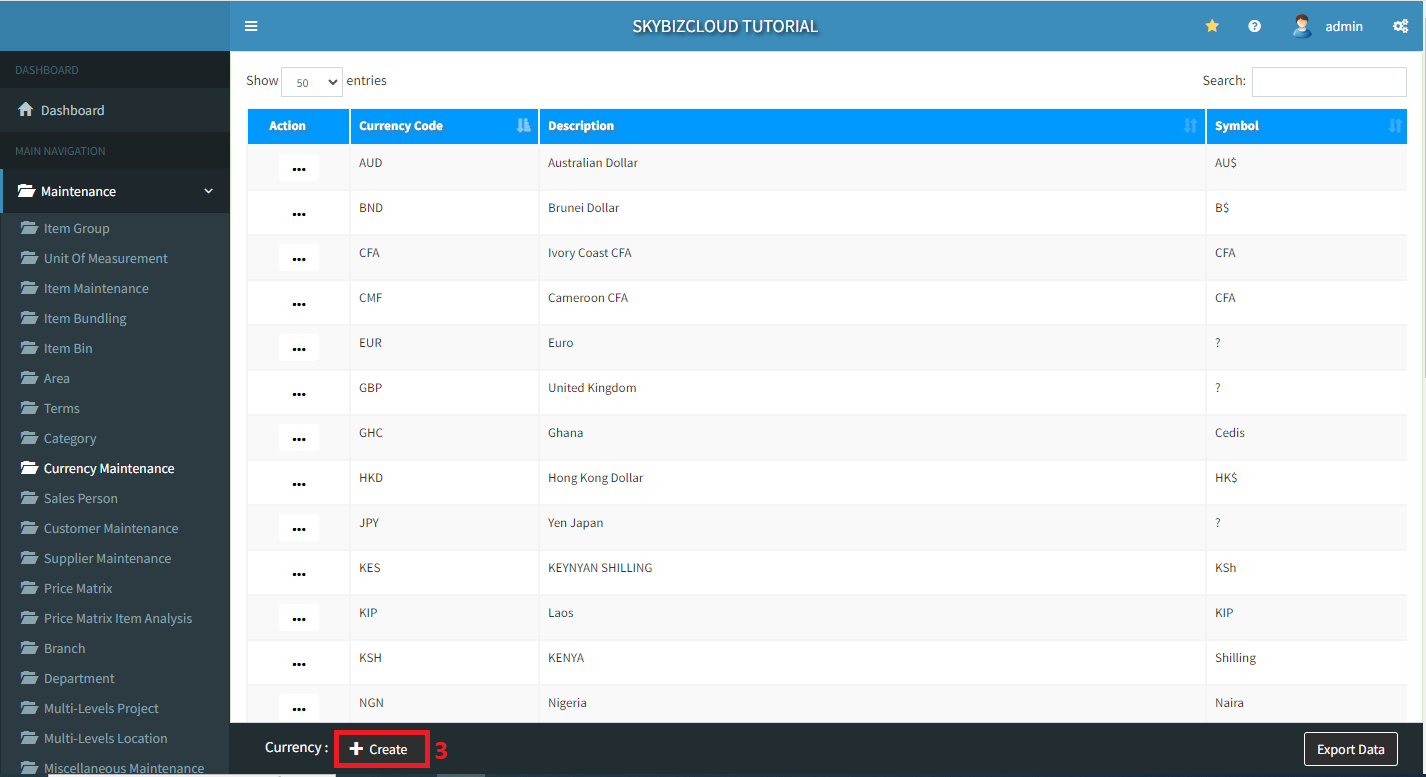
Create Currency Maintenance
- Key in your new currency maintenance details>>Add Item>>Save.
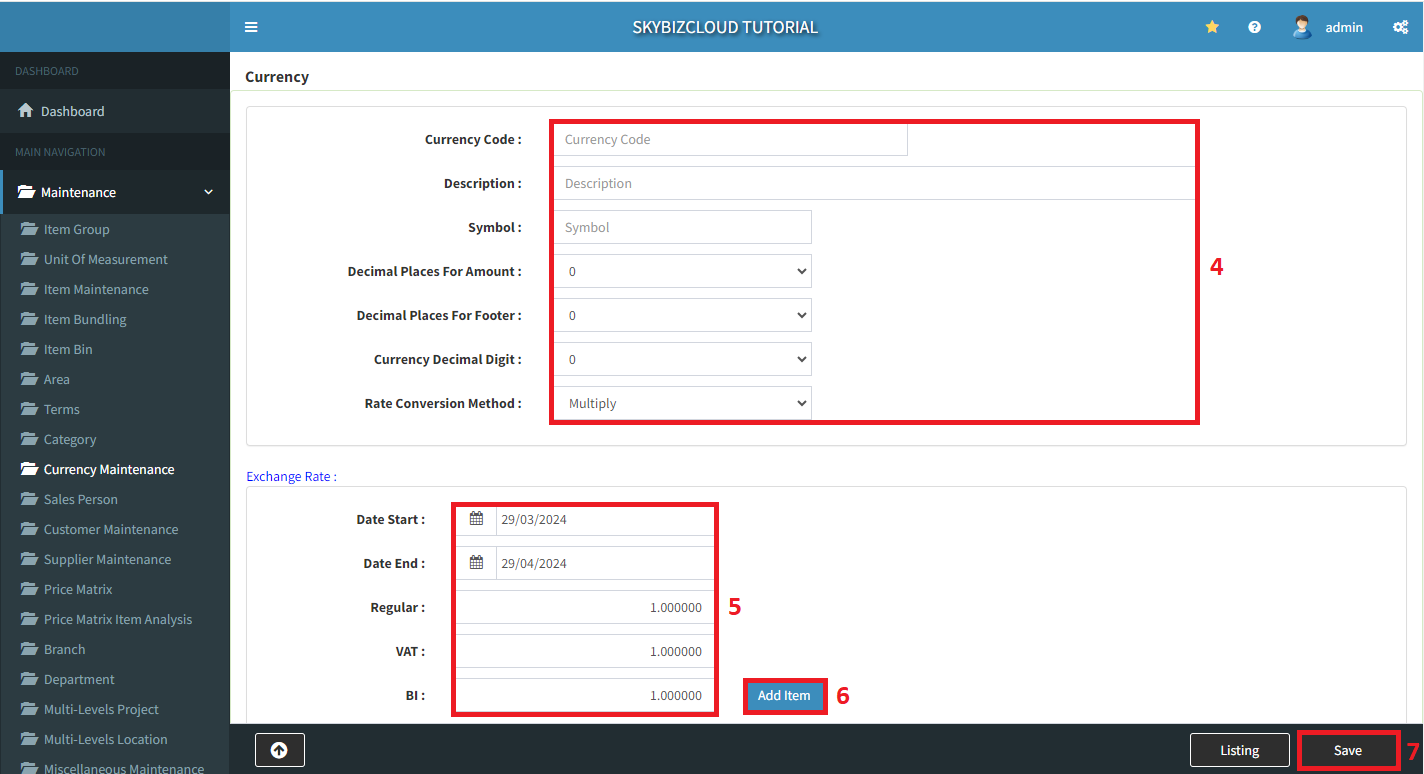
Key in the currency maintenance details
Powered By : SKYBIZ ®