Below are guideline(s) to import item bin:
- Click menu Setting>>Database Manager>>Market Place>>
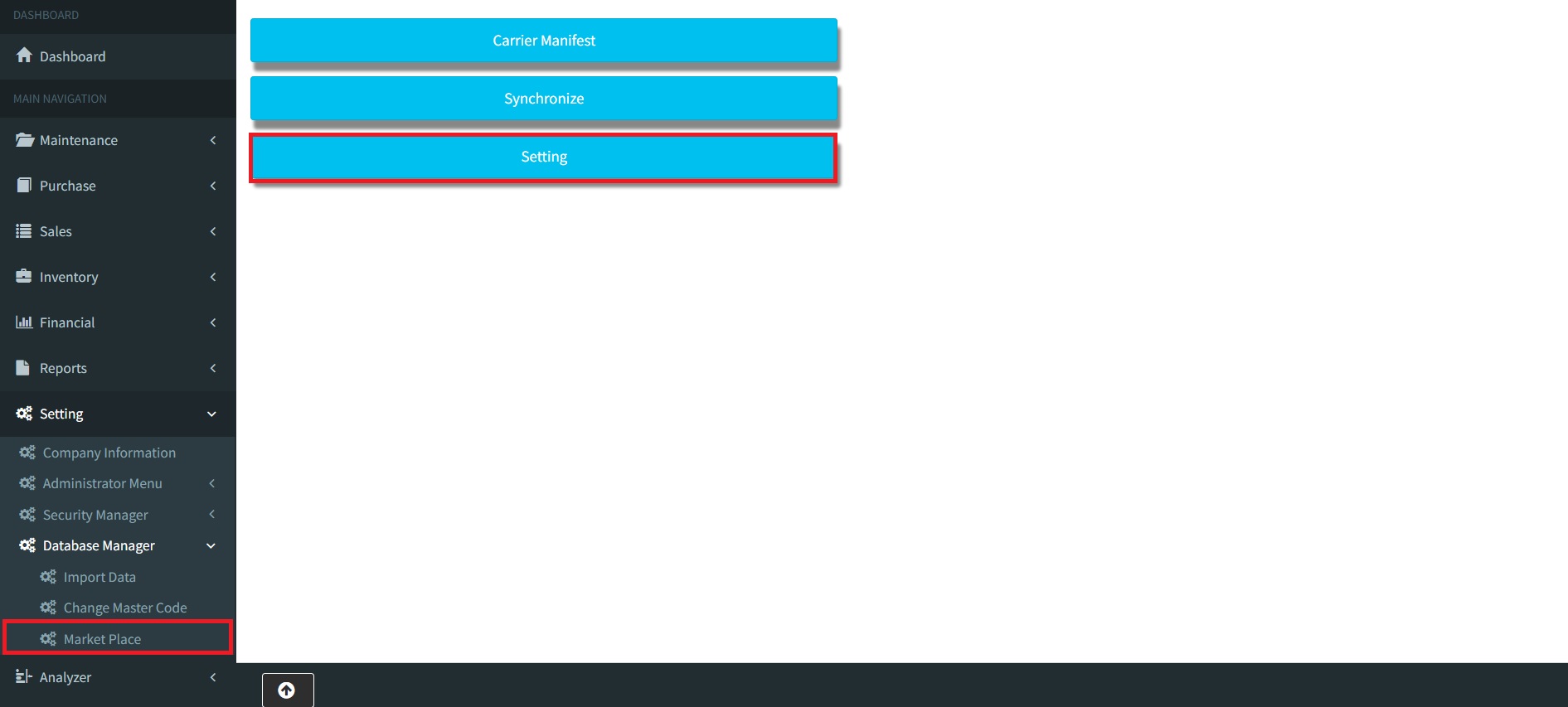
Market Place
-
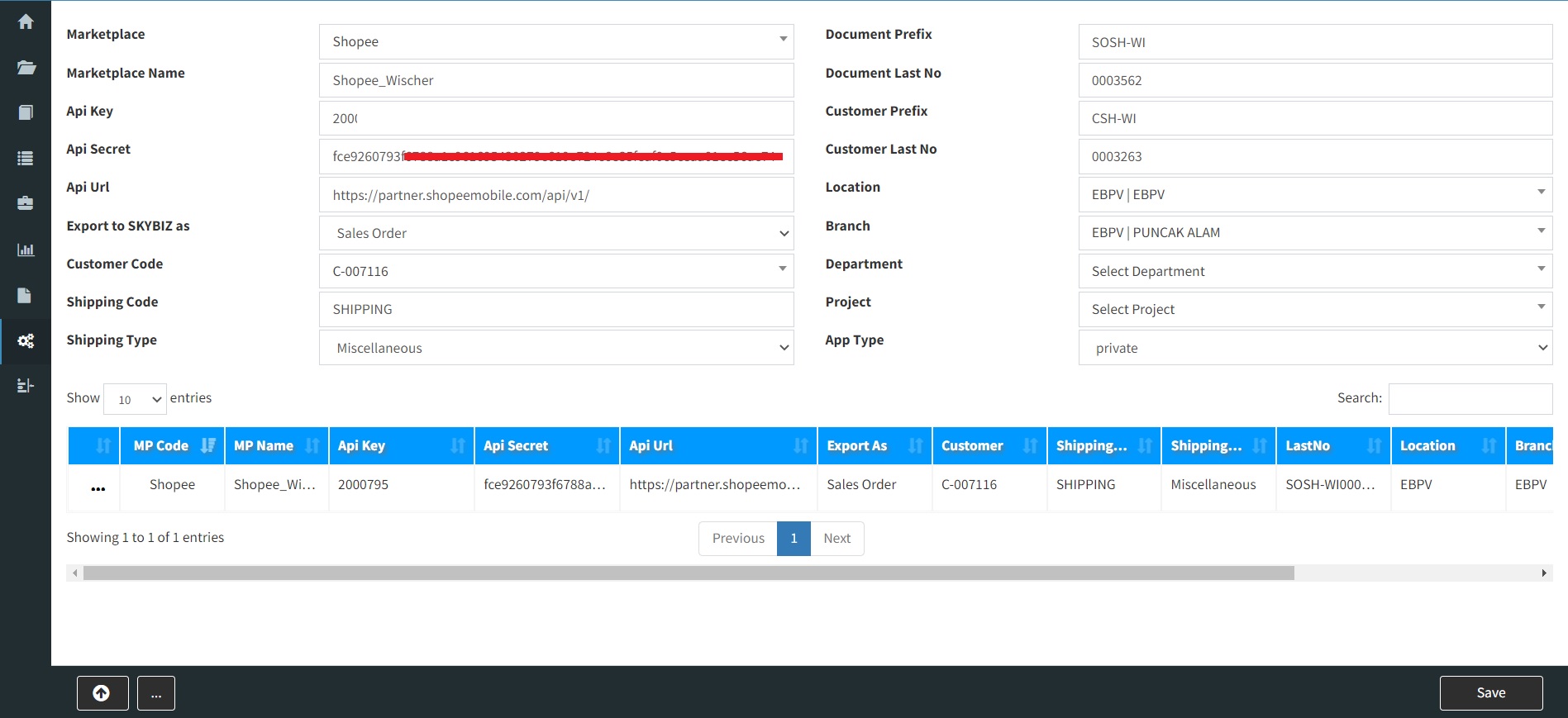
Market Place Setting
- Choose Market Place [Shopee/Shopify/Lazada]
- Enter Market Place Name [you may enter your Shopee account name]
- Enter Api Key [enter Shopee Partner ID]
- Enter Api Secret [enter API Secret which was generated from Shopee platform]
- Enter Api URL [enter URL Link]
- Choose Export to SKYBIZ as [Where do you want data download into Sales Order or Sales Invoice]
- Fill up Customer Code [What is your default customer code for those transaction download from Shopee]
- Fill up Shipping Code [What is your default miscellaneous code for shipping that you created in SkyBiz Cloud]
- Fill up Document Prefix [This is prefix of transaction after loaded into SkyBiz Cloud]
- Fill up Document Last No [This is running number of transactions]
- Fill up Customer Prefix [This is prefix of customer after loaded into SkyBiz Cloud, system will auto create new customer code if buyer tel/buyer email doesn’t exist in the customer maintenance]
- Fill up Customer Last No [This is running number of customer code]
- Fill up Location [Default location after loaded Shopee transaction into SkyBiz Cloud]
- Fill up Branch [Default branch after loaded Shopee transaction into SkyBiz Cloud]
- Fill up Department [Default department after loaded Shopee transaction into SkyBiz Cloud]
- Fill up Project [Default project after loaded Shopee transaction into SkyBiz Cloud]
- Fill up App Type [If your marketplace is Shopify then you need to choose this option else you may ignore it]
Powered By : SKYBIZ ® Beyond Cloud ™