Below are Documents Approval Guides:
A. Approval Path Setting
1. Go to Setting>>Security Manager>>User Profile Management
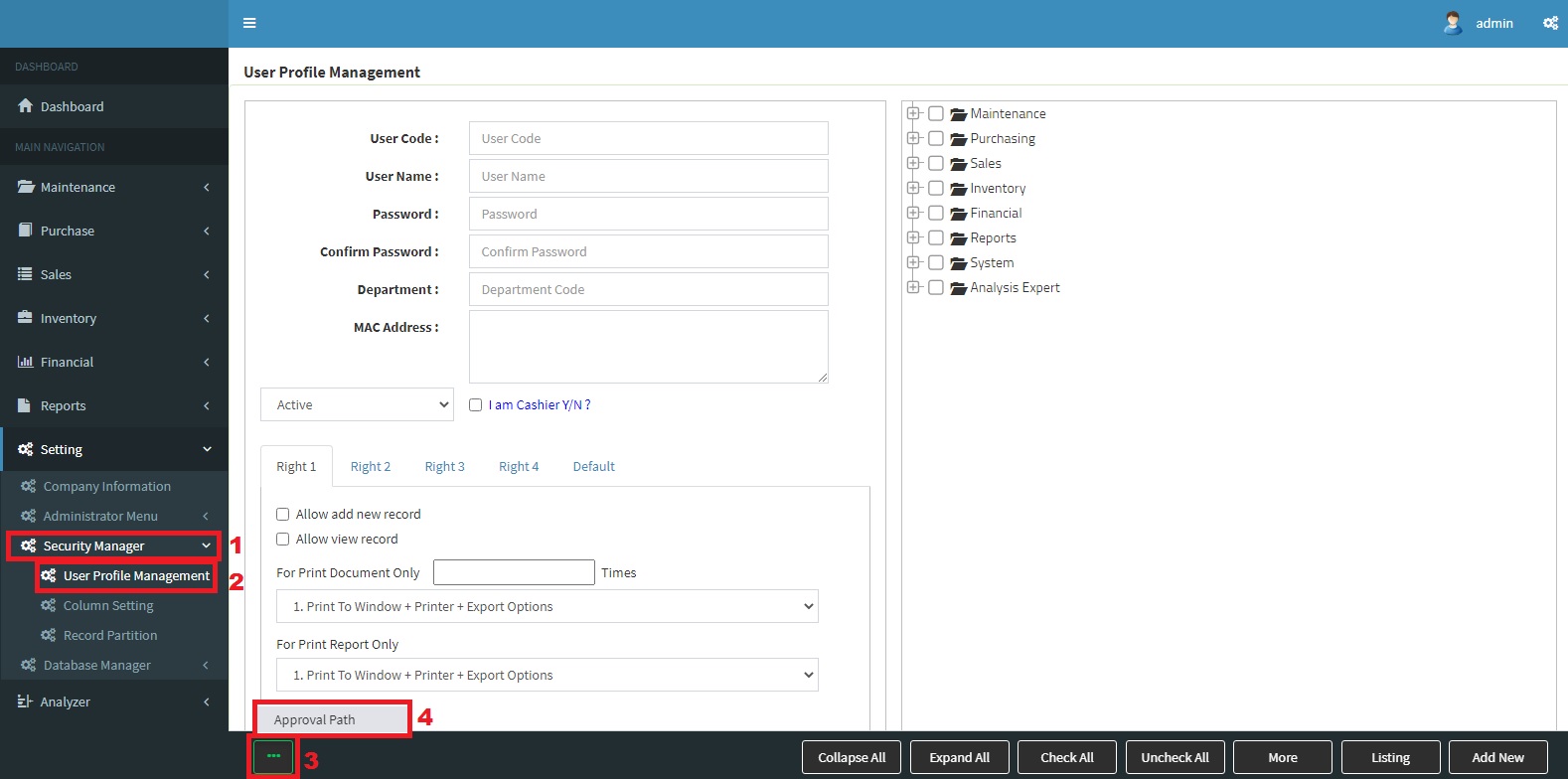
Approval Path Setting
2. Click 3 Dot >>Approval Path
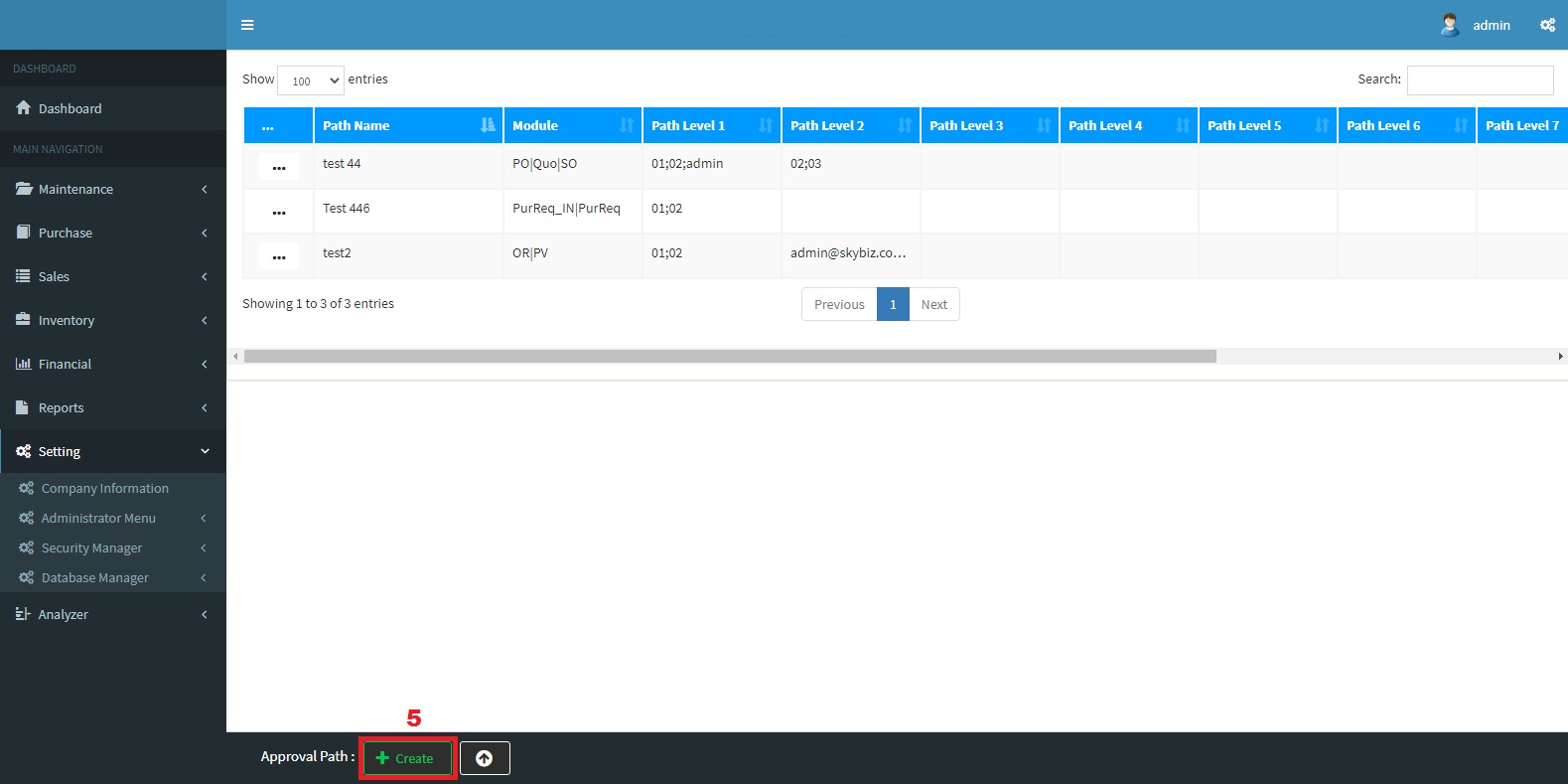
Approval Path
3. click button [Create], here we allow user to setup multiple approval channel, here it called (Approval Path) with different combination and sequence of different user id.
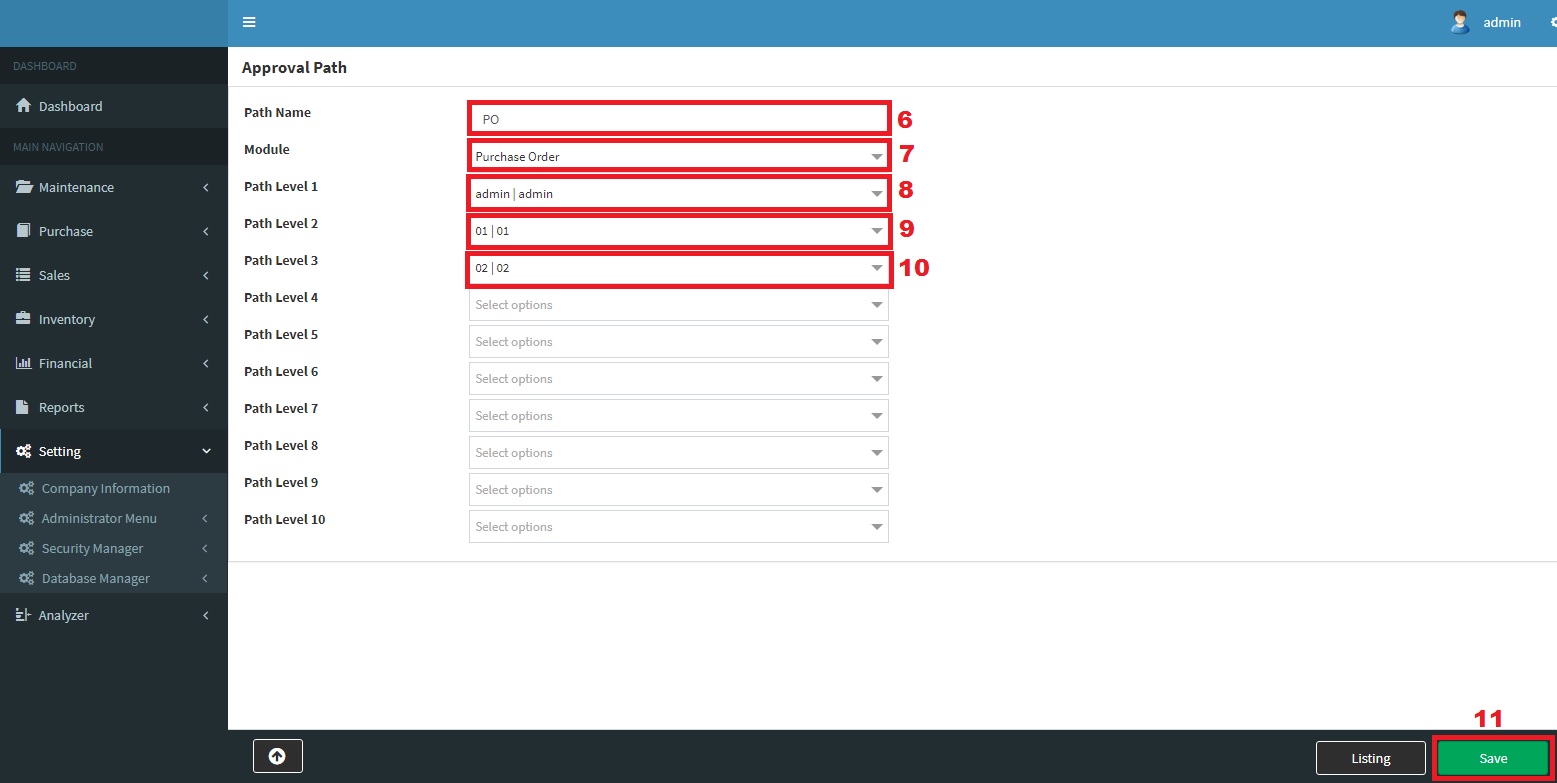
Create
4. Save
B. Assign Approval
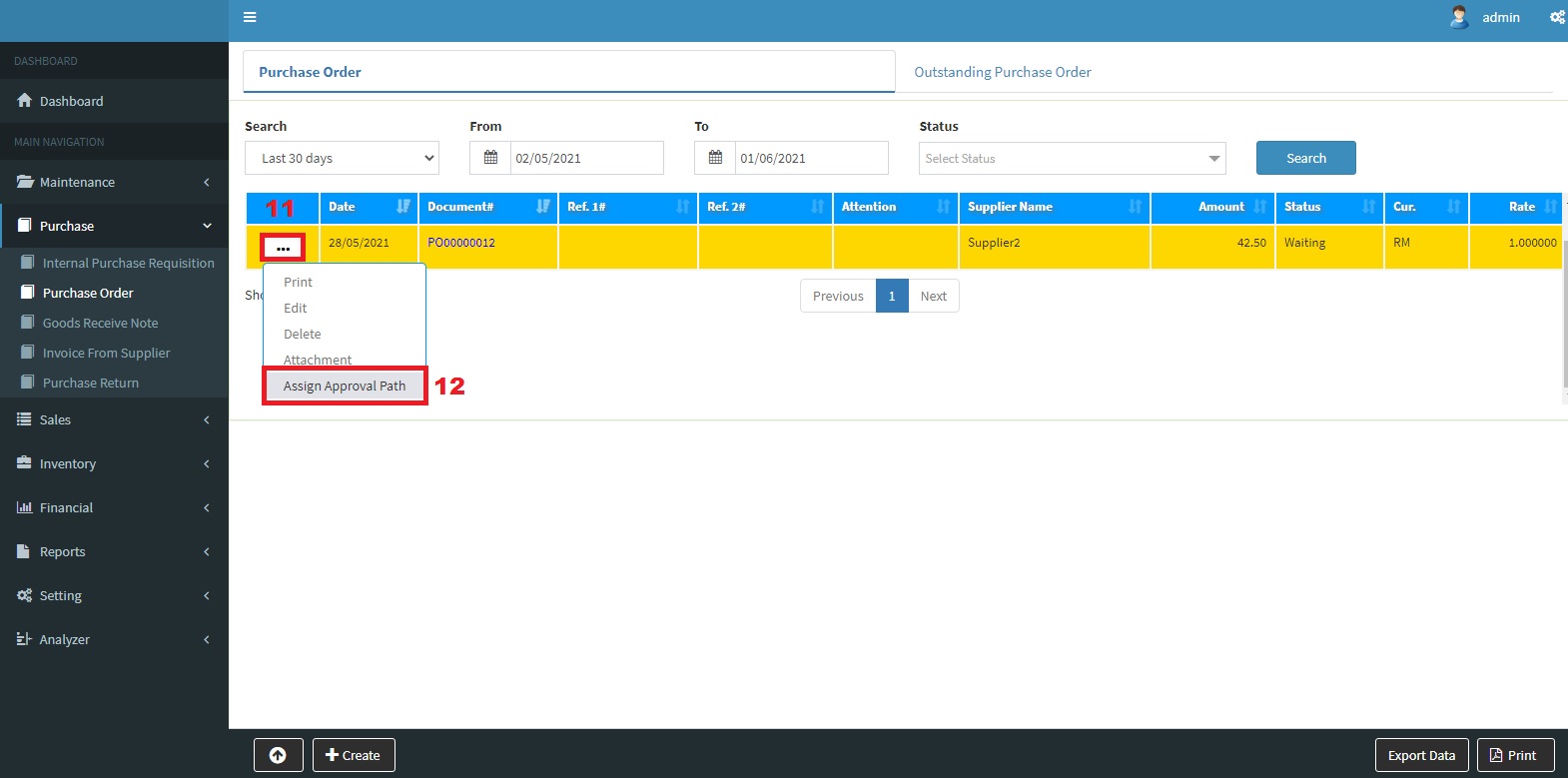
Assign Approval
5. Go to PO >> Click 3 Dot >> Assign Approval Path, here user allows to assign the appropriate approval path for each document and set the approval validity period, such as how many hours.
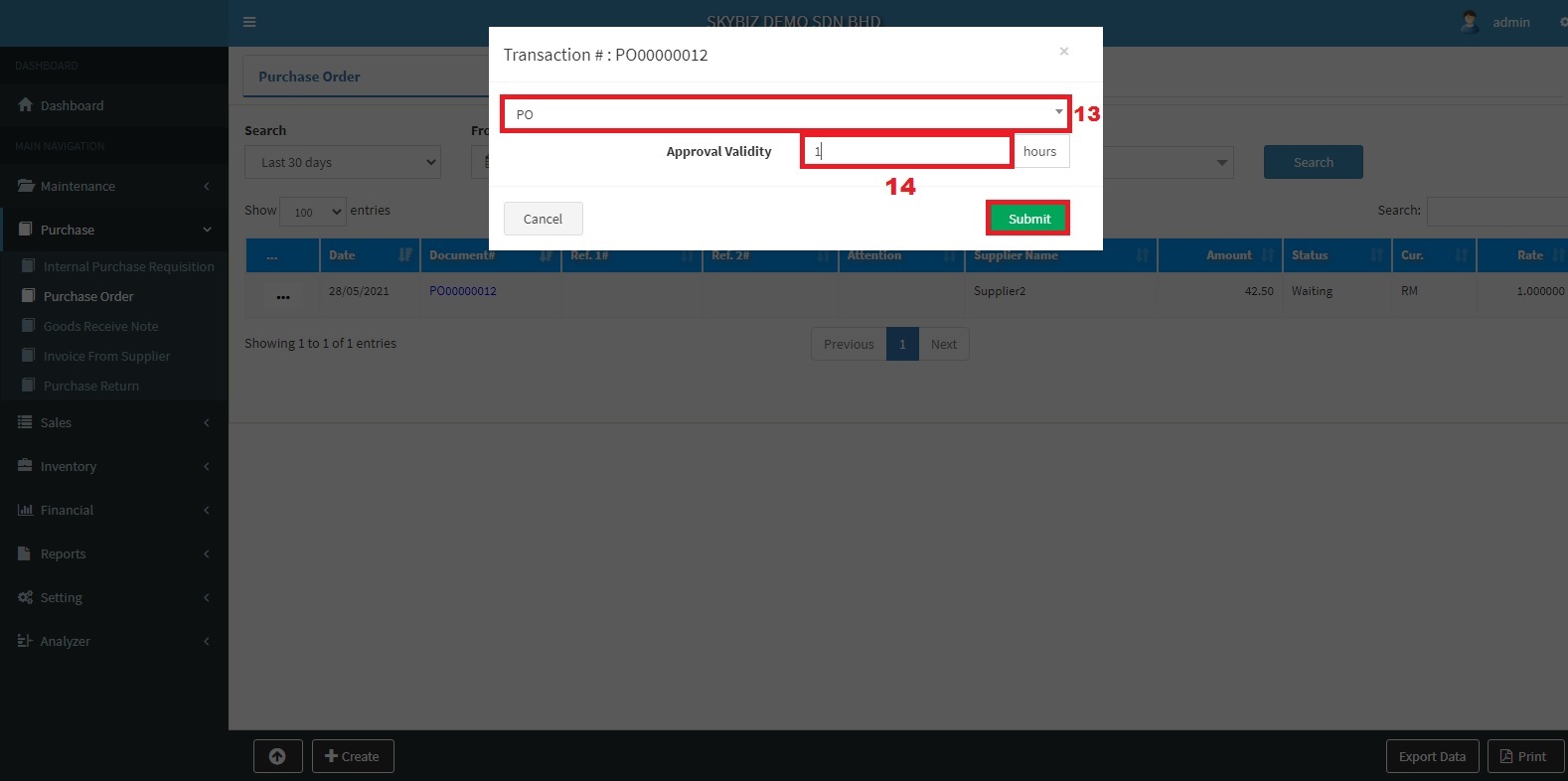
Approval Validity
6. Save
C. How to approve? Upon approval path assignment, the designated supervisor is allow to make approval and rejection according to approval path setting, according below shown steps.
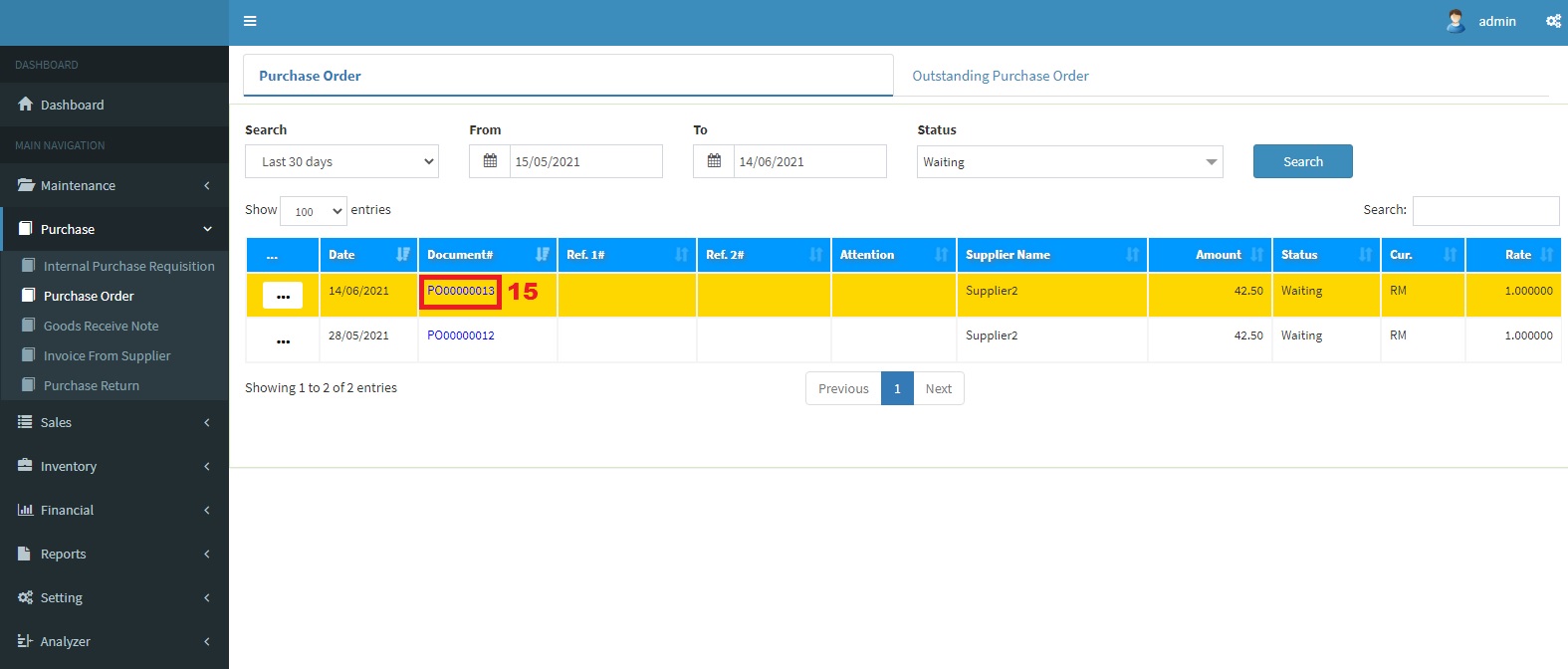
Approve
7. Click >> PO number
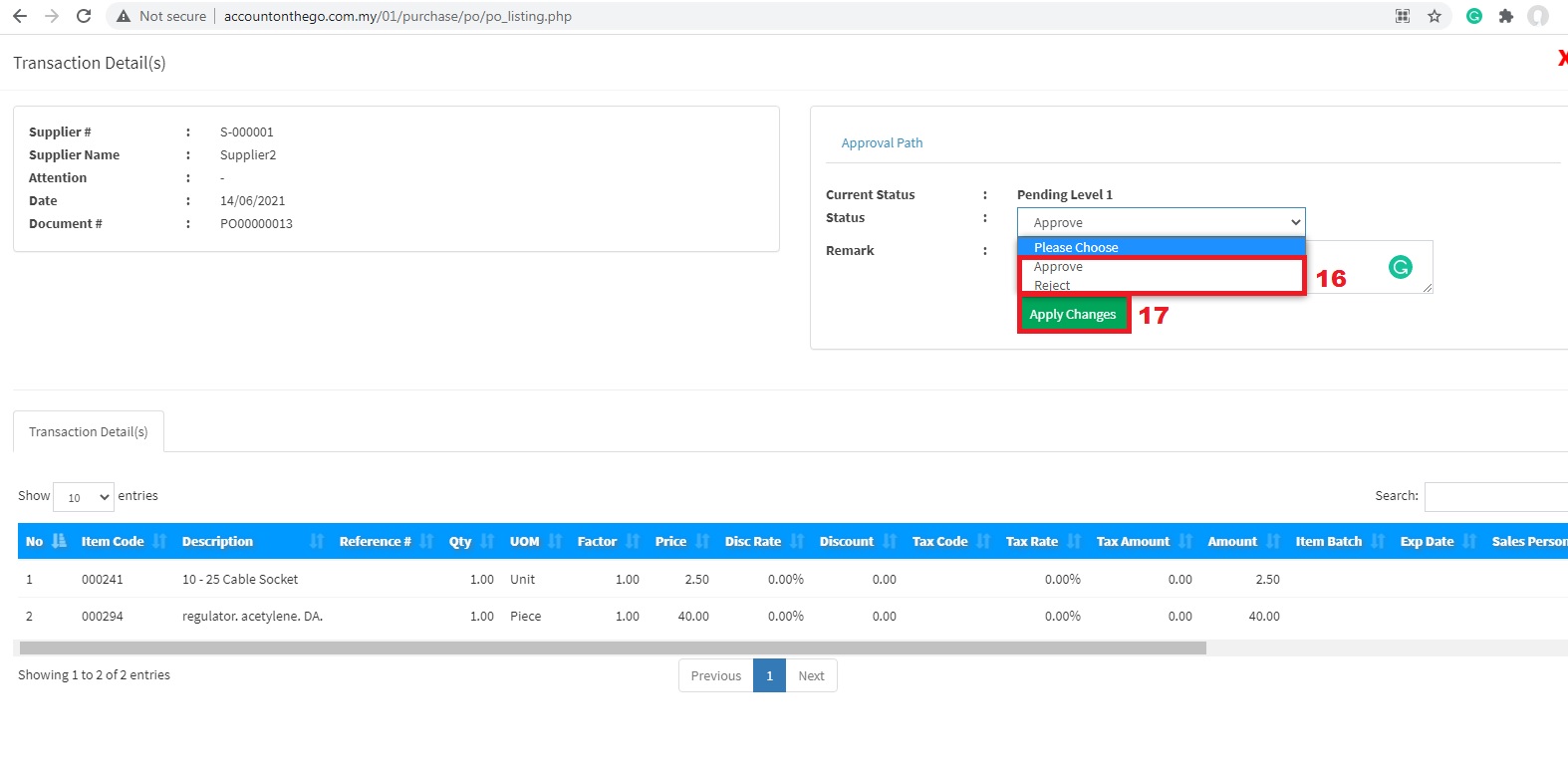
Choose : Status
8. Apply Changes
Powered By : SKYBIZ ® Beyond Cloud ™