Section A: Below are guideline(s) on how to connect VPN Connection to 1Utama
- Go to >> Control Panel >> Network and Internet >> Network Connections >> Change Adapter Setting
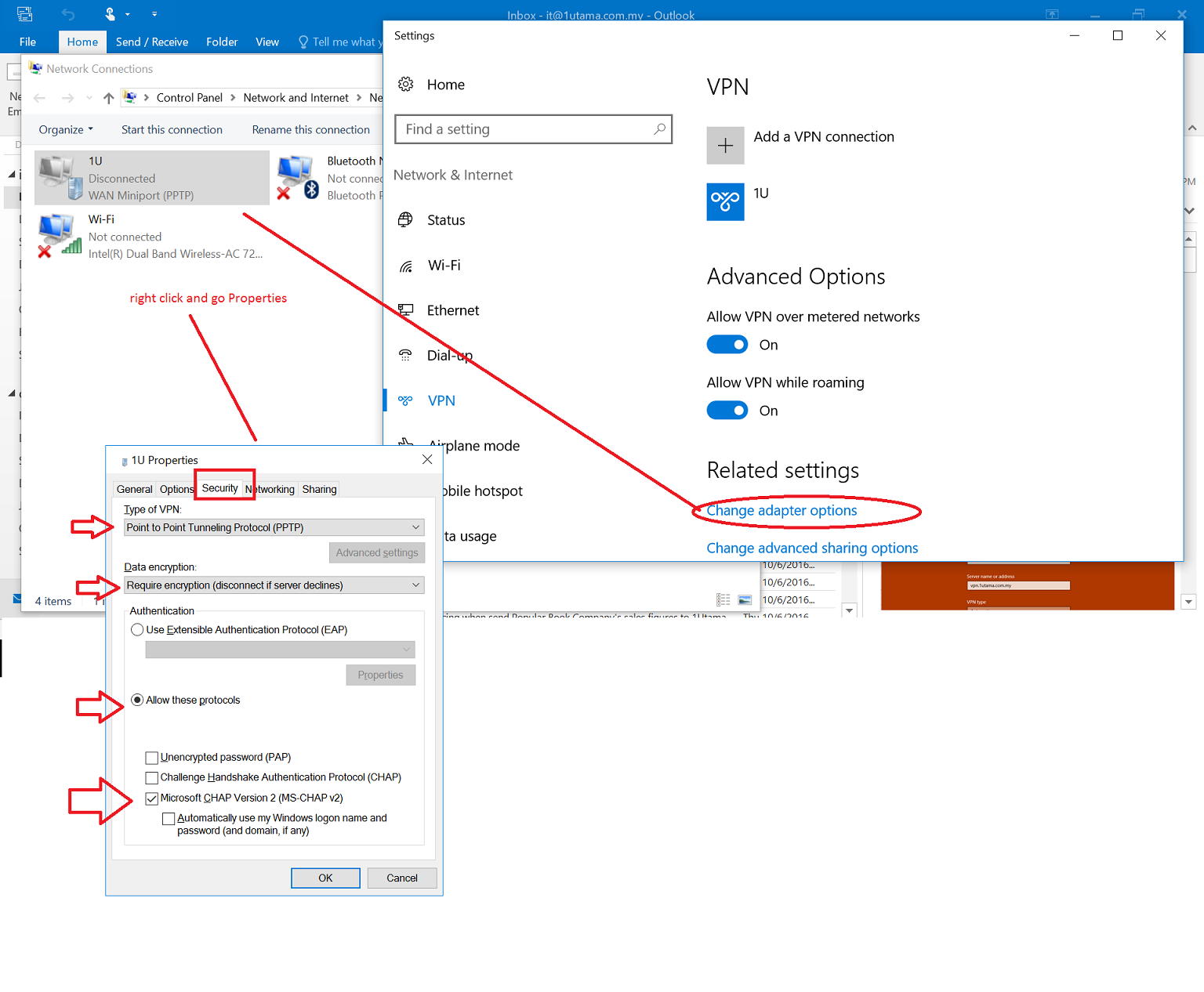
Change Adapter Settings
2. Click the VPN Connection and Right Click to go Properties
*Security Tab (Follow the settings)*
3. Click Networking >> Double Click Internet Protocol Version 4 >> Click Advanced on right below
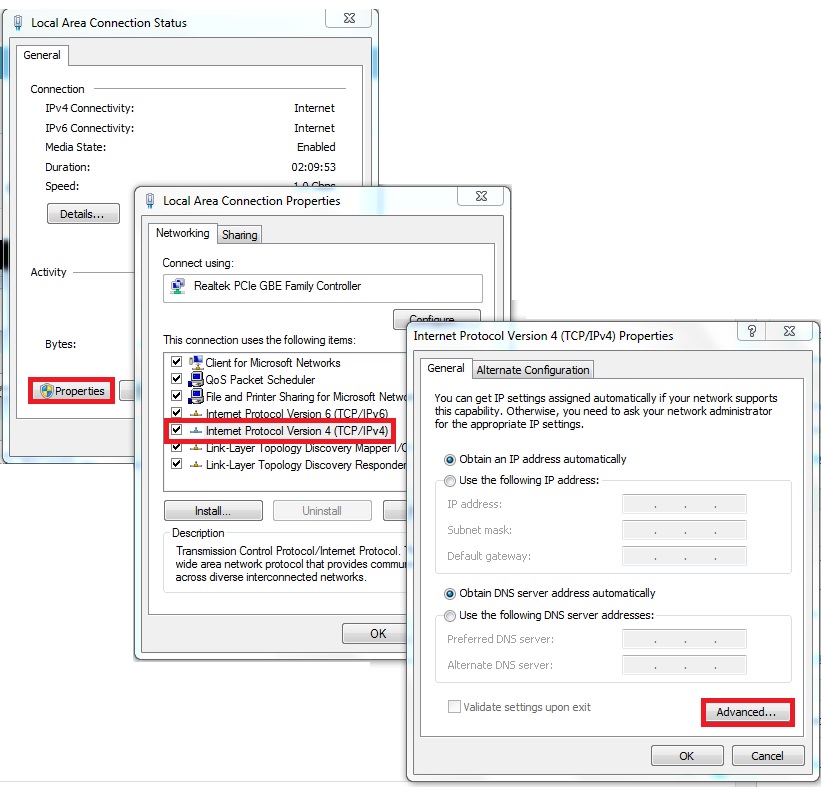
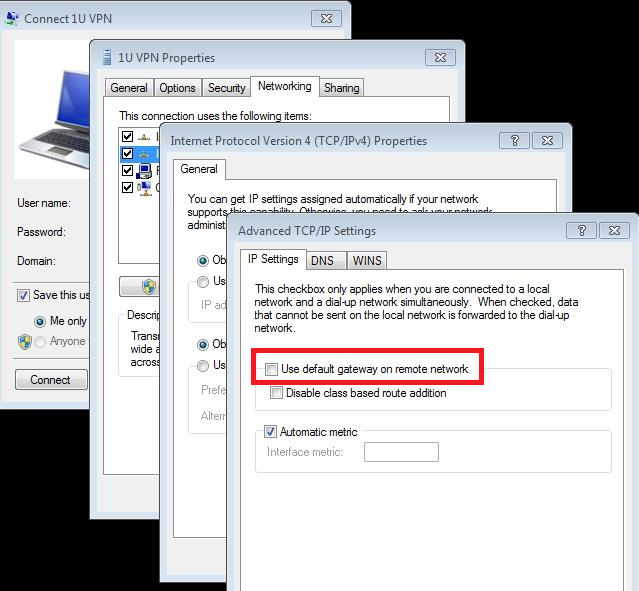
VPN Connection
4. Click IP Settings (Tick) Use default gateway on remote network
Finally, go to Network and Internet >> Connect VPN by Key In (Username, Password, Domain-IP Address/Hostname)
Section B: Below are guideline(s) on how to Upload Sales Data To 1Utama

SkySyn
1. Go to SkySyn >> File >> Posting To Mall Management
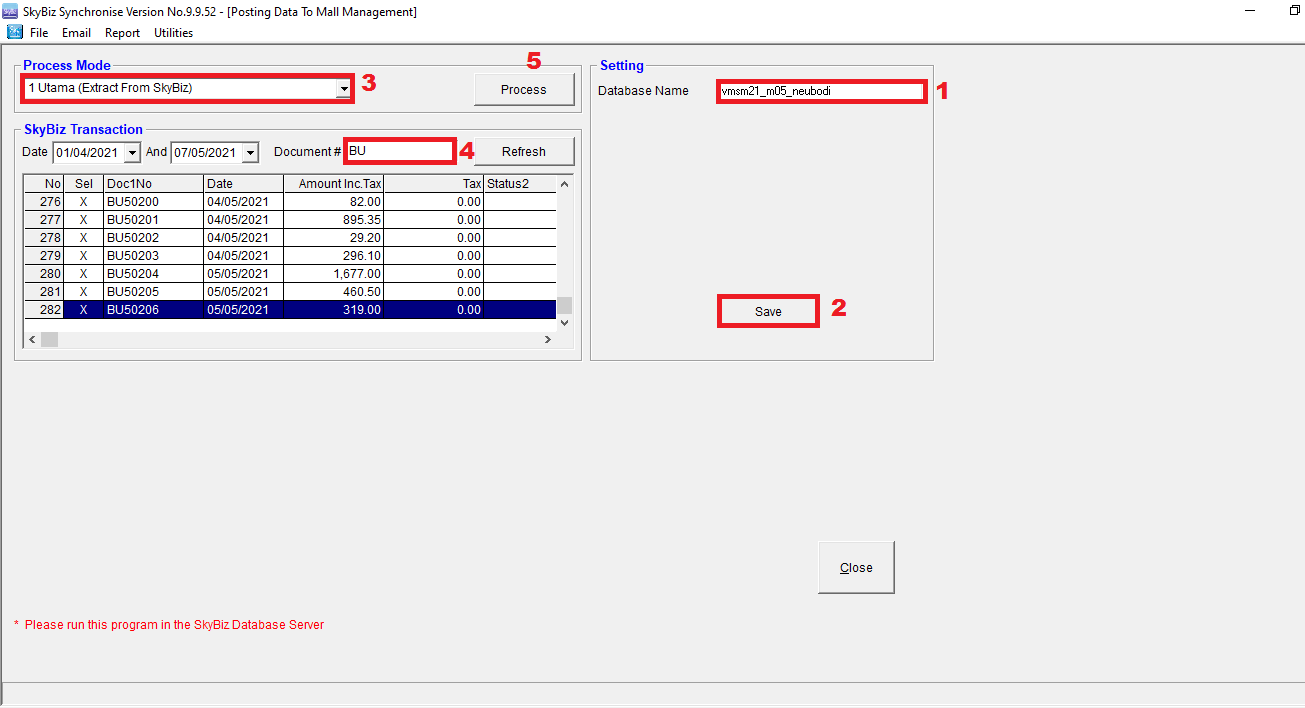
Extract From SkyBiz
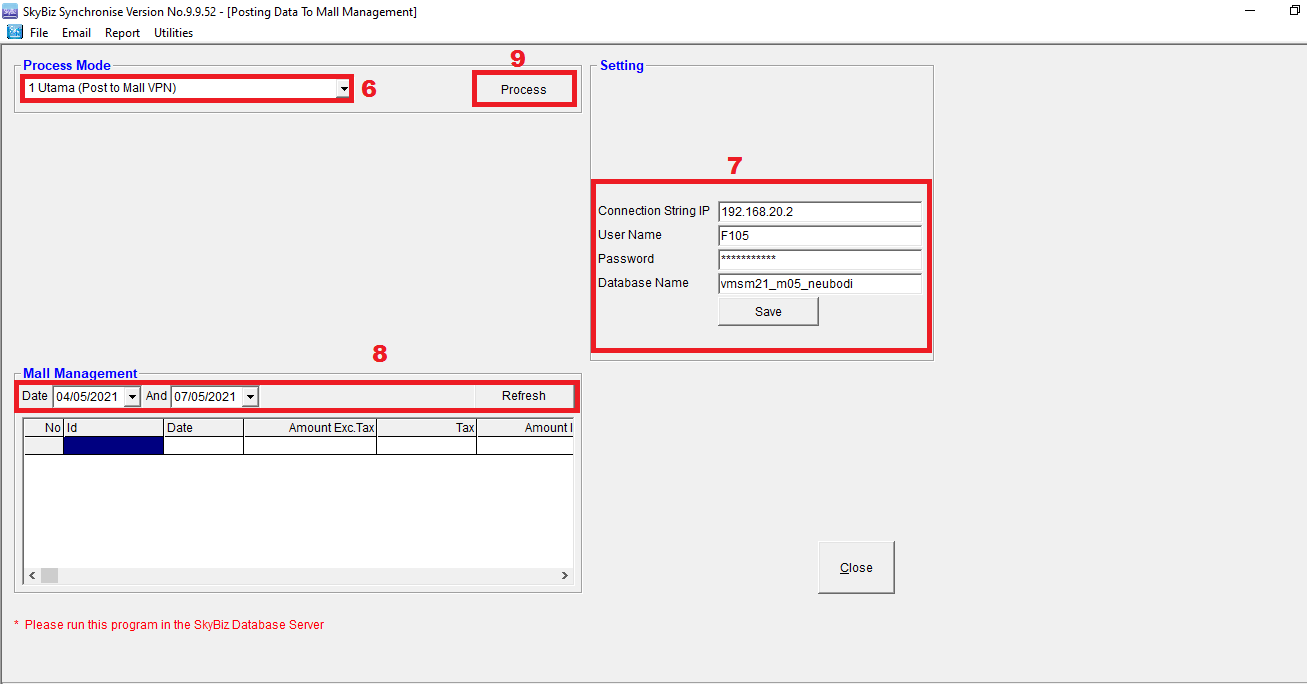
Post To Mall (VPN)