This article shows you how to matching invoice with office receipt and credit note with (for those transaction matching not recorded during transaction only if our quick matching feature won’t work for your situation). If you issue a credit note to your customer, you’ll want to show both the invoice and the credit note as ‘match’ in Cloud
Below are guideline(s) to match a credit note with an invoice:
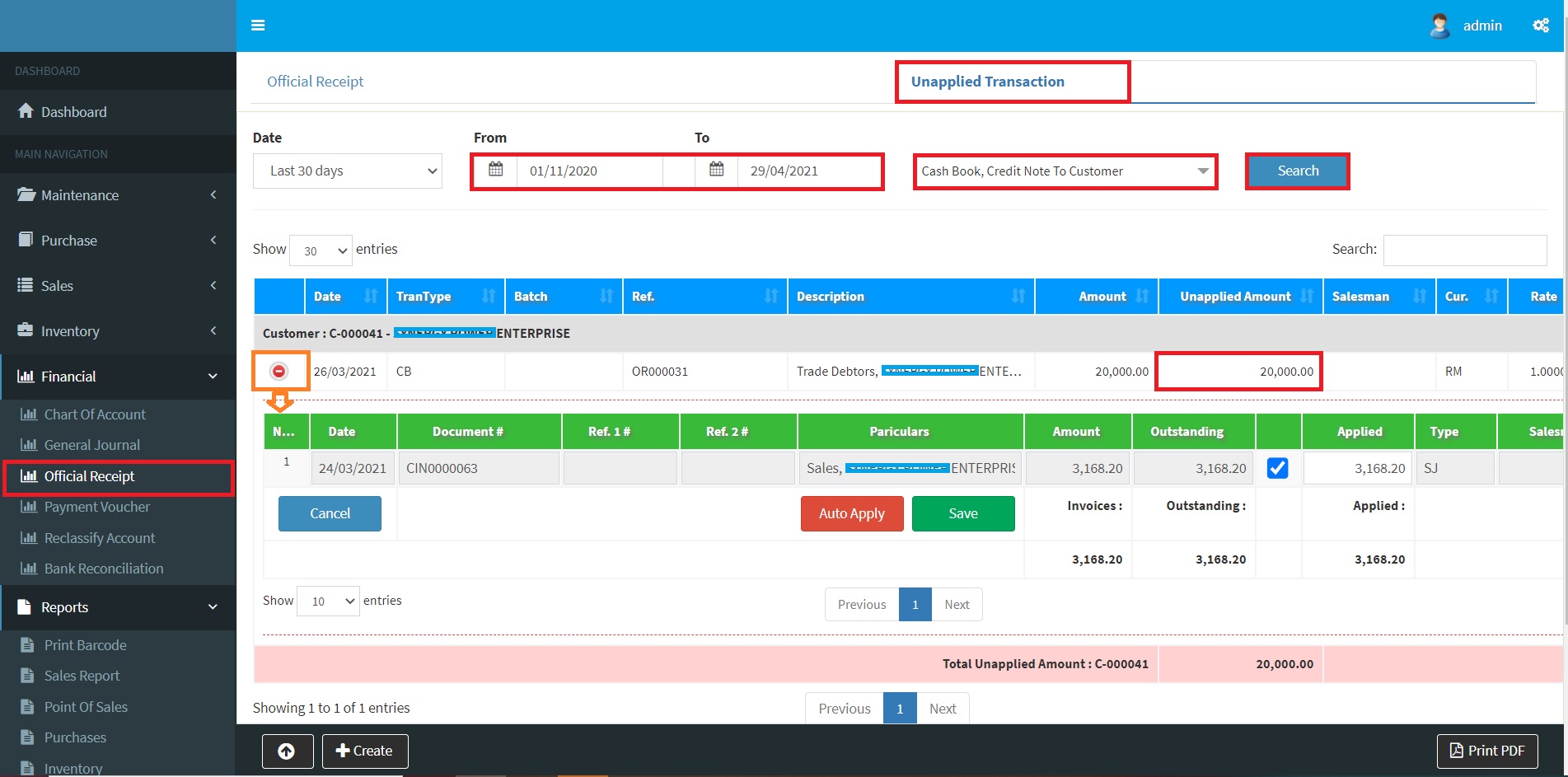
- Click menu Financial>>Official Receipt>>Listing>>Unapplied Transaction.
- Click Search to get an unapplied transaction of a credit note or official receipt.
- Click + to view outstanding invoices to match.
- Click Save to proceed to save matching.
-
Official Receipt – Match invoice with Office Receipt or Credit Note
Powered By : SKYBIZ ®